Brókeres y props
Para empresas
00
Days
:
00
Hours
:
00
Minutes
:
00
Seconds
DeepSeek Plugin v1.0
5.0
03/09/2025
2251
Desktop
Desde 10/02/2025
Instalaciones gratis
6705
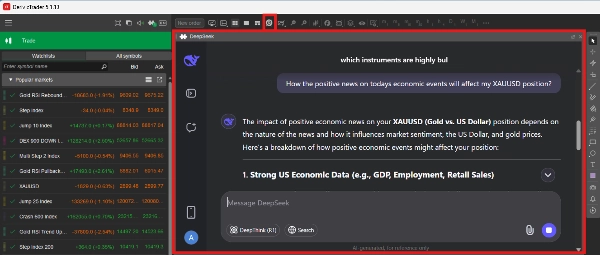
Imagen cargada de "DeepSeek Plugin v1.0"

🚀 AI-Powered Market Intelligence for Smarter Trading!
Unlock advanced AI-driven insights, strategy enhancements, and real-time market analysis—right inside cTrader.


Why It's Useful

💡 Master cTrader Quickly – Get instant answers to your trading and platform-related queries.
📊 Boost Technical Analysis – Leverage AI to interpret indicators, patterns, and trends.
🤖 Refine cBots with AI – Debug, optimize and enhance your trading algorithms effortlessly.
🌍 Stay Ahead of the Market – Receive AI-powered updates on economic events and market movements.


Why Choose DeepSeek?

Advanced AI trading insights
No programming skills required
Seamless integration with cTrader


Get Started in 3 Easy Steps!

1️⃣ Download & Install the DeepSeek Plugin
2️⃣ Activate AI Assistance in cTrader
3️⃣ Trade Smarter with real-time AI insights


🔗 Download now and take your trading to the next level! 🚀

5.0
Valoraciones: 1
5
100 %
4
0 %
3
0 %
2
0 %
1
0 %
Valoraciones de clientes
July 9, 2025
Pros: Fast response, GPT‑4-level reasoning, integrated cBot code generation. Cons: No session memory, limited UI customization, lacks built-in templates. Summary: A promising AI assistant for algorithmic trading in cTrader, but needs enhancements in session handling and usability.
Más de este autor
ChatGPT Plugin v1.0
ChatGPT Plugin for cTrader
Plugin de escritorio
Indices
Commodities
Forex
Deriv Charts
Deriv Charts Plugin for cTrader
Plugin de escritorio
Indices
Commodities
Forex
Deriv Trading Calculator
Deriv Calculator Plugin for cTrader
Puede interesarle
Plugin de escritorio
Indices
Stocks
Forex
+1
MarketInsights
Get TradingView charts & heatmaps directly in cTrader!
Plugin de escritorio
Indices
Prop
Commodities
+3
RiskManagement - Full
Professional risk management plugin with automatic lot calculation, chart panels, and R:R automation. Version 1.4.2.
Plugin de escritorio
NAS100
NZDUSD
Martingale
+23
LookPosOrder
One-click toggle for Positions / Pending Orders on cTrader charts with fixed on-chart warnings and an ASP control panel
ChatGPT Plugin v1.0
ChatGPT Plugin for cTrader
Plugin de escritorio
Indices
RSI
Prop
+4
RSI Scanner
RSI Scanner - Fully Adjustable
Plugin de escritorio
NAS100
Indices
XAUUSD
+4
AlgoCorner Flash OCO OSO
Place professional OCO & OSO orders in cTrader — visually, instantly, and without execution mistakes.
Pattern Drawing 1.2
A powerful Plugin for cTrader that enables traders to identify and visualize advanced market patterns
Plugin de escritorio
NAS100
NZDUSD
XAUUSD
+10
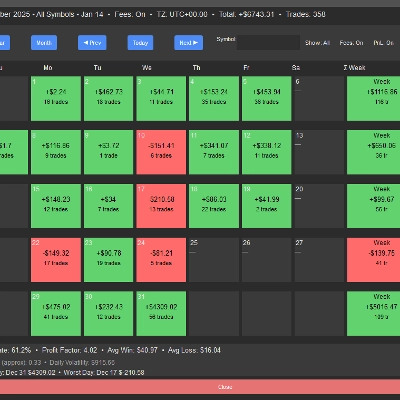
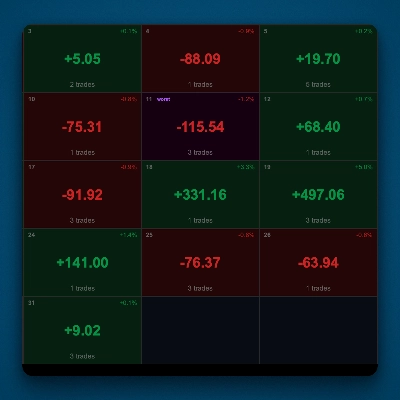
PnL Calendar
Visual calendar with daily PnL, trades, win rate, profit factor, and performance insights.
Plugin de escritorio
NAS100
NZDUSD
XAUUSD
+11
FedPulse
Real-time CME FedWatch rates + DXY, yields & Gold/Silver ratio—your all-in-one Fed policy monitor for metals & FX.
ColorfulTickVolumeV2
Changes the Tick Volume color based on price movement, synchronized with BullFillColor and BearFillColor in ColourOption
Plugin de escritorio
Breakout
Signal
RiskRewardCalculator
The Risk-Reward plugin is a tool to visualize a trading idea based on other analysis tools,
Plugin de escritorio
NAS100
NZDUSD
Martingale
+26
Trade Analytics
Trade Analytics delivers advanced trading insights and heatmaps directly inside TradeWatch.
cTrader Web
This is a sample plugin that allows directly accessing cTrader web inside cTrader desktop.
Plugin de escritorio
Indices
Commodities
Forex
+1
Go To Date 1.0
This plugin allows you to jump to a specific data on a chart.
Currency Strength Board
Plugin de escritorio
NAS100
NZDUSD
Martingale
+26
Risk Watch
See your live exposure, risk and open-position health - all in one real-time dashboard.
Mejor valorado
Gratis
ColorfulTickVolume
Change the color of Tick Volume based on the price movement
Plugin de escritorio
NAS100
NZDUSD
Martingale
+26
PnL Studio
Turn your trading history into a crystal clear performance dashboard - right inside cTrader.