Description
Sentinel Apex (SP500) est un cBot structuré basé sur l'indice SP500, conçu pour les traders qui souhaitent plus de discipline, de clarté et de contrôle lors de l'évaluation du trading automatisé d'indices sur la période M5.
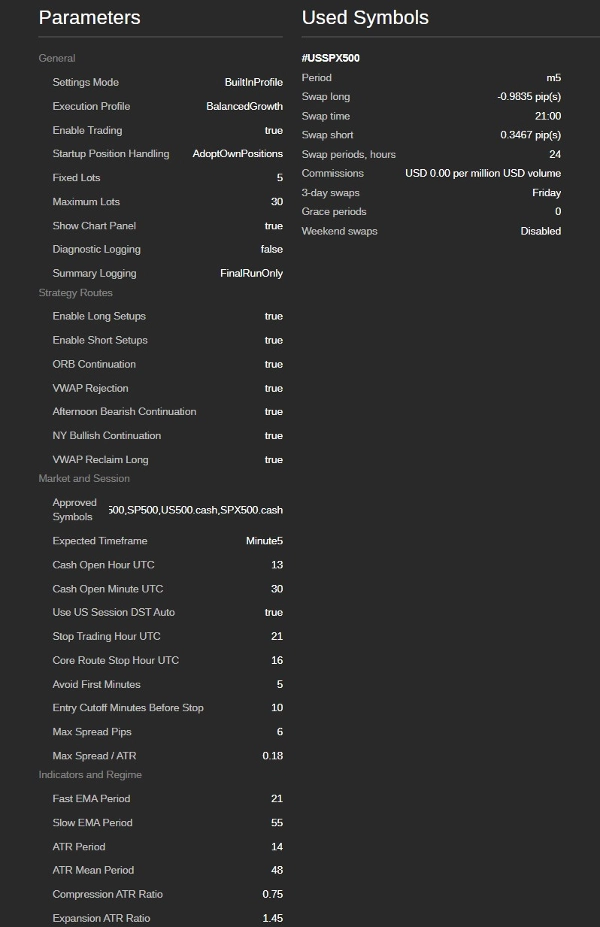
Au lieu de suivre chaque mouvement du marché, Sentinel Apex se concentre sur des conditions sélectionnées de type SP500 où le comportement des prix, le timing des sessions, le contexte de tendance, la structure de la plage d'ouverture, les conditions ATR et l'interaction avec le VWAP s'alignent avec des routes de configuration prédéfinies. Le résultat est une approche plus propre, basée sur le profil, de l'automatisation SP500.
Focus de la stratégie
Sentinel Apex est conçu pour des symboles CFD de type SP500 tels que #USSPX500, US500, SPX500, SP500, ou une dénomination équivalente du courtier. Il est construit pour la période M5 et inclut une protection du symbole et de la période pour aider à prévenir une utilisation accidentelle sur des marchés ou des périodes de graphique non pris en charge.
Le cBot se concentre sur des configurations d'indices structurées, notamment :
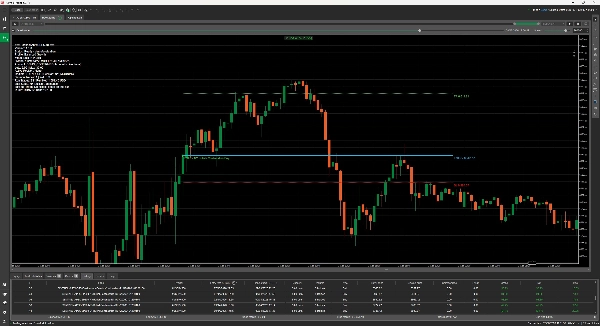
• Continuation haussière NY — configurations longues sélectionnées durant les conditions haussières de la session de New York.
• Continuation ORB — opportunités de continuation de la plage d'ouverture.
• Reprise / Rejet VWAP — configurations d'action des prix autour du comportement du VWAP.
• Continuation baissière de l'après-midi — conditions sélectionnées de continuation côté court plus tard dans la session.
Profils intégrés
Sentinel Apex inclut des profils d'exécution intégrés afin que les utilisateurs puissent évaluer la stratégie sans configurer manuellement chaque paramètre :
• Croissance équilibrée — un profil équilibré pour une évaluation structurée.
• Hybride de qualité — un profil de sélection de trades plus propre.
• Référence de profit — un profil de comparaison avec un volume de trades plus élevé.
Cela rend le cBot plus facile à tester, comparer et comprendre tout en donnant aux utilisateurs accès à des contrôles de configuration visibles.
Profil de risque et gestion des trades
Sentinel Apex utilise une exécution à lots fixes avec des contrôles de lots visibles par l'utilisateur et un plafond de sécurité maximal pour les lots. Les utilisateurs restent responsables de la sélection d'une taille de lot adaptée à la taille de leur compte, aux spécifications du contrat du courtier, aux exigences de marge, à la valeur du pip, au spread et à leur tolérance personnelle au risque.
Le cBot inclut des fonctionnalités pratiques de sécurité et de gestion des trades, notamment :
• protection approuvée des symboles de type SP500 ;
• protection de la période M5 ;
• contrôles de stop-loss et take-profit ;
• gestion du seuil de rentabilité ;
• gestion du time-stop ;
• logique de fermeture de session ;
• gestion du démarrage pour les positions propres à Sentinel Apex ;
• résumés finaux clairs pour une révision facilitée.
Avantages clés
• Conçu spécifiquement pour les symboles CFD de type SP500 et le comportement de l'indice M5.
• Utilise des routes de configuration structurées au lieu d'entrées à haute fréquence non contrôlées.
• Couvre à la fois les opportunités longues et courtes.
• Fournit des profils d'exécution intégrés pour faciliter les tests et comparaisons.
• Applique des filtres de session, tendance, plage d'ouverture, ATR, spread et qualité de route.
• Maintient les journaux normaux propres avec un résumé final clair.
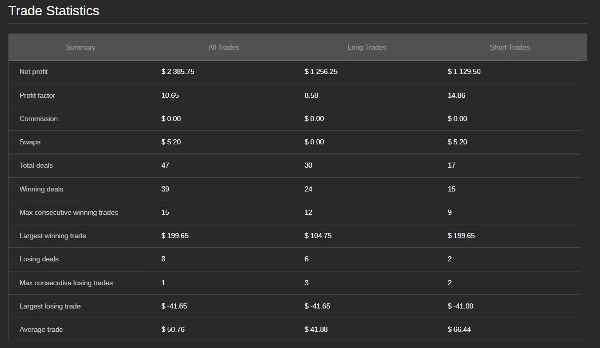
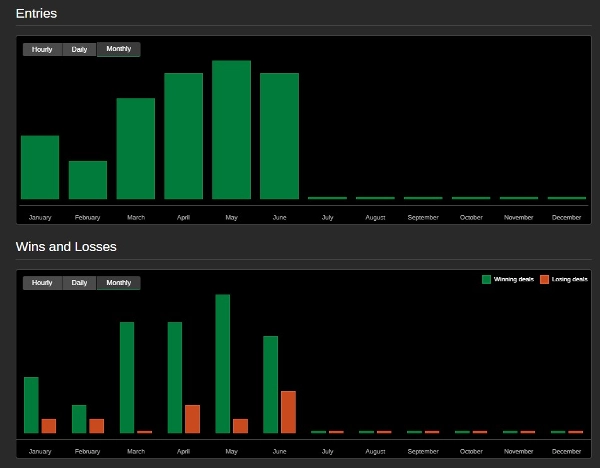
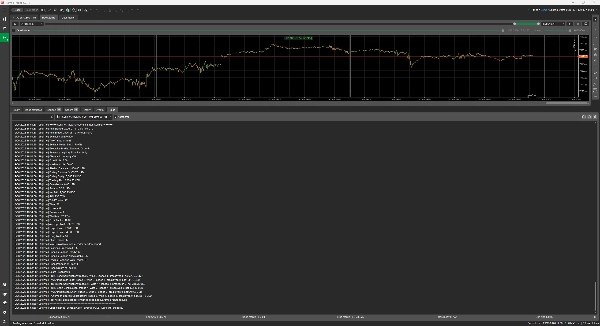
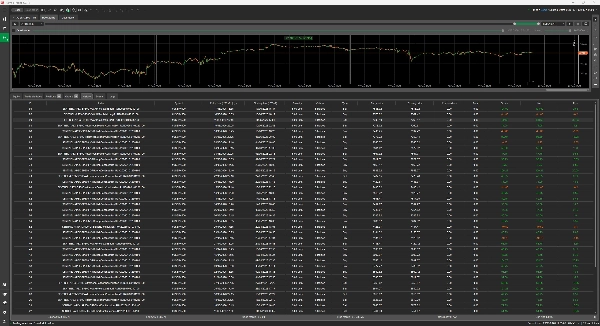
• Inclut une sortie de revue transparente avec le nombre de trades, la répartition gains/pertes, la ventilation des routes, le P&L net et le statut des positions/ordres ouverts.
• Aide à réduire les usages accidentels grâce aux contrôles de symbole, période, mode de compte et taille de lot.
Version d'essai
La version d'essai de Sentinel Apex (SP500) est fournie uniquement pour une évaluation en mode démo. Elle est limitée aux comptes démo et aux symboles CFD de type SP500 approuvés tels que #USSPX500, US500, SPX500, SP500, ou une dénomination équivalente du courtier.
La version d'essai vise à aider les utilisateurs à examiner la logique de configuration du cBot, le comportement des profils, la journalisation, la gestion des trades et le flux de travail spécifique au SP500 avant de considérer la version complète. L'exécution sur compte réel n'est pas disponible dans cette version d'essai.
À qui s'adresse ce cBot
Sentinel Apex convient aux utilisateurs qui souhaitent évaluer un cBot structuré axé sur le SP500 avec des profils clairs, une gestion contrôlée des trades et un reporting transparent.
Il est particulièrement adapté aux utilisateurs qui comprennent le risque CFD, les différences de symboles chez les courtiers, les exigences de marge, la taille des lots et l'importance de tester soigneusement les paramètres avant de prendre des décisions de trading.
Limitations importantes
Sentinel Apex ne constitue pas un conseil financier et ne garantit pas les résultats futurs. Les conditions du marché, le spread, les swaps, le slippage, l'exécution du courtier, le mapping des symboles, les exigences de marge et la taille des lots peuvent affecter significativement la performance.
Les utilisateurs doivent tester avec soin, confirmer tous les paramètres spécifiques au courtier et s'assurer que le cBot convient à leur propre profil de risque avant de l'utiliser.
Résumé
Key strategy setups include bullish continuation during the New York session, opening-range breakout continuations, VWAP reclaim or rejection price actions, and bearish continuation in the afternoon session. The cBot supports both long and short trades and includes symbol and timeframe protections to avoid misuse on unsupported markets or chart periods.
Sentinel Apex offers built-in execution profiles—Balanced Growth, Quality Hybrid, and Profit Benchmark—to facilitate testing and comparison without manual configuration. It uses fixed-lot trade sizing with user controls and safety caps, complemented by risk and trade management features such as stop-loss, take-profit, break-even management, time-stop handling, session-close logic, and startup position handling.
The cBot provides transparent reporting with trade counts, win/loss splits, route breakdowns, net profit and loss, and open position status. It is suitable for traders familiar with CFD risks, broker specifications, and risk management practices who seek a structured, low-frequency day trading solution for SP500 CFDs.