
Trade the Right Hours — Sessions, Killzones & ORB on one cTrader chart (Pro, no-repaint)
동영상 정보
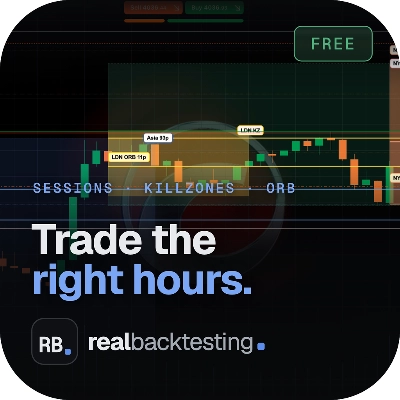
🕐 Stop guessing WHEN to trade. Sessions, ICT killzones and the opening range — drawn cleanly on any cTrader chart, no repaint. In this video I walk through Sessions + Killzones + ORB (Pro): an all-in-one cTrader indicator that maps the trading day for you — Asia / London / New York sessions, the ICT killzones, multi-ORB (opening-range breakout) levels, previous-day & previous-week highs and lows, plus a decision-grade stats panel and a full alert stack. It never repaints (it only commits on closed candles) and uses real DST + a fixed offset, so the sessions land where they actually are. Built for XAUUSD, indices and FX. ⬇️ TRY IT FREE (no strings) There's a free edition you can add to your charts right now — the core sessions / killzones / ORB overlay. The Pro edition you see in this video adds the previous-levels suite, the full alert stack (incl. mobile push) and the stats panel. • Free edition: 👉 (Sessions + Killzones + ORB — Free) • Pro edition: 👉 (Sessions + Killzones + ORB) 🧩 WHAT IT DOES ✅ Trading sessions — Asia / London / New York, shaded, with real DST handling ✅ ICT killzones drawn on the chart ✅ Multi-ORB — opening-range levels with breakout + retest tags ✅ Previous levels — PDH/PDL, PWH/PWL, prev Asia / London / NY (Pro) ✅ Decision-grade stats — session ranges, ADR used / left, day-of-week average, countdown to next session ✅ Alert stack — session open, ORB break, ORB retest, level touch / approach (Pro) + native mobile push (Pro) ✅ No-repaint — closed candles only, real DST + fixed offset ✅ Fully configurable — colours, line widths, opacity, and exactly which sessions / levels to show ⚙️ HOW TO INSTALL & USE 1. Open the Store link above → "Add to cTrader". 2. In cTrader: open a chart → Indicators → add "Sessions + Killzones + ORB". 3. Choose your sessions, killzones and ORB windows in the parameters (left → right groups: Sessions · Killzones · ORB · Levels · Alerts · Style). 4. (Pro) Turn on Previous levels and the alerts you want — popup / sound / email, and "Push price alerts" for native mobile push. 5. Done — it redraws live on every chart, and never repaints. 🔗 LINKS Website: realbacktesting.com cTrader Store: cTrader profile (all my indicators, plugins & cBots): ℹ️ Sessions + Killzones + ORB is a no-repaint cTrader indicator — a charting overlay that places no orders. Educational content, not financial advice. For you, traders. #cTrader #ICT #killzones #ORB #tradingsessions #XAUUSD #gold #indices #forex #noRepaint #tradingindicator #priceaction #daytrading