present
Inscrivez-vous et bénéficiez d'une remise de 50 $ sur votre premier achat
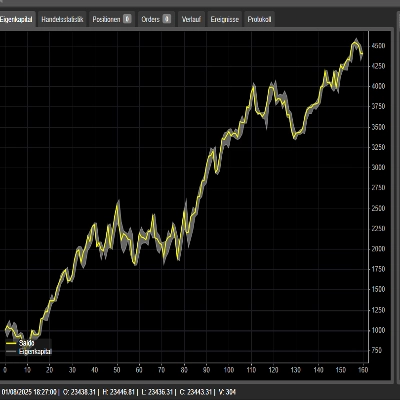
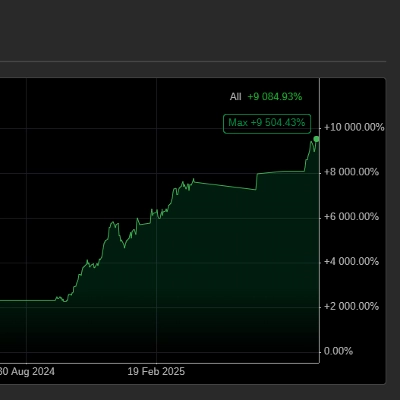
Trading product for HotKeyTraderAutoTPSL cBot TP Manager Stop Loss (SL) Manager, image 1
HotKeyTraderAutoTPSL
cBot
Version 1.0, Aug 2026
Windows, Mac, Web
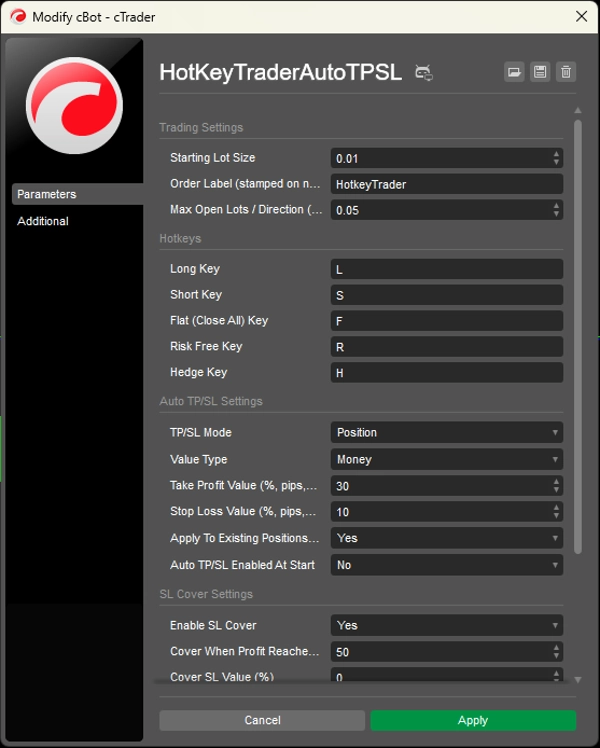
Trading product for HotKeyTraderAutoTPSL cBot TP Manager Stop Loss (SL) Manager, image 2
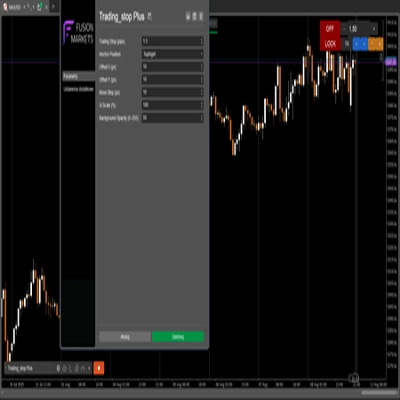
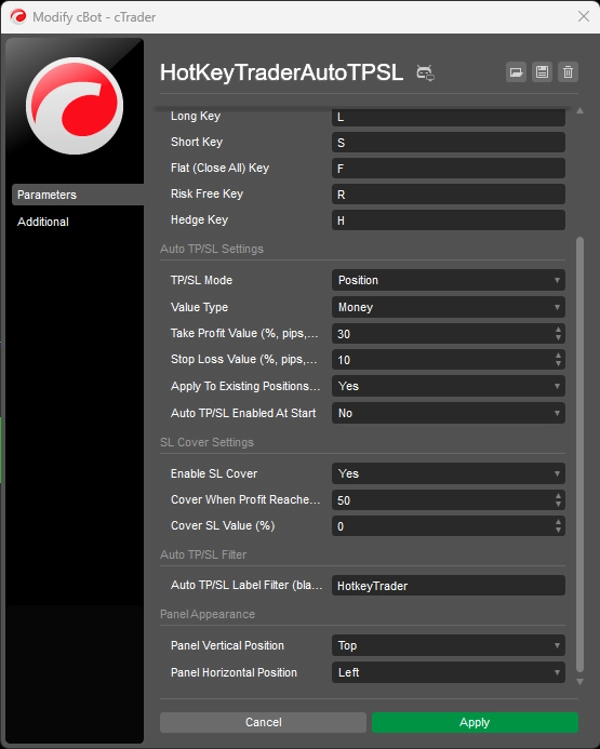
Trading product for HotKeyTraderAutoTPSL cBot TP Manager Stop Loss (SL) Manager, image 3
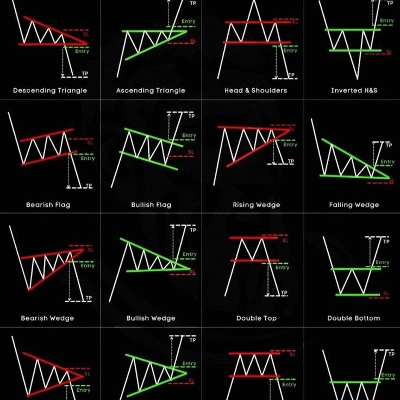
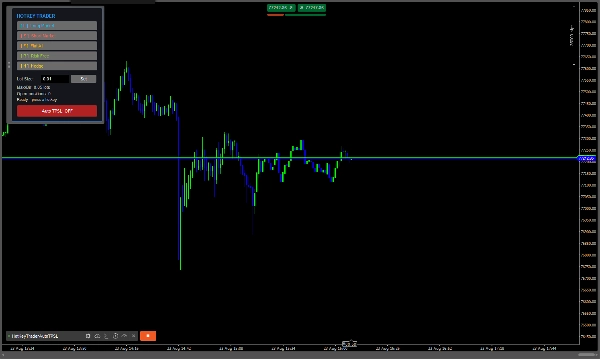
Trading product for HotKeyTraderAutoTPSL cBot TP Manager Stop Loss (SL) Manager, image 4
Depuis le 23/08/2026

Description

Hotkey Trader + Auto TP/SL

Hotkey Trader + Auto TP/SL is a fast manual-trading cBot designed for traders who want instant Long, Short, Flat, Risk-Free and Hedge actions directly from the chart.

It also includes an automatic TP/SL manager with flexible sizing by Pips, Money, or % of account balance, plus an optional SL Cover feature to protect profits as the trade moves in your favor.

The trading panel is fully movable, and all main trading actions can be executed using customizable keyboard hotkeys.

Main Features

  • Long / Short — Open market trades instantly.
  • 🛑 Flat All — Close all open positions on the current symbol.
  • 🔒 Risk Free — Moves the Stop Loss to the entry price for profitable positions.
  • 🔄 Hedge — Automatically opens an opposite position to neutralize the current net exposure.
  • 🎯 Automatic TP/SL — Automatically applies TP and SL to positions.
  • 🛡️ SL Cover — Automatically moves the SL into profit after a specified price movement.
  • 📊 Position or Transaction mode — Use shared TP/SL based on the group's average entry price or individual TP/SL for each position.
  • 🎹 Custom Hotkeys — Choose your own keys for all trading actions.
  • 🖱️ Movable Trading Panel — Drag the panel anywhere on the chart.


Input Settings

Trading Settings

Starting Lot Size
The default lot size used when pressing Long or Short.

Order Label
The label assigned to positions opened through the hotkey panel. This is also useful for identifying which positions the Auto TP/SL system should manage.

Max Open Lots / Direction
Maximum allowed net exposure in one direction.

  • 0 = Unlimited
  • Example: 0.05 = maximum net exposure of 0.05 lots in either direction.


Hotkeys

Long Key
Keyboard key used to open a Buy position.
Default: L

Short Key
Keyboard key used to open a Sell position.
Default: S

Flat (Close All) Key
Closes all open positions for the current symbol.
Default: F

Risk Free Key
Moves the Stop Loss of profitable positions to the entry price.
Default: R

Hedge Key
Opens an opposite trade equal to the current net exposure to neutralize the position.
Default: H


Auto TP/SL Settings

TP/SL Mode

  • Position — Groups positions by symbol and direction and uses their weighted-average entry price to calculate a shared TP/SL.
  • Transaction — Calculates TP/SL separately for each individual position.

Value Type

Choose how TP and SL distances are calculated:

  • Percent — Based on a percentage of account balance.
  • Pips — Fixed pip distance.
  • Money — Fixed monetary amount in the account currency.

Take Profit Value
Sets the TP target according to the selected Value Type.

Examples:

  • 30 with Pips = 30 pips
  • 30 with Money = 30 account-currency units
  • 30 with Percent = 30% of account balance

Stop Loss Value
Sets the SL distance according to the selected Value Type.

Apply To Existing Positions On Start
If enabled, the bot applies its Auto TP/SL settings to existing positions when the cBot starts.

Auto TP/SL Enabled At Start
Determines whether the Auto TP/SL engine starts ON or OFF when the cBot launches.


SL Cover Settings

Enable SL Cover
Enables automatic movement of the Stop Loss when the trade reaches the required profit level.

Cover When Profit Reaches (%)
The percentage price movement from the entry price required before SL Cover activates.

Cover SL Value (%)
Defines where the new Stop Loss is placed relative to the entry price.

  • 0 = SL moves to the entry price (break-even)
  • Positive value = SL moves into profit


Auto TP/SL Filter

Auto TP/SL Label Filter
Controls which positions are managed by the Auto TP/SL engine.

  • Enter a label such as HotkeyTrader → only positions with that label are managed.
  • Leave blank → all open positions, on any symbol, can be managed.


Panel Appearance

Panel Vertical Position
Sets the initial vertical position of the trading panel.

Panel Horizontal Position
Sets the initial horizontal position of the trading panel.

The panel can then be dragged anywhere on the chart.

Important Note

For Money and Percent TP/SL calculations, the bot converts the monetary target into a price distance using the symbol's tick value and tick size. The code itself recommends testing this calculation on a demo account first, because tick-value normalization can vary between brokers. Pip-based TP/SL does not have this dependency

Résumé

Profil de trading

Avis clients

0.0
Avis : 0
Avis clients
Il n'y a pas encore d'avis sur ce produit. Vous l'avez déjà essayé ? Soyez le premier à en parler aux autres !

Discussion

Questions fréquentes

TP Manager
Stop Loss (SL) Manager
SL Manager
Break Even
Trailing Stop Manager
Take Profit (TP) Manager
Les produits disponibles sur cTrader Store, notamment les bots de trading, les indicateurs et les plug-ins, sont fournis par des développeurs tiers et mis à disposition à titre informatif et à des fins d'accès technique uniquement. cTrader Store n'est pas un courtier et ne fournit aucun conseil en investissement, aucune recommandation personnelle ni aucune garantie quant aux performances futures.

Vous pourriez aussi aimer

cBot
Fixed Lot
Key Levels
+5
Copy signals to cTrader with auto execution, advanced risk management, and stealth mode.
cBot
Perfectly optimized to trade EURUSD achieving high risk reward. Win rate of over 85%
cBot
ATR
Forex
+4
Automate SL & Trailing for manual trades. Independent Buy/Sell logic. Chandelier Exit & ATR support.
cBot
ATR
Volume
+5
PRICE ACTION FALCON AI Performance, Technical Analysis, and Professional Management
13.3%
ROI
3.62
Facteur de profit
cBot
XAU/USD SWING BOT
cBot
MACD
BTCUSD
+3
Combina los indicadores Índice Direccional Promedio (ADX) y Convergencia/Divergencia de Medias Móviles (MACD).
457%
ROI
1.2
Facteur de profit
cBot
AI
RSI
+6
Prices Action Focus Bot, Please use default setting before making any changes!!! ENJOY!!!
cBot
Prop
Forex
+2
Ultimate Trade Panel - a powerful, on-chart trading tool designed for precision and efficiency.
0.01
Facteur de profit
cBot
Prop Firm Fit
Stop Loss (SL) Manager
+1
HTS Strategy Tester - Advanced Multi-Timeframe Trend & Pullback Trading System H1/m1 & H4/m5 WWS 33/144 Start from 100$
90.1%
ROI
2.92
Facteur de profit
cBot
AI
RSI
+4
Smart Trend Trading Bot, Best Trend Identified, Please try default setting before making any changes
cBot
ATR
Auto-manages SL, TP, and position size to enforce risk discipline. Never enter a trade without a plan again.
cBot
ATR
Grid
+3
QuantumLimit - XAUUSD/BTCUSD - up to 100 000 %+ cumulative ROI
cBot
Prop
Forex
+11
🦖 T-Rex Risk Guardian - your personal T-Rex that protects your account 🦖
cBot
Supertrend
Super tendance
Logo de "AURIX"
Populaire
5.0
(2)
cBot
AI
Grid
+4
Where Algorithmic Precision Meets Gold’s Volatility. AI-Powered Gold Trading Algorithm for cTrader.
cBot
Forex
Crypto
+2
The cTrader Risk & Reward management tool can easily help you to set the risk vs reward values
cBot
ATR
Signal
+1
✨ N.B.: Results with an initial invested capital of 100 euros.📈

Prix

Depuis le 23/08/2026