설명
풀백 진입: 더 똑똑한 돌파 매매
-----------------------------------------
돌파를 쫓지 마세요 - 가격이 당신에게 오게 하세요!
이 봇은 전문 트레이더들이 사용하는 고전적인 "돌파 + 풀백" 전략을 자동화합니다:
1. 가격이 주요 레벨을 돌파할 때까지 기다림 (모멘텀 확인)
2. 풀백/되돌림 시 진입 (더 나은 가격, 더 타이트한 스톱)
왜 풀백 진입인가요?
- 확인을 기다려 거짓 돌파를 피할 수 있습니다
- 돌파를 쫓는 것보다 더 나은 진입 가격을 얻을 수 있습니다
- 더 타이트한 스톱 손실 = 더 나은 위험/보상 비율
- 24시간 차트를 볼 필요 없음 - 봇이 실행을 처리합니다
기본 스톱-리밋과의 차이점:
cTrader의 스톱-리밋:
- 가격이 스톱 레벨에 도달하면 리밋 주문을 실행
- 트리거 가격 근처 또는 그 가격에 진입
PullbackEntryFree:
- 돌파 확인(BK 라인)을 기다림
- 풀백 레벨(EN 라인)에 리밋 주문을 배치
- 최적의 진입을 위해 되돌림을 포착
주요 기능
------------
[강력한 시각적 계획]
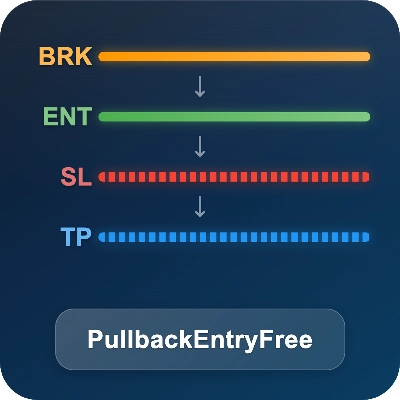
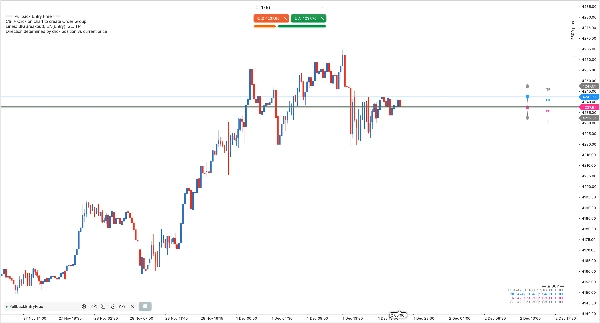
- 차트에서 직접 드래그 앤 드롭 라인: BK (돌파), EN (진입), SL (스톱 손실), TP (이익 실현)
- 각 레벨에 대한 핍, 달러, 로트 크기를 실시간 미리보기로 표시
- 비논리적인 라인 위치 방지를 위한 스마트 제약 (예: 매수 시 진입 위의 SL)
- 밝은/어두운 차트 배경에 자동 적응하는 색상
- 시간 프레임 전환 시 상태 보존
[완벽한 포지션 및 리스크 관리]
세 가지 전문 포지션 사이징 모드:
- 고정 로트: 지정한 일정한 로트 크기로 거래
- 자본 %: 계좌 자본의 백분율에 기반한 크기
- 리스크 %: 스톱 손실 거리와 리스크 허용도에 따라 로트 계산
사용자 정의 가능한 스톱 손실 및 이익 실현과 결합하여 포지션 사이징과 리스크 보호를 완벽하게 제어할 수 있습니다.
[유연한 방향 설정]
- Ctrl+클릭으로 돌파(BK)를 설정하고 클릭 위치에 따라 방향 결정:
- 현재 가격 위 클릭 → 매수 설정
- 현재 가격 아래 클릭 → 매도 설정
- 클릭 기반 방향은 Direction 매개변수를 무시합니다. 클릭이 없으면(예: 복원된 상태) Direction 매개변수가 기본값으로 사용됩니다.
왜 이 봇을 선택해야 하나요?
--------------------
기본 리밋 주문 도구와 달리, 이 봇은 다음을 제공합니다:
- 시각적 드래그 앤 드롭 계획 (단순 입력 상자가 아님)
- 돌파 트리거 로직 (기본 cTrader 스톱-리밋과 다름)
- 하나의 도구에 3가지 포지션 사이징 모드
- 거래 트리거 전 실시간 손익 미리보기
- 스마트 제약이 적용된 통합 SL/TP
올인원 솔루션. 여러 개의 별도 도구가 필요 없습니다.
작동 방식
------------
1. 차트에서 Ctrl+클릭하여 돌파(BK)를 설정합니다. 방향은 클릭 위치에 따라 자동으로 선택됩니다 (가격 위 → 매수, 아래 → 매도). 주문 그룹을 생성할 때까지 왼쪽 상단에 힌트가 표시됩니다.
2. 봇이 EN/SL/TP 계획 라인을 자동으로 생성하며, 드래그하여 레벨을 미세 조정할 수 있습니다.
3. 봇이 가격을 모니터링하며, 돌파 후 EN에 리밋 주문을 SL/TP와 함께 배치합니다.
4. 언제든지 BK 또는 EN 라인을 삭제하여 설정을 취소할 수 있으며, 이후 Ctrl+클릭으로 새로 생성할 수 있습니다.
5. SL 또는 TP 라인을 삭제하면 설정 패널에서 해당 매개변수를 변경하여 다시 생성할 수 있습니다.
참고: 단일 그룹 버전은 한 번에 하나의 주문 그룹만 허용합니다. 현재 그룹이 삭제되거나 실행될 때까지 추가 Ctrl+클릭은 무시됩니다.
무료 버전
------------
이것은 무료 단일 그룹 에디션으로, 한 번에 하나의 돌파 설정이 필요한 트레이더에게 적합합니다.
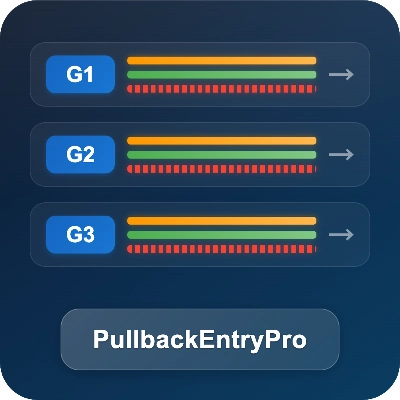
더 많은 기능이 필요하신가요? "PullbackEntryPro"로 업그레이드하세요:
- 다중 동시 주문 그룹
- 그룹별 독립 설정
- 시각적 그룹 연결자 및 라벨
- 스케일인 및 브래킷 주문 전략
요구 사항
------------
- 모든 심볼 및 시간 프레임에서 작동
- 외부 종속성 없음
- AccessRights: 없음 (안전, 외부 접근 없음)
요약
The bot features a visual drag-and-drop interface for planning breakout (BK), entry (EN), stop loss (SL), and take profit (TP) levels directly on the chart, with real-time previews of pips, dollar amounts, and lot sizes. It enforces logical constraints on line placement and adapts colors for different chart backgrounds. Position sizing supports three modes: fixed lots, equity percentage, and risk percentage based on stop loss distance.
Users set the breakout and trade direction by Ctrl+Clicking on the chart, with automatic creation of entry, stop loss, and take profit lines that can be adjusted manually. The bot monitors price action and places limit orders at the pullback level after breakout confirmation. This free single-group edition supports one active order group at a time and works on all symbols and timeframes without external dependencies or special access rights.