Descrição
Pare de calcular. Comece a negociar.
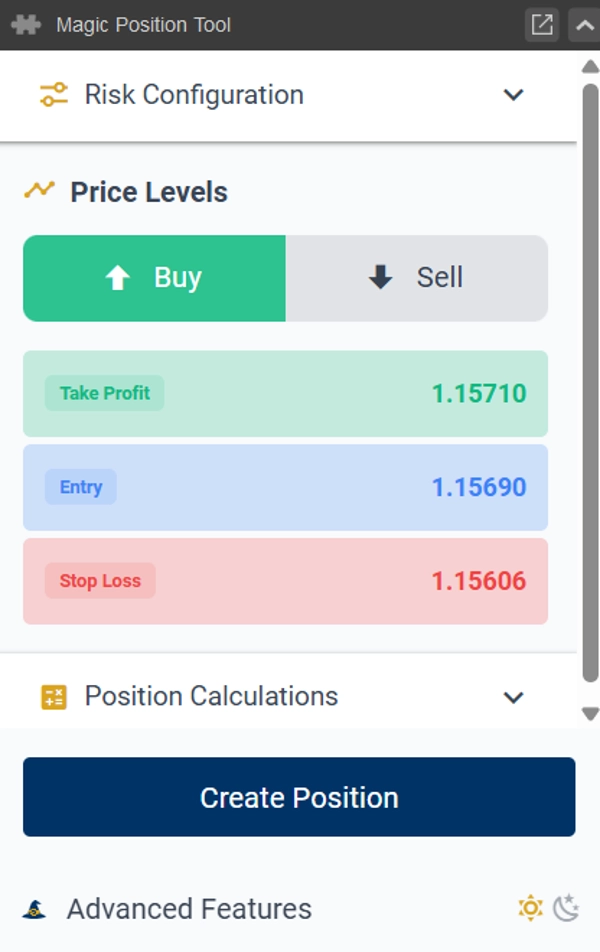
Defina seu risco uma vez. A partir daí, assumir uma posição é fácil: coloque seu Stop Loss no gráfico e a Magic Position Tool calcula instantaneamente o tamanho exato do lote que mantém você dentro do seu risco — então abre a negociação com um único clique.
Zero cálculos, zero erros no tamanho do lote. Sem planilhas, sem matemática mental, sem dúvidas. Seu foco permanece onde deve estar: na própria negociação.
Como Funciona
- Configure seu risco uma vez.
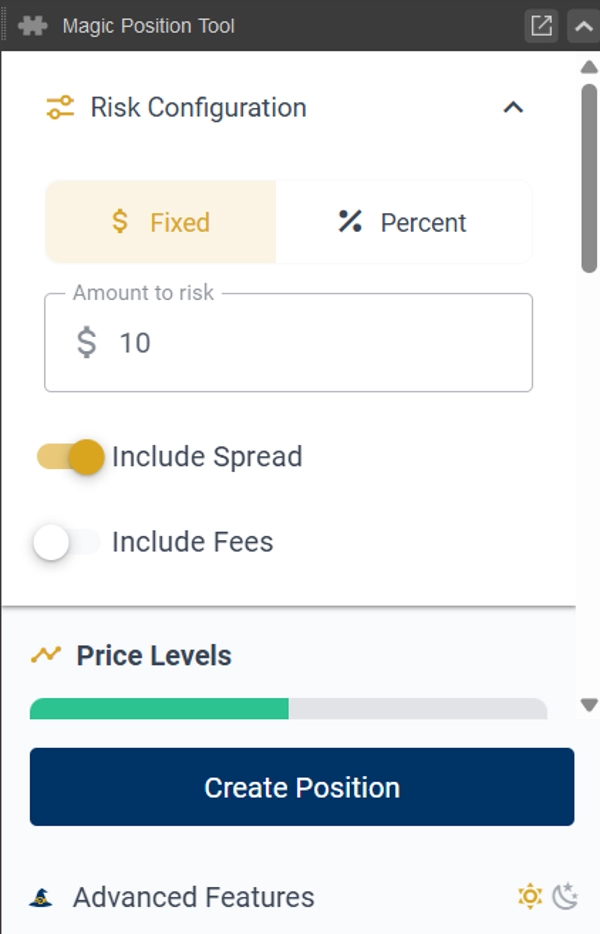
Defina seu risco por negociação — um valor fixo ou uma porcentagem do seu saldo. Você define uma vez; a ferramenta lembra. - Coloque seu Stop Loss no gráfico.
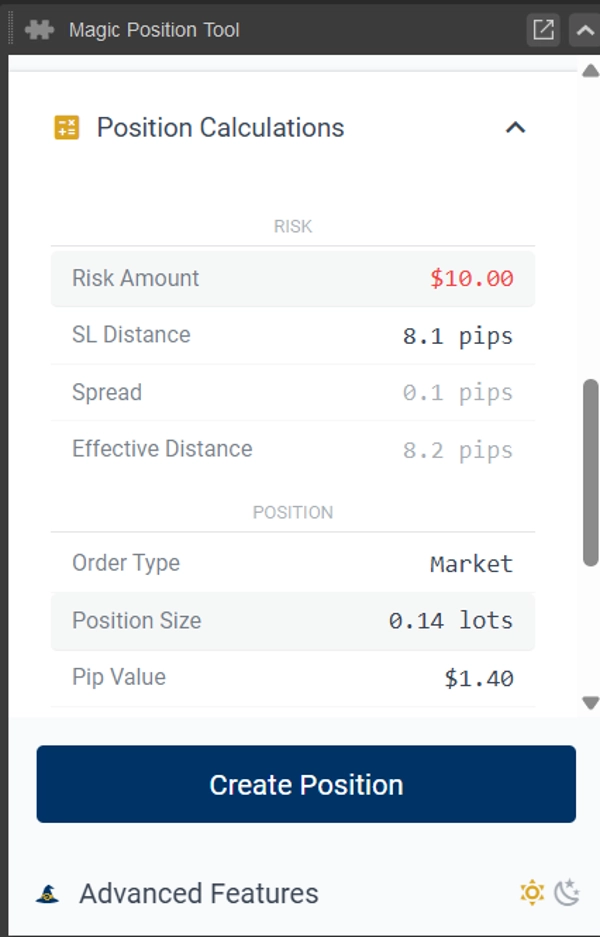
O tamanho do lote é calculado automaticamente a partir da distância até seu stop, para que a negociação sempre corresponda ao seu risco — seja qual for o símbolo ou volatilidade. - Abra a posição com um clique.
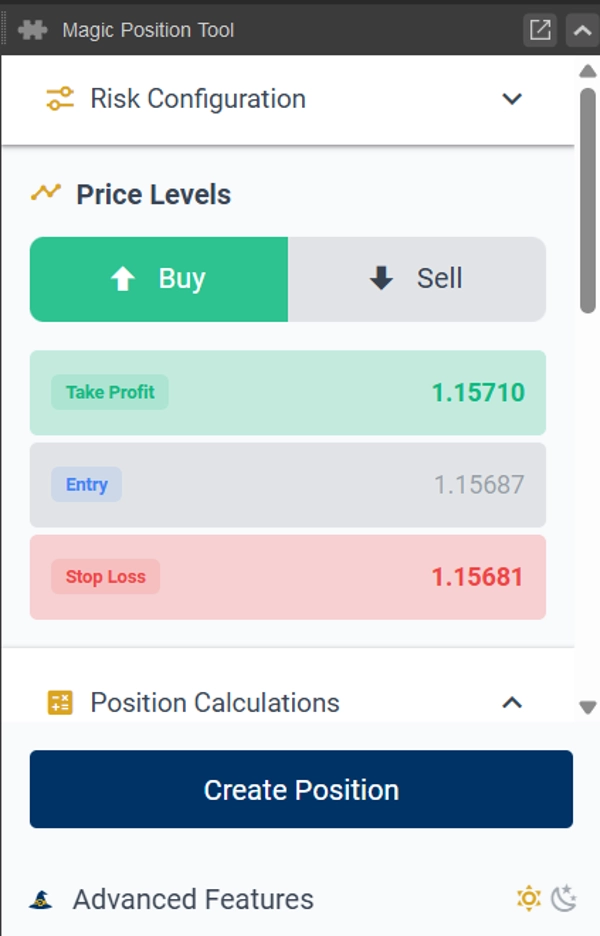
Deixe a entrada vazia para uma ordem de mercado, ou defina um preço de entrada para uma ordem limite / stop. Stop Loss e Take Profit são anexados automaticamente.
Por Que os Traders Usam
• Risco definido uma vez, aplicado todas as vezes.
Sem recalcular antes de cada negociação — sua posição de stop determina automaticamente o tamanho do lote.
• Entrada com um clique, mercado ou limite.
Adicione um preço de entrada ou não — essa única escolha é toda a diferença entre uma ordem pendente e uma ordem instantânea. Entrada na posição, simplificada.
• Tudo visual.
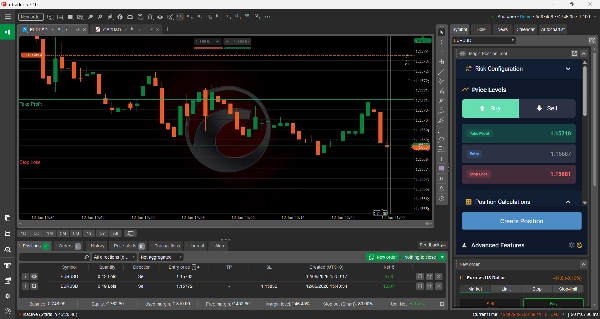
Stop Loss, Entrada e Take Profit são linhas que você coloca diretamente no gráfico do cTrader. Os cálculos são atualizados ao vivo conforme você as move.
• Nunca mais exceda o tamanho.
Margem necessária e relação risco-retorno são mostradas antes de você confirmar. Você sempre sabe o que está em jogo.
• Ele lembra de você.
Direção de compra/venda e suas configurações são salvas por símbolo, para que cada instrumento abra pronto para negociar.
Recursos
• Colocação de ordens com um clique — mercado, limite ou stop — com Stop Loss e Take Profit anexados
• Tamanho do lote calculado automaticamente a partir da distância do seu stop-loss e configuração de risco
• Linhas de Stop Loss, Entrada e Take Profit desenhadas diretamente no gráfico
• Exibição ao vivo da margem necessária e relação risco-retorno antes da entrada
• Memória por símbolo da direção e configurações
• Funciona em todos os símbolos e intervalos de tempo
• Temas escuro e claro
• Orientação integrada de gerenciamento de risco
Bom Saber
A Magic Position Tool abre sua posição para você — no mercado, ou como uma ordem pendente limite/stop quando você define um preço de entrada — com seu Stop Loss e Take Profit configurados.
Ela não gerencia, modifica ou fecha posições após serem abertas: o gerenciamento da negociação permanece inteiramente em suas mãos.
Aviso: Negociar envolve riscos. Desempenho passado não garante resultados futuros.
Resumo
The tool supports one-click order execution for market, limit, or stop orders, automatically attaching Stop Loss and Take Profit levels as visual lines on the chart. It provides live updates of required margin and reward-to-risk ratios before trade entry, helping traders understand their exposure. Settings, including buy/sell direction, are saved per symbol for quick reuse.
Magic Position Tool works across all symbols and timeframes, offers dark and light themes, and includes built-in risk management guidance. It does not manage or modify positions after opening; trade management remains the user's responsibility. This plugin focuses on streamlining risk-based position sizing and order placement to enhance trading efficiency.










![Logótipo de "Custom Timeframes [Iridio Capital]"](https://cdn.ctrader.com/image/webp/4d75a920-23c7-4fea-a7b5-594a9d067f2e_63286)