
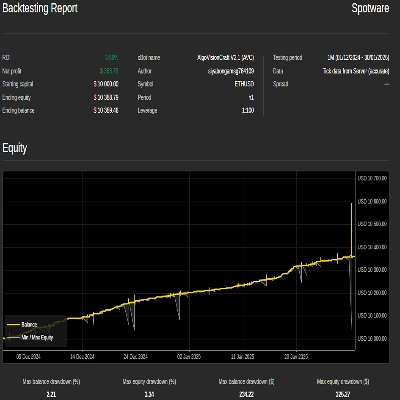
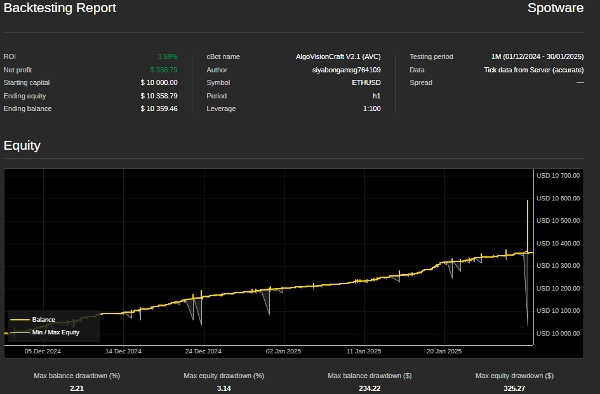
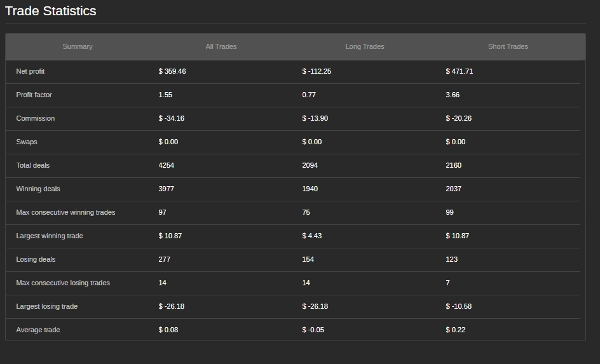
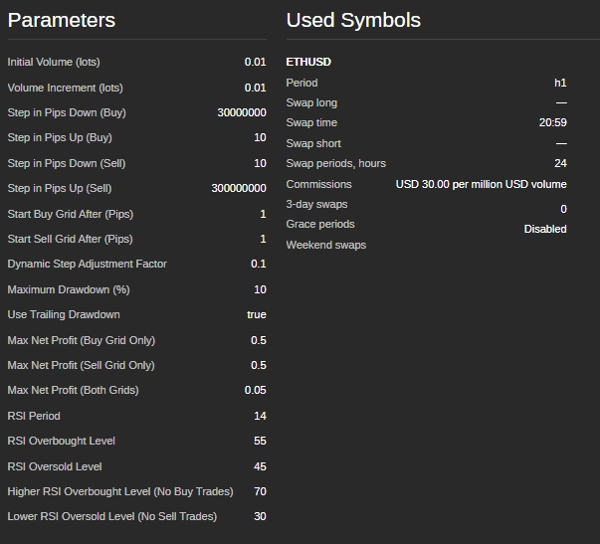
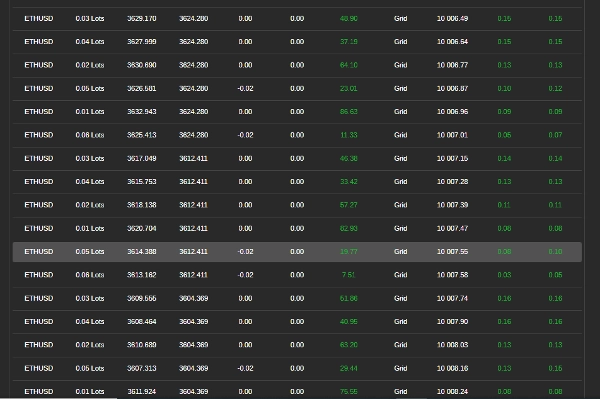
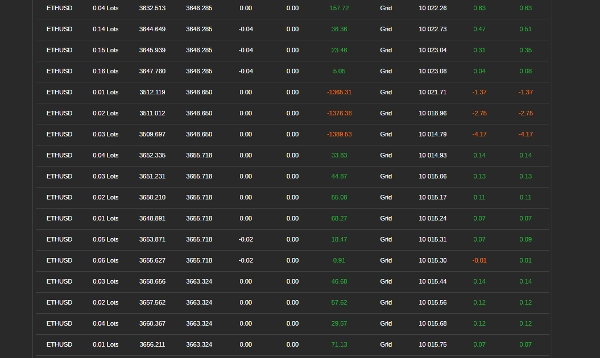
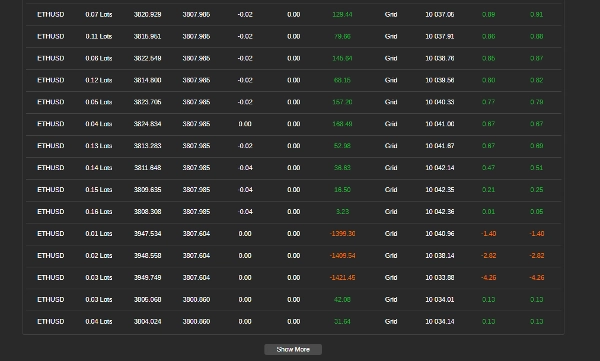

Penerangan
Cara Menggunakan Bot Perdagangan Grid dengan RSI
Bot ini mengautomasikan perdagangan grid menggunakan Indeks Kekuatan Relatif (RSI) untuk membimbing kemasukan dan keluar perdagangan. Ia menguruskan posisi berdasarkan peraturan yang telah ditetapkan untuk memaksimumkan keuntungan sambil mengawal risiko. Ikuti langkah-langkah ini untuk menyediakan, mengkonfigurasi, dan menggunakan bot dengan berkesan.
Langkah 1: Menyediakan Bot
- Tambah Bot ke Platform Perdagangan Anda
-
- Buka platform perdagangan anda (contohnya, cTrader).
- Pergi ke bahagian "Robots" dan tambah bot ke carta anda.
- Lampirkan Bot ke Pasangan Perdagangan
-
- Pilih pasangan mata wang (contohnya, EUR/USD, GBP/USD) di mana anda mahu bot berdagang.
- Pastikan Akaun Anda Mempunyai Dana yang Cukup
-
- Pastikan akaun anda mempunyai baki yang mencukupi untuk menyokong perdagangan, kerana perdagangan grid melibatkan beberapa posisi terbuka.
Langkah 2: Mengkonfigurasi Tetapan Bot
Bot ini membenarkan penyesuaian berdasarkan keadaan pasaran dan toleransi risiko. Berikut adalah parameter utama yang boleh anda laraskan:
Tetapan Jumlah Perdagangan
- Saiz Perdagangan Awal (lot) – Saiz perdagangan pertama dalam grid.
- Peningkatan Jumlah (lot) – Berapa banyak saiz perdagangan meningkat selepas setiap posisi.
Tahap Grid (Jarak Perdagangan)
- Langkah Beli (pips) – Jarak antara pesanan beli berturut-turut.
- Langkah Jual (pips) – Jarak antara pesanan jual berturut-turut.
- Mula Grid Beli (pips) – Pergerakan harga yang diperlukan sebelum perdagangan beli bermula.
- Mula Grid Jual (pips) – Pergerakan harga yang diperlukan sebelum perdagangan jual bermula.
Syarat Perdagangan Berasaskan RSI
- Tempoh RSI – Bilangan lilin yang digunakan untuk mengira RSI.
- Tahap Jual Berlebihan – Jika RSI melebihi tahap ini, pasaran dianggap terlebih beli (zon jual berpotensi).
- Tahap Beli Berlebihan – Jika RSI jatuh di bawah tahap ini, pasaran dianggap terlebih jual (zon beli berpotensi).
- Tahap RSI Zon Tiada Beli – Jika RSI terlalu tinggi, bot mengelak daripada membeli.
- Tahap RSI Zon Tiada Jual – Jika RSI terlalu rendah, bot mengelak daripada menjual.
Ciri Pengurusan Risiko
- Pengurangan Maksimum (%) – Kerugian tertinggi yang dibenarkan sebelum bot berhenti berdagang.
- Pengurangan Berjalan – Melaraskan had pengurangan maksimum secara dinamik apabila ekuiti akaun meningkat.
- Sasaran Keuntungan Per Grid – Bot menutup semua perdagangan dalam grid apabila jumlah keuntungan mencapai nilai ini.
Langkah 3: Menjalankan Bot
- Semak Semula Tetapan
-
- Pastikan semua parameter ditetapkan mengikut strategi pengurusan risiko anda.
- Mulakan Bot
-
- Klik butang “Start” dalam platform.
- Bot akan mula menganalisis pasaran dan melaksanakan perdagangan secara automatik.
Langkah 4: Memantau dan Mengurus Perdagangan
- Semak Log Perdagangan
-
- Bot menyediakan kemas kini masa nyata mengenai tindakannya dalam tetingkap log platform.
- Pantau Pengurangan Akaun
-
- Jejaki baki akaun anda untuk memastikan kerugian tidak melebihi had yang boleh diterima.
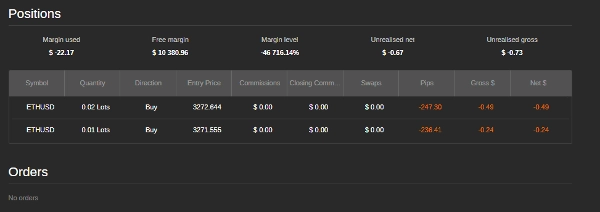
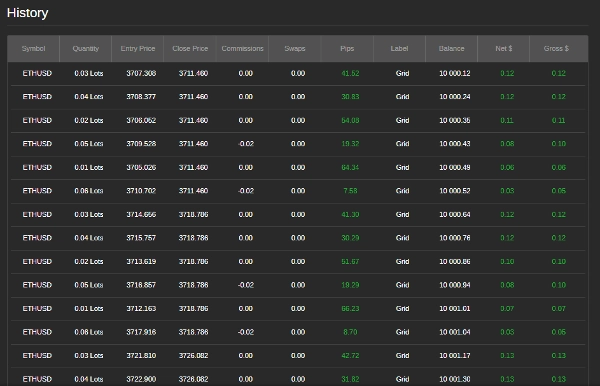
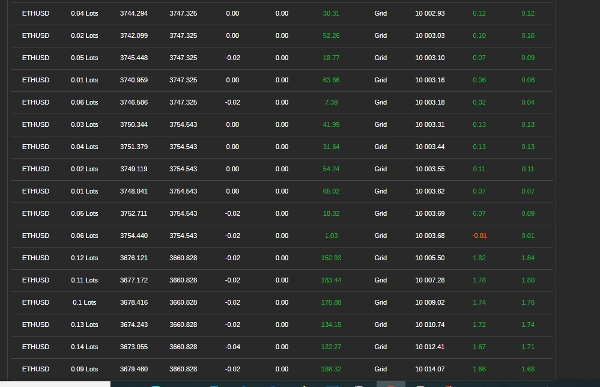
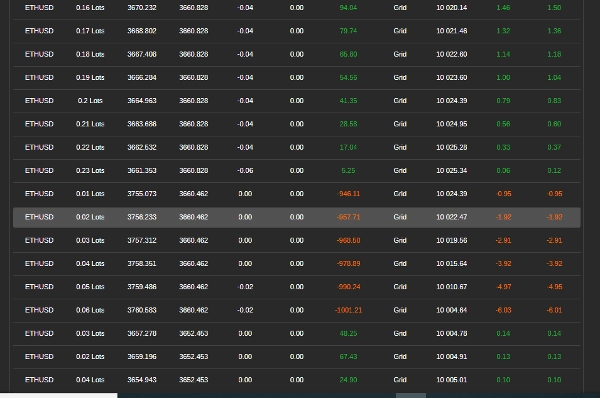
- Semak Keuntungan dan Kerugian
-
- Bot secara automatik menutup posisi apabila sasaran keuntungan tercapai.
Langkah 5: Menghentikan Bot
- Berhenti Secara Manual
-
- Jika anda ingin berhenti berdagang, klik butang "Stop".
- Berhenti Secara Automatik
-
- Bot akan berhenti sendiri jika pengurangan maksimum dicapai atau jika baki akaun menjadi terlalu rendah untuk membuka perdagangan baru.
Petua untuk Prestasi Terbaik
- Uji pada Akaun Demo Terlebih Dahulu – Sebelum menggunakan wang sebenar, uji bot untuk memahami tingkah lakunya.
- Laraskan Tetapan Mengikut Keadaan Pasaran – Bot berfungsi terbaik dalam pasaran yang bergerak mendatar atau sedikit tren.
- Pantau Berita dan Acara Pasaran – Elakkan menjalankan bot semasa acara ekonomi utama atau pelepasan berita.
- Elakkan Pasaran Berjumlah Rendah – Berdagang semasa aktiviti pasaran rendah boleh menyebabkan pelaksanaan yang buruk dan risiko lebih tinggi.
Tetapan Contoh untuk EUR/USD
- Saiz Perdagangan Awal: 0.01 lot
- Langkah Perdagangan: 20 pips
- Tempoh RSI: 14
- Tahap RSI Jual Berlebihan: 70
- Tahap RSI Beli Berlebihan: 30
- Pengurangan Maksimum: 5%
- Sasaran Keuntungan per Grid: $5
Perlukan Bantuan?
Jika anda mengalami masalah atau mempunyai soalan, hubungi pasukan sokongan bot di siyabongamsg764109@gmail.com atau Whats App +2773 714 0490.
Mengelakkan perdagangan semasa acara berita utama adalah penting kerana tempoh ini sering dicirikan oleh volatiliti yang tinggi dan pergerakan harga yang tidak dapat diramalkan. Perdagangan berita boleh menyebabkan tingkah laku pasaran yang tidak menentu yang menyimpang dari tren biasa, meningkatkan risiko kerugian. Begitu juga, berdagang dalam pasaran yang bergerak mendatar—di mana harga bergerak secara mendatar tanpa arah yang jelas—boleh mengakibatkan pecahan palsu dan peluang keuntungan yang terhad, menjadikan sukar untuk melaksanakan strategi yang koheren. Selain itu, hari dengan jumlah dagangan rendah biasanya mempunyai kecairan yang berkurangan, yang boleh menyebabkan spread yang lebih luas dan slippage, seterusnya menyukarkan pelaksanaan perdagangan. Dengan mengelakkan perdagangan berita, pasaran mendatar, dan tempoh jumlah rendah, pedagang boleh menumpukan pada keadaan pasaran yang lebih stabil yang menawarkan tren yang lebih jelas dan pelaksanaan yang lebih baik, akhirnya meningkatkan prestasi perdagangan keseluruhan mereka.
Ringkasan
Risk management features allow users to set maximum drawdown limits, trailing drawdown adjustments, and profit targets per grid, enabling the bot to stop trading automatically under specified loss conditions. The bot supports trading on currency pairs like EUR/USD and GBP/USD, with example settings including a 0.01 lot initial trade size, 20-pip trade steps, RSI period of 14, and a 5% max drawdown.
Users add the bot to their trading platform, attach it to a chosen trading pair, configure settings according to market conditions and risk tolerance, and start the bot to begin automated trading. The bot provides real-time trade logs and manages positions to close trades when profit targets are met. It is recommended to test the bot on a demo account and avoid trading during major news events, ranging markets, or low-volume periods for optimal performance.
Ulasan pelanggan
5 | 100 % | |
4 | 0 % | |
3 | 0 % | |
2 | 0 % | |
1 | 0 % |
Perbincangan
Soalan Lazim
Lebih banyak produk daripada penulis ini
















Harga