
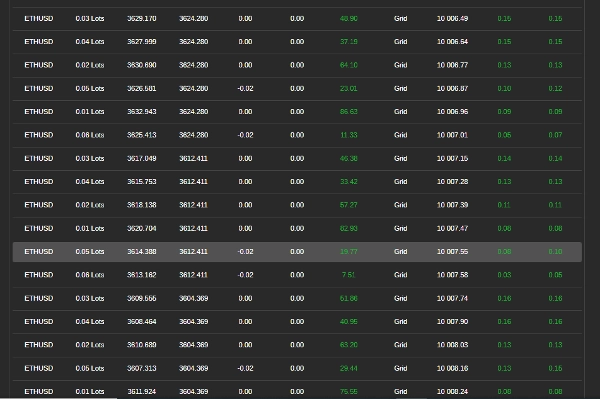
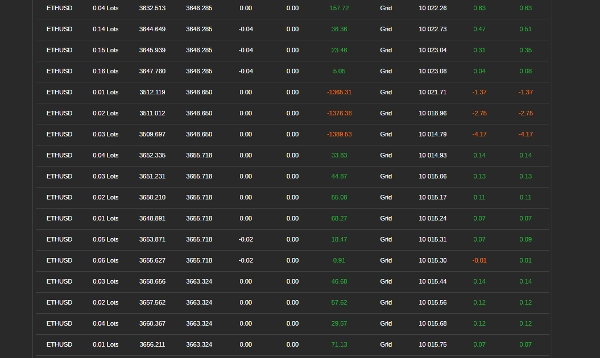
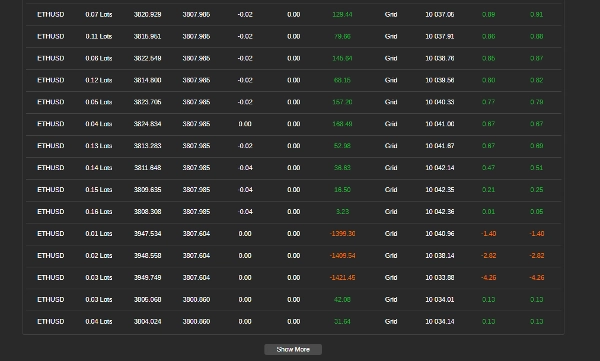

Opis
Jak korzystać z bota do handlu siatkowego z RSI
Ten bot automatyzuje handel siatkowy, wykorzystując wskaźnik Relative Strength Index (RSI) do kierowania wejściami i wyjściami z transakcji. Zarządza pozycjami na podstawie wcześniej ustalonych zasad, aby zmaksymalizować zyski przy jednoczesnej kontroli ryzyka. Postępuj zgodnie z tymi krokami, aby skutecznie skonfigurować i używać bota.
Krok 1: Konfiguracja bota
- Dodaj bota do swojej platformy handlowej
-
- Otwórz swoją platformę handlową (np. cTrader).
- Przejdź do sekcji "Roboty" i dodaj bota do swojego wykresu.
- Przypisz bota do pary walutowej
-
- Wybierz parę walutową (np. EUR/USD, GBP/USD), na której chcesz, aby bot handlował.
- Upewnij się, że na Twoim koncie jest wystarczająco środków
-
- Upewnij się, że na Twoim koncie jest wystarczający balans, aby wspierać transakcje, ponieważ handel siatkowy obejmuje wiele otwartych pozycji.
Krok 2: Konfiguracja ustawień bota
Bot pozwala na dostosowanie ustawień w zależności od warunków rynkowych i tolerancji ryzyka. Poniżej znajdują się główne parametry, które możesz zmienić:
Ustawienia wolumenu transakcji
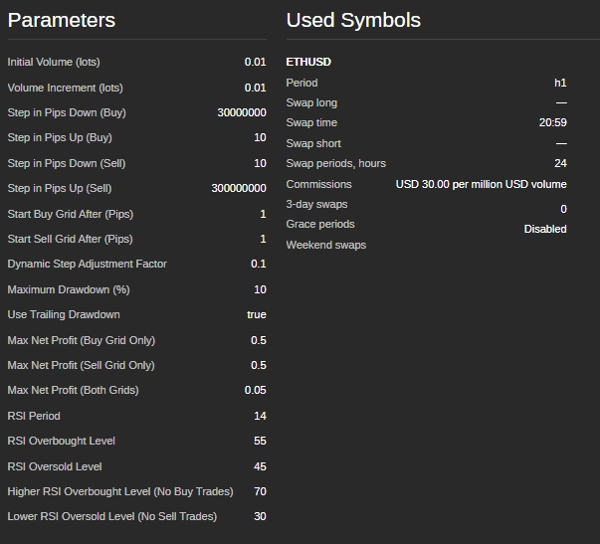
- Początkowy rozmiar transakcji (loty) – Rozmiar pierwszej transakcji w siatce.
- Przyrost wolumenu (loty) – O ile zwiększa się rozmiar transakcji po każdej pozycji.
Poziomy siatki (odstępy między transakcjami)
- Krok kupna (pipsy) – Odległość między kolejnymi zleceniami kupna.
- Krok sprzedaży (pipsy) – Odległość między kolejnymi zleceniami sprzedaży.
- Start siatki kupna (pipsy) – Ruch cenowy wymagany przed rozpoczęciem transakcji kupna.
- Start siatki sprzedaży (pipsy) – Ruch cenowy wymagany przed rozpoczęciem transakcji sprzedaży.
Warunki handlu oparte na RSI
- Okres RSI – Liczba świec używanych do obliczenia RSI.
- Poziom wykupienia – Jeśli RSI przekroczy ten poziom, rynek jest uważany za wykupiony (potencjalna strefa sprzedaży).
- Poziom wyprzedania – Jeśli RSI spadnie poniżej tego poziomu, rynek jest uważany za wyprzedany (potencjalna strefa kupna).
- Poziom RSI strefy zakazu kupna – Jeśli RSI jest zbyt wysoki, bot unika kupowania.
- Poziom RSI strefy zakazu sprzedaży – Jeśli RSI jest zbyt niski, bot unika sprzedawania.
Funkcje zarządzania ryzykiem
- Maksymalny spadek (%) – Największa dozwolona strata przed zatrzymaniem handlu przez bota.
- Trailing Drawdown – Dynamiczne dostosowanie limitu maksymalnego spadku w miarę wzrostu kapitału konta.
- Cel zysku na siatkę – Bot zamyka wszystkie transakcje w siatce, gdy łączny zysk osiągnie tę wartość.
Krok 3: Uruchomienie bota
- Podwójne sprawdzenie ustawień
-
- Upewnij się, że wszystkie parametry są ustawione zgodnie z Twoją strategią zarządzania ryzykiem.
- Uruchom bota
-
- Kliknij przycisk „Start” na platformie.
- Bot zacznie automatycznie analizować rynek i wykonywać transakcje.
Krok 4: Monitorowanie i zarządzanie transakcjami
- Sprawdzanie dzienników transakcji
-
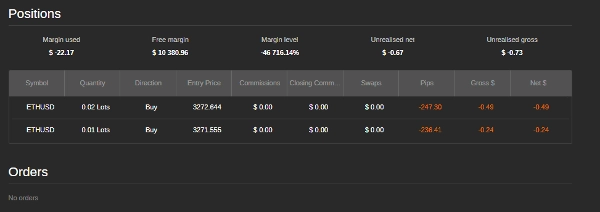
- Bot dostarcza aktualizacje w czasie rzeczywistym o swoich działaniach w oknie dziennika platformy.
- Monitorowanie spadku konta
-
- Śledź saldo konta, aby upewnić się, że straty nie przekraczają akceptowalnych limitów.
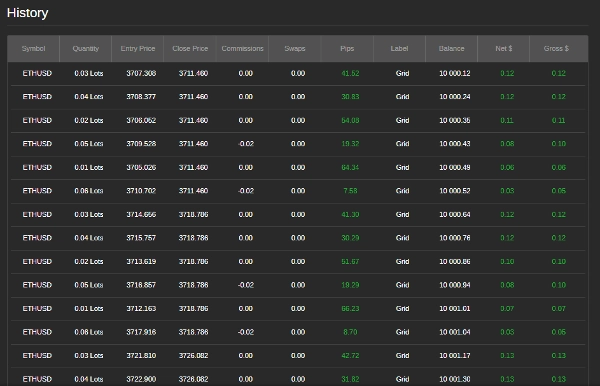
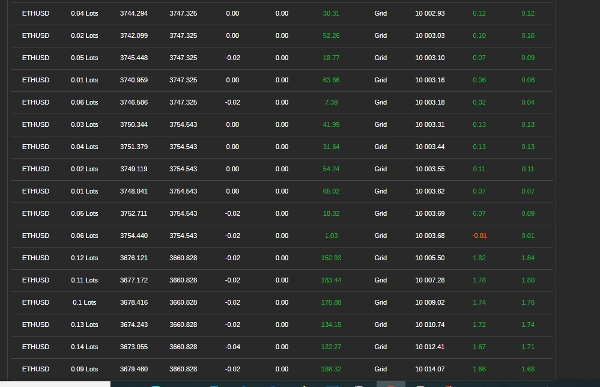
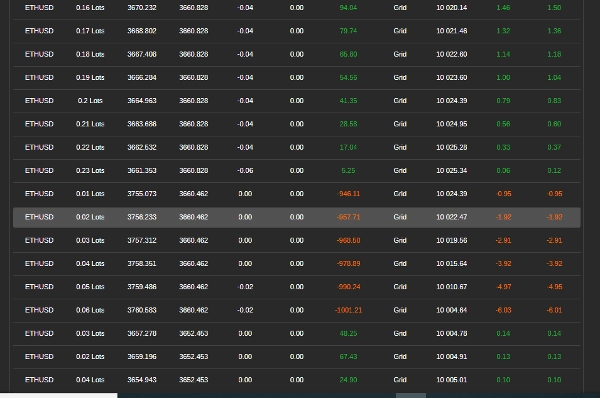
- Przegląd zysków i strat
-
- Bot automatycznie zamyka pozycje, gdy cele zysku zostaną osiągnięte.
Krok 5: Zatrzymanie bota
- Ręczne zatrzymanie
-
- Jeśli chcesz zakończyć handel, kliknij przycisk "Stop".
- Automatyczne zatrzymanie
-
- Bot zatrzymuje się sam, jeśli osiągnięty zostanie maksymalny spadek lub jeśli saldo konta stanie się zbyt niskie, aby otwierać nowe transakcje.
Wskazówki dla najlepszej wydajności
- Najpierw testuj na koncie demo – Przed użyciem prawdziwych pieniędzy przetestuj bota, aby zrozumieć jego zachowanie.
- Dostosuj ustawienia do warunków rynkowych – Bot działa najlepiej na rynkach bocznych lub z łagodnym trendem.
- Monitoruj wiadomości i wydarzenia rynkowe – Unikaj uruchamiania bota podczas ważnych wydarzeń gospodarczych lub publikacji wiadomości.
- Unikaj rynków o niskim wolumenie – Handel w okresach niskiej aktywności rynkowej może prowadzić do słabej realizacji zleceń i wyższego ryzyka.
Przykładowe ustawienia dla EUR/USD
- Początkowy rozmiar transakcji: 0,01 lota
- Krok transakcji: 20 pipsów
- Okres RSI: 14
- Poziom wykupienia RSI: 70
- Poziom wyprzedania RSI: 30
- Maksymalny spadek: 5%
- Cel zysku na siatkę: 5 $
Potrzebujesz pomocy?
Jeśli napotkasz problemy lub masz pytania, skontaktuj się z zespołem wsparcia bota pod adresem siyabongamsg764109@gmail.com lub WhatsApp +2773 714 0490.
Unikanie handlu podczas ważnych wydarzeń informacyjnych jest kluczowe, ponieważ te okresy często charakteryzują się zwiększoną zmiennością i nieprzewidywalnymi ruchami cen. Handel na wiadomościach może prowadzić do nieregularnego zachowania rynku, odbiegającego od typowych trendów, co zwiększa ryzyko strat. Podobnie handel na rynku bocznym — gdzie ceny poruszają się poziomo bez wyraźnego kierunku — może skutkować fałszywymi wybiciami i ograniczonymi możliwościami zysku, utrudniając realizację spójnej strategii. Dodatkowo dni o niskim wolumenie zazwyczaj cechują się zmniejszoną płynnością, co może powodować szersze spready i poślizgi, dodatkowo komplikując realizację transakcji. Unikając handlu na wiadomościach, rynkach bocznych i okresach niskiego wolumenu, traderzy mogą skupić się na stabilniejszych warunkach rynkowych, które oferują wyraźniejsze trendy i lepszą realizację, co ostatecznie poprawia ich ogólną wydajność handlową.
Podsumowanie
Risk management features allow users to set maximum drawdown limits, trailing drawdown adjustments, and profit targets per grid, enabling the bot to stop trading automatically under specified loss conditions. The bot supports trading on currency pairs like EUR/USD and GBP/USD, with example settings including a 0.01 lot initial trade size, 20-pip trade steps, RSI period of 14, and a 5% max drawdown.
Users add the bot to their trading platform, attach it to a chosen trading pair, configure settings according to market conditions and risk tolerance, and start the bot to begin automated trading. The bot provides real-time trade logs and manages positions to close trades when profit targets are met. It is recommended to test the bot on a demo account and avoid trading during major news events, ranging markets, or low-volume periods for optimal performance.
Opinie klientów
5 | 100 % | |
4 | 0 % | |
3 | 0 % | |
2 | 0 % | |
1 | 0 % |
Dyskusja
Częste pytania
Więcej od tego autora














Cena