Description
Stop calculating. Start trading.
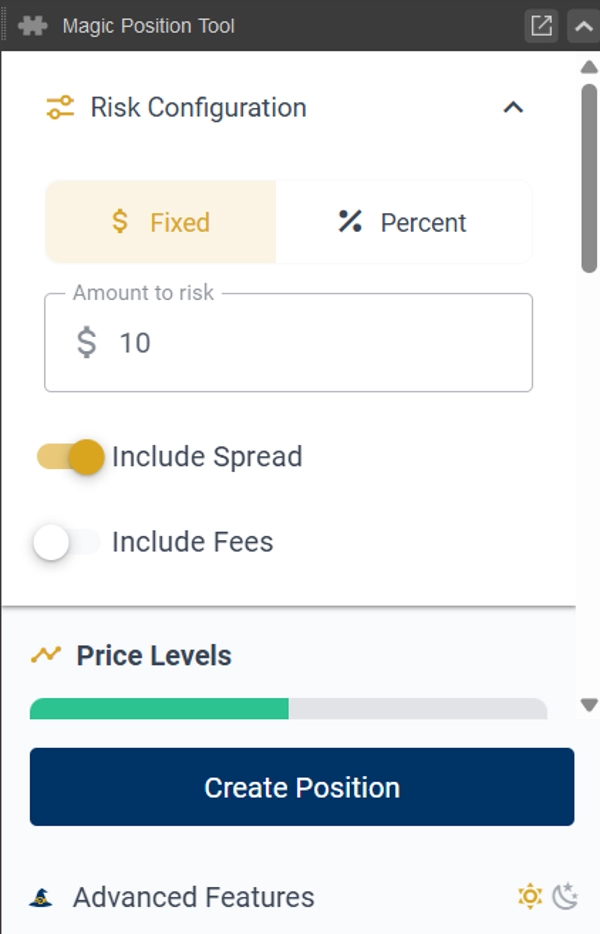
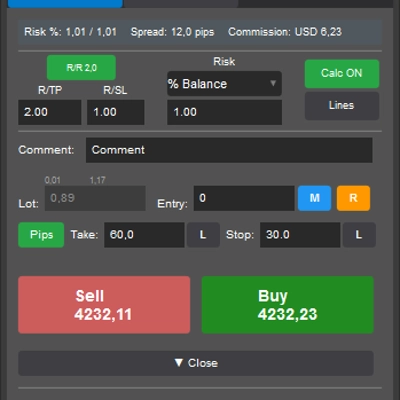
Set your risk once. From then on, taking a position is effortless: drop your Stop Loss on the chart and Magic Position Tool instantly works out the exact lot size that keeps you inside your risk — then opens the trade in a single click.
Zero calculations, zero lot-size errors. No spreadsheets, no mental math, no second-guessing. Your focus stays where it belongs: on the trade itself.
How It Works
- Configure your risk once.
Set your risk per trade — a fixed amount or a percentage of your balance. You set it once; the tool remembers it. - Place your Stop Loss on the chart.
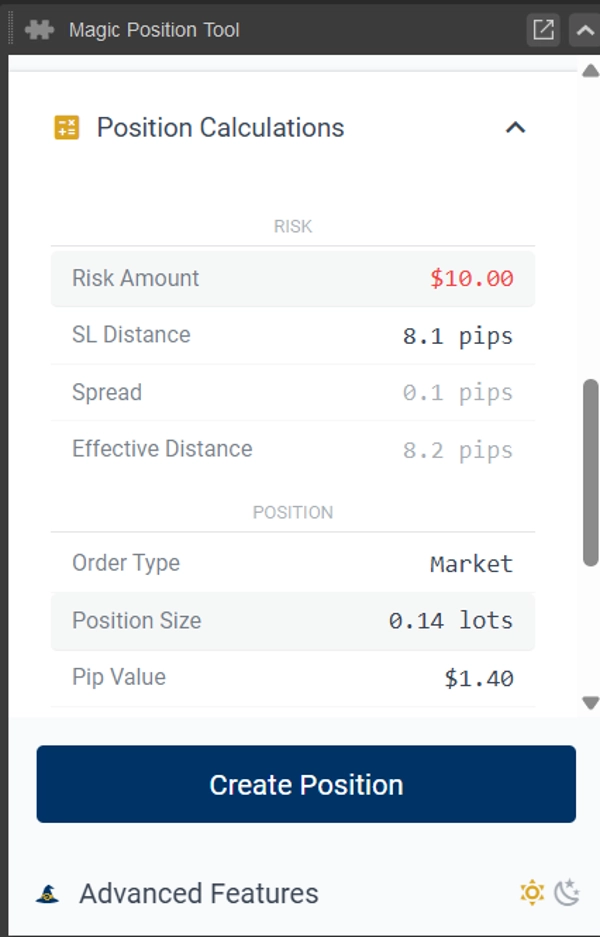
The lot size is calculated automatically from the distance to your stop, so the trade always matches your risk — whatever the symbol or volatility. - Open the position in one click.
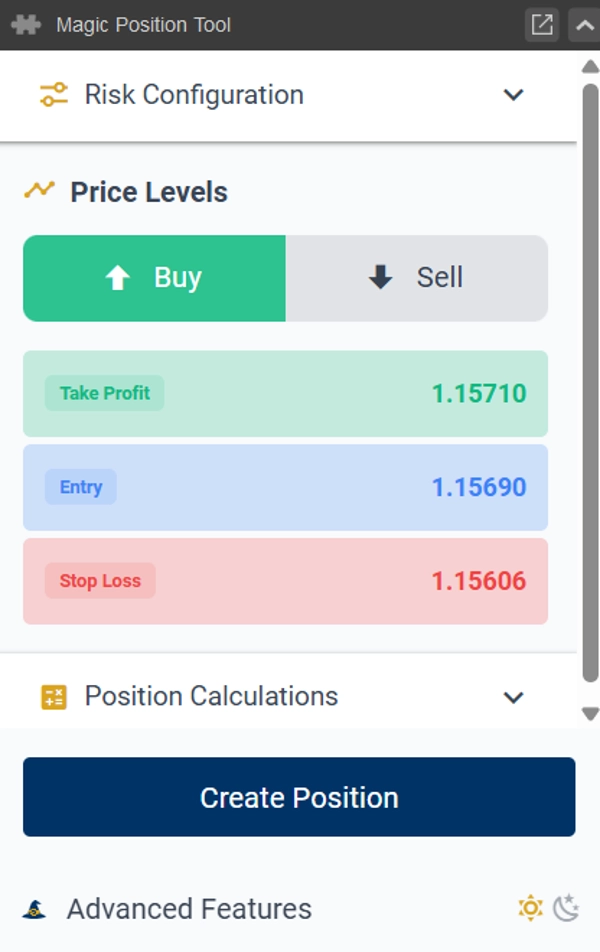
Leave the entry empty for a market order, or set an entry price for a limit / stop order. Stop Loss and Take Profit are attached automatically.
Why Traders Use It
• Risk set once, applied every time.
No recalculating before each trade — your stop position drives the lot size automatically.
• One-click entry, market or limit.
Add an entry price or don't — that single choice is the whole difference between a pending and an instant order. Position entry, simplified.
• Everything visual.
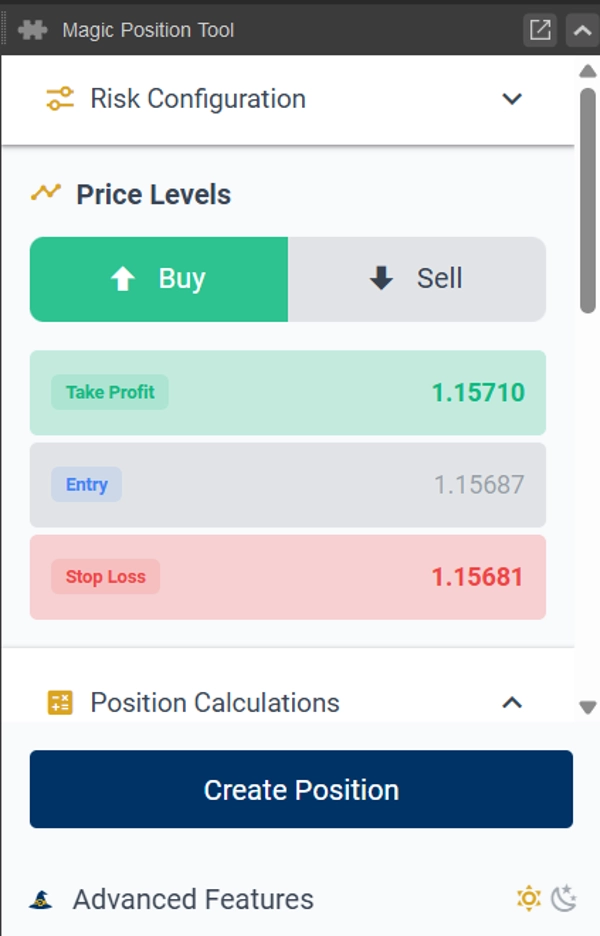
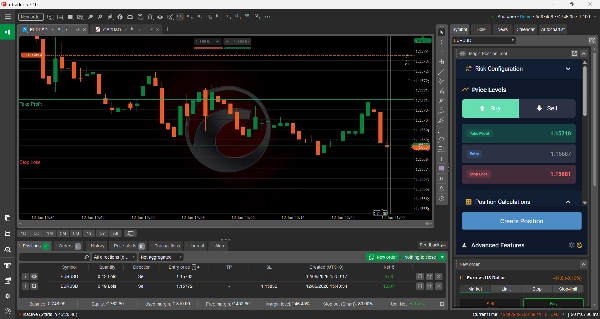
Stop Loss, Entry, and Take Profit are lines you place directly on the cTrader chart. Calculations update live as you move them.
• Never oversize again.
Required margin and reward-to-risk ratio are shown before you commit. You always know what's at stake.
• It remembers you.
Buy/Sell direction and your settings are saved per symbol, so each instrument opens ready to trade.
Features
• One-click order placement — market, limit, or stop — with Stop Loss and Take Profit attached
• Lot size calculated automatically from your stop-loss distance and risk setting
• Stop Loss, Entry, and Take Profit lines drawn directly on the chart
• Live required-margin and reward-to-risk display before entry
• Per-symbol memory of direction and settings
• Works on all symbols and timeframes
• Dark and light themes
• Built-in risk-management guidance
Good To Know
Magic Position Tool opens your position for you — at market, or as a pending limit/stop order when you set an entry price — with your Stop Loss and Take Profit in place.
It does not manage, modify, or close positions after they are opened: trade management stays entirely in your hands.
Disclaimer: Trading involves risk. Past performance does not guarantee future results.
Summary
The tool supports one-click order execution for market, limit, or stop orders, automatically attaching Stop Loss and Take Profit levels as visual lines on the chart. It provides live updates of required margin and reward-to-risk ratios before trade entry, helping traders understand their exposure. Settings, including buy/sell direction, are saved per symbol for quick reuse.
Magic Position Tool works across all symbols and timeframes, offers dark and light themes, and includes built-in risk management guidance. It does not manage or modify positions after opening; trade management remains the user's responsibility. This plugin focuses on streamlining risk-based position sizing and order placement to enhance trading efficiency.









!["Custom Timeframes [Iridio Capital]" logo](https://cdn.ctrader.com/image/webp/4d75a920-23c7-4fea-a7b5-594a9d067f2e_63286)