

Description
LOCAL cTRADER DESKTOP REQUIRED
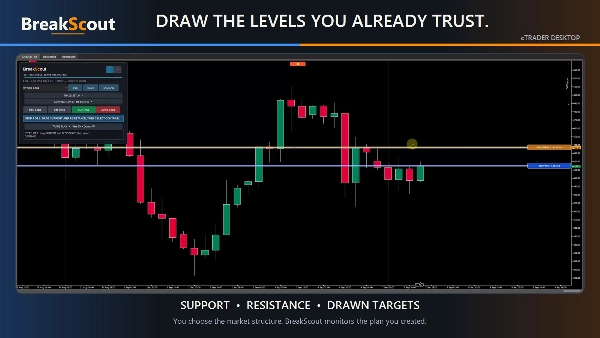
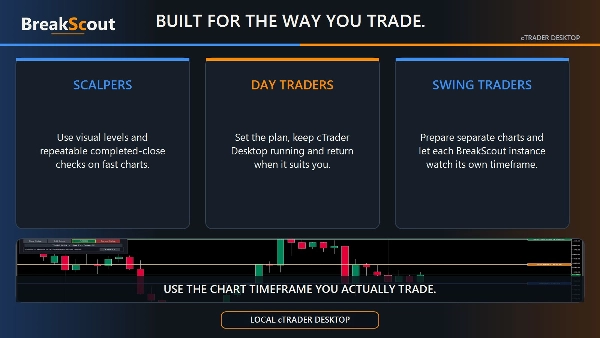
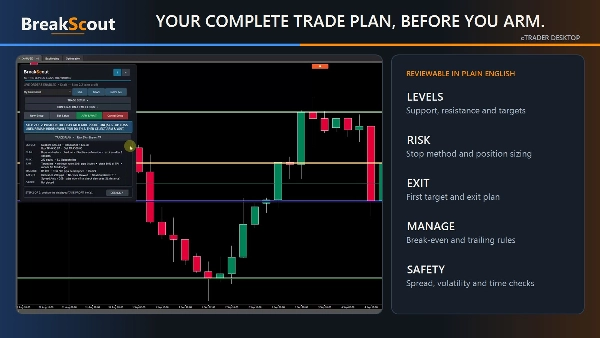
BreakScout is a semi-automated support and resistance breakout cBot for discretionary traders. You choose the market, chart period, trade direction, levels, confirmation, risk and management. BreakScout does not invent setups or replace your analysis. It watches the levels you selected, evaluates completed candles and handles the execution workflow when your rules are met.
BreakScout must be started as a local cTrader Desktop chart instance because its defining workflow uses draggable chart levels and an interactive dashboard. Store installation and cloud synchronisation still deliver the protected cBot to your cTrader ID, but the visual trading workflow cannot run from cTrader Cloud, Web or Mobile. Cloud execution is blocked safely before an order can be placed.
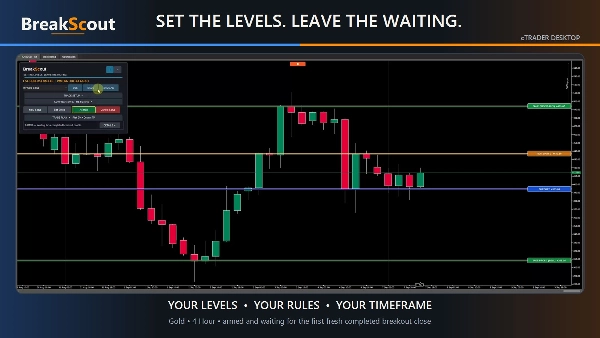
SET THE LEVELS. LEAVE THE WAITING.
KNOW WHAT BREAKSCOUT IS DOING — ENGINE 1.8.3
• NOT ARMED / not watching: the setup is in Draft. Running the cBot alone does not make it watch for new entries; select ARM & WAIT after the readiness checks pass.
• REVIEW NEEDED / no order placed: one eligible filtered candle is waiting for your decision. Details explains the failed rule and its measurements. BreakScout is not looking for a replacement signal while this review is open.
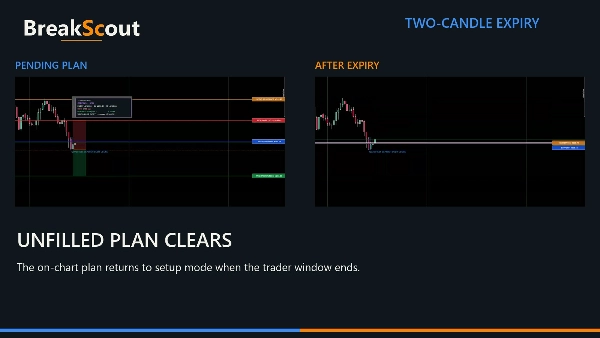
• If the review ends because its entry is crossed, a completed candle closes back inside, or its lifetime expires, the whole setup returns to Draft. No order was placed, and later candles will not trigger a trade until you review the preserved levels and select ARM & WAIT again. New expiry messages retain the original filter reason.
• ACCOUNT CHECK identifies unavailable or invalid account equity; it does not mean an existing position was found. Risk-calculation problems, actual position-building limits and technical errors have separate explanations. Current readiness is separated from the last event.
• The engine version is visible on the dashboard. Version 1.8.3 adds ATR pip explanations and fixes signal-time ATR capture for manually approved candles. Confirmation thresholds, risk limits, expiry and broker/no-chase safeguards remain in place.
UNDERSTAND ATR IN PIPS
• ATR-based trailing, automatic close clearance and minimum target room show pip equivalents for the selected instrument and setup timeframe. Before a signal, the trail is an estimate; after qualification, the captured distance stays fixed for that trade rather than changing with later volatility.
• Close clearance and target room are different checks. Clearance measures how far the candle closes beyond support or resistance. Target room measures how far the proposed stop entry is from the target. A 200-pip custom clearance does not replace an automatic ATR-based target-room minimum.
• New target-room rejections identify the rule that actually sets the limit: ATR, spread, broker minimum or custom pips. Details retains the decision-time distance and threshold; the settings hint shows the minimum now. Older historical messages are not guessed from today’s ATR.
• For USE THIS CANDLE, ATR trailing now keeps the original filtered candle’s signal-time completed ATR, including that candle, through delayed approval or restart. It never substitutes later volatility. If the original ATR cannot be recovered safely, an ATR-trailed manual entry is blocked with an explanation. The separate 3.0× extreme-candle check still excludes the candidate from its comparison baseline.
• Scrollable dashboard and review details keep longer explanations accessible.
HOW IT WORKS
1. Draw and drag support and resistance.
2. Choose buys, sells or both, then select your confirmation, stop, target and risk rules.
3. Select ARM & WAIT. BreakScout locks the setup to that chart period.
4. Browse other chart periods freely. Confirmation, entry expiry and bar-close management continue on the locked setup period, even while another period is on screen. The dashboard shows the locked and currently viewed periods.
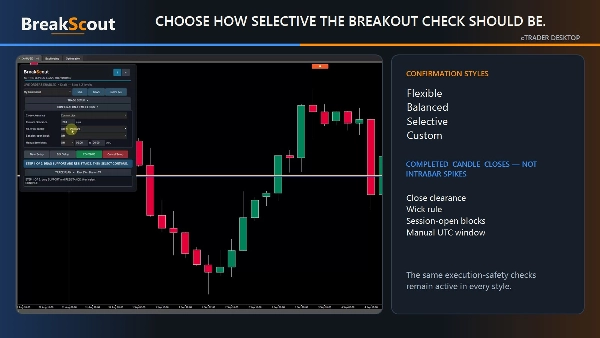
5. BreakScout waits for the first fresh, fully completed candle that closes outside your level. A wick through the line is never enough.
6. If the candle qualifies—or you deliberately approve an eligible filtered candle—BreakScout places a buy stop above its high or a sell stop below its low. It never chases the breakout with a market order.
7. If filled, your selected stop, target, partial exit, break-even and trailing plan is managed for that exact-labelled trade only.
SETUP AND CONFIRMATION
• Flexible, Balanced, Selective and Custom confirmation styles range from any correctly directed real-body close to strict engulfing, dominant near-engulfing and momentum anatomy. Every style still applies the selected clearance and safety checks; Flexible relaxes candle shape, not those rules.
• Automatic ATR-relative or trader-selected pip clearance beyond support or resistance.
• Fixed 3.0× completed pre-signal ATR extreme-candle guard, with the signal candle excluded from its own baseline.
• Optional no-wick rejection.
• The first fresh outside close is the only confirmation attempt. It qualifies, is offered for controlled one-candle review, or returns the setup to Draft—never silently replaced by a later continuation candle.
• For a genuine correctly directed body close filtered only by an eligible discretionary rule, an amber USE THIS CANDLE action lets the trader approve that exact candle once. It is never offered for wick-only, doji, wrong-direction, gap or stale breakouts. The review shows entry, SL, target, lots, estimated money risk/reward and R:R. It expires if price triggers the entry, closes back inside or reaches the selected one-to-three-candle limit. Approval never changes the saved preset or bypasses spread, margin, broker volume, combined-risk, partial-runner, stop/target, ownership, live-account or no-chase safeguards.
• Qualified stop entries can remain valid for 1, 2 or 3 completed candles.
• Staged setup keeps manual lines out of one another’s way: support/resistance first, then only the stop-loss and take-profit lines required by the chosen plan.
RISK, POSITION BUILDING AND EXITS
• Equity percentage risk, fixed cash risk in the account currency or fixed lots.
• Risk is calculated only after the final stop-entry and stop-loss prices are known, and percentage/cash sizing rounds down to avoid exceeding the requested normal-fill risk through broker volume-step rounding.
• Pre-arm capacity guidance estimates whether broker minimum volume, selected risk or a Partial + Runner split may prevent a future entry, giving the trader a chance to adjust before waiting. Final entry, volume, spread, target room, margin and position-building checks are repeated after candle confirmation.
• Stop choices: manual Stop Loss line, opposite range line, range midpoint or confirmation-candle extreme.
• Target choices: drawn Take Profit line, R multiple or fixed pips.
• Automatic target-room protection adapts to completed ATR, spread and broker minimums. Exact custom-pip protection is also available. A discretionary drawn target below 1R is clearly flagged with planned R:R and estimated money risk/reward without silently changing the trader’s level.
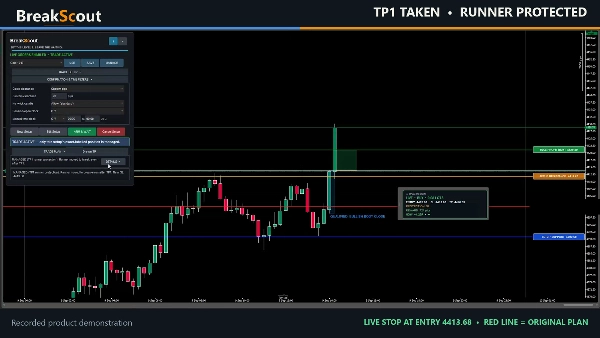
• Single target or Partial + Runner. The trader chooses the percentage closed at TP1 and may move only the remaining runner to break-even before fixed-pip or signal-ATR trailing begins.
• Runner protection can begin After TP1 or From entry. After TP1 first confirms the partial close, then protects and trails the remainder only.
• Stop management can update on every tick or only on the locked setup candle close.
• Optional Position building allows two or three independently managed, same-direction BreakScout setups on the same symbol. A combined equity-risk cap and protected-risk checks apply. Position building is off by default and never includes, alters or claims manual trades or another system’s positions.
PRESETS, ALERTS AND VISUAL TRACKING
• Save reusable setup presets on the device. Presets refresh across open local BreakScout charts and can be used on different symbols without copying price levels or live-account permission.
• Rename or delete saved presets from the Manage screen.
• Optional native cTrader popups report arming, qualification, rejection, a filtered candle awaiting manual review, placement, cancellation, expiry, fill, close and errors. The local Desktop cBot must be running; BreakScout does not require email or messaging credentials.
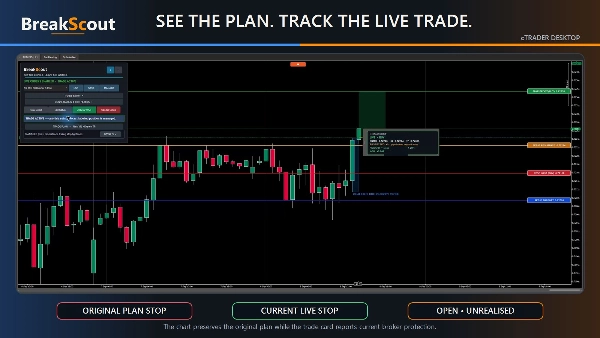
• Automatic risk/reward tracker from pending placement until the position closes, with soft risk and reward zones plus actual entry, SL, TP, volume, pips, money risk/reward and planned R:R. Live mode adds current R and actual net P/L.
• The branded tracker card is draggable without moving trade geometry. Break-even removes the risk zone; a stop in profit displays protected profit.
• Support, resistance and the planned target stay visible after fill until the trade closes. The red BreakScout Stop Loss line follows the broker’s current SL when break-even, trailing or a native SL adjustment moves it. If the live broker stop is removed, the obsolete red line is hidden.
• BreakScout plan references are non-interactive, so cTrader’s native live SL/TP controls remain draggable.
• Premium aligned dashboard, expandable Trade Plan, one-line decisions, optional plain-language Details and a built-in decision guide.
SAFETY AND RELIABILITY
• Symbol-aware automatic spread protection based on completed ATR, pip scale and stop distance, with an exact manual ceiling available.
• Optional session-open protection for Tokyo, London and New York, including daylight-saving conversion; bypassed above H1.
• Optional manual UTC event window for known high-impact news. This is trader-entered protection, not an automatic news feed.
• Late entries, wrong-side or invalid protection, insufficient target room, extreme candles, excessive spread, insufficient margin and broker-invalid size are rejected before submission.
• Exact-label ownership, restart recovery and duplicate prevention. Missing pending/live chart references are redrawn from persisted trade data and do not cancel a valid broker order.
• Version 1.8.1 replaces the restricted operating-system coordination lock with cTrader-compatible shared in-process coordination while retaining the final account/symbol setup-count, direction and combined-risk checks for simultaneous BreakScout instances.
• Trader-readable outcomes distinguish SYSTEM ERROR — VALID SETUP NOT TRADED, SAFETY BLOCK — VALID SETUP NOT TRADED and RISK BLOCK — VALID SETUP NOT TRADED from a failed candle confirmation.
• Uses no extended access rights.
• New live instances expose order permission, but the first live Arm requires one-time confirmation for that exact broker account. Disabling the Safety parameter blocks live submission immediately.
COMPATIBILITY
• Platform: local cTrader Desktop chart instance.
• Engine: BreakScout 1.8.3, compiled against cTrader API build 5 point 9 point 16.
• Markets: liquid forex pairs, metals, indices and other broker-supported symbols that permit stop pending orders.
• Chart periods: standard periods selected at Arm; another period may be viewed afterwards without changing the locked setup period.
• Orders: Buy Stop and Sell Stop.
• Maximum per instance: one pending order or position. Optional same-symbol Position building supports up to three independently managed BreakScout instances when explicitly enabled.
• Broker SL and target protection remain attached. The local BreakScout instance must stay running for TP1 partial exits, break-even, trailing, alerts and the interactive dashboard.
• Always verify symbol pip, tick, margin and minimum-volume behaviour with your broker on demo first.
BreakScout has no fixed minimum account balance. Suitability depends on the symbol, stop distance, leverage, free margin and broker minimum volume. In percentage-risk mode, BreakScout rejects the entry if the broker’s minimum volume would exceed the requested risk.
BreakScout is an execution assistant, not an automatic opportunity finder, artificial intelligence or a profitability promise. Risk and reward figures are normal-fill estimates before slippage, commission and swap. A stop loss reduces risk but cannot guarantee the exact outcome through a price gap or illiquid execution.
Trading involves risk. Past performance does not guarantee future results.
Summary
Upon confirmation, it places buy stop or sell stop orders at calculated entry points without using market orders, and manages the trade with features such as partial exits, break-even adjustments, trailing stops, and position building for up to three simultaneous setups per symbol. The tool supports flexible confirmation methods, ATR-based and fixed pip clearances, and includes safeguards like spread, margin, session, and event filters to enhance trade validity.
BreakScout provides an interactive dashboard with real-time risk/reward tracking, alerts, and visual trade plan overlays that remain visible until trade closure. It supports liquid forex pairs, metals, indices, and other broker symbols allowing stop orders. The cBot requires continuous local operation for full functionality and does not operate on cTrader Cloud, Web, or Mobile. Risk sizing can be set by fixed lots, cash amount, or equity percentage, with automatic volume rounding to comply with broker constraints.
Customer reviews
Discussion
FAQ













Price