

Descrição
VERSÃO COMPLETA! https://ctrader.com/products/2705
LIMITAÇÕES DA DEMO:
- Um punhado de instrumentos selecionados
- 4 períodos de tempo (M1, M10, M30, H2)
- Limite de 2 anos nos dados de backtesting
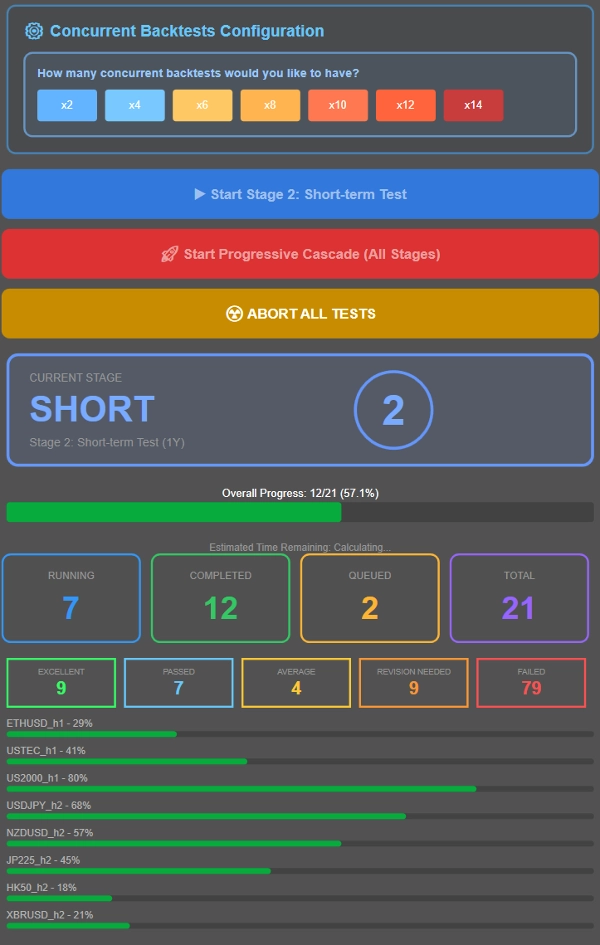
- x4 backtests simultâneos
Para obter acesso à versão completa, consulte o link acima!
----------------
Por que OmniSim?
O backtesting tradicional no cTrader consome recursos significativos do sistema ao renderizar curvas de patrimônio e gráficos de saldo em tempo real, o que sobrecarrega seu computador e limita a eficiência dos testes. O OmniSim simplifica todo o processo buscando diretamente os dados de ticks do servidor e executando backtests enxutos e focados nos instrumentos e períodos de tempo selecionados, sem a sobrecarga visual, mas sem deixar de apresentá-la.
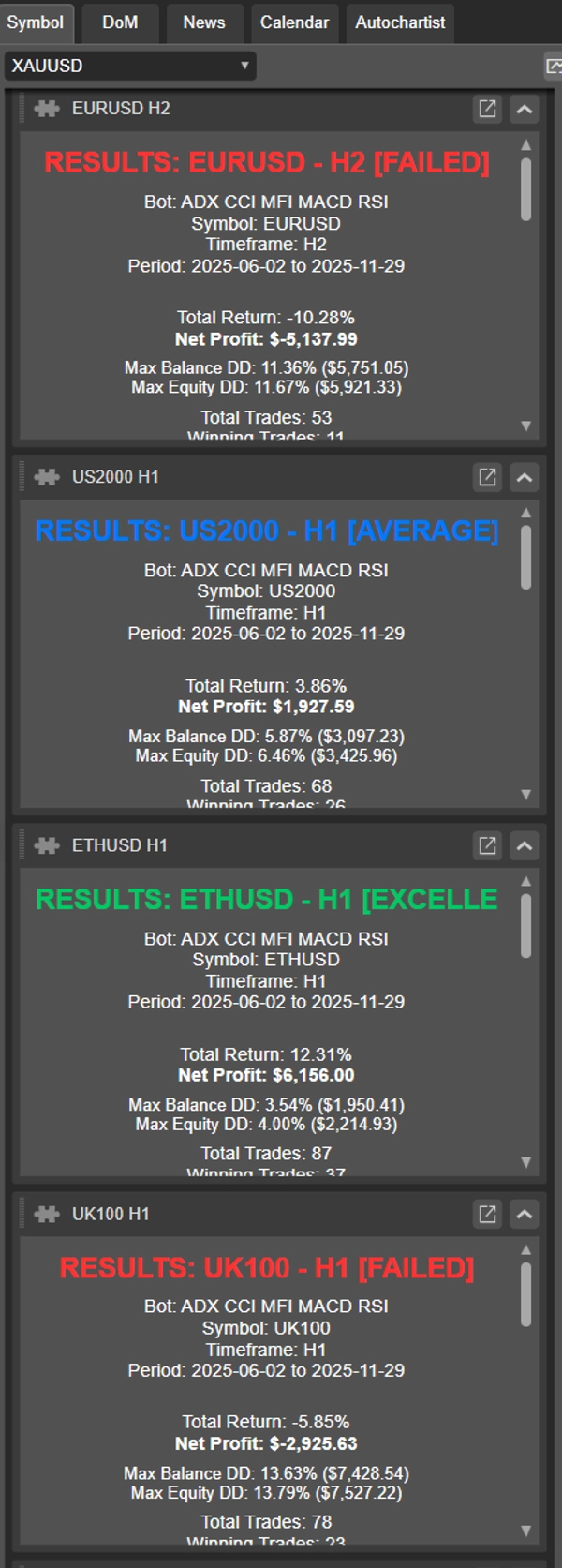
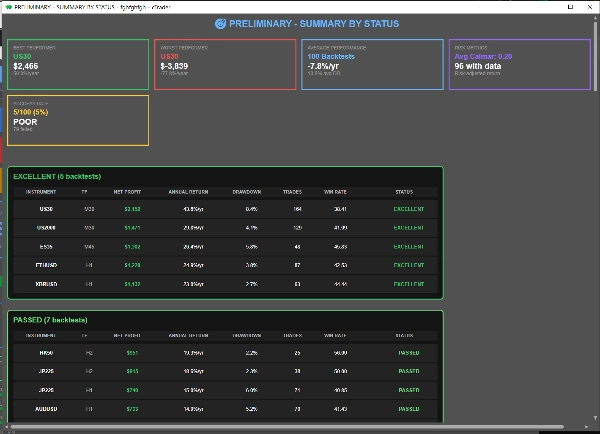
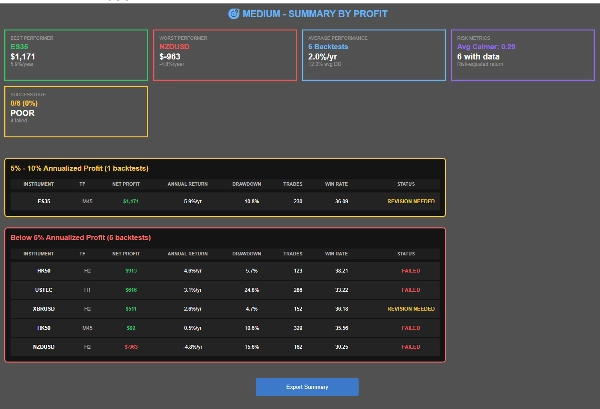
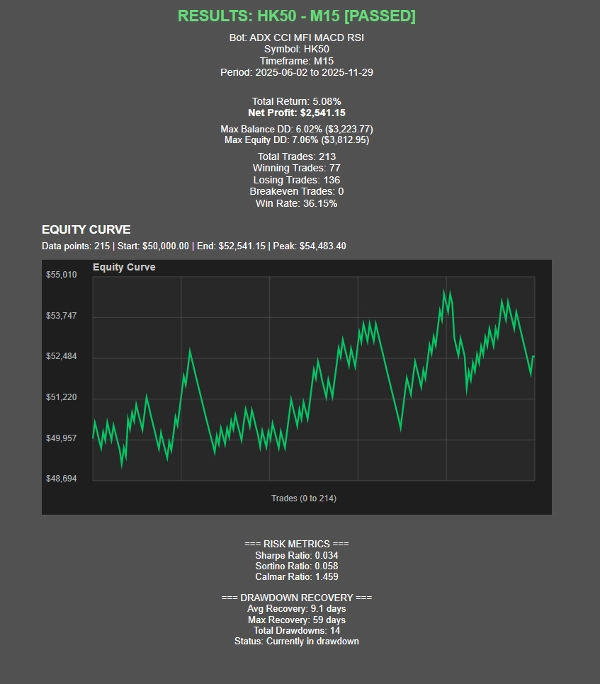
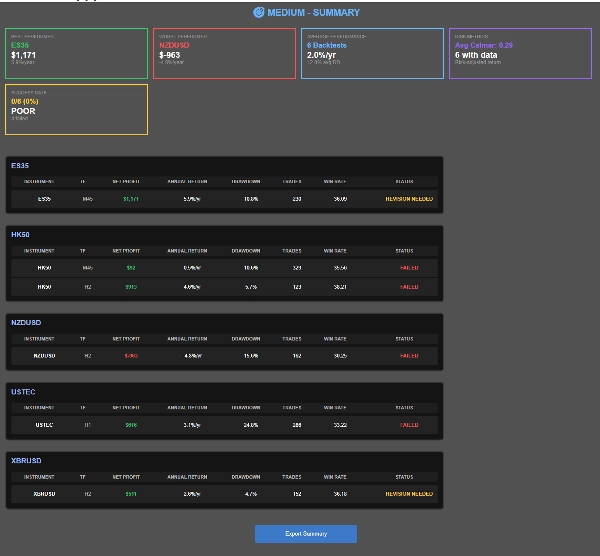
À medida que os testes são concluídos, o OmniSim gera automaticamente relatórios individuais para cada backtest, além de um relatório resumido abrangente, oferecendo uma visão completa do desempenho de relance.
Como funciona?
A interface do OmniSim foi projetada com intuição e simplicidade em mente.
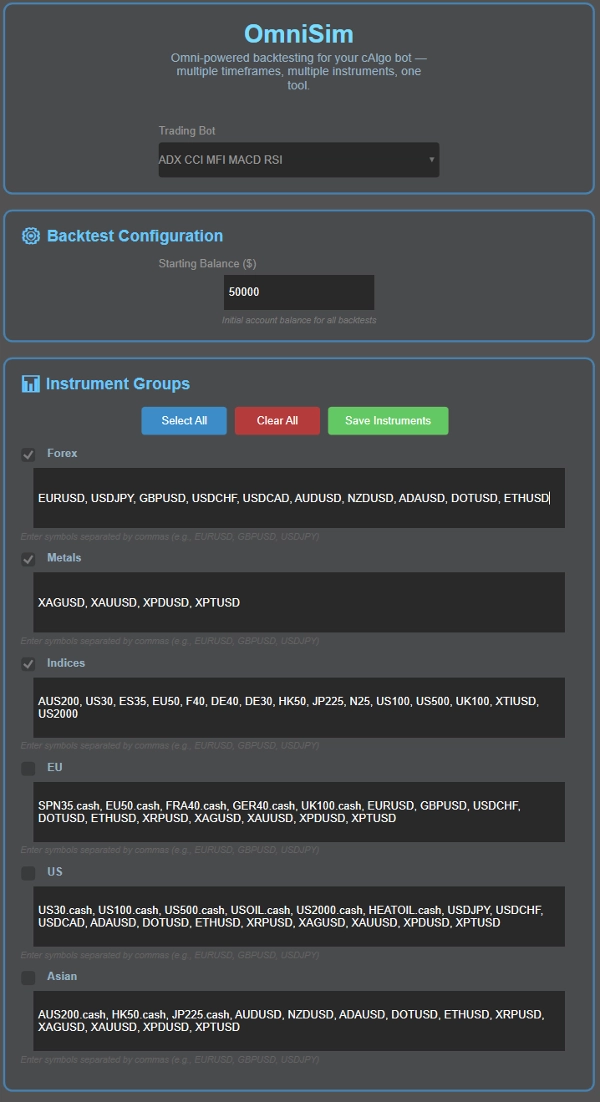
- Escolha seu bot: o Omni carrega automaticamente todos os bots instalados e os mostra em uma lista suspensa no topo da interface
- Escolha seu capital
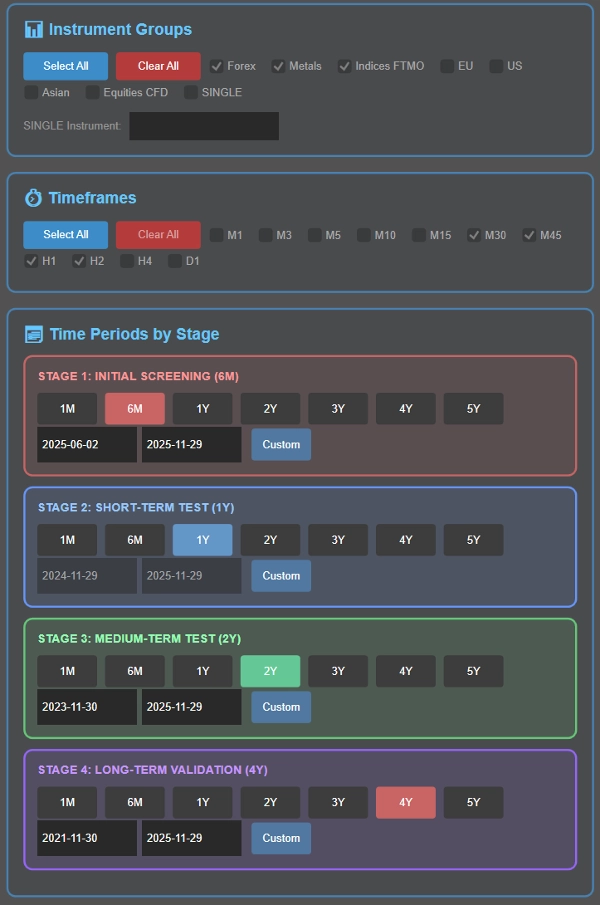
- Escolha seu(s) instrumento(s): aqui, você encontrará 5 grupos (Forex, Metais, Índices, UE, EUA, Ásia) cujos instrumentos são personalizáveis para sua conveniência. Antes do backtest, você pode selecionar o grupo de instrumento(s) que deseja testar
- Escolha seu(s) período(s) de tempo: escolha quais períodos testar: M1, M3, M5, M10, M15, M30, M45, H1, H2, H4, D1
- Defina seus períodos de backtesting como parte do processo inteligente em cascata (detalhado abaixo), ou escolha um único período específico, se preferir.
- Controle quantos testes rodam simultaneamente com base nas especificações do seu sistema. Para referência, um sistema com 16GB de RAM e Ryzen 7 5800X3D lida facilmente com 8 backtests simultâneos, com desempenho suave até 12-14 testes concorrentes. Ajuste para corresponder ao seu hardware.
- Execute um backtest em cascata (filtragem progressiva através de múltiplos períodos) ou teste todas as combinações contra um período específico usando os valores padrão dos parâmetros do cbot.
O que é um processo de backtesting em cascata?
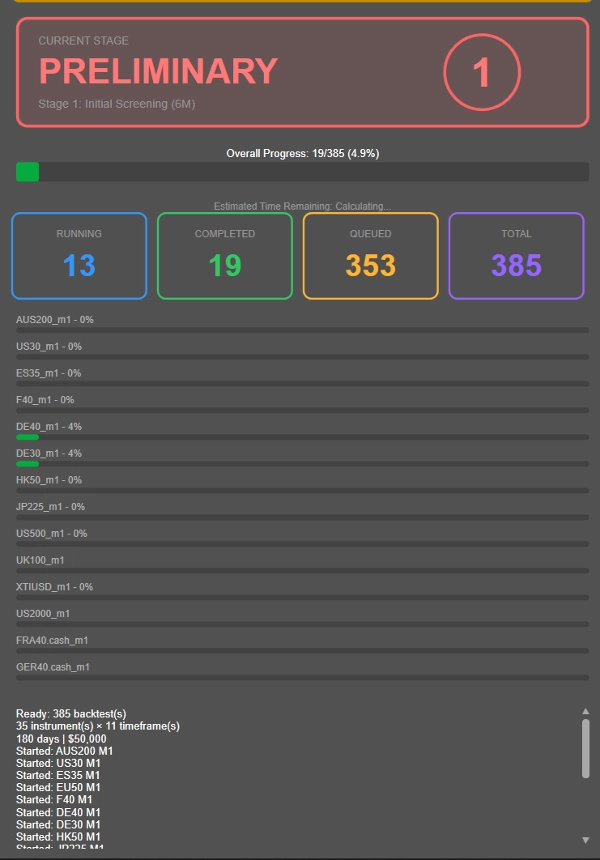
Em vez de executar backtests longos de 4 anos em todas as combinações de instrumento-período (incluindo as não lucrativas), o OmniSim usa uma metodologia progressiva em cascata que filtra inteligentemente os desempenhos inferiores logo no início:
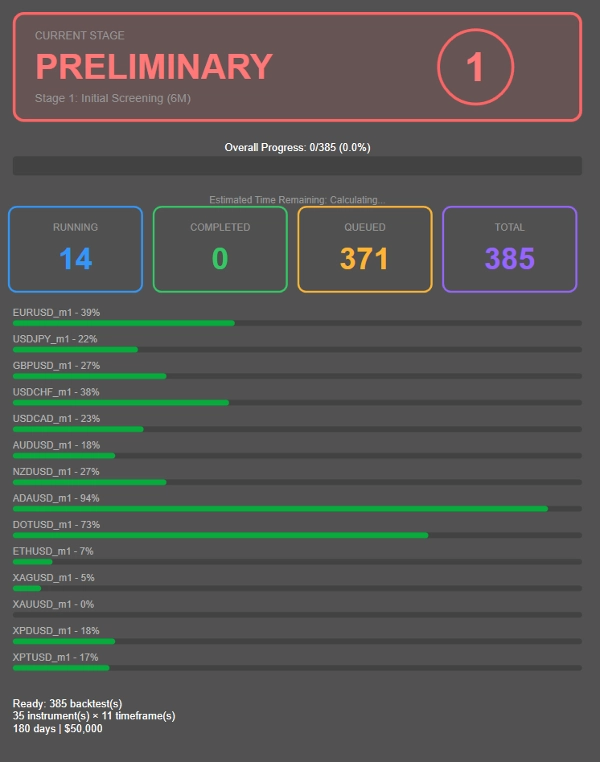
- Estágio 1: Triagem inicial de 6 meses
- Estágio 2: Sobreviventes avançam para teste de 1 ano
- Estágio 3: Desempenhos consistentes passam para validação de 2 anos
- Estágio 4: Apenas as combinações mais robustas enfrentam o teste completo de 4 anos
---------------
- A duração de cada estágio acima foi escolhida por mim como um período razoavelmente conveniente para backtesting. Você pode ajustar a duração conforme desejar, em vez de 6M → 1A → 2A → 4A, pode escolher 1M → 2A → 4A → 8A! Totalmente personalizável.
---------------
Essa abordagem reduz drasticamente o desperdício de computação em combinações não lucrativas, permitindo que você concentre recursos em estratégias que realmente mostram potencial.
Quer testar tudo contra um único período em vez disso? Basta configurar o período desejado no Estágio 2 e executar todas as combinações contra esse período específico clicando no botão azul.
Classificação de Desempenho, pode ser ajustada mediante solicitação após a compra!
- EXCELENTE: ≤10% DD médio, ≥20% lucro anualizado
- APROVADO: ≤10% DD médio, 10-20% lucro anualizado
- MÉDIO: ≤10% DD médio, 5-10% lucro anualizado
- REVISÃO NECESSÁRIA: 10-20% DD com >5% lucro OU ≤5% DD com 0-5% lucro
- REPROVADO: Todo o resto
Este plugin foi projetado com os critérios de aprovação e reprovação de firmas prop populares (10% de drawdown para desqualificação). Dependendo do risco por operação, pode ser desafiador determinar o desempenho real, daí as outras categorias como revisão necessária e médio, todas dentro de métricas de desempenho razoáveis. Reprovado é reservado para retornos medíocres, drawdown inexistente ou drawdown enorme.
Métricas de Desempenho:
- Índice de Sharpe, Índice de Sortino, Índice de Calmar (em desenvolvimento)
- Estatísticas de recuperação de drawdown
- Visualização da curva de patrimônio
- Acompanhamento de progresso em tempo real com ETA
Apresentação dos Resultados
- Três visões resumidas: Por Instrumento, Por Status, Por Lucro
- Navegação clicável dos resultados
- Funcionalidade de exportação CSV
- Cartões de status visuais e indicadores de progresso
Resumo
Avaliações de clientes
Conversa
Perguntas frequentes
Mais deste autor
Também poderá gostar de


![Logótipo de "Custom Timeframes [Iridio Capital]"](https://cdn.ctrader.com/image/webp/4d75a920-23c7-4fea-a7b5-594a9d067f2e_63286)



Preço