
Описание
Apex CFX – NAS100 Control — настраиваемый cBot, разработанный специально для рынка NAS100 / Nasdaq 100 и ориентированный на следование за трендом.
Вместо использования одного жесткого набора параметров, cBot предоставляет гибкую техническую основу, в которой можно настраивать и тестировать скользящие средние, RSI, ADX, время входа, торговые сессии, управление позициями и контроль рисков для различных торговых подходов.
Система не использует мартингейл, сеточную логику или автоматическое увеличение позиций после убытков.
📊 НАСТРАИВАЕМЫЙ ДВИГАТЕЛЬ СЛЕДОВАНИЯ ЗА ТРЕНДОМ
Структура входа основана на трех настраиваемых экспоненциальных скользящих средних, в сочетании с фильтрами RSI и ADX.
Значения по умолчанию:
• EMA Fast: 10
• EMA Mid: 20
• EMA Slow: 30
• Период RSI: 14
• Период ADX: 14
Эти значения не являются фиксированными требованиями. Пользователи могут изменять периоды EMA и настройки индикаторов при условии, что порядок EMA остается Fast < Mid < Slow.
В зависимости от выбранной конфигурации, cBot может оценивать:
• начальное выравнивание EMA
• входы вскоре после выравнивания
• отложенные входы продолжения тренда после того, как структура остается действительной в течение нескольких баров
• подтверждение за пределами быстрой EMA
• опциональные входы на откате EMA
• опциональное подтверждение диапазона RSI при входе
• опциональное минимальное подтверждение ADX при входе
• опциональные фильтры направления RSI и ADX
Минимальное и максимальное количество баров после пересечения EMA также можно настроить. Это позволяет стратегии тестировать как ранние входы, так и более поздние установки продолжения, пока структура тренда остается действительной.
↕️ КОНТРОЛЬ НАПРАВЛЕНИЯ ТОРГОВЛИ
Направление торговли можно настроить как:
• Оба – разрешает входы как в лонг, так и в шорт
• Только лонг – разрешает только входы в лонг
• Только шорт – разрешает только входы в шорт
Выбранное направление проверяется во время обнаружения установки, стандартных входов, управления откатом EMA и окончательного исполнения ордера. Несовместимые подготовленные установки сбрасываются до того, как ордер может быть размещен.
📈 СОВМЕСТИМОСТЬ С РЫНКОМ, ТАЙМФРЕЙМОМ И ГРАФИКОМ
Эта версия ограничена символами NAS100 / Nasdaq 100.
Проверка символа распознает распространённые вариации названий брокеров, содержащие такие термины, как NAS100, US100, USTEC, NASDAQ, NASDAQ100, NDX и TECH100, включая символы с префиксами или суффиксами брокера.
cBot не привязан жестко к одному таймфрейму или типу графика. Он может работать на разных периодах и типах графиков, поддерживаемых cTrader, включая стандартные графики на основе времени, Renko и Heikin-Ashi.
Опубликованные пресеты и исторические результаты относятся к конкретной тестовой конфигурации, указанной ниже. Использование другого таймфрейма, типа графика, брокера или комбинации параметров требует отдельного тестирования и настройки.
⚙️ РАЗМЕР ПОЗИЦИИ И УПРАВЛЕНИЕ ТОРГОВЛЕЙ
cBot поддерживает:
• фиксированный размер лота
• опциональный размер риска в процентах
• контроль минимальной свободной маржи перед входом
• технический стоп-лосс на основе медленной EMA с настраиваемым буфером
• минимальное расстояние стоп-лосса
• опциональный фильтр максимального расстояния стоп-лосса
• опциональный тейк-профит
• опциональный безубыточный уровень
• опциональный трейлинг-стоп
• опциональное частичное закрытие
• виртуальная защита тейк-профита
• защита от отсутствия стоп-лосса
• фильтр максимального спреда
Конфигурация по умолчанию использует 0.01 фиксированных лотов. Размер риска в процентах по умолчанию отключен. Если включен, его значение по умолчанию — 1% на сделку.
Все параметры размера и риска должны быть пересмотрены с учетом размера счета, кредитного плеча, спецификаций символа, условий брокера и личной толерантности к риску.
⏱️ СЕССИИ, ОКНА БЛОКИРОВКИ И ВРЕМЯ ЗАВЕРШЕНИЯ РАБОТЫ
Система включает настраиваемые торговые сессии по UTC с отдельными порогами ADX.
Доступны два независимых окна блокировки входа:
• Блокировка входа во время новостей / макроэкономики США
• Блокировка входа при открытии рынка США
Каждое окно может блокировать новые входы и сбрасывать подготовленные установки в выбранный период. Опциональная настройка может закрывать только позицию, открытую тем же экземпляром cBot, когда начинается блокировка.
Эти окна блокировки — это ручные временные фильтры. cBot не подключается автоматически и не интерпретирует внешний экономический календарь.
Время завершения работы также можно настроить для закрытия позиции, принадлежащей тому же экземпляру cBot, в выбранное время по UTC.
🛡️ ЕЖЕДНЕВНАЯ ЗАЩИТА ОТ РИСКОВ
Инструменты ежедневной защиты включают:
• опциональную остановку после настраиваемого количества последовательных результатов со стоп-лоссом
• настраиваемую защиту от ежедневного просадки
• область защиты для отдельного экземпляра, семейства Apex CFX или всей учетной записи
• режим AutoReconstructed для ежедневной ссылки
• режим ManualReferenceEquity
• опциональное закрытие позиций Apex CFX при достижении настроенного лимита ежедневной просадки
Режим AutoReconstructed восстанавливает текущее ежедневное состояние из доступных данных счета и торговли. ManualReferenceEquity позволяет продвинутым пользователям определить собственное значение ежедневной ссылки.
Настройки ежедневной защиты являются настраиваемыми инструментами и не гарантируют соблюдение правил брокера, финансируемого счета или проп-фирмы.
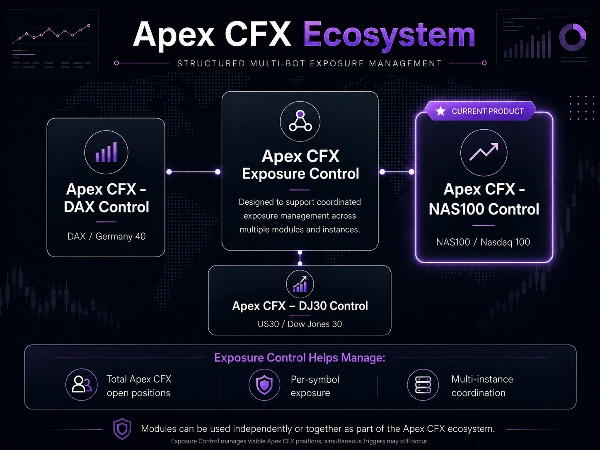
🔗 КОНТРОЛЬ ЭКСПОЗИЦИИ APEX CFX
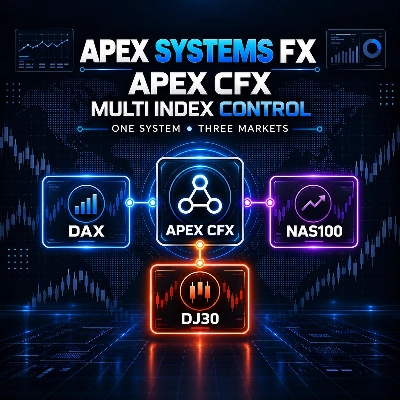
Apex CFX – NAS100 Control является частью экосистемы Apex CFX.
Каждый модуль может работать независимо, в то время как Контроль экспозиции помогает координировать видимые позиции между несколькими ботами и экземплярами Apex CFX.
Доступные элементы управления включают:
• максимальное количество открытых позиций Apex CFX
• максимальное количество позиций Apex CFX по текущему символу
• идентификация позиций по экземпляру
• общая идентификация семейства Apex CFX
Контроль экспозиции предназначен для уменьшения операционного перекрытия при работе нескольких модулей Apex CFX. Его не следует воспринимать как абсолютную гарантию отсутствия одновременных входов, вызванных разными экземплярами в один и тот же момент.
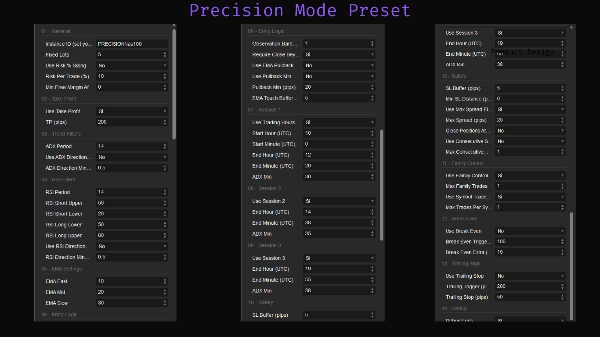
📌 ЭТАЛОННЫЕ ПРЕСЕТЫ
Представлены две эталонные конфигурации:
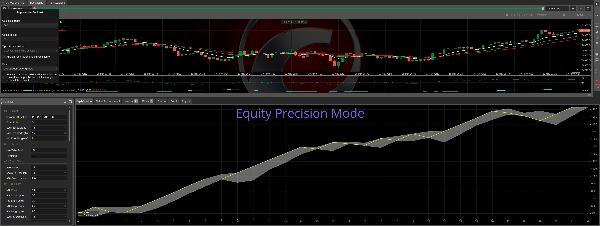
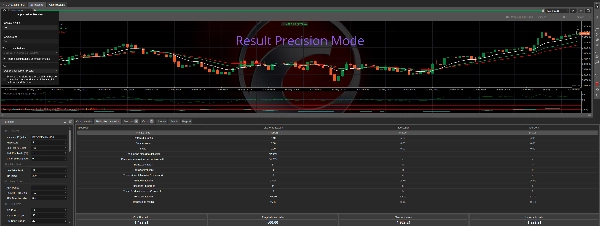
Precision — конфигурация, используемая для основного исторического бэктеста, показанного на странице продукта. Использует более высокую фиксированную экспозицию лота.
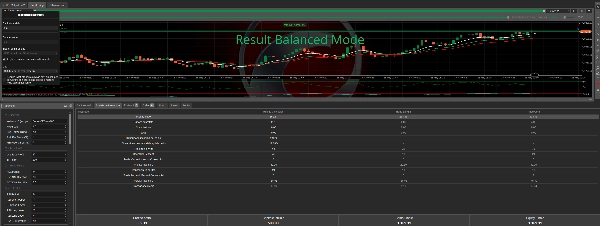
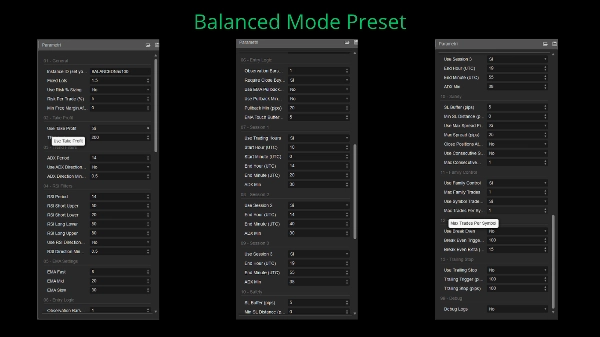
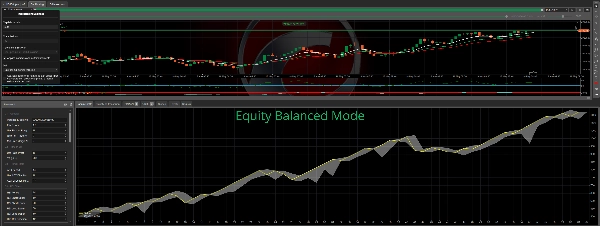
Balance — конфигурация с меньшей экспозицией по сравнению с Precision.
Названия пресетов описывают их относительную конфигурацию в рамках этого продукта. Они не представляют гарантированные уровни риска или будущую производительность.
Пользователям рекомендуется проверить каждый параметр перед использованием и протестировать выбранную конфигурацию с данными своего брокера и условиями счета.
📉 ИСТОРИЧЕСКИЙ БЭКТЕСТ — PRECISION
Основные данные о производительности из Магазина относятся к конфигурации Precision:
:
• Брокер: FPM Trading
• Период: с 28 июля 2025 по 19 мая 2026
• Период графика: M2
• Начальный баланс: 500 €
• Фиксированный объем: 5 лотов
• Кредитное плечо для бэктеста: 1:200
• Чистая прибыль: 1 429,21 €
• Итоговый баланс: 1 929,21 €
• Общая историческая доходность (ROI): примерно 285.84%
• Среднемесячная доходность, рассчитанная Магазином: примерно 15%
• Фактор прибыли: 5.10
• Максимальная просадка баланса: 12%
Этот бэктест использовал высокую фиксированную экспозицию лота относительно начального баланса. Он не использовал настройку риска 1% на сделку cBot и не должен рассматриваться как рекомендуемая конфигурация для реальной торговли.
Исторические результаты могут значительно варьироваться в зависимости от спецификаций символов брокера, спреда, комиссии, проскальзывания, качества исполнения, кредитного плеча, валюты счета, исторических данных, таймфрейма, типа графика и выбранных параметров.
👤 ПОДХОДИТ ДЛЯ
Apex CFX – NAS100 Control может подойти пользователям, которые:
• хотят настраиваемую структуру следования за трендом NAS100
• предпочитают выборочное, основанное на правилах исполнение
• хотят тестировать ранние, отложенные или основанные на откате входы
• нуждаются в настраиваемом контроле направления торговли
• хотят интегрированные инструменты управления позицией, ежедневным риском и экспозицией
• запускают несколько модулей или экземпляров Apex CFX
• понимают бэктестинг, оптимизацию и размер позиций
⚠️ ОТКАЗ ОТ ОТВЕТСТВЕННОСТИ ЗА РИСКИ
Торговля связана с риском и может привести к финансовым потерям.
Прошлая производительность не гарантирует будущих результатов.
Результаты бэктеста и оптимизации являются историческими и гипотетическими. Они не гарантируют, что такие же результаты будут воспроизведены в реальной торговле.
Этот cBot не гарантирует прибыли, соответствия требованиям финансируемого счета, проп-фирмы или успеха в челлендже. Пользователи несут ответственность за настройку каждого параметра в соответствии с брокером, счетом, кредитным плечом, применимыми правилами и личной толерантностью к риску.
Настоятельно рекомендуется тестировать на демо-счете перед использованием в реальной торговле.
ПОДДЕРЖКА
Для уточнения настроек, вопросов по продукту или технической поддержки, пожалуйста, используйте раздел Обсуждения на странице продукта в cTrader Store.
Сводка
Key features include controlled trading frequency, integrated risk management, and suitability for medium to high leverage environments. The bot is optimized for the M2 timeframe but can be adapted to others. It offers two main presets: Precision Preset for fewer, more selective trades with strict filtering, and Core Preset for a balanced risk/reward profile.
Apex CFX - NAS100 Control is part of the Apex Systems FX ecosystem, supporting coordinated exposure management across multiple modules or instances via a built-in family control feature. This feature limits simultaneous trades and helps avoid overexposure, promoting balanced trading activity.
The system targets traders seeking a disciplined, stable approach with a focus on risk management rather than aggressive trading. It supports fixed risk percentage and fixed lot sizing models and includes risk tools such as stop loss, take profit, trailing stop loss, break-even, session and spread filters.