
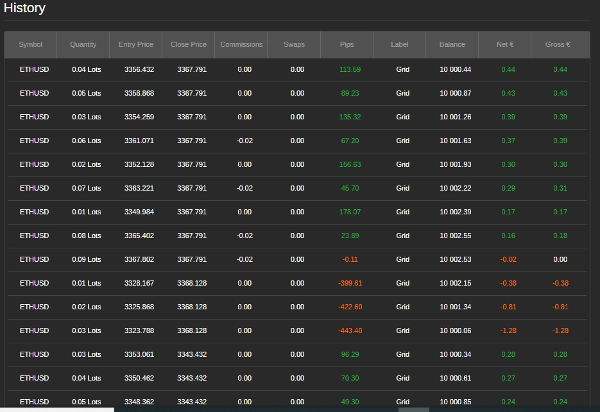
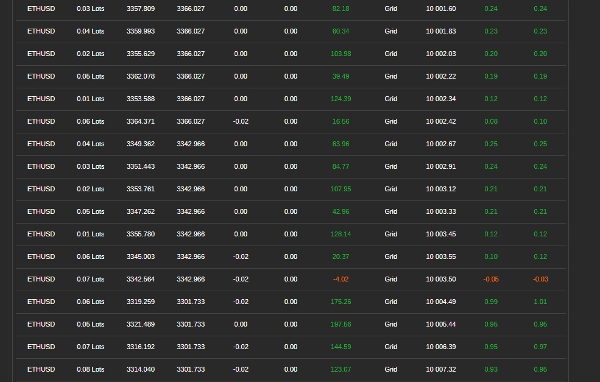
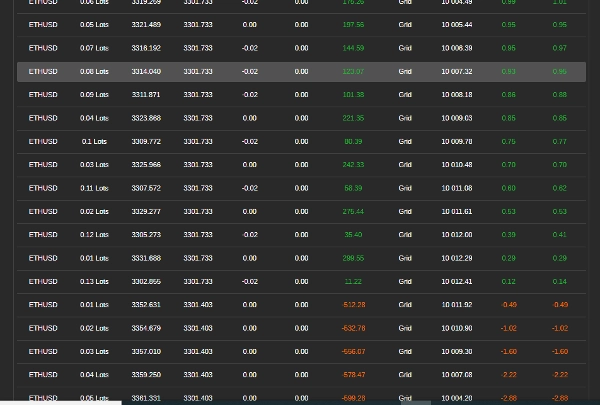
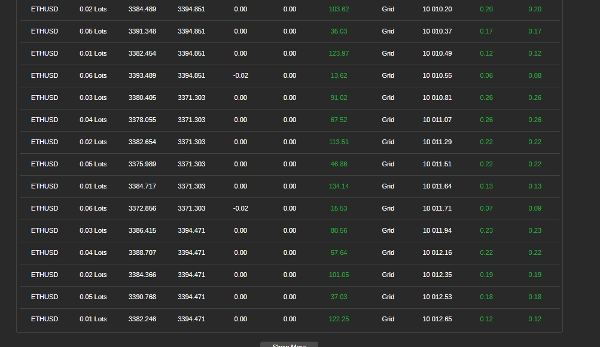

Beschreibung
Renko verwenden
Wie man den Grid Trading Bot verwendet
Dieser Leitfaden erklärt, wie man den Grid Trading Bot effektiv nutzt. Der Bot automatisiert das Grid-Trading, indem er Kauf- und Verkaufsaufträge in festgelegten Preisintervallen platziert, sodass Trader von Marktbewegungen profitieren können.
Schritt 1: Parameter konfigurieren
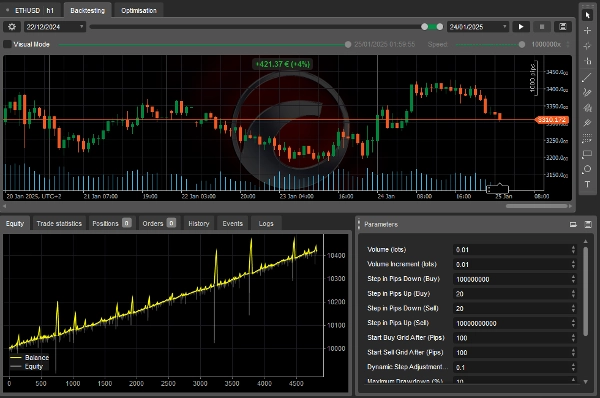
Der Bot ermöglicht es Ihnen, mehrere Einstellungen anzupassen, um Ihre Handelsstrategie zu erfüllen. Nachfolgend die wichtigsten Parameter:
Volumeneinstellungen
- Anfangsvolumen (Lots) – Die anfängliche Handelsgröße.
- Volumensteigerung (Lots) – Der Betrag, der zu jedem neuen Handel hinzugefügt wird.
Grid-Schritteinstellungen
- Schritt in Pips nach unten (Kauf) – Abstand unterhalb des letzten Kaufauftrags für den nächsten Kauf.
- Schritt in Pips nach oben (Kauf) – Abstand oberhalb des letzten Kaufauftrags für den nächsten Kauf.
- Schritt in Pips nach unten (Verkauf) – Abstand unterhalb des letzten Verkaufsauftrags für den nächsten Verkauf.
- Schritt in Pips nach oben (Verkauf) – Abstand oberhalb des letzten Verkaufsauftrags für den nächsten Verkauf.
Grid-Aktivierung
- Start Buy Grid nach (Pips) – Die benötigte Preissteigerung, um das Kauf-Grid zu starten.
- Start Sell Grid nach (Pips) – Der benötigte Preisrückgang, um das Verkaufs-Grid zu starten.
Dynamische Anpassungen
- Dynamischer Schrittanpassungsfaktor – Passt die Grid-Schrittgröße basierend auf der Anzahl offener Trades an.
Risikomanagement
- Maximaler Drawdown (%) – Der maximale Verlust als Prozentsatz des Kontostands.
- Trailing Drawdown verwenden – Wenn aktiviert, verfolgt der Bot den Höchststand des Kapitals, um Drawdown-Grenzen anzupassen.
Gewinnbedingungen
- Maximaler Nettogewinn (nur Kauf-Grid) – Der höchste Gewinn vor dem Schließen aller Kaufpositionen.
- Maximaler Nettogewinn (nur Verkaufs-Grid) – Der höchste Gewinn vor dem Schließen aller Verkaufspositionen.
- Maximaler Nettogewinn (beide Grids) – Der höchste erlaubte Gewinn über beide Grids hinweg.
Schritt 2: Bot starten
- Einstellungen festlegen – Passen Sie die Einstellungen basierend auf Ihrem Risikoniveau und Ihrer Strategie an.
- Ausreichendes Kapital sicherstellen – Stellen Sie sicher, dass Ihr Handelskonto genügend Margin hat.
- Bot ausführen – Klicken Sie auf „Start“, um den Handel zu aktivieren. Der Bot öffnet und verwaltet Positionen automatisch.
Schritt 3: Bot überwachen
- Offene Trades prüfen – Der Bot folgt der Grid-Strategie, um Positionen ein- und auszusteigen.
- Leistung verfolgen – Überprüfen Sie Gewinn, Drawdown und Handelshistorie. Der Bot schließt Trades, wenn Gewinn- oder Risikolimits erreicht werden.
Schritt 4: Bot stoppen oder neu starten
- Bot stoppen – Klicken Sie auf „Stop“, um den Handel zu beenden und alle Positionen zu schließen.
- Bot neu starten – Wenn der Bot aufgrund von Erreichen seiner Limits stoppt, können Sie ihn manuell neu starten.
Tipps für beste Ergebnisse
- Klein anfangen – Verwenden Sie eine kleine Handelsgröße und Schrittweite zum Testen.
- Einstellungen anpassen – Optimieren Sie Grid-Schritte, Volumensteigerungen und Risikoniveaus basierend auf den Marktbedingungen.
- Drawdown beobachten – Stellen Sie sicher, dass Verluste innerhalb Ihrer Risikotoleranz bleiben.
Kontaktinformationen
Für Support oder Anfragen:
- WhatsApp: +27 73 714 0490
- Email: siyabongamsg764109@gmail.com
Handelshinweis
Der Handel birgt Risiken und ist möglicherweise nicht für alle Anleger geeignet. Es gibt keine Gewinngarantie, und vergangene Leistungen sind kein Indikator für zukünftige Ergebnisse. Sie sind für alle Handelsentscheidungen selbst verantwortlich. Verwenden Sie diesen Bot mit Vorsicht, führen Sie Backtests durch und handeln Sie zunächst auf einem Demokonto, bevor Sie live gehen. Ziehen Sie bei Bedarf professionelle Finanzberatung hinzu.
Indem Sie diese Schritte befolgen, können Sie den Grid Trading Bot nutzen, um Ihre Handelsstrategie zu automatisieren. Handeln Sie stets verantwortungsbewusst.
Es ist wichtig, während großer Nachrichtenereignisse nicht zu handeln, da diese Perioden oft durch erhöhte Volatilität und unvorhersehbare Kursbewegungen gekennzeichnet sind. Nachrichtenhandel kann zu unregelmäßigem Marktverhalten führen, das von typischen Trends abweicht und das Verlustrisiko erhöht. Ebenso kann das Handeln in einem Seitwärtsmarkt – in dem sich die Preise ohne klare Richtung bewegen – zu falschen Ausbrüchen und begrenzten Gewinnmöglichkeiten führen, was die Umsetzung einer kohärenten Strategie erschwert. Zusätzlich weisen Tage mit geringem Volumen typischerweise eine reduzierte Liquidität auf, was zu größeren Spreads und Slippage führen kann und die Ausführung von Trades weiter erschwert. Indem Trader Nachrichtenhandel, Seitwärtsmärkte und Perioden mit geringem Volumen meiden, können sie sich auf stabilere Marktbedingungen konzentrieren, die klarere Trends und bessere Ausführung bieten und letztlich ihre gesamte Handelsleistung verbessern.
Zusammenfassung
Risk management features include setting a maximum drawdown percentage and an optional trailing drawdown that tracks peak equity to adjust limits. Profit conditions allow defining maximum net profit thresholds for buy grids, sell grids, or both combined, upon which the bot closes positions.
To operate, users configure settings according to their strategy and risk tolerance, ensure sufficient margin, and start the bot to automatically manage trades. Monitoring involves reviewing open trades, profits, drawdown, and trade history, with automatic closure of trades when limits are reached. The bot can be stopped to close all positions or restarted manually if stopped due to limit triggers.
Best practices include starting with small trade sizes and step distances, adjusting settings based on market conditions, and avoiding trading during major news events, ranging markets, or low volume periods to reduce volatility and execution risks.
Kundenbewertungen
5 | 25 % | |
4 | 25 % | |
3 | 50 % | |
2 | 0 % | |
1 | 0 % |
Diskussion
Häufig gestellte Fragen (FAQ)
Mehr von diesem Autor
![„[Fx4U]Risk & Reward Trading Tool Pro“-Logo](https://cdn.ctrader.com/image/webp/e26324ec-9547-4365-a38e-ccd0e7c4d86f_31374)










Preis