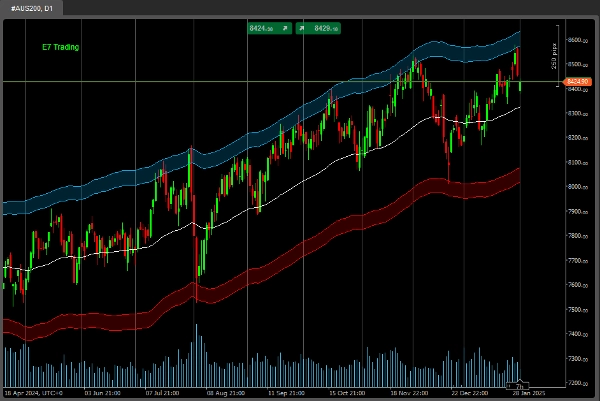
Mô tả
Theo yêu cầu của nhiều bạn, chúng tôi hiện đang làm việc chăm chỉ để cung cấp các ví dụ về một số mã và gói học máy của chúng tôi.
TensorFlow, PyTorch, Keras, Numpy, Pandas và nhiều gói .NET khác để bắt đầu bên trong cTrader.
Sứ mệnh của chúng tôi là làm cho Machine Learning trong cTrader trở nên dễ dàng hơn cho mọi người.
Chúc bạn săn tìm vui vẻ!
*** Mã này không giao dịch gì cả (nó chỉ in ra dữ liệu, v.v.). Đây chỉ là mã mẫu về cách bạn có thể bắt đầu tạo các mô hình AI của riêng mình bằng cách sử dụng các gói Machine Learning của chúng tôi.
.......................................................
using System;
using System.Collections.Generic;
using System.Linq;
using System.Text;
using cAlgo.API;
using cAlgo.API.Collections;
using cAlgo.API.Indicators;
using cAlgo.API.Internals;
using NumSharp;
using np = NumSharp.np;
using Shape = NumSharp.Shape;
using PandasNet;
using static PandasNet.PandasApi;
namespace cAlgo.Robots
{
[Robot(TimeZone = TimeZones.UTC, AccessRights = AccessRights.None)]
public class E7BBKGNumSharpSample : Robot
{
[Parameter("Phiên bản 1.01", DefaultValue = "Version 1.01")]
public string Version { get; set; }
[Parameter("Nguồn")]
public DataSeries Source { get; set; }
[Parameter("Số lượng Bars cần thiết", DefaultValue = 50, MinValue = 1, MaxValue = 10000, Step = 1)]
public int BarsRequired { get; set; }
[Parameter("Tên phương pháp", DefaultValue = MethodName.DataSplitPrints)]
public MethodName Mode { get; set; }
public enum MethodName
{
DataSplitPrints,
PandasPrints,
NDArrayPrints
}
protected override void OnStart()
{
// Khởi tạo bất kỳ chỉ báo nào
}
protected override void OnBar()
{
try
{
if (Mode == MethodName.DataSplitPrints)
{
DataSplitPrints();
}
else if (Mode == MethodName.PandasPrints)
{
PandasPrints();
}
else if (Mode == MethodName.NDArrayPrints)
{
NDArrayPrints();
}
}
catch (Exception ex)
{
Print($"Lỗi: {ex.Message}");
if (ex.InnerException != null)
{
Print($"Lỗi bên trong: {ex.InnerException.Message}");
throw;
}
}
}
private float[,] GetDataSet()
{
int startBar = Bars.ClosePrices.Count - BarsRequired;
float[,] inputSignals = new float[BarsRequired, 5];
for (int i = 0; i < BarsRequired; i++)
{
int barIndex = startBar + i;
inputSignals[i, 0] = (float)Bars.OpenPrices[barIndex];
inputSignals[i, 1] = (float)Bars.HighPrices[barIndex];
inputSignals[i, 2] = (float)Bars.LowPrices[barIndex];
inputSignals[i, 3] = (float)Bars.ClosePrices[barIndex];
inputSignals[i, 4] = (float)Bars.TickVolumes[barIndex];
}
return inputSignals;
}
private float[,] GetTargetDataSet()
{
int startBar = Bars.ClosePrices.Count - BarsRequired;
float[,] inputSignals = new float[BarsRequired, 5];
for (int i = 0; i < BarsRequired; i++)
{
int barIndex = startBar + i;
inputSignals[i, 0] = (float)Bars.OpenPrices[barIndex];
inputSignals[i, 1] = (float)Bars.HighPrices[barIndex];
inputSignals[i, 2] = (float)Bars.LowPrices[barIndex];
inputSignals[i, 3] = (float)Bars.ClosePrices[barIndex];
inputSignals[i, 4] = (float)Bars.TickVolumes[barIndex];
}
return inputSignals;
}
/// In dữ liệu NumSharp Data Split
public void DataSplitPrints()
{
// Định dạng lại dữ liệu đầu vào để phù hợp với hình dạng đầu vào mong đợi của mô hình
//var inputShape = new Shape(-1, BarsRequired, 5);
NDArray inputData = np.array<float>(GetDataSet());
Print("NDarray đầu vào: " + string.Join(", ", inputData));
// Định dạng lại dữ liệu mục tiêu để phù hợp với hình dạng mục tiêu mong đợi của mô hình
//var targetShape = new Shape(-1, 5);
NDArray targetData = np.array<float>(GetTargetDataSet());
Print("NDarray mục tiêu: " + string.Join(", ", targetData));
// Chia dữ liệu thành tập huấn luyện và kiểm tra
int testSize = (int)(0.2 * inputData.shape[0]); // 20% cho kiểm tra
var (x_train, x_test) = (inputData[$":{inputData.shape[0] - testSize}"], inputData[$"{inputData.shape[0] - testSize}:"]);
var (y_train, y_test) = (targetData[$":{targetData.shape[0] - testSize}"], targetData[$"{targetData.shape[0] - testSize}:"]);
Print("Dữ liệu X_train: " + string.Join(", ", x_train));
Print("Dữ liệu X_test: " + string.Join(", ", x_test));
Print("Dữ liệu Y_train: " + string.Join(", ", y_train));
Print("Dữ liệu Y_test: " + string.Join(", ", y_test));
}
/// In dữ liệu PandasNet
public void PandasPrints()
{
// Chuyển đổi float[,] thành List<Series>
var inputData = GetDataSet();
var targetData = GetTargetDataSet();
var inputSeriesList = new List<Series>();
var targetSeriesList = new List<Series>();
for (int col = 0; col < inputData.GetLength(1); col++)
{
List<float> columnData = new List<float>();
for (int row = 0; row < inputData.GetLength(0); row++)
{
columnData.Add(inputData[row, col]);
}
inputSeriesList.Add(new Series(columnData.ToArray()));
}
for (int col = 0; col < targetData.GetLength(1); col++)
{
List<float> columnData = new List<float>();
for (int row = 0; row < targetData.GetLength(0); row++)
{
columnData.Add(targetData[row, col]);
}
targetSeriesList.Add(new Series(columnData.ToArray()));
}
// Tạo DataFrames
DataFrame inputDataFrame = new DataFrame(inputSeriesList);
DataFrame targetDataFrame = new DataFrame(targetSeriesList);
Print("DataFrame đầu vào: " + inputDataFrame);
Print("DataFrame mục tiêu: " + targetDataFrame);
//Print("Input DataFrame: " + string.Join(", ", inputDataFrame));
//Print("Target DataFrame: " + string.Join(", ", targetDataFrame));
}
/// In dữ liệu NumSharp NDArray đơn giản
public void NDArrayPrints()
{
if (Bars.ClosePrices.Count < BarsRequired)
return;
try
{
// Gọi dữ liệu đầu vào float[,]
float[,] inputData = GetDataSet();
// Chuyển đổi sang NDArray và định dạng lại thành (BarsRequired, 5)
NDArray inputNDArray = np.array(inputData); // NumSharp
Print("Dữ liệu NumSharp NDarray đầu vào : " + string.Join(", ", inputNDArray));
Print("Hình dạng NumSharp NDarray đầu vào: " + string.Join(", ", inputNDArray.shape));
int expectedLength = BarsRequired * 5;
Print($"Độ dài NumSharp NDarray mong đợi: {expectedLength}");
Print($"Kích thước NumSharp NDarray đầu vào: {inputNDArray.size}");
if (inputNDArray.size != expectedLength)
{
Print($"Không khớp độ dài: Độ dài mong đợi {expectedLength}, nhưng nhận được kích thước {inputNDArray.size}");
return;
}
}
catch (Exception ex)
{
Print("Ngoại lệ: " + ex.Message);
Print("Dấu vết ngăn xếp: " + ex.StackTrace);
Exception innerException = ex.InnerException;
while (innerException != null)
{
Print("Ngoại lệ bên trong: " + innerException.Message);
Print("Dấu vết ngăn xếp ngoại lệ bên trong: " + innerException.StackTrace);
innerException = innerException.InnerException;
}
}
}
}
}
Tóm tắt
Key functionalities include:
- Data extraction from market bars (open, high, low, close prices, and tick volumes) over a configurable number of bars.
- Conversion of this data into formats compatible with machine learning workflows, including NumSharp NDArrays and Pandas DataFrames.
- Methods to split data into training and testing sets, and to print these datasets for inspection.
- Three operational modes selectable via parameters: DataSplitPrints, PandasPrints, and NDArrayPrints, each demonstrating different data handling approaches.
This sample code aims to facilitate machine learning development inside cTrader by providing foundational examples of data preparation and manipulation using popular ML libraries in a .NET context.