

============================================================
🐉 UNO GOLDEN DRAGON BOT 🐉
The Ultimate Mean-Reversion Powerhouse for Gold
============================================================
🚀 OVERVIEW
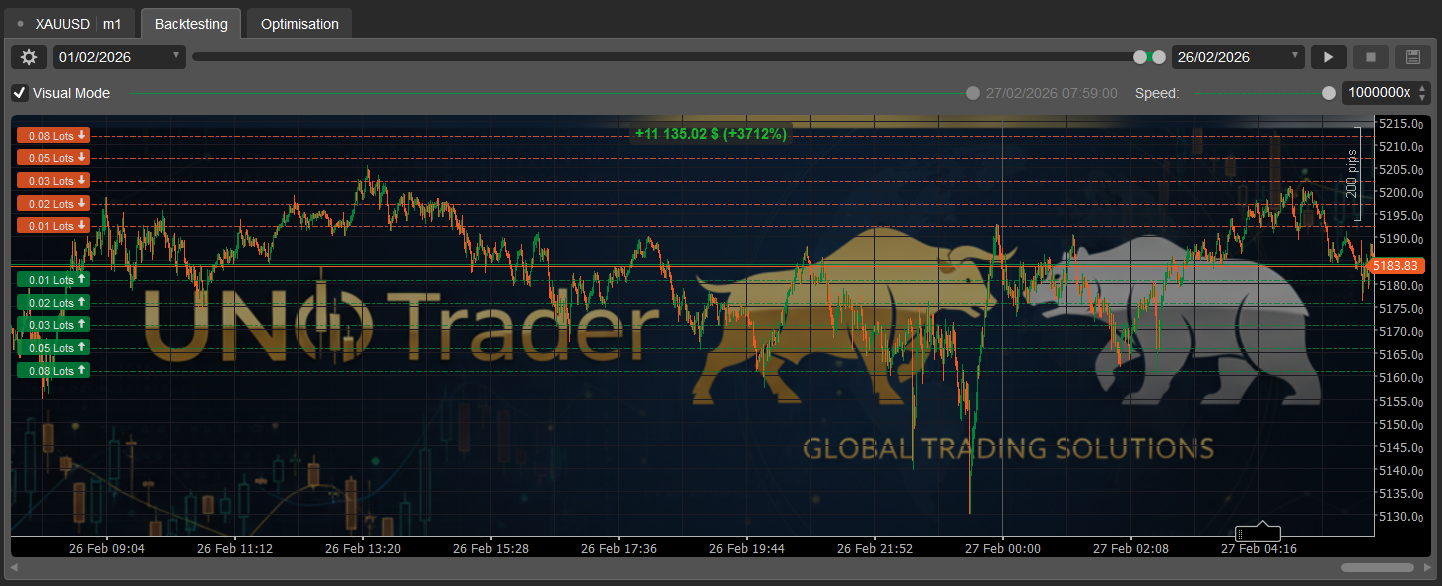
The Uno Golden Dragon is a premium automated trading solution 🤖
designed specifically for the high-octane XAU-USD (Gold) market.
By blending institutional-grade trend analysis with dynamic
volatility protection, this bot captures profits when the
market overextends and "breathes" back to its average.
🧠 STRATEGY & INTELLIGENCE
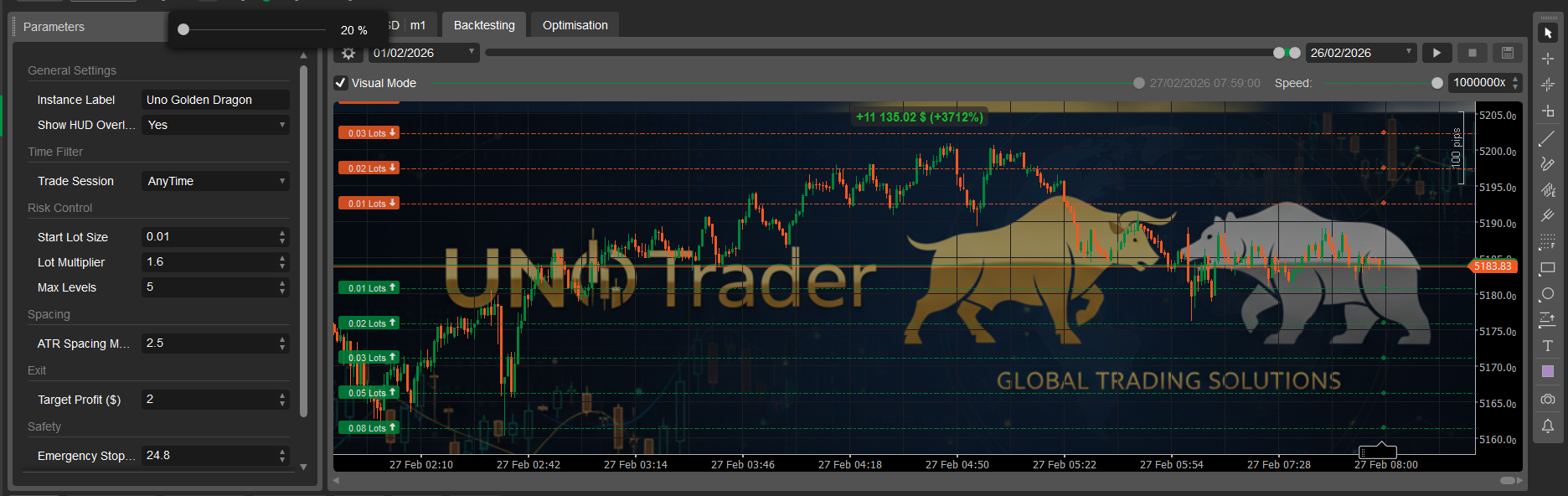
* The Golden Anchor: Uses a 200-period EMA 📈 to find the
true market center.
* Dynamic Volatility Spacing: Uses Average True Range (ATR) 📏.
Your grid levels automatically widen during chaos and
tighten during calm.
* The Dragon Scale: A smart Lot Multiplier ✖️ optimizes your
break-even point for faster exits.
🛡️ SAFETY & SHIELDING
* Daily Max Loss Circuit Breaker: 🛑 Set a hard dollar limit.
If hit, the bot closes all trades and stops for the day.
* Emergency Stop-Out: 🚨 Global equity protection to prevent
heavy drawdowns.
* Session Guard: 🕒 Trade only specific sessions (London,
New York, etc.) or go 24/5.
* Live HUD Overlay: 🖥️ Sleek gold-themed display tracking
PnL, Active Positions, and Safety Limits in real-time.
🎁 BONUS: READY-TO-TRADE PARAMETERS 📥
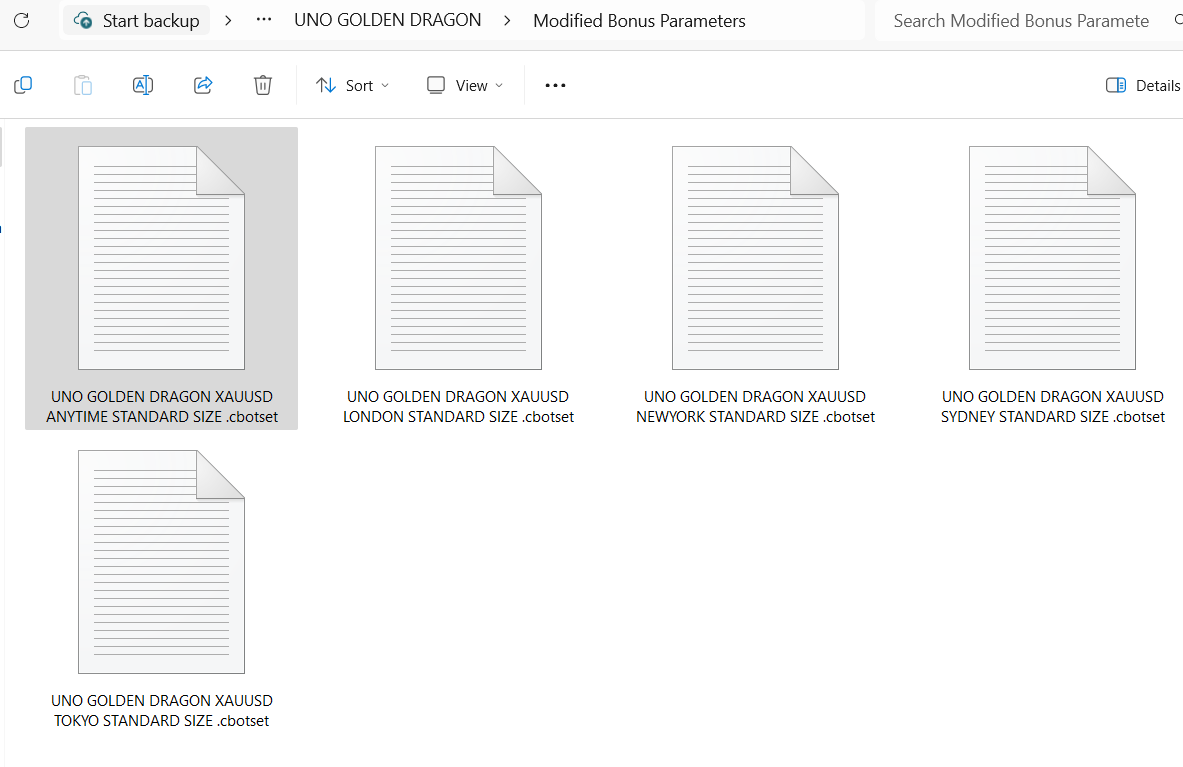
Modified Bonus Parameters Ready to Download! Can be used in
Trial & Paid Versions. Set for Standard Lot 0.01, Tested
for $300 capital on "XAU-USD" only.
1. 🌍 Anytime Parameter: 24/5 Market Coverage.
2. 🇦🇺 Sydney Parameter: Low Volatility Asian Open.
3. 🇯🇵 Tokyo Parameter: Capture Yen Liquidity Swings.
4. 🇬🇧 London Parameter: High Volume European Open.
5. 🇺🇸 New York Parameter: Peak Volatility & US Data.
📍 DOWNLOAD LINK: To get the latest .set files, please check the link in the description of my latest YouTube video or the pinned comment!
💡 TIP: You can also use the cTrader Optimization Tool 🛠️
to test for other instruments like EUR-USD, GBP-USD, etc.
📝 PRODUCT SPECIFICATIONS
* Price: $129 💲
* Instrument: XAU-USD (Optimized) 🏆
* Min Capital: $300 (Standard) / $30 (Cent Account) 💰
* Timeframe: 1M or 15M Recommended ⏱️
⚙️ HOW TO INSTALL
1. Download the .algo file and install it into cTrader.
2. Right-click the bot instance and select "Load Parameters."
3. Select one of the 5 Bonus Session files (.set).
4. Activate and let the Dragon fly! 🐉🔥
============================================================
============================================================
🐉 UNO GOLDEN DRAGON: OPTIMIZATION GUIDE 🐉
============================================================
The Uno Golden Dragon is already optimized for XAU-USD (Gold),
but if you want to trade other pairs like EUR-USD or GBP-JPY,
follow these steps to find the "Best Fit" settings using
cTrader's built-in Optimization Tool.
--- STEP 1: OPEN THE OPTIMIZATION TAB ---
1. Open cTrader Desktop and go to the "Automate" tab.
2. Select "Uno Golden Dragon" from your list of cBots.
3. Click on the "Optimization" tab (located next to Backtesting).
--- STEP 2: SET YOUR TESTING RANGE ---
1. Select your Symbol (e.g., EUR-USD).
2. Set the Timeframe (15M or 1H recommended).
3. Select the Data Range (Testing at least 6-12 months of
historical data is best).
4. Set your starting Capital (e.g., $300 or $1,000).
--- STEP 3: CHOOSE PARAMETERS TO TEST ---
Click the "Parameters" button. Check the boxes for the
variables you want the bot to "guess and check":
* SpaceMult (Try range: 2.0 to 5.0)
* Multiplier (Try range: 1.1 to 1.5)
* TargetProfit (Adjust based on your risk appetite)
--- STEP 4: SET THE FITNESS CRITERIA ---
Click the "Criteria" button. You want the bot to look for
the best balance. We recommend:
* Maximize: Net Profit 💰
* Minimize: Max Equity Drawdown % 📉
--- STEP 5: RUN THE ENGINE ---
1. Click the "Play" button.
2. cTrader will run hundreds of "Passes" (simulated trades).
3. Once finished, look for the pass with the highest
"Fitness Score."
--- STEP 6: APPLY & SAVE ---
1. Click "Apply" on the best-performing pass. This will
automatically update the bot's settings.
2. To save this for later, right-click the bot instance
and select "Save Parameters" as a .set file.
============================================================
⚠️ WARNING: DO NOT OVER-OPTIMIZE!
If your results look "too good to be true" (e.g. 1000% profit
with 0% drawdown), you may be curve-fitting. Always test
your new settings on a DEMO account first!
============================================================
该作者的其他作品



猜您喜欢