คำอธิบาย
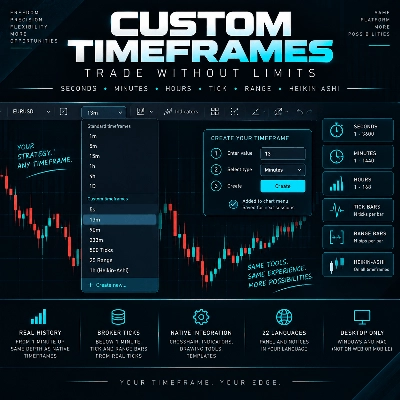
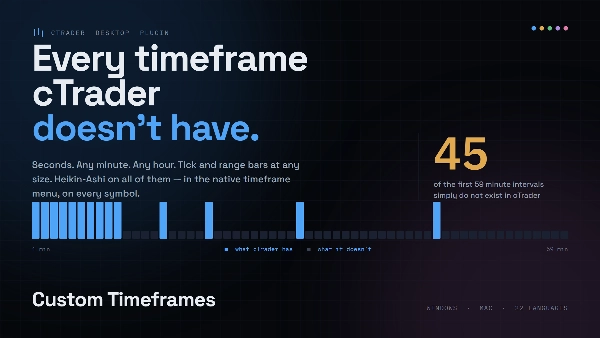
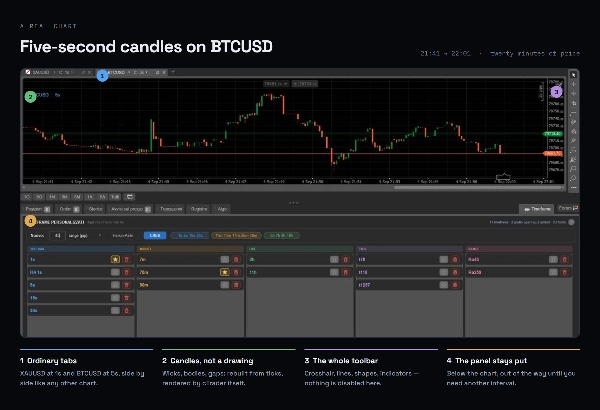
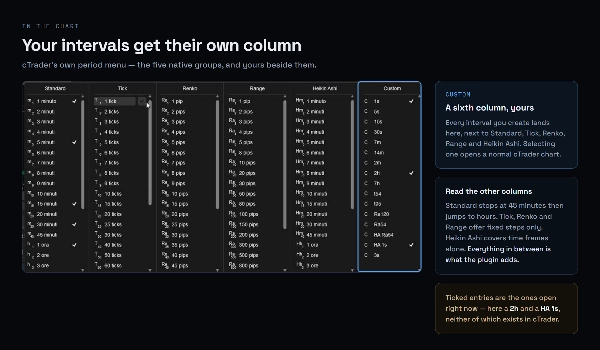
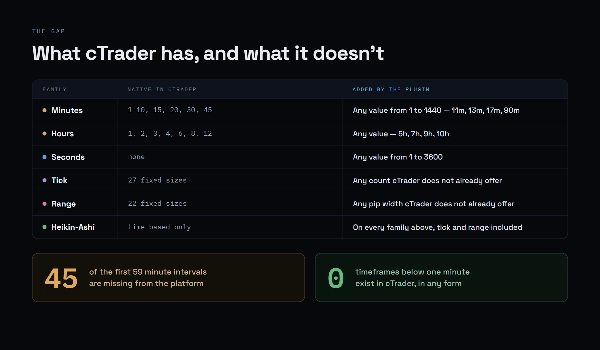
cTrader ให้กรอบเวลาที่ 14 นาทีและ 7 ชั่วโมง หากกลยุทธ์ของคุณอยู่ที่ 13 นาที 90 นาที หรือ 5 วินาที วันนี้คุณไม่สามารถดูได้เลย ปลั๊กอินนี้สร้างกรอบเวลาที่คุณต้องการและเพิ่มเข้าไปในเมนูกรอบเวลาเดิม ราวกับว่ามันมีอยู่เสมอ: ไม้บรรทัดเล็ง ตัวชี้วัด เครื่องมือวาดภาพ และแม่แบบทำงานเหมือนกับแผนภูมิอื่น ๆ
สิ่งที่คุณสามารถสร้างได้
- วินาที ตั้งแต่ 1 ถึง 3600
- นาที ตั้งแต่ 1 ถึง 1440
- ชั่วโมง ตั้งแต่ 1 ถึง 168
- แท่งทิค แท่งหนึ่งทุก ๆ N ทิค
- แท่งช่วง แท่งหนึ่งทุก ๆ N พิป
- Heikin-Ashi บนทุกกรอบเวลา รวมทั้งทิคและช่วง
ประวัติจริง. ตั้งแต่หนึ่งนาทีขึ้นไป แท่งถูกสร้างจากแท่ง 1 นาที โดยมีความลึกเท่ากับกรอบเวลาเดิม: เป็นปี ไม่ใช่ชั่วโมง ต่ำกว่าหนึ่งนาที และสำหรับแท่งทิคและช่วง จะมาจากทิคของโบรกเกอร์ของคุณ พร้อมประวัติทั้งหมดที่โบรกเกอร์ให้มา
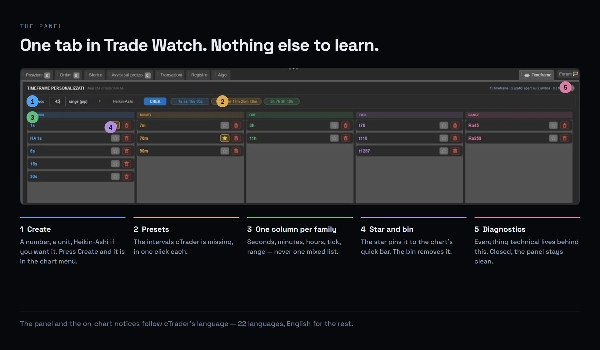
แผงเดียว สามขั้นตอน. ฉันใน Trade Watch คุณจะได้แผง Timeframes: พิมพ์ตัวเลข เลือกหน่วย กดสร้าง กรอบเวลาจะปรากฏในเมนูแผนภูมิ และถ้าคุณต้องการ ในแถบด่วน รายการของคุณจะถูกบันทึกระหว่างเซสชัน กรอบเวลาทำงานกับทุกสัญลักษณ์
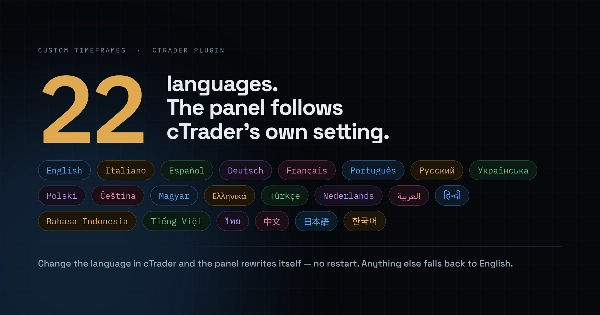
ในภาษาของคุณ. แผงและข้อความแจ้งบนแผนภูมิตามภาษาของ cTrader: 22 ภาษา
สิ่งที่ควรรู้
- ใช้ได้เฉพาะ cTrader Desktop บน Windows และ Mac ไม่รองรับบนเว็บหรือมือถือ
- ปลั๊กอินต้องเปิดใช้งานอยู่เสมอ: เพราะเป็นผู้ให้ข้อมูลสำหรับกรอบเวลาของคุณ
- หลังจากเปลี่ยนบัญชี cTrader จะล้างแผนภูมิที่ใช้กรอบเวลาแบบกำหนดเอง: ปลั๊กอินจะแจ้งบนแผนภูมิ และการปิดแล้วเปิดใหม่จะสร้างทุกอย่างขึ้นมาใหม่ นี่คือข้อจำกัดของแพลตฟอร์ม
- ต่ำกว่าหนึ่งนาที ความลึกของประวัติขึ้นอยู่กับโบรกเกอร์ของคุณ
สรุป
Key features include:
- Custom timeframes in seconds (1 to 3600), minutes (1 to 1440), and hours (1 to 168).
- Tick bars (one bar per N ticks) and range bars (one bar per N pips).
- Heikin-Ashi chart style available on all custom timeframes, including tick and range bars.
- Historical data for bars from one minute and above is constructed from native 1-minute bars, providing extensive history. For sub-minute, tick, and range bars, data comes from broker-provided ticks with available history depth.
- User-friendly interface with a single panel in Trade Watch: enter number, select unit, create timeframe. Custom timeframes appear in the chart menu and can be saved between sessions.
- Supports all symbols and follows cTrader’s language settings (22 languages).
The plugin must remain enabled to provide data for custom timeframes and is subject to platform limitations such as chart clearing after account switching. It is not available on cTrader Web or mobile versions.
การสนทนา
รีวิวจากลูกค้า
5 | 0 % | |
4 | 100 % | |
3 | 0 % | |
2 | 0 % | |
1 | 0 % |