
One-Click Trading Panels
One-click trading panels are designed for fast, structured execution. Open, modify, and manage trades with fewer steps, while keeping key controls (SL/TP, volume, break-even, trailing options) visible. Ideal for scalpers and intraday traders who want consistency, speed, and less time spent on repetitive platform actions.
Herramientas
Comparación de herramientas
Preguntas frecuentes













Comparación de herramientas
Producto | Valoraciones | Descargas | Ventas | Precio | Plataformas compatibles |
|---|---|---|---|---|---|
TN Trade Manager - Free | — | 741 | — | Gratis | Windows, Mac, Mobile, Web |
WT - Hotkeys - Trade Panel | 5.0 (1) | — | 21 | $56 | Windows, Mac, Web |
Quick Close Plugin | — | 293 | — | Gratis | Windows, Mac |
One Click SL TP Setter Smart Trade Management | 5.0 (3) | — | 7 | $39 | Windows, Mac, Web |
WeTrade Quick Trade Manager | — | 222 | — | Gratis | Windows, Mac, Web |
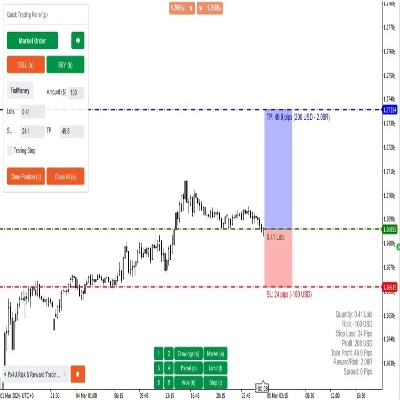
Fx4U.Risk & Reward Trading Tool.v2.16 | 4.0 (4) | — | 6 | $59 | Windows, Mac, Mobile, Web |
Trading_stop Demo | — | 169 | — | Gratis | Windows, Mac, Mobile, Web |
BatchTPSL | 4.5 (2) | — | 3 | $40 | Windows, Mac |
StreamDeckHotkeys | 4.5 (4) | — | 3 | $59 | Windows, Mac, Mobile, Web |
cPanel 1.1 | 4.5 (2) | — | 2 | $39 | Windows, Mac, Mobile, Web |
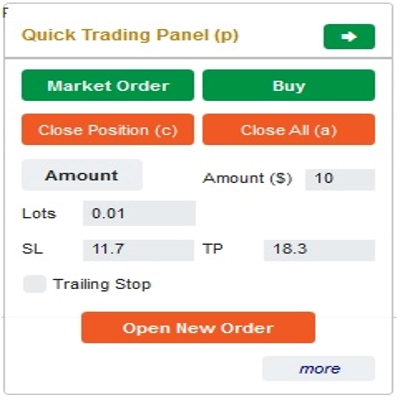
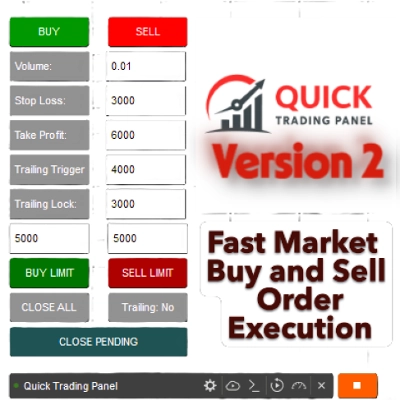
Quick Trading Panel | — | — | 2 | $50 | Windows, Mac, Mobile, Web |
Ultimate Trade Panel | 4.5 (2) | — | 1 | $199 | Windows, Mac, Mobile, Web |
LookPosOrder | 5.0 (1) | — | 1 | $19 | Windows, Mac |
Risk & Reward Trading Tool Pro | 5.0 (2) | — | 1 | $590 | Windows, Mac, Mobile, Web |
QuickSmart Entry | 4.5 (2) | — | 1 | $39 | Windows, Mac, Web |
Rook - Trade Executor Professional | — | — | 1 | $69 | Windows, Mac, Web |
Order Control Panel | 4.5 (2) | — | 1 | $100 | Windows, Mac, Mobile, Web |
Signal Forge Position Box PRO | — | — | — | $129 | Windows, Mac, Web |
Trading_stop | 4.5 (2) | — | — | $39 | Windows, Mac, Mobile, Web |
kickstar bot | 4.5 (2) | — | — | $750 | Windows, Mac, Mobile, Web |
Titan Risk PRO | 3.7 (3) | — | — | $65 | Windows, Mac, Web |
Risk Panel Pro | — | — | — | desde 39 $ | Windows, Mac, Mobile, Web |
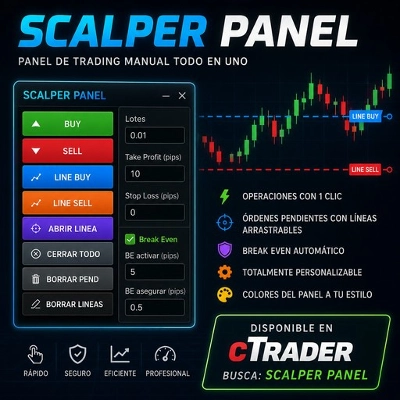
Scalper Panel | — | — | — | $80 | Windows, Mac, Mobile, Web |
AlgoCorner Trading Dashboard MP | 4.5 (2) | — | — | $39 | Windows, Mac, Mobile, Web |
Preguntas frecuentes
A one-click panel puts order buttons and core settings such as volume, stop loss and take profit on the chart, so a trade opens in one action. It strips out repeated order-ticket steps for scalpers and intraday traders, while deciding when to click stays with you.
Indicators frame the setup, you make the call, and the panel carries it out with preset volume and protections. Unlike an automated cBot, a panel waits for your click, though some also manage the trade afterwards, so read whether a product only executes or keeps acting once a position is open.
Yes, one click sends a live order at whatever size and stop the preset holds, leaving little chance to catch a typo. Try every button on a demo account, compare how gold and a currency pair are sized, since a lot of each is a different quantity, and treat each order as your own.
Look at which actions each panel covers, such as partial closes, break-even, trailing stops or risk-based sizing, and whether it supports hedging or netting accounts. Most here are cBots and a few are plugins, so also confirm which cTrader apps it runs in and whether there is a free edition or a trial.
In a cBot-based panel the parameters belong to the instance you start, and some panels also save presets or logs to files on your computer. A cloud instance ignores extra windows and clears its own files on restart, so a panel that relies on either generally needs a local instance in cTrader Windows or Mac.