

Descripción
¡VERSIÓN COMPLETA! https://ctrader.com/products/2705
LIMITACIONES DE LA DEMO:
- Un puñado de instrumentos seleccionados
- 4 marcos temporales (M1, M10, M30, H2)
- Límite de 2 años en datos de backtesting
- x4 backtests concurrentes
Para obtener acceso a la versión completa, ¡consulte el enlace arriba!
----------------
¿Por qué OmniSim?
El backtesting tradicional en cTrader consume recursos significativos del sistema al generar curvas de equidad y gráficos de saldo en tiempo real, lo que ralentiza su computadora y limita la eficiencia de las pruebas. OmniSim agiliza todo el proceso al obtener directamente los datos de ticks del servidor y ejecutar backtests enfocados y ligeros en sus instrumentos y marcos temporales seleccionados sin la sobrecarga visual, pero sin carecer de ella.
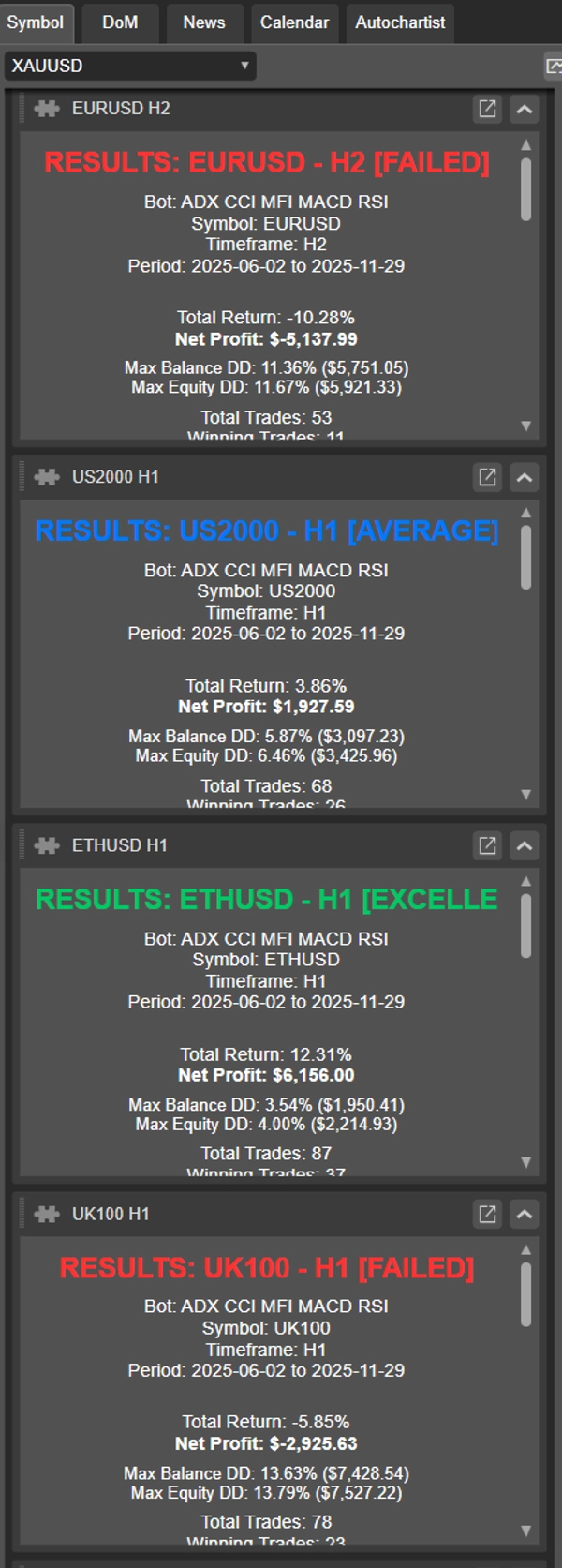
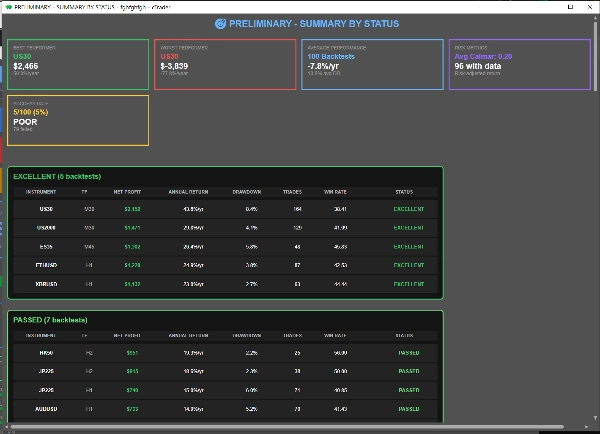
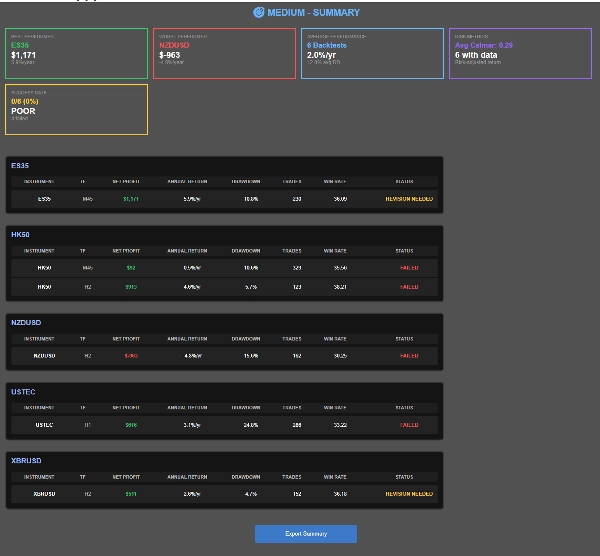
A medida que se completan las pruebas, OmniSim genera automáticamente informes individuales para cada backtest además de un informe resumen completo, brindándole una visión completa del rendimiento de un vistazo.
¿Cómo funciona?
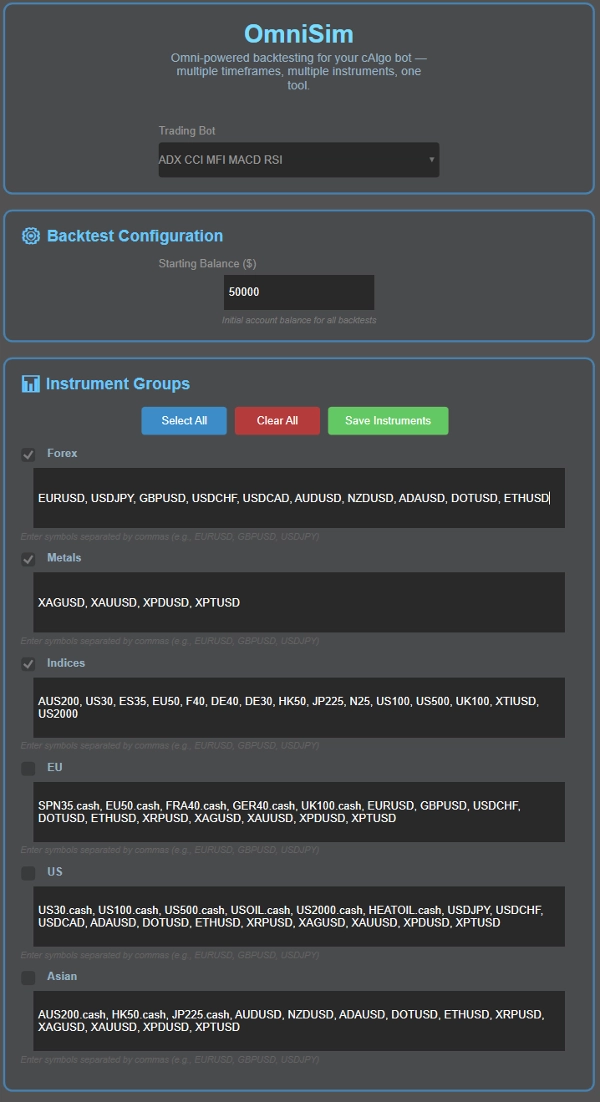
La interfaz de usuario de OmniSim fue diseñada con intuición y simplicidad en mente.
- Elija su bot: Omni carga automáticamente todos los bots instalados y los muestra en una lista desplegable en la parte superior de la interfaz
- Elija su capital
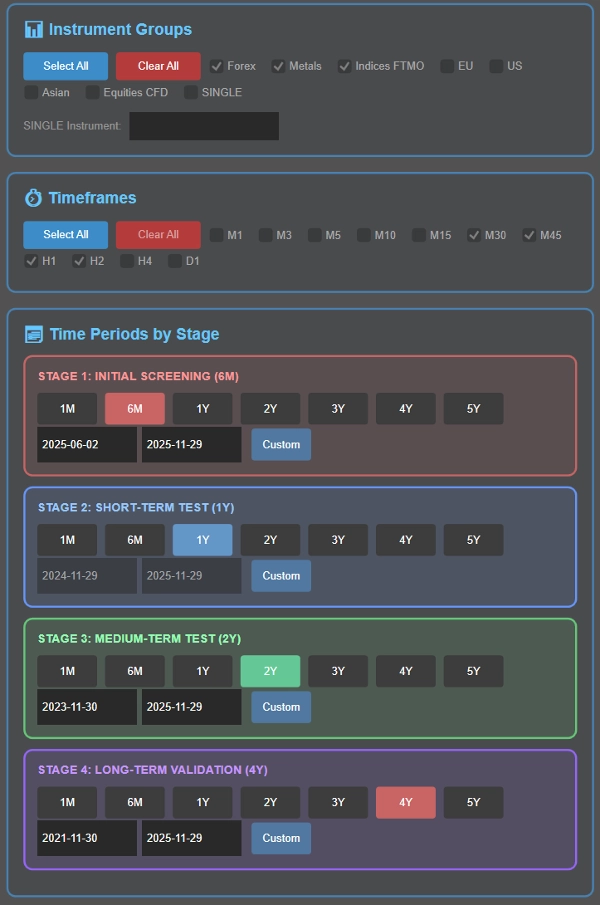
- Elija su(s) instrumento(s): aquí, se le presentarán 5 grupos (Forex, Metales, Índices, UE, EE. UU., Asia) cuyos instrumentos son personalizables para su conveniencia. Antes del backtest, puede seleccionar el grupo de instrumento(s) contra los que desea realizar la prueba
- Elija su(s) marco(s) temporal(es): Elija qué marcos temporales probar: M1, M3, M5, M10, M15, M30, M45, H1, H2, H4, D1
- Establezca sus períodos de backtesting como parte del proceso inteligente de cascada (detallado abajo), o elija un período específico único si lo prefiere.
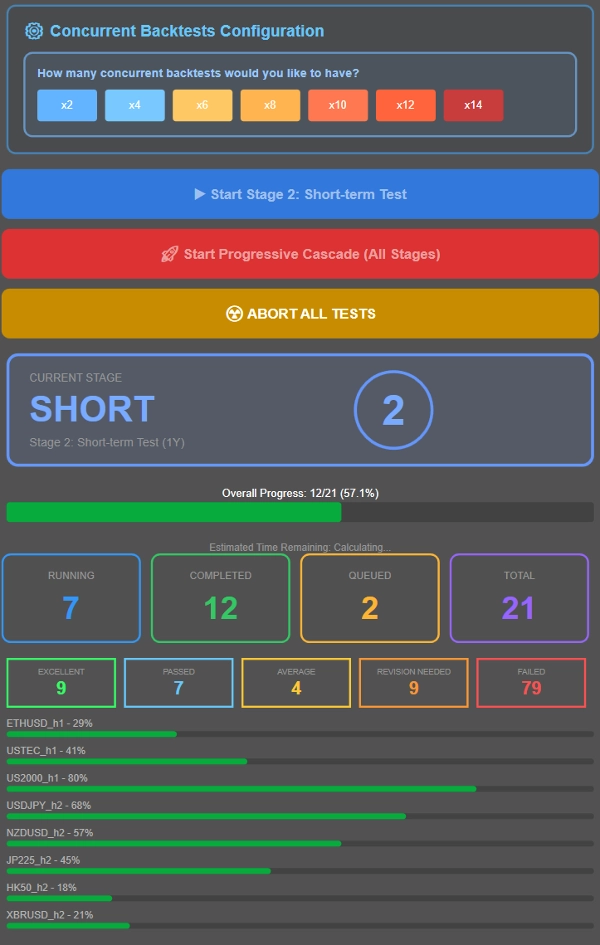
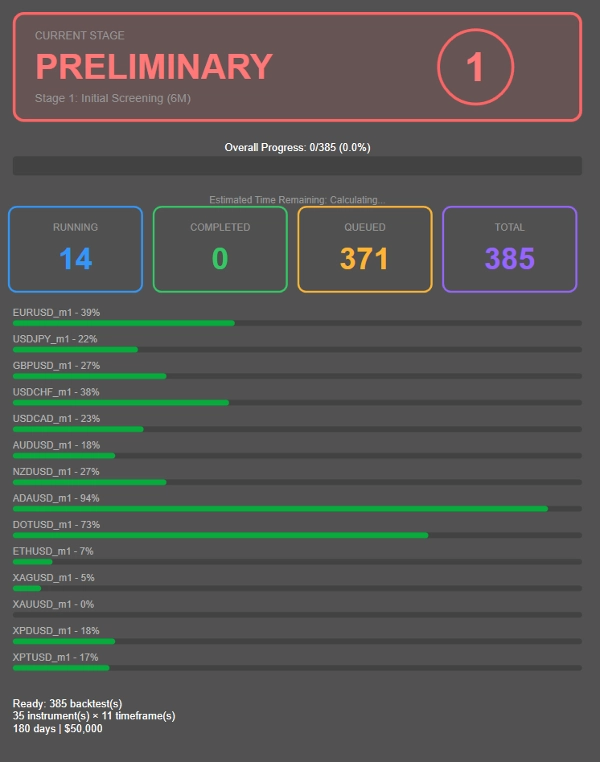
- Controle cuántas pruebas se ejecutan simultáneamente según las especificaciones de su sistema. Como referencia, un sistema con 16GB de RAM y Ryzen 7 5800X3D maneja fácilmente 8 backtests concurrentes, con un rendimiento suave hasta 12-14 pruebas simultáneas. Ajuste para que coincida con su hardware.
- Ejecute un backtest en cascada (filtrado progresivo a través de múltiples períodos) o pruebe todas las combinaciones contra un período específico con los valores predeterminados de parámetros del cbot.
¿Qué es un proceso de backtesting en cascada?
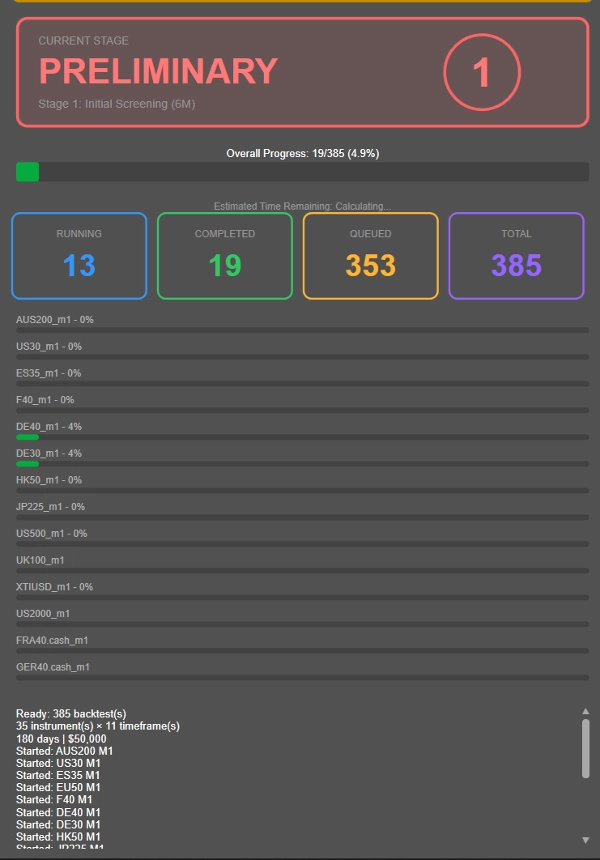
En lugar de ejecutar backtests largos de 4 años en cada combinación instrumento-marco temporal (incluyendo las no rentables), OmniSim utiliza una metodología progresiva en cascada que filtra inteligentemente a los que tienen bajo rendimiento desde temprano:
- Etapa 1: Evaluación inicial de 6 meses
- Etapa 2: Los sobrevivientes avanzan a pruebas de 1 año
- Etapa 3: Los que tienen rendimiento consistente pasan a validación de 2 años
- Etapa 4: Solo las combinaciones más robustas enfrentan la prueba completa de 4 años
---------------
- La duración de cada etapa mencionada fue elegida por mí como un período de backtesting razonablemente conveniente. Puede ajustar la duración del tiempo como desee, en lugar de 6M → 1A → 2A → 4A, puede elegir 1M → 2A → 4A → 8A! Totalmente personalizable.
---------------
Este enfoque reduce drásticamente el cálculo desperdiciado en combinaciones no rentables, permitiéndole enfocar recursos en estrategias que realmente muestran potencial.
¿Quiere probar todo contra un solo período en su lugar? Simplemente configure su marco temporal deseado en la Etapa 2 y ejecute todas las combinaciones contra ese período específico haciendo clic en el botón azul.
Clasificación de rendimiento, ¡puede ajustarse bajo solicitud después de la compra!
- EXCELENTE: ≤10% DD promedio, ≥20% beneficio anualizado
- APROBADO: ≤10% DD promedio, 10-20% beneficio anualizado
- PROMEDIO: ≤10% DD promedio, 5-10% beneficio anualizado
- NECESITA REVISIÓN: 10-20% DD con >5% beneficio O ≤5% DD con 0-5% beneficio
- FALLADO: Todo lo demás
Este plugin fue diseñado con los criterios de aprobación y desaprobación de firmas prop populares (10% de drawdown para descalificación). Dependiendo de cuánto se arriesgue por operación, podría ser un desafío determinar el rendimiento real, de ahí las otras categorías como necesita revisión y promedio, todas dentro de métricas de rendimiento razonables. Fallado se reserva para retornos mediocres, drawdown inexistente o drawdown enorme.
Métricas de rendimiento:
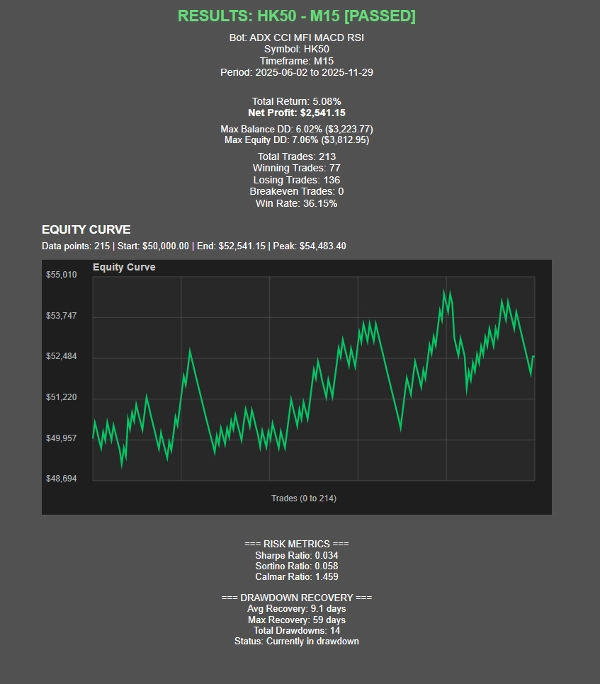
- Ratio de Sharpe, Ratio de Sortino, Ratio de Calmar (en desarrollo)
- Estadísticas de recuperación de drawdown
- Visualización de la curva de equidad
- Seguimiento del progreso en tiempo real con ETA
Presentación de resultados
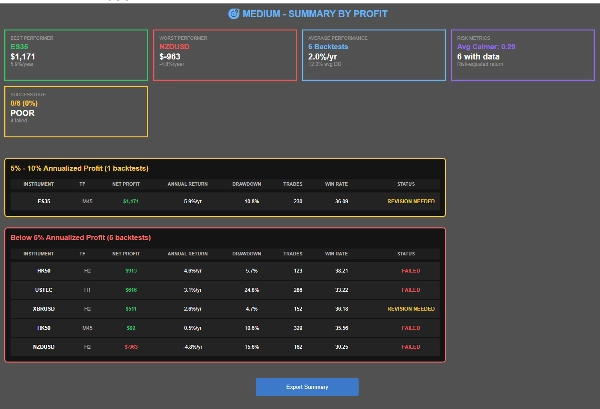
- Tres vistas resumen: Por instrumento, Por estado, Por beneficio
- Navegación de resultados clicable
- Funcionalidad de exportación CSV
- Tarjetas visuales de estado e indicadores de progreso
Resumen
Valoraciones de clientes
Conversación
Preguntas frecuentes
Más de este autor
Puede interesarle




Precio