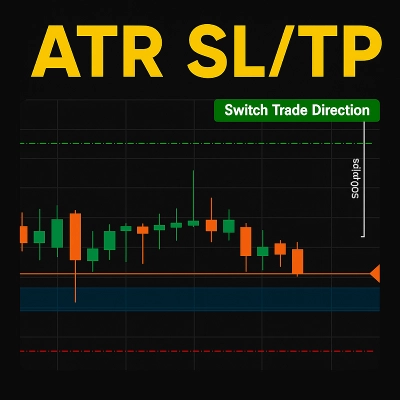

Description
Création d'un cBot qui utilise le CRTIndicator pour définir les niveaux de stop loss et take profit.
L'idée est d'utiliser les niveaux CRT (haut, milieu, bas) d'une bougie précédente (spécifiée par CandleIndex) pour définir le stop loss et le take profit d'une nouvelle transaction.
Étapes :
- Nous allons créer un cBot qui ouvre une transaction (achat ou vente) basée sur une certaine condition (que nous définirons comme paramètre pour les tests).
- Nous utiliserons le CRTIndicator pour obtenir les niveaux d'une bougie précédente (l'indice de la bougie est défini par l'utilisateur).
- Pour une transaction d'achat, nous placerons le stop loss au bas CRT et le take profit au haut CRT de la bougie de référence.
- Pour une transaction de vente, nous placerons le stop loss au haut CRT et le take profit au bas CRT de la bougie de référence.
Cependant, notez que le CRTIndicator que nous avons ne calcule que les niveaux pour chaque bougie et les trace.
Nous devons accéder à l'indicateur depuis le cBot et obtenir les valeurs pour la bougie spécifique qui nous intéresse.
Concevons le cBot :
Paramètres :
- CandleIndex : quelle bougie précédente utiliser (0 = actuelle, 1 = précédente, etc.)
- TradeType : nous pouvons définir un paramètre pour choisir entre Achat et Vente pour les tests, ou utiliser un signal (comme un croisement de moyenne mobile) pour décider.
Pour simplifier, faisons un paramètre pour choisir le type de transaction.
Mais notez : en trading en direct, nous utiliserions certaines conditions pour entrer. Nous ferons un cBot simple qui ouvre une transaction sur la bougie actuelle s'il n'y a pas de position existante.
Nous supposerons que nous tradons sur la période du graphique.
Étapes dans le cBot :
- Vérifier si nous avons une position ouverte. Sinon, envisager d'en ouvrir une.
- Obtenir les valeurs du CRTIndicator pour le CandleIndex spécifié (qui est une bougie passée par rapport à l'actuelle).
- Pour une transaction d'achat :
Stop Loss = bas CRT de la bougie de référence
Take Profit = haut CRT de la bougie de référence - Pour une transaction de vente :
Stop Loss = haut CRT de la bougie de référence
Take Profit = bas CRT de la bougie de référence
Cependant, notez que l'indicateur calcule pour chaque indice. Nous traçons les mêmes valeurs pour chaque indice (car nous utilisons un décalage fixe CandleIndex).
Mais dans le cBot, nous voulons obtenir les niveaux de l'indicateur au moment actuel (la bougie la plus récente terminée) pour le CandleIndex spécifié.
Important : la méthode Calculate de l'indicateur est appelée pour chaque indice, et elle stocke les valeurs pour la bougie de référence (indice - CandleIndex) à l'indice actuel.
Donc si nous voulons obtenir les niveaux CRT pour une bougie historique spécifique, pouvons-nous simplement lire la série de sortie de l'indicateur à l'indice de cette bougie ?
Mais notez : les sorties de l'indicateur sont alignées avec l'indice actuel. En fait, l'indicateur trace la même valeur pour chaque barre parce que nous définissons :
CRTHigh[index] = crtHigh; // où crtHigh est le haut de la bougie (index - CandleIndex)
Donc si nous sommes à l'indice 100 et CandleIndex=1, alors nous obtenons le haut de l'indice 99 et le traçons à l'indice 100.
Cela signifie que si nous voulons les niveaux CRT pour la bougie qui est il y a CandleIndex barres, nous pouvons obtenir la sortie de l'indicateur à la barre actuelle (indice) et cela nous donnera les niveaux d'il y a CandleIndex barres.
Mais attendez, dans le cBot, nous allons exécuter OnBar ou OnTick. Nous nous intéressons à la barre la plus récente terminée (indice = MarketSeries.Close.Count - 2) et la bougie que nous voulons est (indice actuel - CandleIndex).
Alternativement, nous pouvons modifier l'indicateur pour qu'il affiche les niveaux au même indice que la bougie de référence, mais alors nous devrions décaler le tracé de CandleIndex.
Cependant, l'indicateur actuel est conçu pour tracer les niveaux à la barre actuelle à partir d'une barre précédente. Donc si nous définissons CandleIndex=1, alors à chaque barre nous traçons les niveaux de la barre précédente.
Comment nous pouvons l'utiliser dans le cBot :
Nous ajouterons l'indicateur au cBot puis obtiendrons les valeurs pour la barre la plus récente (indice = MarketSeries.Close.Count - 1) et cela nous donnera les niveaux d'il y a CandleIndex barres.
Exemple :
Indice de la barre actuelle = dernière barre (indice = MarketSeries.Close.Count - 1)
Alors la sortie de l'indicateur à cet indice (CRTHigh[MarketSeries.Close.Count-1]) est le haut de la barre (indice actuel - CandleIndex).
Mais notez : la méthode Calculate de l'indicateur est appelée pour chaque barre historique puis pour chaque nouvelle barre. Donc la série de sortie pour la dernière barre aura la valeur que nous voulons.
Codons le cBot :
Nous aurons des paramètres :
[Parameter("Candle Index", DefaultValue = 1, MinValue = 0)]
public int CandleIndex { get; set; }
[Parameter("Trade Type", DefaultValue = TradeType.Buy)]
public TradeType SelectedTradeType { get; set; }
[Parameter("Volume (Lots)", DefaultValue = 1, MinValue = 0.01, Step = 0.01)]
public double Volume { get; set; }
Nous créerons également une instance du CRTIndicator.
Étapes dans OnBar :
s'il n'y a pas de position, alors ouvrir une nouvelle position avec le stop loss et le take profit définis à partir de la sortie de l'indicateur pour la barre actuelle (qui correspond aux niveaux d'il y a CandleIndex barres).
Cependant, notez : la sortie de l'indicateur pour la barre actuelle (dernière barre) est définie aux niveaux de (indice de la barre actuelle - CandleIndex). Mais quand nous sommes tout au début, nous devons nous assurer d'avoir assez de barres.












![Logo de "Smart Money Concepts (SMC) [Iridio Capital]"](https://cdn.ctrader.com/image/webp/b4b5414d-a5ca-44b7-a947-e28eca44a218_61548)