Descripción
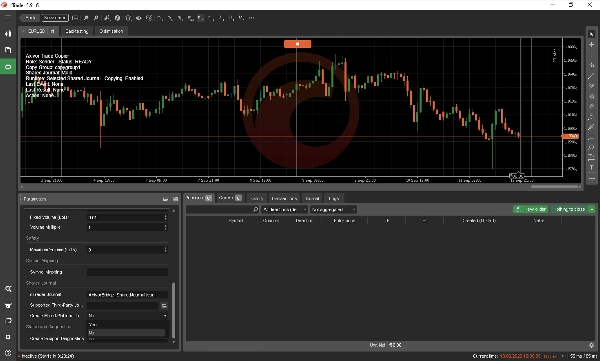
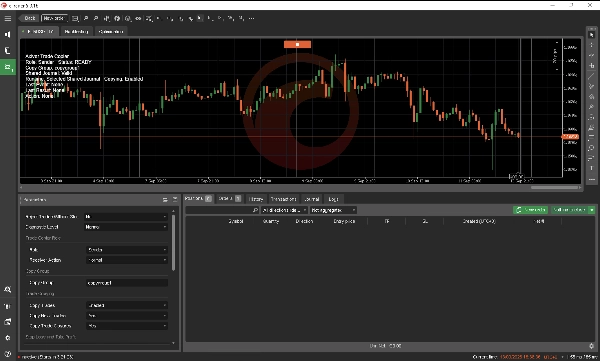
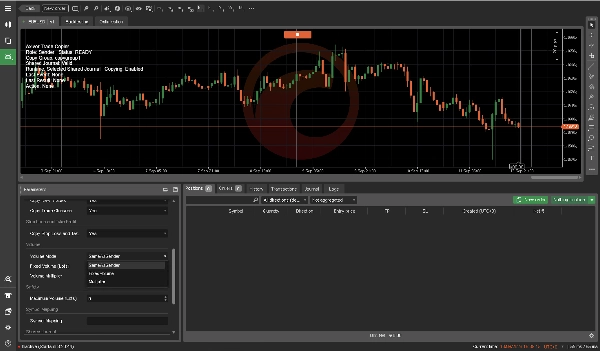
Axivor Trade Copier es un copiador de operaciones local para múltiples cuentas para cTrader Desktop. Conecta un Remitente con Receptores configurados de forma independiente en el mismo equipo nativo Windows o VPS, sin un servicio de retransmisión Axivor separado.
Es una utilidad de ejecución, no una estrategia de trading ni un servicio de señales. Usted elige y gestiona las operaciones en la cuenta Remitente. Los Receptores reproducen el ciclo de vida de la posición de mercado soportada según sus propias configuraciones de volumen y condiciones del broker.
Configuración simple de cTrader a cTrader
1. Instale Axivor Trade Copier en las cuentas cTrader de origen y destino.
2. Deje el destino en su Rol de Receptor predeterminado.
3. Configure el Rol de origen = Remitente.
4. Mantenga el mismo Grupo de Copia en ambos lados.
5. Inicie el Remitente, luego el Receptor.
6. Confirme que ambos muestran LISTO.
7. Pruebe un ciclo de vida de tamaño mínimo en cuentas demo.
No se requiere selección de Diario Compartido ni configuración del sistema de archivos para el uso normal de cTrader a cTrader.
Un Remitente, múltiples Receptores
Un Remitente puede publicar eventos de operaciones soportados a múltiples Receptores usando el mismo Grupo de Copia. Cada Receptor mantiene su propio mapeo, estado de procesamiento, resultado de ejecución y configuración de volumen. La capacidad práctica depende del equipo o VPS, cuentas conectadas, plataformas y brokers.
Ciclo de vida de operaciones soportado
La versión 1.0 soporta:
• Copia de COMPRA y VENTA en mercado
• Stop Loss y Take Profit iniciales
• Modificación posterior de Stop Loss y Take Profit
• Cierre manual completo
• Mapeo persistente de origen a destino
• Reinicio sin reproducir eventos completados
• Mapeo explícito de Símbolos para diferencias en nombres de brokers
Control flexible de volumen
Cada Receptor puede usar su propia política:
• Igual que el Remitente preserva el volumen económico fuente previsto usando la información disponible del contrato.
• Volumen Fijo usa el volumen configurado en el destino.
• Multiplicador escala el volumen fuente por el multiplicador configurado.
• Volumen Máximo es un techo opcional de rechazo. Si el volumen resuelto excede un techo distinto de cero, la solicitud es rechazada en lugar de reducirse silenciosamente.
Los mínimos, máximos, pasos de volumen, especificaciones de contrato y reglas de margen del broker siguen siendo autoritativos.
Protección de reinicio
Cada Receptor persiste su mapeo de origen a destino y posición en el diario. Un reinicio normal reanuda la relación establecida sin reproducir eventos completados de ABRIR, MODIFICAR o CERRAR.
Soporte de escritorio multiplataforma
Axivor Trade Copier puede conectar cTrader con una plataforma de escritorio de terceros soportada en el mismo equipo nativo Windows o VPS mediante un flujo de trabajo documentado de Diario Compartido local.
La configuración multiplataforma requiere la creación o selección única del diario. El descubrimiento automático de diarios multiplataforma no está incluido en la Versión 1.0.
La visibilidad de acuse de recibo en algunas rutas multiplataforma está limitada por permisos de acceso a archivos de la plataforma. Los registros de ejecución del lado receptor siguen siendo autoritativos. Esto no impide la copia de operaciones.
Arquitectura local
• Diario Compartido local y estado duradero
• Sin servicio de retransmisión Axivor separado
• Diseñado para operación nativa en escritorio Windows o VPS
• Declaración de permisos de cTrader: AccessRights.None
• No compatible con cTrader Cloud
Alcance de la versión 1.0
La versión 1.0 no incluye:
• Copia de órdenes pendientes
• Copia de cierres parciales
• Dimensionamiento del Receptor basado en riesgo
• Migración fluida del Remitente en vivo
• Descubrimiento automático de diarios multiplataforma
• Mapeo automático universal de símbolos
• Herramientas avanzadas de recuperación
• cTrader Cloud
Uso previsto
• Caso de uso: Copiar acciones soportadas del ciclo de vida de posiciones de mercado entre cuentas que usted controla.
• Tipo de estrategia: Utilidad de ejecución; no crea una estrategia de trading ni señal de entrada.
• Símbolos: Símbolos soportados por el broker, sujetos a nombres coincidentes o mapeo explícito de símbolos.
• Periodo del gráfico: El periodo seleccionado no impulsa una estrategia de trading.
• Apalancamiento y tamaño de cuenta: No prescrito. Aplican requisitos de margen, símbolo y cuenta del broker.
• Acciones de orden soportadas: Solo posiciones de COMPRA/VENTA en mercado; se excluyen órdenes pendientes.
Primero demo
Antes del uso en vivo, pruebe el Grupo de Copia previsto, símbolos, configuraciones de volumen y cada Receptor en cuentas demo. Verifique ABRIR, protección inicial, un cambio posterior de SL/TP, cierre completo y reinicio/sin reproducción.
Soporte y documentación
El manual suministrado de Axivor Trade Copier Versión 1.0 para cTrader Desktop explica la configuración en la misma plataforma, flujos de trabajo multiplataforma, controles de volumen, mapeo de símbolos, comportamiento de reinicio y límites de recuperación.
Para soporte, use la vía de contacto en esta página del producto en cTrader Store. Incluya el estado visible, Grupo de Copia, símbolo y hora UTC aproximada. Nunca envíe contraseñas ni credenciales de cuenta.
Nota de riesgo y ejecución
El trading implica riesgo. Axivor Trade Copier no garantiza precio de ejecución, tiempo, aceptación del broker ni resultados idénticos. La disponibilidad de símbolos, metadatos de contrato, reglas de volumen, margen, precisión, niveles de stop, horas de mercado, spread, liquidez, deslizamiento y política del broker siguen siendo autoritativos.
Versión 1.0 — cTrader Desktop
Resumen
Setup involves installing the software on both Sender and Receiver accounts, assigning roles, and matching Copy Groups. Each Receiver can apply flexible volume controls, including matching Sender volume, fixed volume, or scaled volume with optional maximum volume limits, while respecting broker-specific contract and margin rules.
Axivor Trade Copier supports explicit Symbol Mapping to handle broker naming differences and provides restart protection by persisting source-target mappings and journal positions, avoiding replay of completed trade events. It also offers mixed-platform support, allowing connection between cTrader and certain third-party desktop platforms via a documented local Shared Journal workflow.
This tool functions solely as an execution utility and does not generate trading signals or strategies. It supports broker symbols subject to matching or explicit mapping and excludes pending orders and partial closes. Users are advised to test configurations on demo accounts before live deployment.