
Risk Reward Calculator Tools
Find risk reward calculator tools that make it easy to plan trades before you click Buy/Sell. Estimate potential reward vs risk, visualize R:R, and sanity-check take-profit and stop-loss levels. Great for building repeatable trade plans and keeping entries aligned with your strategy and market conditions.
Strumenti
Confronto strumenti
Domande frequenti





Confronto strumenti
Prodotto | Recensioni | Download | Vendite | Prezzo | Piattaforme compatibili |
|---|---|---|---|---|---|
TN Trade Manager - Free | — | 742 | — | Gratis | Windows, Mac, Mobile, Web |
RiskManagement - Full | 4.5 (4) | — | 57 | $45 | Windows, Mac |
VegaXLR cTrader Toolbox | 4.7 (3) | 402 | — | Gratis | Windows, Mac |
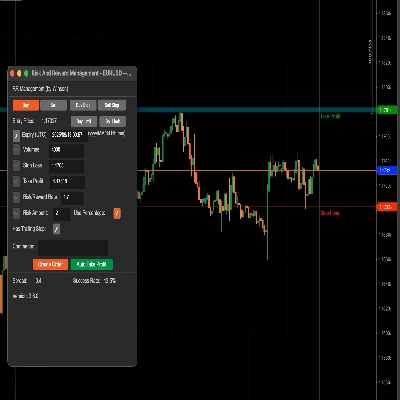
Risk And Reward Management | 4.7 (3) | — | 14 | $49 | Windows, Mac, Mobile, Web |
Quantaris Capital Signal | — | — | 94 | A partire da $9 | Windows, Mac |
FREEE Auto Breakeven Absolute | 4.3 (3) | — | 8 | $39 | Windows, Mac, Mobile, Web |
PositionManager | 5.0 (3) | — | 7 | $39 | Windows, Mac, Web |
RiskPilot One-Click Trader - FULL | 4.5 (2) | — | 3 | $39 | Windows, Mac, Mobile, Web |
USH-EURUSD | 4.0 (2) | — | 2 | $39 | Windows, Mac, Mobile, Web |
Ultimate Trade Panel | 4.5 (2) | — | 1 | $199 | Windows, Mac, Mobile, Web |
Auto Breakeven Absolutee | — | — | — | $50 | Windows, Mac, Mobile, Web |
Domande frequenti
A risk reward calculator compares the distance from entry to stop loss with the distance to take profit, expressing the trade as a ratio. Some versions also convert both distances into money at your chosen volume, so you can see whether a setup fits your plan before any order exists.
It depends on your routine: cTrader's built-in risk-reward object already shows the ratio, can lock it at a fixed value and can send the order. Store tools here, all cBots or plugins, add their own displays and checks on stop-loss and take-profit placement, so compare them with the built-in object before paying.
Yes, a ratio built from quoted prices drifts once the spread widens or a fill slips, because the real entry and exit differ from the planned ones. Check whether a tool counts spread and commission, and compare its output with a handful of demo trades before trusting it on a live account.
Some can, because the tools here are cBots or plugins, and those may place the trade with its stop and target attached once you confirm the plan. That makes you accountable for each order, so walk through the whole sequence on a demo account and confirm volume, stop and target match what the screen showed.
A web-based plugin is the type to look for, since those run in every cTrader app including Mobile and Web. Native desktop plugins, and cBots that draw clickable controls on a chart, generally need cTrader Windows or Mac, so check the supported apps in the description before buying.