
Descrizione
Panoramica della Strategia
Il Golden Trap Model è una strategia di trading basata sulle sessioni che sfrutta il flusso naturale delle tre principali sessioni forex (Asia, Londra e New York) per identificare opportunità di trading ad alta probabilità.
Concetto Chiave: "Le 3 Sessioni Che Progettano i Movimenti dell'Oro"
- Sessione Asia = Costruisce il range (fase di consolidamento)
- Sessione Londra = Spazza un lato (acquisizione di liquidità)
- Sessione New York = Conferma o intrappola (inversione/continuazione)
- Ogni sessione = Ingegneria della liquidità
Come Funziona la Strategia
1. Sessione Asia (00:00 - 08:00 UTC)
- Scopo: Stabilire il range di trading per la giornata
- Azione: Il bot cattura il massimo e il minimo della sessione Asia
- Requisiti: Dimensione minima del range (default 15 pips) per filtrare i giorni a bassa volatilità
- Aspetto Visivo: Riquadro blu che evidenzia il range della sessione Asia
2. Sessione Londra (08:00 - 16:00 UTC)
- Scopo: Fase iniziale di breakout/spazzata
- Azione: Il prezzo solitamente rompe sopra il massimo Asia o sotto il minimo Asia (spazzata di liquidità)
- Strategia:
-
- Entrare in BUY al breakout sopra il massimo Asia
- Entrare in SELL al breakout sotto il minimo Asia
- Aspetto Visivo: Riquadro verde che evidenzia la sessione Londra
3. Sessione New York (13:00 - 22:00 UTC)
- Scopo: Conferma o trappola (inversione)
- Azione: Due scenari possibili:
-
- Conferma: Il prezzo continua nella direzione del breakout di Londra
- Trappola: Il prezzo torna indietro dentro o attraverso il range Asia (reversione alla media)
- Strategia:
-
- Se il prezzo si estende significativamente oltre il range Asia → Cercare inversione (trappola)
- Se il prezzo si consolida vicino al livello di breakout → Cercare continuazione
- Aspetto Visivo: Riquadro arancione che evidenzia la sessione New York
Caratteristiche Chiave
Logica di Trading
- ✅ Ingressi basati sulle sessioni usando il range Asia come riferimento
- ✅ Strategia di breakout per movimenti di momentum
- ✅ Strategia di reversione alla media per inversioni trappola
- ✅ Gestione del rischio con dimensionamento della posizione basato su percentuale
- ✅ Filtro spread per evitare esecuzioni scadenti
- ✅ Un trade per sessione per evitare overtrading
Elementi Visivi del Grafico
- 📊 Riquadri delle sessioni che mostrano le sessioni Asia, Londra e New York
- 📈 Linee High/Low che segnano il range della sessione Asia
- 📍 Linea del punto medio che mostra il centro del range Asia
- 🎨 Colori personalizzabili per ogni sessione
Gestione del Rischio
- 💰 Dimensionamento della posizione basato su percentuale (rischio per trade)
- 🎯 Stop loss e take profit fissi in pips
- 🛡️ Filtro massimo spread per evitare ingressi scadenti
- 📊 Calcolo automatico della posizione basato sul saldo del conto
Passo 1: Aggiungi al Grafico
- Apri un grafico forex (consigliati: EUR/USD, GBP/USD, XAU/USD)
- Vai a "Automate" → "cBots"
- Trova "GoldenTrapModel" nella lista
- Trascinalo e rilascialo sul tuo grafico
- Configura i parametri (vedi sotto)
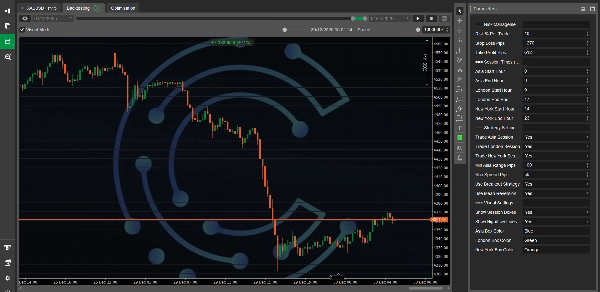
Passo 2: Configura i Parametri
Apparirà la finestra dei parametri. Impostazioni chiave:
Gestione del Rischio
- Rischio % Per Trade: 1.0 (consigliato 0.5-2%)
- Stop Loss Pips: 20 (regolare in base alla volatilità)
- Take Profit Pips: 40 (rapporto rischio/ricompensa 2:1)
Orari delle Sessioni (UTC)
Gli orari predefiniti sono impostati per sessioni standard:
- Asia: 00:00 - 08:00 UTC
- Londra: 08:00 - 16:00 UTC
- New York: 13:00 - 22:00 UTC
Nota: Regola se usi un broker con orario server diverso
Impostazioni della Strategia
- Trade Sessione Asia: false (Asia costruisce solo il range, nessun trade)
- Trade Sessione Londra: true (sessione primaria di ingresso)
- Trade Sessione New York: true (sessione secondaria di ingresso)
- Min Asia Range Pips: 15 (range minimo per fare trading)
- Max Spread Pips: 2.0 (spread massimo consentito)
- Usa Strategia di Breakout: true (breakout di Londra)
- Usa Reversione alla Media: true (trappole di New York)
Impostazioni Visive
- Mostra Riquadri delle Sessioni: true
- Mostra Linee High/Low: true
- Colore Riquadro Asia: Blu
- Colore Riquadro Londra: Verde
- Colore Riquadro New York: Arancione
Impostazioni Consigliate
Per EUR/USD
Rischio %: 1.0
Stop Loss: 20 pips
Take Profit: 40 pips
Min Asia Range: 15 pips
Max Spread: 2 pips
Per GBP/USD
Rischio %: 0.75
Stop Loss: 30 pips
Take Profit: 60 pips
Min Asia Range: 25 pips
Max Spread: 2.5 pips
Per XAU/USD (Oro)
Rischio %: 0.5
Stop Loss: 50 pips
Take Profit: 100 pips
Min Asia Range: 30 pips
Max Spread: 5 pips
Consigli per l'Uso
Buone Pratiche
- Usa timeframe 15M o 30M per la migliore visibilità dei range delle sessioni
- Evita di fare trading durante eventi di notizie importanti (NFP, FOMC, ecc.)
- Monitora la dimensione del range Asia - range più ampi spesso portano a trade migliori
- Osserva le confluenze - usa livelli di supporto/resistenza con la strategia
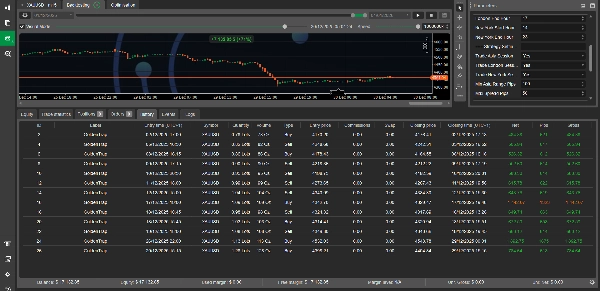
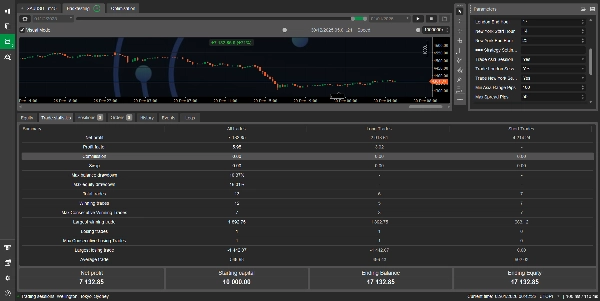
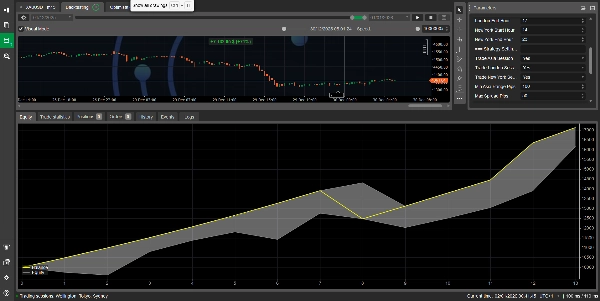
- Fai backtest prima - usa la funzione di backtesting di cTrader prima di andare live
Cosa Cercare
✅ Range Asia chiaro (non consolidamento irregolare) ✅ Breakout pulito nella sessione Londra ✅ Momentum forte o chiara reiezione per ingressi New York ✅ Spread basso al momento dell'ingresso ✅ Condizioni di mercato normali (evita festività/liquidità scarsa)
Cosa Evitare
❌ Range Asia piccoli (< 15 pips tipicamente) ❌ Periodi di spread elevato (> 2-3 pips sui principali) ❌ Rilascio di notizie importanti durante la sessione ❌ Aperture del lunedì (gap e movimenti erratici) ❌ Fine sessione New York del venerdì (liquidità scarsa)
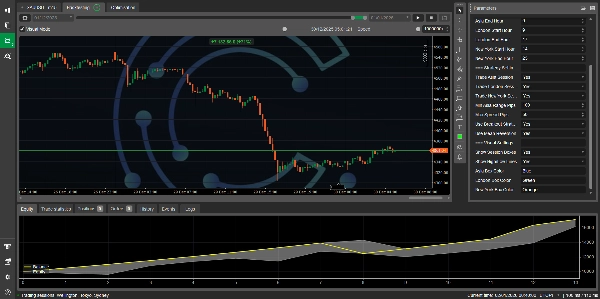
Comprendere gli Elementi Visivi del Grafico
Quando il bot è attivo, vedrai:
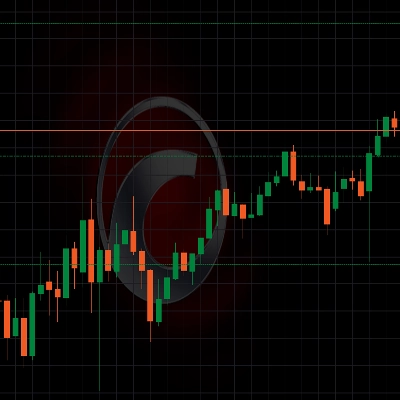
- Riquadri Colorati: Tre riquadri rettangolari sul grafico che rappresentano ogni sessione di trading
-
- Blu = Asia (costruzione del range)
- Verde = Londra (fase di spazzata)
- Arancione = New York (conferma/trappola)
- Linee Orizzontali:
-
- Linea rossa continua = massimo sessione Asia
- Linea blu continua = minimo sessione Asia
- Linea grigia tratteggiata = punto medio sessione Asia
- Questi elementi visivi si aggiornano automaticamente all'inizio di nuove sessioni
Riepilogo della Logica della Strategia
FLUSSO QUOTIDIANO:
├── 1. Sessione Asia (00:00-08:00 UTC)
│ └── Cattura: Massimo, Minimo, Range
│
├── 2. Sessione Londra (08:00-16:00 UTC)
│ ├── SE il prezzo rompe sopra il massimo Asia → BUY
│ └── SE il prezzo rompe sotto il minimo Asia → SELL
│
└── 3. Sessione New York (13:00-22:00 UTC)
├── Continuazione: Segui la direzione di Londra
└── Trappola: Inversione se sovraesteso
Backtesting
Come Fare Backtest
- In cTrader, vai a "Automate" → "cBots"
- Clicca con il tasto destro su "GoldenTrapModel"
- Seleziona "Start Optimization" o "Backtest"
- Imposta l'intervallo di date (consigliato: almeno 3-6 mesi)
- Seleziona i parametri
- Clicca "Start"
Suggerimenti per l'Ottimizzazione
Testa diverse combinazioni di:
- Stop Loss (15-30 pips)
- Take Profit (30-80 pips)
- Min Asia Range (10-25 pips)
- Rischio % (0.5-2%)
Risoluzione dei Problemi
Il bot non esegue trade?
- Verifica se il range Asia è stato catturato (cerca le linee sul grafico)
- Controlla che gli orari delle sessioni corrispondano all'orario server del tuo broker
- Assicurati che lo spread sia inferiore al massimo consentito
- Verifica se le flag di trading sono abilitate (Trade sessioni Londra/NY)
Le linee non appaiono sul grafico?
- Abilita "Mostra Linee High/Low" nei parametri
- Assicurati che la sessione Asia sia terminata (le linee appaiono dopo la fine della sessione Asia)
- Verifica se il requisito Min Asia Range è soddisfatto
La dimensione della posizione è troppo piccola/grande?
- Regola il parametro "Rischio % Per Trade"
- Verifica che il tuo saldo del conto sia sufficiente
- Controlla i requisiti di volume minimo del simbolo
Ottimizzazione delle Prestazioni
Per Risultati Migliori
- Combina con la struttura di mercato - cerca supporti/resistenze su timeframe più alti
- Usa più timeframe - conferma la direzione su grafici 1H/4H
- Filtra per giorno della settimana - alcuni giorni performano meglio di altri
- Adatta per strumento - l'oro si comporta diversamente da EUR/USD
- Monitora la correlazione - evita più coppie correlate contemporaneamente
Note Importanti
⚠️ Avvertenza sul Rischio:
- Questo bot opera con denaro reale - usa una corretta gestione del rischio
- Le performance passate non garantiscono risultati futuri
- Testa sempre prima su conto demo
- Non rischiare mai più di quanto puoi permetterti di perdere
📝 Personalizzazione:
- Il codice è completamente personalizzabile
- Puoi aggiungere filtri, indicatori o condizioni aggiuntive
- Considera l'integrazione di un filtro notizie API
- Può essere migliorato con apprendimento automatico o riconoscimento di pattern
Supporto e Aggiornamenti
Per domande o problemi:
- Controlla prima le impostazioni dei parametri
- Rivedi la logica della strategia nel codice
- Testa su conto demo prima del trading live
- Monitora le stampe nel log di cTrader
Licenza
Questo cBot è fornito a scopo educativo. Usalo a tuo rischio.
Buon Trading! 📈
Ricorda: l'obiettivo è seguire il flusso di denaro istituzionale attraverso le tre principali sessioni e capitalizzare sull'ingegneria della liquidità che avviene naturalmente nel mercato forex.
Riepilogo
The strategy operates as follows:
- Asia Session (00:00–08:00 UTC): Establishes the daily trading range by capturing the high and low prices, marking a consolidation phase.
- London Session (08:00–16:00 UTC): Acts as the breakout phase where price typically breaks above or below the Asia range, triggering buy or sell entries.
- New York Session (13:00–22:00 UTC): Confirms the breakout direction or signals a trap reversal if price reverts into the Asia range.
Key features include session-based entries, breakout and mean reversion strategies, percentage-based position sizing for risk management, fixed stop loss and take profit levels, spread filtering to avoid poor execution, and a limit of one trade per session to reduce overtrading. Visual chart elements display colored session boxes and Asia range lines with customizable colors.
The bot supports parameter customization such as risk percentage, stop loss, take profit, session times, and trading session flags. It is recommended for use on 15M or 30M timeframes and includes guidance for backtesting and optimization within cTrader. The code is fully customizable for adding filters or indicators.
Recensioni dei clienti
5 | 50 % | |
4 | 50 % | |
3 | 0 % | |
2 | 0 % | |
1 | 0 % |