present
Sign up and get $50 off your first purchase
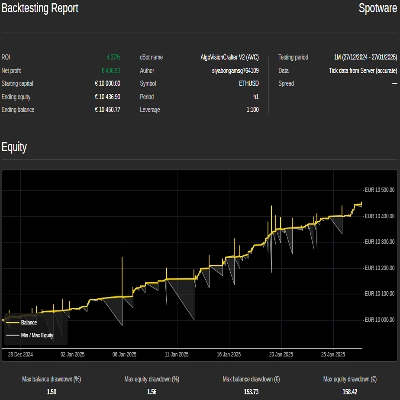
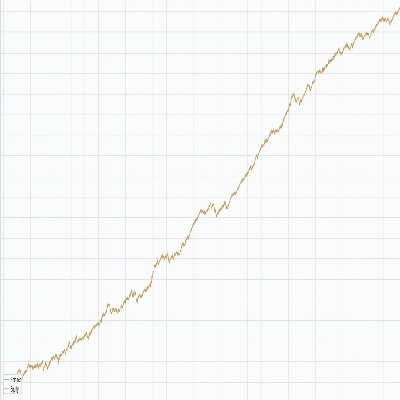
Trading product for AlgoVisionCraft V3 (AVC) SuperTrend cBot Forex Supertrend, image 1
AlgoVisionCraft V3 (AVC) SuperTrend
cBot
Version 1.0, Feb 2025
Windows, Mac, Mobile, Web
4.3
Reviews: 3
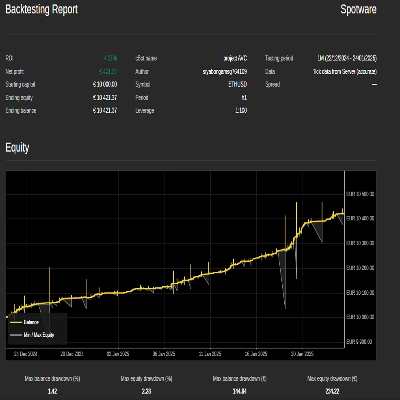
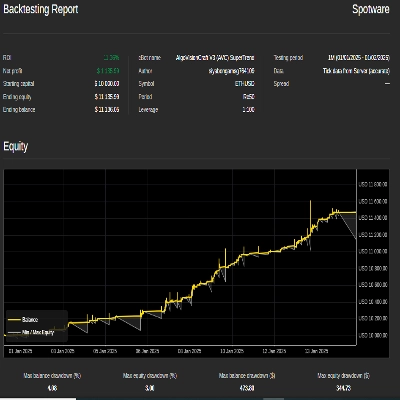
Trading product for AlgoVisionCraft V3 (AVC) SuperTrend cBot Forex Supertrend, image 2
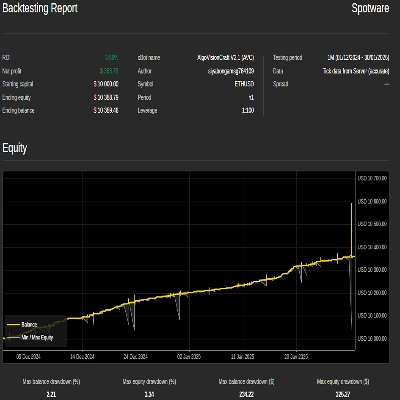
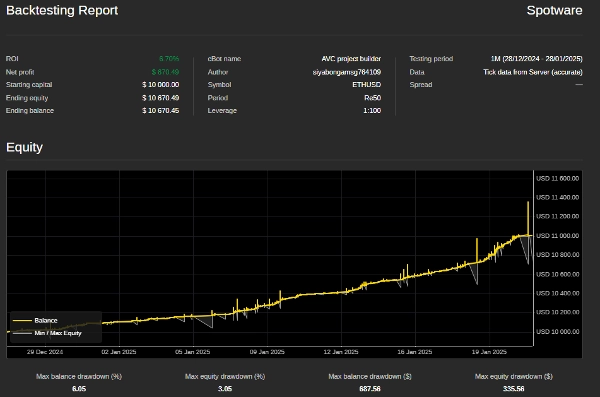
Trading product for AlgoVisionCraft V3 (AVC) SuperTrend cBot Forex Supertrend, image 3
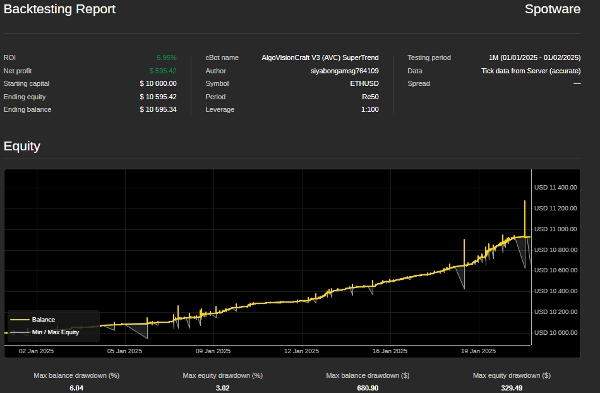
Trading product for AlgoVisionCraft V3 (AVC) SuperTrend cBot Forex Supertrend, image 4
Trading product for AlgoVisionCraft V3 (AVC) SuperTrend cBot Forex Supertrend, image 5
Since 27/01/2025
1
Sales
4
Free installs

Description

Grid Trading Bot with Supertrend Indicator - User Guide

Welcome to the Grid Trading Bot with Supertrend Indicator! This bot is designed to automate grid trading strategies while incorporating the Supertrend indicator to filter trades based on market trends. Below is a detailed guide on how to set up and use the bot effectively.


Key Features:

  1. Grid Trading: The bot places buy and sell orders at predefined intervals (steps) to capitalize on market fluctuations.
  2. Supertrend Filter: The Supertrend indicator is used to ensure trades are only executed in the direction of the trend, reducing the risk of counter-trend trades.
  3. Dynamic Step Adjustment: The grid step size can adjust dynamically based on the number of open positions.
  4. Risk Management: Includes features like maximum drawdown protection and trailing drawdown to safeguard your account.
  5. Customizable Parameters: All settings, including grid steps, volume, and Supertrend parameters, can be customized to suit your trading style.


How to Use the Bot

  1. Installation:
    • Download the Bot: Ensure you have the .cAlgo file for the bot.
    • Open cTrader: Launch the cTrader platform and navigate to the Automate tab.
    • Add the Bot: Click on Import cBot and select the downloaded .cAlgo file.
    • Attach to Chart: Drag and drop the bot onto the chart of the trading pair you want to trade.


  1. Setting Up Parameters: Once the bot is attached to the chart, configure the following parameters in the Parameters tab.
    Volume Parameters:
    Grid Step Parameters:
    Grid Start Conditions:
    Supertrend Parameters:
    Risk Management:
    Max Net Profit Conditions:
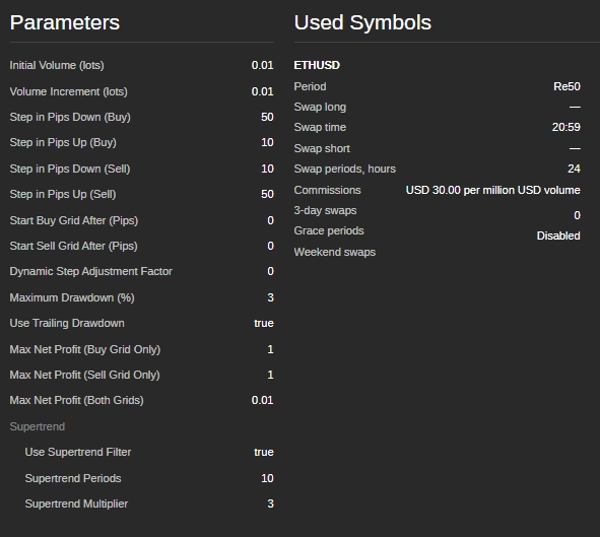
    • Initial Volume (lots): The starting lot size for the first trade.
    • Volume Increment (lots): The amount by which the lot size increases for each subsequent trade.
    • Step in Pips Down (Buy): The distance in pips to place the next buy order below the previous one.
    • Step in Pips Up (Buy): The distance in pips to place the next buy order above the previous one.
    • Step in Pips Down (Sell): The distance in pips to place the next sell order below the previous one.
    • Step in Pips Up (Sell): The distance in pips to place the next sell order above the previous one.
    • Start Buy Grid After (Pips): The number of pips the price must move up from the initial price to start the buy grid.
    • Start Sell Grid After (Pips): The number of pips the price must move down from the initial price to start the sell grid.
    • Supertrend Periods: The number of periods used to calculate the Supertrend indicator.
    • Supertrend Multiplier: The multiplier used to calculate the Supertrend indicator.
    • Maximum Drawdown (%): The maximum allowed drawdown as a percentage of the account balance.
    • Use Trailing Drawdown: Enables trailing drawdown to adjust the maximum drawdown level as the account equity increases.
    • Max Net Profit (Buy Grid Only): The maximum net profit allowed for the buy grid before the bot closes all buy positions and restarts.
    • Max Net Profit (Sell Grid Only): The maximum net profit allowed for the sell grid before the bot closes all sell positions and restarts.
    • Max Net Profit (Both Grids): The maximum combined net profit allowed for both grids before the bot closes all positions and restarts.


  1. Starting the Bot:
    • Set Parameters: Adjust the parameters according to your trading strategy and risk tolerance.
    • Start the Bot: Click the Start button to activate the bot.
    • Monitor Performance: Keep an eye on the bot's performance and make adjustments to the parameters as needed.


  1. Stopping the Bot:
    • To stop the bot, click the Stop button in the cTrader platform.
    • The bot will close all open positions and stop trading.


Tips for Optimal Performance:

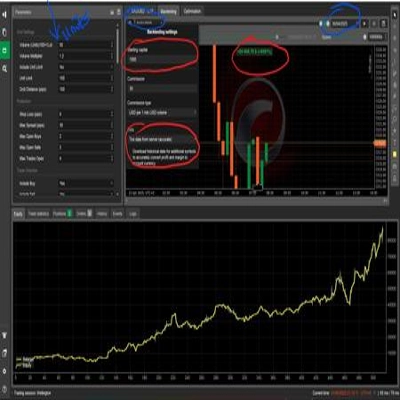
  1. Backtest First: Before running the bot on a live account, backtest it on historical data to ensure it performs well under different market conditions.
  2. Adjust Parameters: Fine-tune the grid steps, Supertrend parameters, and risk management settings to match your trading style and market conditions.
  3. Monitor Drawdown: Keep an eye on the maximum drawdown to ensure it stays within your risk tolerance.
  4. Use on Stable Pairs: The bot performs best on currency pairs with stable trends and low volatility.


Contact Information: If you have any questions, need assistance, or want to customize the bot further, feel free to reach out:


Disclaimer: This bot is provided as-is, and the developer is not responsible for any financial losses incurred while using it. Trading in financial markets involves risk, and you should only trade with money you can afford to lose. Always test the bot in a demo account before using it on a live account.

Avoiding trading during major news events is crucial because these periods are often marked by heightened volatility and unpredictable price movements. News trading can lead to erratic market behavior that deviates from typical trends, increasing the risk of losses. Similarly, trading in a ranging market—where prices move sideways without clear direction—can result in false breakouts and limited profit opportunities, making it difficult to implement a coherent strategy. Additionally, low volume days typically feature reduced liquidity, which can cause wider spreads and slippage, further complicating trade execution. By steering clear of news trading, ranging markets, and low volume periods, traders can focus on more stable market conditions that offer clearer trends and better execution, ultimately enhancing their overall trading performance.

Summary

Trading profile

Customer reviews

4.3
Reviews: 3
5
67 %
4
0 %
3
33 %
2
0 %
1
0 %
Customer reviews
February 12, 2025
The tool feels useful for trend filtering if the trader keeps control. A 69 setup sample on M5 should show whether it really helps.
February 6, 2025
Would not overtrust it, but it should not ignore it either. The use case is clear, and it helps if the setup is already disciplined. The problem appears when the tool makes weak ideas look acceptable.
February 4, 2025
Ngl, this one makes sense if you are not trying to yolo every signal. Keeping it on demo first and see how it behaves when trend days gets messy. A clean journal needs both hit rate and average R.

Discussion

FAQ

Forex
Supertrend
Grid
Products available through cTrader Store, including trading bots, indicators and plugins, are provided by third-party developers and made available for informational and technical access purposes only. cTrader Store is not a broker and does not provide investment advice, personal recommendations or any guarantee of future performance.

More from this author

cBot
Prop
Forex
+2
Your Ultimate Trading Ally Unlock smarter trading with AlgoVisionCrafter V2 (AVC).
cBot
Grid
AlgoVisionCrafter (AVC): Your Smart Trading Bot, AVC is a multi-level trading bot designed to help you trade smarter.
cBot
RSI
Grid
+2
RSI Smart grid bot

You may also like

cBot
ATR
Signal
+3
A rule-based WMA trend and session-filtered trading robot for XAUUSD with USD-based risk control.
120%
ROI
1.98
Profit factor
cBot
Signal
XAUUSD
+4
Heikin Horizon Pro: The Ultimate Gold (XAUUSD) Stacking Strategy
290%
ROI
5.53
Profit factor
cBot
Balanced
Fixed Lot
+5
SwiftGrid-Institutional Symmetric Fixed-Lot Grid Engine for Gold (XAUUSD) only
56.9%
ROI
1.36
Profit factor
cBot
AI
ATR
+4
D.B ADAPTIVE GOLD TRADER BOT identifies signals and places position, it also has a built-in profit protection.
cBot
ATR
Risk/Reward
+5
Goldman Prop Master Pro™ is an advanced automated trading system exclusively optimized for Gold & Prop Firm trading
17.6%
ROI
2.43
Profit factor
cBot
ATR
Aggressive
+5
11 unique strategies, +156.13% in 2.5Y at -8.48% DD. No grid no martingale. For your own capital. Verify free. REAL EDGE
2.33
Profit factor
cBot
Volume
AI Trading
+5
High frequency neural decision-making
252.6%
ROI
2.65
Profit factor
cBot
AI
ATR
+13
This is a Sniper bot is for Fast Sniping Trade , suitable for shorter Timeframes
11.8%
ROI
3.7
Profit factor
cBot
Risk/Reward
Break & Retest
+1
XAUUSD M5 cBot for auction structure, breakout confirmation, retest entries, risk control and visual trade plans.
1.39
Profit factor
cBot
EMA
Fixed Lot
+4
📋 GoldWick — Multi-pair cBot (XAU/USD, US30, USD/JPY) / Default parameters ready for USDJPY.
1.64
Profit factor
cBot
AI Trading
Grid Recovery
+1
Recommended: CHFJPY | Minimum capital: $500 | Lot size: 0.01
18.1%
ROI
1.65
Profit factor
cBot
ADX
ATR
+5
Rides gold trends on M30 with a single adaptive signal. Auto entry, ATR-protected, banks profit, flips with the trend.
19.7%
ROI
1.32
Profit factor
cBot
Grid
Forex
+9
Professional-grade automated strategy for cTrader, focused on risk control, diversification, and consistent growth.
cBot
EMA
RSI
+5
NAS100 M5 trading bot with HTF filters, advanced entry validation, risk control, and ready strategy profiles.
21.7%
ROI
2.13
Profit factor
cBot
Forex
Stocks
+1
The full version includes access to all features and customization options. It is designed for users who require advance
cBot
RSI
Forex
+4
ProTrend Ultimate automatically trades trend movements using EMA and RSI signals while managing risk through USD-based
100.7%
ROI
1.53
Profit factor
cBot
AI
RSI
+2
For Long Terms Trading Strategies , Please Try Default Setting before making any changes
cBot
AI
XAUUSD
+1
AI-Powered Gold Trading Robot for cTrader – Smart, Fast, and Fully Automated
8.1%
ROI
3.66
Profit factor

Price

Since 27/01/2025
1
Sales
4
Free installs