
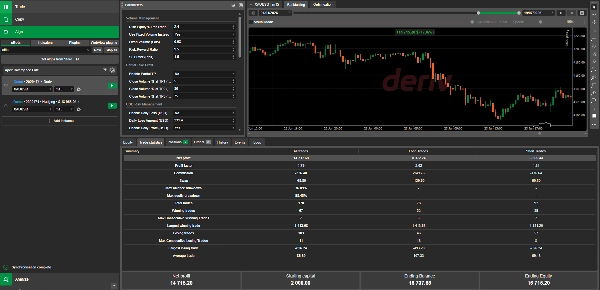
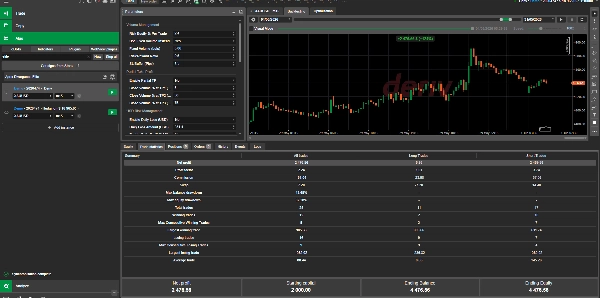
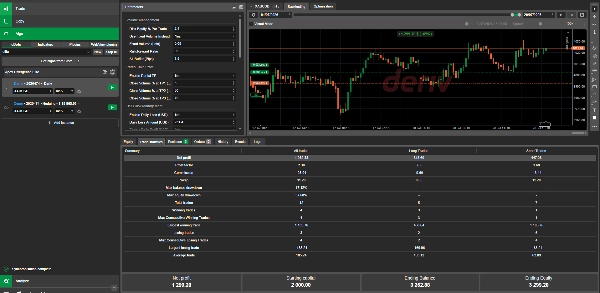
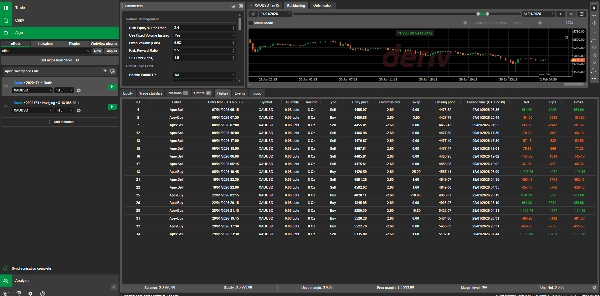

説明
Apex Divergence Elite
モバイルチュートリアルビデオ:
https://youtu.be/wOzQDfs_prY
製品概要
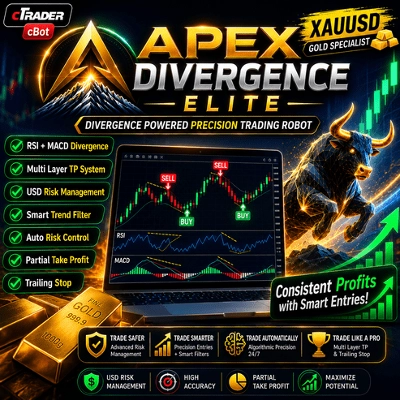
Apex Divergence Elite は、cTraderプラットフォーム向けに設計された高度で完全自動化されたcBotです。MACDおよびRSIインジケーターの両方で強気および弱気のダイバージェンスを検出することで、高確率の市場反転を特定することに特化しています。
機関レベルのリスク管理を念頭に置いて構築されており、このcBotは資本に対する詳細なコントロールを提供します。個人アカウントでの取引やプロプライエタリファームのチャレンジに参加する場合でも、Apex Divergence Eliteは包括的なドローダウン保護、動的ロットサイズ設定、日次の利益/損失制限を備え、取引の規律を保ちます。
コア戦略
アルゴリズムのロジックは、マルチタイムフレームのトレンド整合性とモメンタムのダイバージェンスに基づいています。
- ダイバージェンス検出: ボットは価格の動き(スイング高値/安値)とモメンタム指標(MACDおよびRSI)との不一致をスキャンし、潜在的なトレンド反転を捉えます。
- 日足キャンドルフィルター: エントリーは日足キャンドルの始値の方向にフィルタリングされ、広範な日次モメンタムと整合する取引を保証します。
- スイングルックバック: cBotはユーザー定義のバーのパラメータに基づいて構造的なスイング高値と安値を動的に特定し、正確な保護的ストップロスの配置を行います。
主な特徴
- 動的 vs. 固定ボリューム: 固定ロットサイズでの取引か、動的な資本ベースのリスクパーセンテージの利用を選択できます。
- マルチティア部分利確: 勝ち取引から25%、50%、75%の距離で自動的にスケールアウトし、実現利益を確保します。
- プロップファーム対応リスク制限: 厳格な日次および純USD利益/損失制限を設定するか、最大日次ドローダウンパーセンテージを使用して資本を保護します。
- 回復&クールダウンロジック: 連続損失日や連続ストップロスヒットが発生した場合、自動的に次の週の開始まで取引を停止できます。
- トレーリングストップ: 取引が有利に動いた際に発動するUSDベースのトレーリングストップロスで利益を確保します。
詳細なデフォルトパラメータ
以下の表は Apex Divergence Elite のデフォルトパラメータを示しています。これらの設定は、特定の取引スタイルやリスク許容度に合わせて完全に最適化およびカスタマイズ可能です。
パラメーターグループパラメーター名デフォルト値説明
ボリューム管理
取引ごとのリスク資本%
2.4
動的ボリュームを使用する場合の取引ごとのリスクパーセンテージ。
代わりに固定ボリュームを使用
はい
資本パーセンテージを上書きし、固定ロットサイズを使用します。
固定ボリューム(ロット)
エントリー時に実行される固定取引サイズ。
リスク:リワード比率
9.5
テイクプロフィット距離を計算するための乗数。
SLバッファ(ピップス)
1.5
スイングベースのストップロスに追加される余分なパディング。
部分利確
部分TPを有効にする
いいえ
マルチティアのスケールアウト機能を有効にします。
TP1(25%距離)でのクローズボリューム%
5
TP1でクローズされる初期ボリュームの割合。
TP2(50%距離)でのクローズボリューム%
30
TP2でクローズされる初期ボリュームの割合。
TP3(75%距離)でのクローズボリューム%
75
TP3でクローズされる初期ボリュームの割合。
USDリスク管理
日次損失(USD)を有効にする
いいえ
厳格なUSD日次損失制限を有効にします。
日次損失額(USD)
231.4
1日あたりの最大許容損失額。
日次利益(USD)を有効にする
はい
日次利益目標に達したら取引を停止します。
日次利益額(USD)
1098.7
目標とする日次利益額。
純損失(USD)を有効にする
いいえ
純残高がこの制限を下回った場合、取引を永久に停止します。
純損失額(USD)
669.5
初期開始残高からの最大総損失許容額。
純利益(USD)を有効にする
いいえ
純残高がこの制限を超えた場合、取引を永久に停止します。
純利益額(USD)
38355.6
初期開始残高からの最大総利益目標。
パーセントリスク管理
日次最大ドローダウン(%)を有効にする
いいえ
パーセンテージベースの日次ドローダウン制限を使用します。
最大日次ドローダウン(%)
1.6
最大許容日次ドローダウンのパーセンテージ。
回復管理
日次損失連続による回復を有効にする
はい
連敗後のクールダウン期間を強制します。
最大連続損失日数
1
この損失日数に達した場合、次の月曜日まで取引を停止します。
SL連続による回復を有効にする
いいえ
連続ストップロスヒット後のクールダウン期間を強制します。
最大連続SLヒット数
4
この連続ストップロスヒット数に達した場合、次の月曜日まで取引を停止します。
トレーリングストップ
USDトレーリングSLを有効にする
いいえ
金銭的価値に基づくトレーリングストップ機能を有効にします。
トレイル距離(USD単位)
145
価格をトレイルする距離(USD単位)。
戦略フィルター
日次キャンドルフィルターを有効にする
はい
エントリーは日次キャンドルの方向にのみトリガーされることを保証します。
インジケーター
RSI期間
8
相対力指数のルックバック期間。
MACD短期サイクル
3
MACDの短期移動平均期間。
MACD長期サイクル
33
MACDの長期移動平均期間。
MACDシグナル期間
12
MACDのシグナルライン期間。
戦略
スイングルックバック(バー数)
3
有効なスイング高値と安値を特定するために使用されるバーの数。
インストール&使用方法
- cTraderアカウントに直接cBotを追加するには、インストールをクリックします。
- クラウド同期が有効になっている場合、製品は自動的にデスクトップのcTraderアプリで利用可能になります。
- cTrader WindowsまたはMacを開き、チャートを開いてcBotのインスタンスを追加します。
- 必要なリスクプロファイルに合わせてパラメータを調整し、cBot開始をクリックします。
対象ユーザーは?
- トレーダープロファイル: 規律あるアルゴリズムトレーダーやプロップファーム評価に参加する方に最適です。
- 経験レベル: 中級から上級。ユーザーはダイバージェンスの概念と破産リスクの数学を理解し、日次制限を適切に調整できる必要があります。
- アカウントサイズ: 非常に適応性が高いです。分数ロットサイズとパーセンテージベースのリスクパラメータにより、小規模なリテールアカウント($2000以上)から大規模な資金提供アカウント($100k以上)まで対応可能です。
cTraderストアポリシー&リスク免責事項
- 投資アドバイスなし: cTraderストアを通じて提供されるすべての関連機能は、あくまで技術的ツールとして提供されており、Spotwareによる投資サービス、投資アドバイス、ポートフォリオ管理、または規制された金融活動のいかなる形態も構成しません。
- 情報提供目的: cTraderストアは情報および技術的目的のためにサードパーティ製品へのアクセスを提供します。cTraderストアはブローカーではなく、将来のパフォーマンスを保証しません。
- リスクの承諾: トレーダーは、自身のリスクと裁量で完全に行動し、取引の決定、行動、および結果に対して単独で責任を負うことを認識し同意します。
- 過去のパフォーマンス: このcBotによって生成された過去のパフォーマンス(バックテストまたはライブ環境で)は将来の結果を保証するものではありません。
- 知的財産: 本製品を利用する際、元のアルゴリズムコードはメモリ内実行および逆コンパイル防止構造を通じて保護されており、販売者の知的財産を守ります。
概要
Key features include flexible volume management with options for fixed lot sizes or dynamic equity-based risk percentages, multi-tier partial take profits to scale out of trades, and comprehensive risk controls such as daily profit/loss limits, drawdown protections, and recovery logic that can pause trading after consecutive losses. The bot supports trailing stop losses based on USD value to lock in profits.
Designed for intermediate to advanced traders, Apex Divergence Elite suits both small retail accounts (from $2,000) and large funded accounts, with customization options for risk tolerance and trading style. It is particularly suited for disciplined algorithmic traders and those involved in proprietary trading firm challenges. The bot executes market orders on a 15-minute chart timeframe and includes institutional-grade risk management tools to maintain disciplined trading.
ディスカッション
カスタマーレビュー
よくあるご質問
この作成者の他の商品

























価格