

Penerangan
🚀 Smart Trendline Breakout cBot
📈 Capture Breakouts. Follow the Trend. Automate Your Strategy.
Take your trading automation to the next level with Smart Trendline Breakout cBot for cTrader!
Designed to identify potential bullish and bearish trendline breakouts, this automated trading robot combines configurable trendline calculations, optional higher-timeframe trend filtering, market-structure exits, and flexible USD-based trade management.
🎯 Automate your trading rules.
📊 Analyse potential breakout opportunities.
⚙️ Customise your strategy and risk settings.
🛡️ Configure trade-management controls to suit your trading plan.
⭐ Key Features
📉 1. Smart Trendline Breakout Detection
- 🟢 Automated BUY signals on confirmed upward breakouts.
- 🔴 Automated SELL signals on confirmed downward breakouts.
- 🔧 Adjustable swing detection lookback.
- 📐 Configurable slope multiplier.
- 🧮 Three slope calculation methods: ATR, Standard Deviation, and Linear Regression.
- 🕯️ Closed-candle signal processing.
🧭 2. Higher-Timeframe Trend Filter
Align potential breakout entries with the broader market direction using an optional moving average filter.
- ⏱️ Select your preferred higher timeframe.
- 📊 Configure the moving average period.
- ⚙️ Choose the moving average type.
- 🔄 Enable or disable trend filtering.
🏗️ 3. Market Structure & Exit Management
Manage positions using configurable trendline and structure-based exit conditions.
- 📍 Optional market-structure break exit.
- 🔎 Fractal-based swing high and swing low detection.
- 🔁 Optional exit on an opposite trendline breakout.
- 🔄 Option to close opposite positions when a new signal occurs.
💵 4. USD-Based Risk Management
Configure monetary thresholds to help manage open-position risk and profit-taking.
- 📦 Fixed trading volume.
- 🛑 Maximum loss per position in USD.
- 🎯 Optional USD stop-loss.
- 💰 Optional USD take-profit.
- 📈 USD-based trailing stop.
- 📅 Optional daily loss limit.
- 🔢 Maximum concurrent positions.
⚠️ Monetary thresholds do not guarantee an exact exit price or maximum possible loss.
🎨 5. Chart Visualisation
Keep your trading chart informative with optional visual signals.
- 📈 Trendline drawings.
- 🟢 BUY arrows and labels.
- 🔴 SELL arrows and labels.
- 💎 Swing-point markers when visual drawing is enabled.
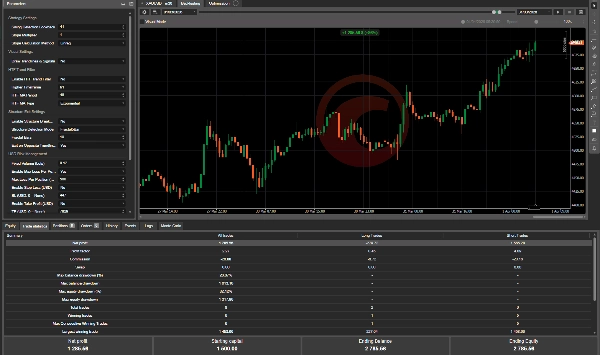
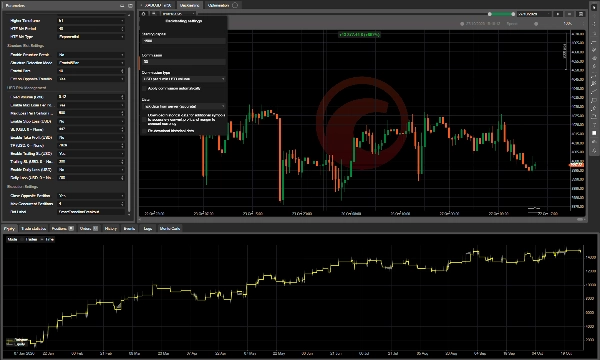
⚙️ Default Parameters — XAUUSD M30 (Tick Data From Server Accurate )
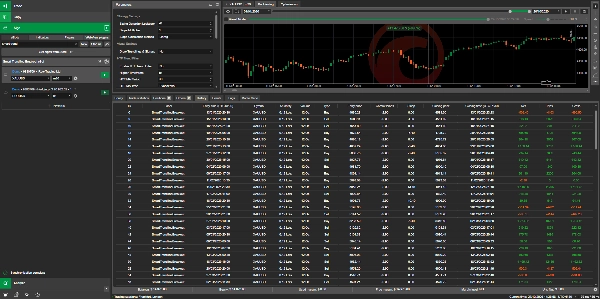
The following values match the parameter configuration shown in the supplied screenshot.
📊 Strategy Settings
ParameterDefault
Swing Detection Lookback
41
Slope Multiplier
1.0
Slope Calculation Method
Linear Regression
🎨 Visual Settings
ParameterDefault
Draw Trendlines & Signals
No
💡 Set this option to Yes to enable trendline drawings, breakout arrows, and visual signals.
🧭 Higher-Timeframe Trend Filter
ParameterDefault
Enable HTF Trend Filter
No
Higher Timeframe
H1
HTF MA Period
48
HTF MA Type
Exponential
🏗️ Structure Exit Settings
ParameterDefault
Enable Structure Break Exit
No
Structure Detection Mode
Fractal5Bar
Fractal Bars
10
Exit on Opposite Trendline Break
Yes
💵 USD Risk Management
ParameterDefault
Fixed Volume (Lots)
Enable Max Loss Per Position
Yes
Max Loss Per Position
$500
Enable Stop Loss (USD)
No
SL (USD)
$447
Enable Take Profit (USD)
No
TP (USD)
$7,829
Enable Trailing SL (USD)
Yes
Trailing SL (USD)
$300
Enable Daily Loss (USD)
No
Daily Loss
$780
⚠️ Important: The separate stop-loss, take-profit, and daily loss controls are disabled by default, even though their monetary values are displayed. Review and configure these settings before trading.
⚡ Execution Settings
ParameterDefault
Close Opposite Position on Signal
Yes
Max Concurrent Positions
4
Bot Label
SmartTrendlineBreakout
🧠 How the Strategy Works
🟢 BUY Entry: The robot detects a confirmed upward trendline breakout and can place a BUY order if the optional higher-timeframe filter permits it.
🔴 SELL Entry: The robot detects a confirmed downward trendline breakout and can place a SELL order if the optional higher-timeframe filter permits it.
🔄 Position Exit: Depending on the configuration, positions can be closed following an opposite trendline breakout, a USD-based exit threshold, a trailing-stop condition, or an enabled structure-break condition.
All trading operations remain subject to the configured parameters, broker execution, available margin, and market conditions.
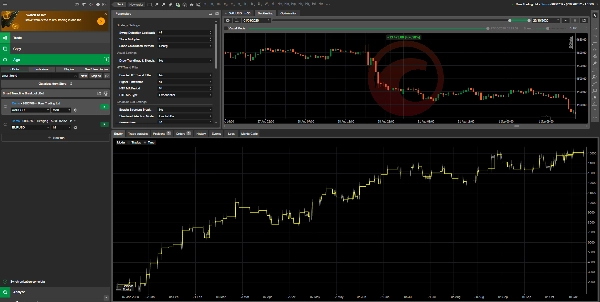
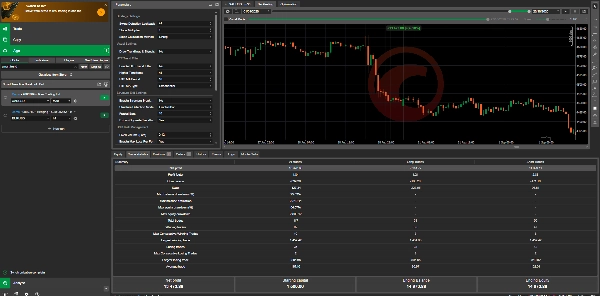
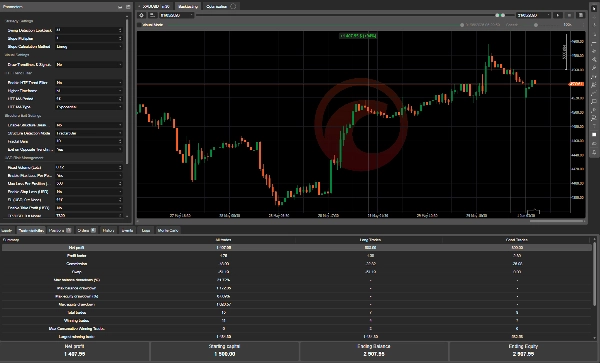
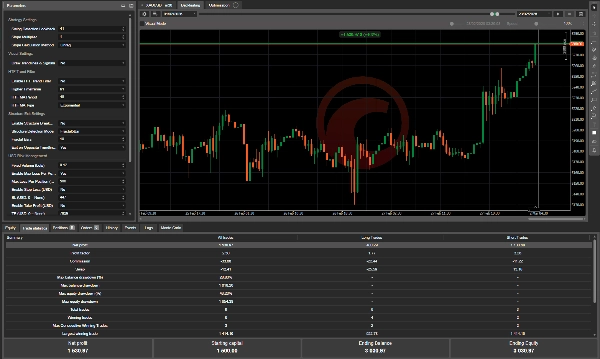
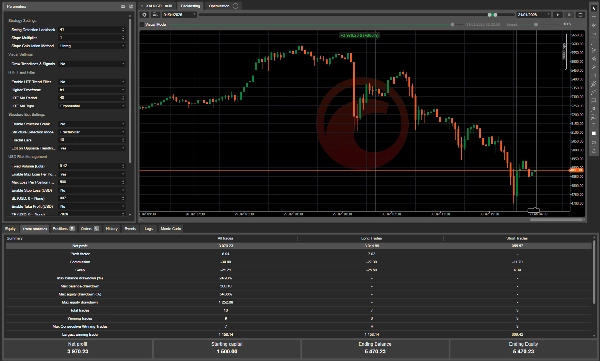
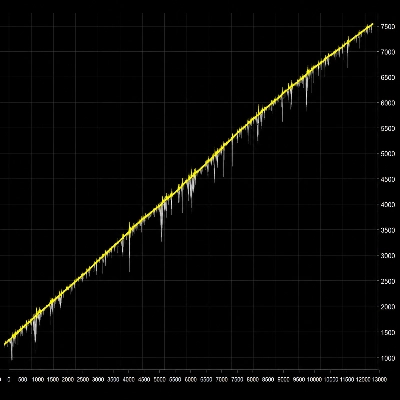
📈 Backtest Results — XAUUSD M30 from 1Jan 2026 to 26 Oct 2026
Required Capital :
Broker :IC Market (Raw Trading)
Leverage:1:1000
Starting Capital
$1,500 (For better Result 3k Account balance )
🎯 Recommended Setup
- 💻 Platform: cTrader
- 🥇 Example instrument: XAUUSD (Gold)
- ⏱️ Reference timeframe: M30
- 📈 Strategy type: Trendline breakout and trend-following
- ⚡ Execution: Automated market orders
- 🧪 Testing: Historical backtesting followed by demo forward testing
The displayed defaults are a starting configuration, not a universally optimised preset. Test the robot separately on each intended symbol and timeframe.
⚠️ Risk Disclaimer
Trading leveraged financial instruments, including gold and forex CFDs, involves substantial risk and may not be suitable for every trader. You can lose some or all of your trading capital.
Smart Trendline Breakout cBot is automated trading software, not personalised investment advice and not a guarantee of profitable results. Breakout signals can fail, and rapid price movements, gaps, slippage, spread widening, insufficient liquidity, or execution delays can cause losses to exceed configured monetary thresholds.
The robot's USD-based controls monitor reported position profit and loss. They do not guarantee that a position will close at the exact configured amount.
The stop-loss, take-profit, and daily loss controls are disabled by default. Users are responsible for reviewing and configuring their risk settings before trading.
📉 Past performance does not guarantee future results. Historical backtests may not reflect live trading conditions. No representation is made that the displayed profit or similar returns will be achieved in a live account.
Users are responsible for choosing appropriate position sizes, understanding leverage and margin requirements, configuring risk controls, and complying with applicable broker terms and regulations.
🧪 Test thoroughly on a demo account before live deployment.
💡 Trade systematically. Understand the risks. Protect your capital.
Ringkasan
Perbincangan
Ulasan pelanggan
Soalan Lazim

























Harga