
Description
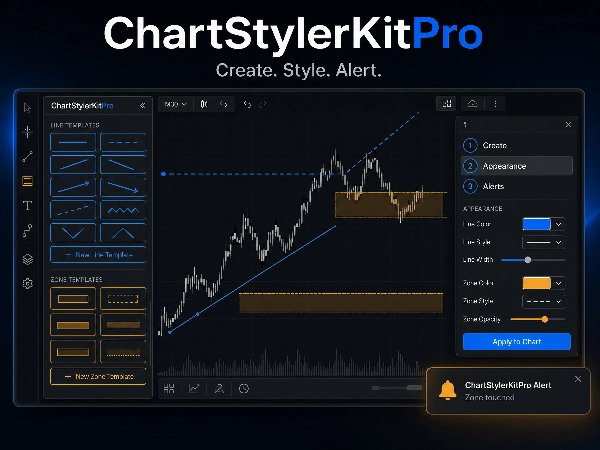
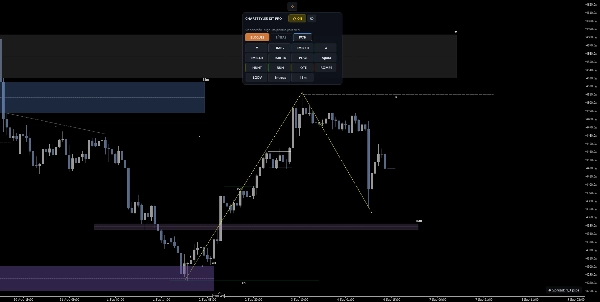
ChartStyleKitPro is a cTrader indicator designed as a centralised control panel for the management, styling and organisation of graphic objects (rectangles and trend lines). Its purpose is to eliminate the manual and repetitive task of individually styling each drawing on the chart, offering mass actions, reusable templates and intelligent automatic text.
The indicator functions as an overlay: it does not generate signals or calculate technical indicators. Its value lies in productivity and the visual consistency of chart analysis.
Key Features
1. Interactive control panel
Create a named template
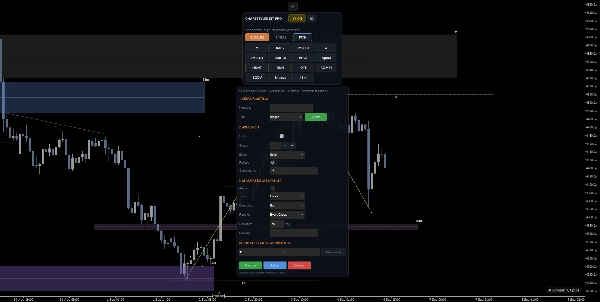
Open the gear icon and locate 1. CREATE TEMPLATE. In this section, type the initial name of the template, select Block or Line and click Create. The template is therefore given its name from this first step.
A new template starts with safe, editable values: base colour, thickness, solid style, fill according to type and alerts disabled. Creation does not automatically draw an object; it first registers the template so that it can be reviewed and used from the grid.
2. Configure appearance
Select the visual properties you wish to reuse. Click Save to persist the changes.
3. Línea del 50% automática
Para cada rectángulo dibujado, el indicador calcula y dibuja automáticamente una línea horizontal en el punto medio (50%) entre el precio superior e inferior del rectángulo.
- La línea es punteada por defecto (configurable)
- Incluye una etiqueta "50%" en el borde izquierdo
- Se actualiza en tiempo real si mueves o redimensionas el rectángulo
- Se oculta/muestra junto con el rectángulo padre (comportamiento como un solo objeto)
Uso típico: zonas de equilibrio dentro de un rango de precio, niveles de decisión dentro de zonas de oferta/demanda.
3. Automatic 50% line
For each rectangle drawn, the indicator automatically calculates and draws a horizontal line at the midpoint (50%) between the upper and lower price of the rectangle.
- The line is dotted by default (configurable)
- Includes a "50%" label on the left edge
- Updates in real time if you move or resize the rectangle
- Hides/shows together with the parent rectangle (behaving as a single object)
- Typical use: equilibrium zones within a price range, decision levels within supply/demand zones.
4. Automatic text in rectangles
If a rectangle has a Comment, the indicator renders it as visible text inside the rectangle.
- Position calculated automatically: top-right corner with configurable margins
- Vertical margin in pips (from the top edge)
- Horizontal margin in hours (from the right edge)
- Font size adaptable to window size
- Colour, bold and font configurable
- Typical use: labels such as "Supply Zone", "Buy Zone", "FVG", "Order Block" displayed directly on the zone without the need for additional manual text.
5. Style templates
Complete CRUD system (Create, Read, Update, Delete) for saving and reusing visual configurations of objects.
What each template saves:
- Colour
- Thickness
- Line style (solid, dotted, etc.)
- Fill (for rectangles)
- Visibility state
- Lock state
- Comment
Operations available:
ActionDescription
Save
Extracts the style from the selected object and saves it with a custom name. Includes optional comment field.
Apply
Loads a saved template and applies it to all selected objects.
Update
Overwrites an existing template with the current style of the selected object.
Rename
Changes the name of an existing template.
Delete
Removes a template from storage.
Warm tones, less eye strain during long sessions
The accent colour is configurable (default #4DA6FF blue). Toggle buttons automatically calculate active/inactive colours with guaranteed good contrast.
Summary
Key features include:
- Interactive control panel: When selecting graphical objects, a floating panel appears showing the count and type of selected items, with buttons to lock/unlock, hide/show, toggle fill for rectangles, hide/show all objects, and manage style templates. Contextual help guides available actions.
- Automatic 50% line: For each rectangle, the indicator draws a horizontal line at the midpoint between its top and bottom prices, updating in real time with movement or resizing. This line includes a "50%" label and hides/shows with its parent rectangle.
- Automatic text rendering: Comments attached to rectangles or trend lines are displayed as text within or above the objects, with configurable position, margins, font size, and style.
- Style templates: A full CRUD system allows saving, applying, updating, renaming, and deleting visual style templates that store color, thickness, line style, fill, visibility, lock state, and comments for objects.
- Four interface color themes: Dark, Light, Midnight, and Warm, each with configurable accent colors and automatic toggle button contrast.
This tool supports efficient management of chart annotations commonly used in market structure and Smart Money Concepts analysis, including supply/demand zones, order blocks, fair value gaps, and support/resistance levels.
Customer reviews
Discussion
FAQ







!["Gaussian Channel [Iridio Capital]" logo](https://cdn.ctrader.com/image/webp/2c4f9ca9-4e9b-476d-b5a6-787c8095032b_61546)
Price
