Описание
Шпаргалка. 3 года данных суммированы ниже с высокой вероятностью направления.
Дейтрейдинг
- Азия: B120 (Сессионный уклон + Heikin 2H совпадают) | альт: только сессионный уклон
- Лондон: Heikin 1H
- Нью-Йорк: Heikin 2H
- Запад (Лондон и Нью-Йорк): Heikin 2H
- Тайминг: Запад + Heikin 2H смена → лучший 30-минутный продолжение
Свинг (2–3 дня)
- Направление (3 дня / 72ч): Глобальный сессионный уклон (Азия+Лондон+Нью-Йорк вместе)
- Фильтр входа: Глобальный сессионный уклон + Heikin 4H совпадают (если нет совпадения → пропуск)
- Избегать по умолчанию: 2 дня / 48ч
HeikinSessionBiasOnlyBot — это панель уклонов и “компас” рыночной структуры для дискреционных трейдеров. Он не совершает сделки. Вместо этого он предоставляет вам чистый, всегда обновляемый взгляд на тренд/уклон с использованием двух независимых движков:
- Heikin Bias (направленный уклон на более высоком таймфрейме)
- Session Bias (диапазон сессий Азия/Лондон/Нью-Йорк + уклон по объему)
Что он делает (простыми словами)
1) Heikin Bias (движок уклона тренда)
Этот движок работает на выбранном вами Bias TF (минуты) (по умолчанию 360 мин / 6ч):
- Он строит свечи Heikin Ashi на этом таймфрейме.
- Он обнаруживает зоны поворота, когда “цвет” HA меняется (зелёный ↔ красный).
- Уклон меняется, когда закрытие пробивает последнюю зону поворота:
-
- Закрытие пробивает выше зоны сопротивления → Бычий
- Закрытие пробивает ниже зоны поддержки → Медвежий
- Если смена из-за пробоя зоны не происходит, он всё равно может смениться с помощью Inside Engine v2:
-
- Он отслеживает внутренние бары в сжатии (сжатие), закреплённые диапазоном теней.
- После MinInsideBarsForReversal внутренних баров он становится “заряженным”.
- Закрытие выше диапазона теней сжатия меняет уклон на бычий; ниже — на медвежий.
Результат: вы получаете чистый направленный уклон на более высоком таймфрейме, который обновляется автоматически.
2) Session Bias (движок уклона сессий Азия / Лондон / Нью-Йорк)
Этот движок работает на жёстко заданном 5-минутном таймфрейме анализа и перестраивается в конце каждой сессии.
Для каждой сессии (Азия, Лондон, Нью-Йорк) он:
- Строит диапазон максимум/минимум этой сессии
- Строит простой объёмный профиль (корзины) и находит POC (точка контроля)
- Использует разделение объёма пополам по диапазону:
-
- Берёт середину диапазона сессии: mid = (Low + High) / 2
- Сравнивает объём в нижней половине и верхней половине
- Выдаёт оценку направления сессии на основе трёх столпов:
-
- HYB (расположение закрытия относительно диапазона и POC)
- V (эффективный сдвиг объёма по половинам)
- BB (моментум прорыва тела: логика только прорыва относительно тела предыдущей свечи)
Затем он вычисляет:
- DirScore = среднее(HYB, V, BB)
- Уклон сессии Bias на основе DirScore с использованием DirBand
- Уверенность сессии Confidence из:
-
- AGR (согласие между HYB/V/BB)
- CLR (насколько сильны/чётки входные данные)
- PRG (насколько “прогрессивным” было движение в сессии)
В конце он объединяет три сессии в SetScore и присваивает общий сессионный уклон.
3) Итоговый “Объединённый уклон” (ваш главный ответ)
Вы выбираете, как объединять два движка:
- BothAgree (по умолчанию): показывает бычий/медвежий только если оба движка согласны; иначе Сбалансированный (или Ожидание, если неполный).
- HeikinOnly: только уклон Heikin на более высоком таймфрейме.
- SessionOnly: только результат движка сессии.
Это практический фильтр: если вы хотите меньше сделок, но более чистое согласование, используйте BothAgree.
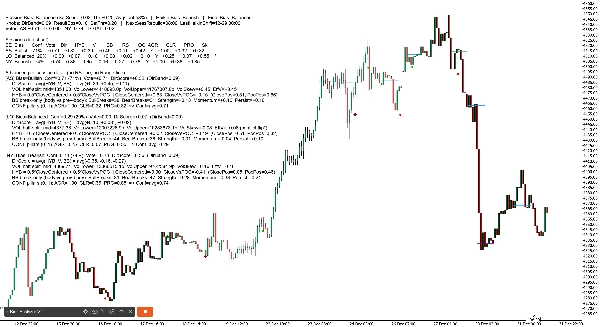
1) Заголовок панели (верхняя строка)
Вы увидите что-то вроде:
Session Bias: Bullish (SetScore +0.85, Thr ±0.20, AvgConf 72%) | Heikin Bias: Bullish | Final Bias: Bullish
Что означает каждый термин
- Session Bias: объединённое направление из Азия/Лондон/Нью-Йорк
- SetScore: объединённый “голос” от трёх сессий
-
- Каждая сессия даёт голос = знак направления × уверенность
- Бычий добавляет, медвежий вычитает
- Thr (SetThr): минимальный SetScore для определения бычьего/медвежьего сессионного уклона
-
- Если SetScore в пределах ±Thr → сессионный уклон становится Сбалансированным
- AvgConf: средняя уверенность по трём сессиям (0–100%)
- Heikin Bias: уклон на более высоком таймфрейме (бычий/медвежий/ожидание)
- Final Bias: итоговый результат после выбранного режима объединения (BothAgree / HeikinOnly / SessionOnly)
2) Строка “Ручек” панели (снимок настроек)
Пример:
Knobs: DirBand=0.09 ResultEps=0.10 SetThr=0.20 | NextSessRebuild=17:00 LastHeikinShift=12-30 06:00
Значение
- DirBand: насколько сильным должен быть DirScore, чтобы пометить сессию как бычью или медвежью
-
- Малый DirBand = больше сигналов, более “чувствительный”
- Больший DirBand = меньше сигналов, более консервативный
- ResultEps: “мертвая зона”, используемая при решении, являются ли результаты чёткими
-
- Помогает избежать трактовки мелких различий как значимых
- SetThr: порог, используемый на комбинированном уровне сессии (SetScore)
- NextSessRebuild: когда произойдёт следующая перестройка сессии (UTC)
- LastHeikinShift: последнее время смены уклона Heikin
3) Строка “Голосов” (быстрый итог)
Пример:
Голоса: AS +0.40 LO +0.20 NY -0.10 ИТОГО +0.50
Значение
- Голос AS / LO / NY = знак(направления) × уверенность
- ИТОГО — это просто сумма
- Это, по сути, ваш “табло сессии”.
4) Таблица подробного режима (разбивка по сессиям)
В Подробном режиме вы получаете компактную таблицу, например:
SE | Bias | Conf | Vote | Dir | HYB | V | BB | RS | OC | AGR | CLR | PRG | Sk
Объяснение по столбцам (просто)
- SE: метка сессии (AS, LO, NY)
- Bias: бычий / медвежий / сбалансированный (для этой сессии)
- Conf: процент уверенности для этой сессии
- Vote: голос направления (знак уклона × уверенность)
- Dir: DirScore = среднее(HYB, V, BB)
- HYB: гибридный балл расположения закрытия
-
- Объединяет “закрытие внутри диапазона” + “закрытие относительно POC”
- V: эффективный сдвиг объёма
-
- Основан на объёмах верхней и нижней половин сессии
- Может смениться, если конфликтует с “результатом” (см. Sk ниже)
- BB: балл прорыва тела
-
- Измеряет моментум только прорыва относительно границ тела предыдущей свечи
- RS: ResultScore (смешение чистого движения + HYB)
-
- Используется для проверки “чёткости результата”
- OC: результат ясен? (Да/Нет)
-
- Если RS достаточно большой (выше ResultEps), считается “ясным”
- AGR: столп согласия (0..1)
-
- Указывают ли HYB/V/BB в одном направлении?
- CLR: столп чёткости (0..1)
-
- Насколько сильны или слабы HYB/V/BB?
- PRG: столп прогресса (0..1)
-
- Двигалась ли сессия равномерно (меньше “шумов” / лучшее продолжение)?
- Sk: маркер конфликта сдвига
-
*означает, что сдвиг объёма конфликтовал с направлением результата и был внутренне изменён, чтобы избежать вводящего в заблуждение уклона
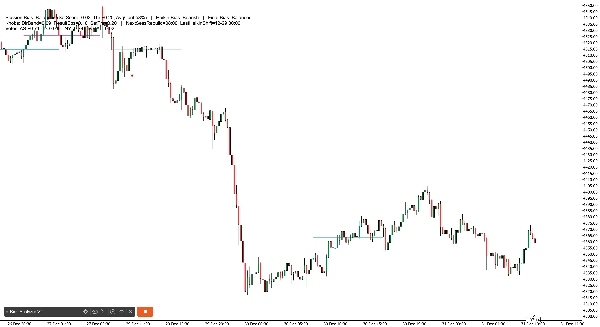
2) История линий POC сессий (на графике)
Робот рисует горизонтальные линии, показывающие POC (точку контроля) для недавних сессий:
- Отдельные линии для AS, LO, NY
- Рисует несколько “наборов истории” (по умолчанию 6), постепенно уменьшая яркость старых
3) Маркеры смены Heikin (на графике)
Когда уклон Heikin меняется, бот выводит маркеры:
- Смена из-за пробоя поворота использует ваш символ смены поворота (по умолчанию ●)
- Смена движком Inside использует ваш символ смены Inside (по умолчанию ◆)
- Цвета различаются по направлению и типу смены (чтобы вы могли понять “почему” произошла смена)
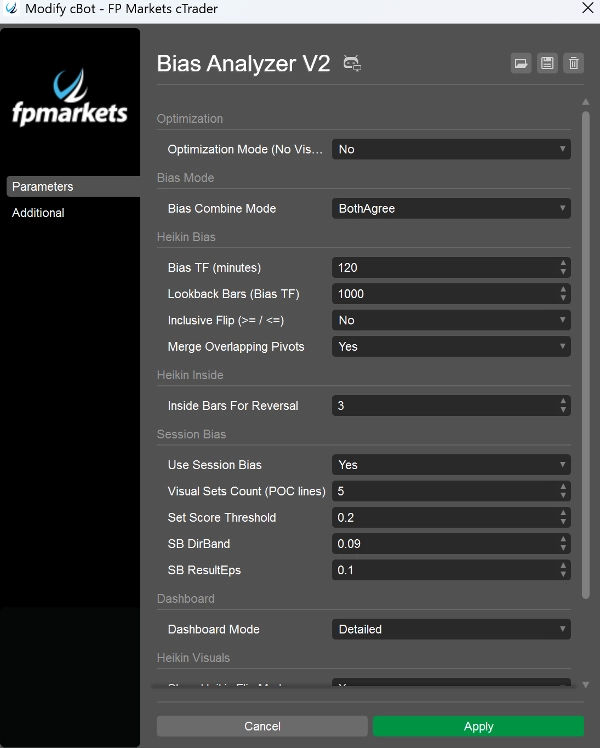
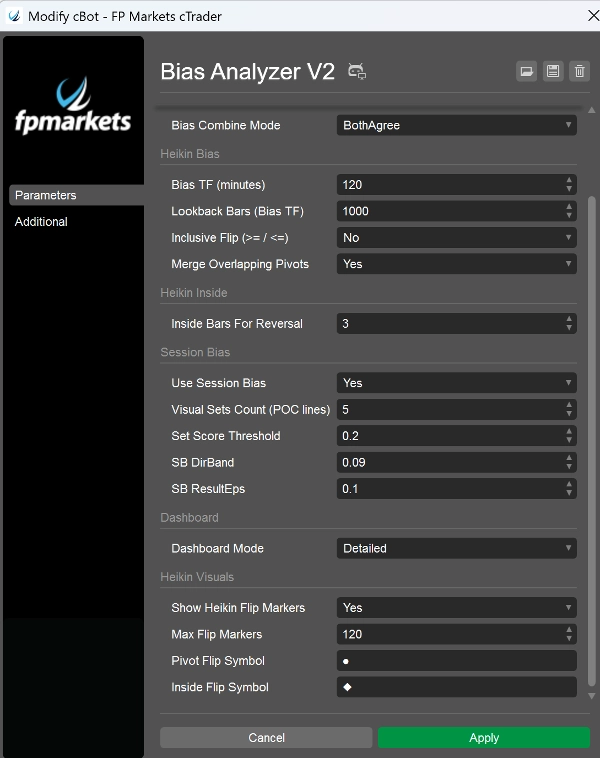
Параметры, которые имеют наибольшее значение (что выделить в вашей презентации)
- Bias TF (минуты): задаёт “якорный таймфрейм” для уклона Heikin (например, 240, 360, 720)
- MinInsideBarsForReversal: контролирует, насколько плотно должно быть сжатие, чтобы движок Inside мог сменить уклон
- Use Session Bias: включить/выключить движок сессии
- Visual Sets Count: сколько линий истории POC сохранять
- DirBand / ResultEps / SetScoreThreshold: контролирует строгость движка сессии
- Bias Combine Mode: определяет, насколько консервативен итоговый уклон
- Режим панели: BaseOnly против Detailed
- Режим оптимизации: отключает визуальные эффекты/логи для тестирования производительности