

คำอธิบาย
Risk Watch
ตรวจสอบการเปิดเผยการซื้อขายสดและความเสี่ยงในกรณีที่เลวร้ายที่สุดด้วยแดชบอร์ดความเสี่ยงแบบเรียลไทม์ที่ชัดเจนซึ่งสร้างขึ้นโดยตรงภายใน cTrader
Risk Watch เป็นปลั๊กอินตรวจสอบความเสี่ยงที่มีน้ำหนักเบาออกแบบมาเพื่อช่วยให้เทรดเดอร์เข้าใจ การเปิดเผยปัจจุบันและความเสี่ยงที่อาจเกิดขึ้นได้อย่างรวดเร็ว.
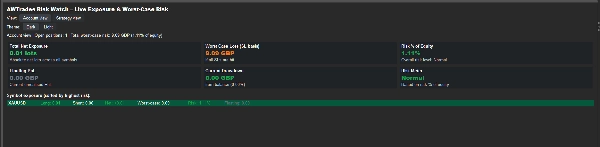
แทนที่จะคำนวณความเสี่ยงด้วยตนเองในหลายตำแหน่งที่เปิดอยู่ Risk Watch จะวิเคราะห์บัญชีของคุณโดยอัตโนมัติและแสดงเมตริกความเสี่ยงที่สำคัญที่สุดในแดชบอร์ดที่ชัดเจน มันเน้นการเปิดเผยโดยรวม การขาดทุนในกรณีที่เลวร้ายที่สุดหากหยุดขาดทุนถูกทริกเกอร์ กำไรหรือขาดทุนลอยตัว และความเข้มข้นในระดับสัญลักษณ์เพื่อให้คุณเห็นได้อย่างรวดเร็วว่ามีความเสี่ยงต่อบัญชีของคุณมากแค่ไหน
แดชบอร์ดจะรีเฟรชโดยอัตโนมัติ มอบมุมมองความเสี่ยงในการซื้อขายของคุณที่อัปเดตอย่างต่อเนื่องในขณะที่ตำแหน่งยังเปิดอยู่
คุณสมบัติหลัก
การตรวจสอบความเสี่ยงแบบสด
Risk Watch วิเคราะห์ตำแหน่งที่เปิดของคุณอย่างต่อเนื่องเพื่อแสดงการเปิดเผยปัจจุบันของคุณแบบเรียลไทม์
แดชบอร์ดจะอัปเดตโดยอัตโนมัติเพื่อแสดง:
• การเปิดเผยสุทธิรวมทั้งหมดในทุกสัญลักษณ์
• กำไรและขาดทุนลอยตัว
• การขาดทุนในกรณีที่เลวร้ายที่สุดตามหยุดขาดทุน
• การลดลงปัจจุบันจากยอดคงเหลือ
สิ่งนี้ช่วยให้คุณเข้าใจได้อย่างรวดเร็วว่าตำแหน่งที่เปิดของคุณส่งผลกระทบต่อบัญชีของคุณอย่างไร
การคำนวณความเสี่ยงในกรณีที่เลวร้ายที่สุด
ปลั๊กอินจะคำนวณ การขาดทุนสูงสุดที่อาจเกิดขึ้นหากหยุดขาดทุนทั้งหมดถูกทริกเกอร์, มอบมุมมองที่สมจริงของความเสี่ยงด้านลบ
สิ่งนี้ช่วยให้เทรดเดอร์เห็นได้อย่างชัดเจนว่า:
• ความเสี่ยงทางการเงินรวมทั้งหมดในตำแหน่ง
• ความเสี่ยงเป็นเปอร์เซ็นต์ของส่วนของเจ้าของบัญชี
• ระดับความเสี่ยงของบัญชีว่าปลอดภัย ปกติ หรือสูงขึ้น
มาตรวัดความเสี่ยง
Risk Watch จัดประเภทความเสี่ยงโดยรวมของบัญชีโดยอัตโนมัติตามเปอร์เซ็นต์ของส่วนของเจ้าของที่มีความเสี่ยงในปัจจุบัน
แดชบอร์ดจะแสดงการจัดประเภทความเสี่ยงอย่างง่าย เช่น:
• ปลอดภัย
• ปกติ
• สูงขึ้น
• ความเสี่ยงสูง
สิ่งนี้ให้สัญญาณภาพอย่างรวดเร็วว่าบัญชีของคุณมีตำแหน่งอย่างไรในขณะนี้
การแยกการเปิดเผยสัญลักษณ์
ดูอย่างชัดเจนว่าความเสี่ยงของคุณกระจุกตัวอยู่ที่ใดในตลาดต่างๆ
แผงสัญลักษณ์จะแสดง:
• การเปิดเผยระยะยาวต่อสัญลักษณ์
• การเปิดเผยระยะสั้นต่อสัญลักษณ์
• ขนาดตำแหน่งสุทธิ
• ความเสี่ยงในกรณีที่เลวร้ายที่สุดต่อสัญลักษณ์
• เปอร์เซ็นต์ความเสี่ยงของส่วนของเจ้าของ
• การมีส่วนร่วมของกำไรขาดทุนลอยตัว
สัญลักษณ์จะถูกจัดเรียงโดยอัตโนมัติตามความเสี่ยงสูงสุดเพื่อให้คุณสามารถระบุตำแหน่งที่สำคัญที่สุดได้อย่างรวดเร็ว
มุมมองบัญชีและกลยุทธ์
Risk Watch สามารถวิเคราะห์ความเสี่ยงทั่วทั้งบัญชีของคุณหรือเน้นเฉพาะระบบการซื้อขายเฉพาะ
เลือกได้ระหว่าง:
• มุมมองบัญชี – รวมตำแหน่งที่เปิดทั้งหมด
• มุมมองกลยุทธ์ – แสดงเฉพาะตำแหน่งที่มีป้ายกำกับ
สิ่งนี้ทำให้ง่ายขึ้นในการตรวจสอบความเสี่ยงของกลยุทธ์แต่ละรายการที่ทำงานภายในบัญชีเดียวกัน
อินเทอร์เฟซที่สะอาดและน้ำหนักเบา
Risk Watch ทำงานโดยตรงภายใน cTrader พร้อมแดชบอร์ดที่สะอาดออกแบบมาเพื่อการตีความอย่างรวดเร็ว
คุณสมบัติรวมถึง:
• ธีมมืดและสว่าง
• รีเฟรชอัตโนมัติทุกไม่กี่วินาที
• ระดับความเสี่ยงและตัวบ่งชี้การเปิดเผยที่มีรหัสสี
ผลลัพธ์คือภาพรวมที่ชัดเจนของความเสี่ยงสดของคุณโดยไม่ต้องใช้เครื่องมือภายนอกหรือสเปรดชีต
สร้างขึ้นสำหรับเทรดเดอร์ที่ต้องการมองเห็นความเสี่ยงที่ดีกว่า
Risk Watch เหมาะสำหรับเทรดเดอร์ที่ต้องการเข้าใจอย่างรวดเร็วว่ามีการเปิดเผยบัญชีของพวกเขามากแค่ไหนในขณะนี้
มันมีประโยชน์สำหรับ:
• เทรดเดอร์ด้วยตนเองที่จัดการหลายตำแหน่งที่เปิดอยู่
• เทรดเดอร์อัลกอริทึมที่รันกลยุทธ์หลายรายการพร้อมกัน
• ผู้ให้บริการสัญญาณที่ตรวจสอบการเปิดเผยในพอร์ตโฟลิโอ
• เทรดเดอร์ที่ต้องการมุมมองที่ชัดเจนขึ้นเกี่ยวกับความเสี่ยงบัญชีในกรณีที่เลวร้ายที่สุด
ทำงานร่วมกับเครื่องมือ AWTrades อื่นๆ:
Risk Watch เป็นส่วนหนึ่งของชุดเครื่องมือวิเคราะห์ AWTrades ที่กว้างขึ้นซึ่งออกแบบมาเพื่อช่วยให้เทรดเดอร์เข้าใจทั้ง ประสิทธิภาพและความเสี่ยง ได้อย่างชัดเจนยิ่งขึ้น
คุณสามารถรวมมันกับ:
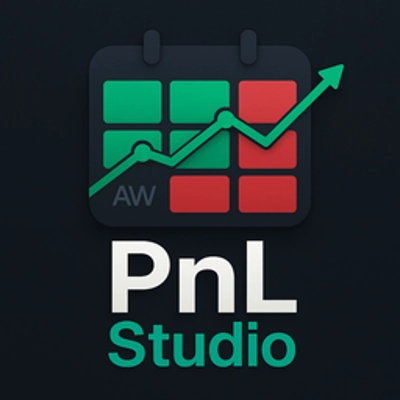
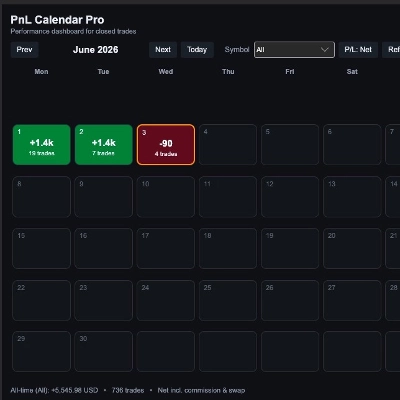
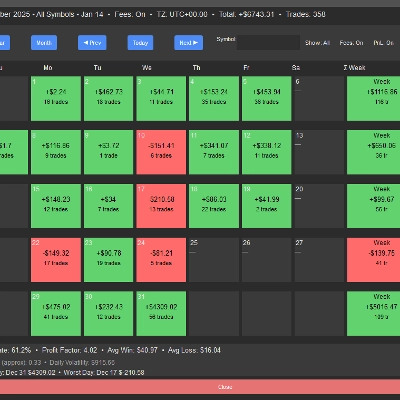
• PnL Studio – แดชบอร์ดประสิทธิภาพภาพที่เปลี่ยนประวัติการซื้อขายของคุณเป็นภาพรวมแบบปฏิทินสำหรับการวิเคราะห์วันซื้อขายและรูปแบบประสิทธิภาพ
• Trade Analytics – แดชบอร์ดวิเคราะห์ขั้นสูงที่เน้นคุณภาพทางสถิติและความแข็งแกร่งของขอบการซื้อขายของคุณ
เครื่องมือเหล่านี้ร่วมกันสร้างเวิร์กโฟลว์การซื้อขายที่สมบูรณ์ยิ่งขึ้น:
PnL Studio – การทบทวนประสิทธิภาพด้วยภาพ
Risk Watch – การตรวจสอบการเปิดเผยและความเสี่ยงแบบสด
Trade Analytics – การวิเคราะห์คุณภาพและความแข็งแกร่งของขอบ
ใช้งานง่าย
เมื่อทำการติดตั้งแล้ว เปิดแท็บ Risk Watch ภายใน cTrader เพื่อดูการเปิดเผยและความเสี่ยงของบัญชีของคุณในทันที
ไม่ต้องใช้ซอฟต์แวร์ภายนอก การส่งออก หรือการกำหนดค่าใดๆ
สรุป
รีวิวจากลูกค้า
การสนทนา
คำถามที่พบบ่อย





!["Custom Timeframes [Iridio Capital]" โลโก้](https://cdn.ctrader.com/image/webp/4d75a920-23c7-4fea-a7b5-594a9d067f2e_63286)
ราคา