present
Sign up and get $50 off your first purchase
Trading product for Session Trade Journal Pro Desktop plugin Session Filter Trade Journal, image 1
Session Trade Journal Pro
Desktop plugin
Version 1.0, Oct 2026
Windows, Mac
Trading product for Session Trade Journal Pro Desktop plugin Session Filter Trade Journal, image 2
Trading product for Session Trade Journal Pro Desktop plugin Session Filter Trade Journal, image 3
Trading product for Session Trade Journal Pro Desktop plugin Session Filter Trade Journal, image 4
Trading product for Session Trade Journal Pro Desktop plugin Session Filter Trade Journal, image 5
Trading product for Session Trade Journal Pro Desktop plugin Session Filter Trade Journal, image 6
Since 14/05/2026
161.59K
Traded volume
142.43K
Pips won
1.03K
Free installs

Description

Session Trade Journal Pro turns your cTrader closed-deal history into a clear monthly review inside a desktop custom frame. It helps you see when, where and how your results were produced. The plugin is read-only: it does not place, change or close orders.


Explore your history:

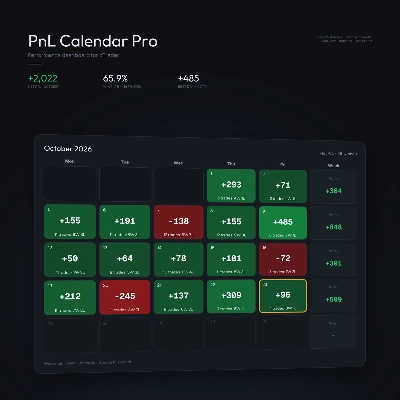
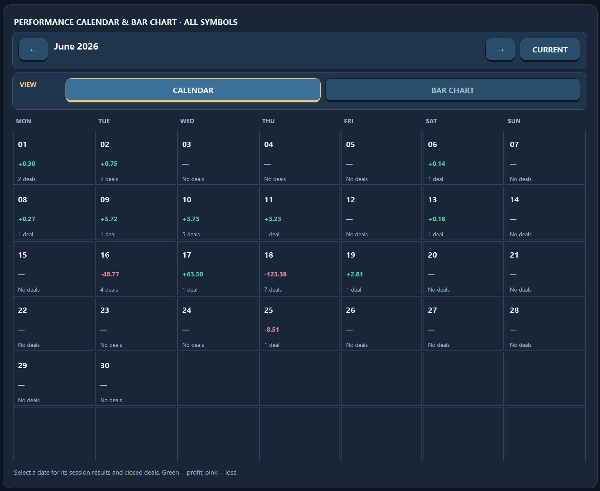
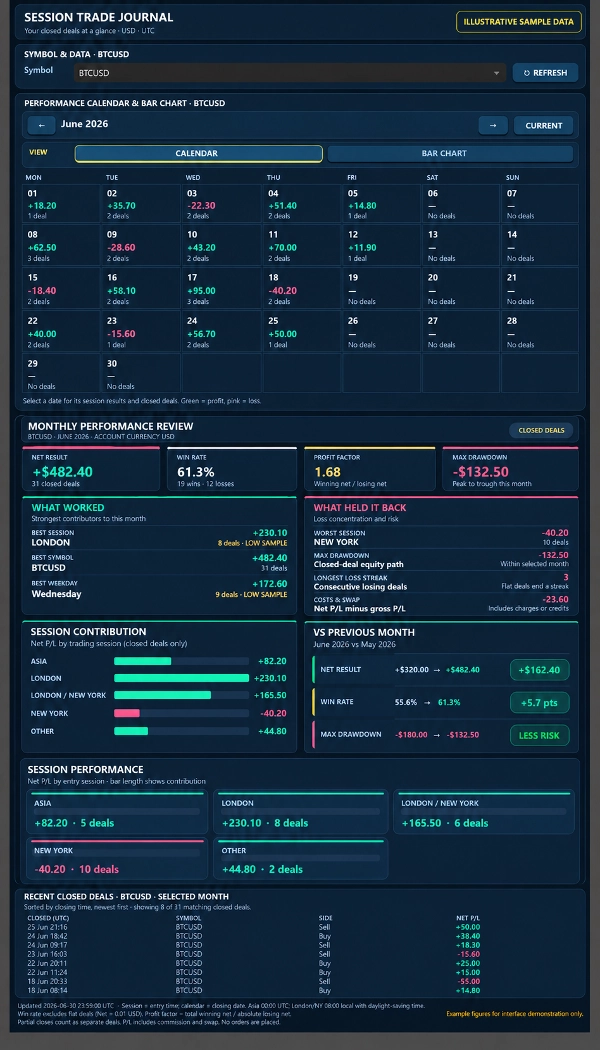
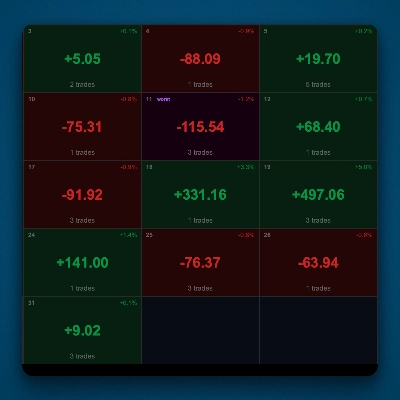
• Use the monthly calendar to see each day's net P/L and number of closed deals. Select a date to focus the session breakdown and recent-deal list on that day.

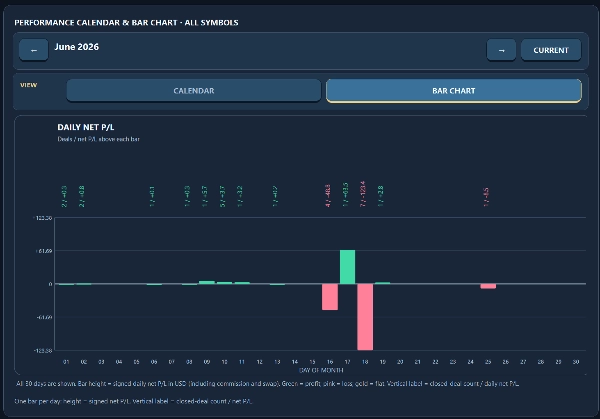
• Switch to the bar chart to compare signed net P/L across every day of the selected month. Each active day shows its deal count and net P/L.

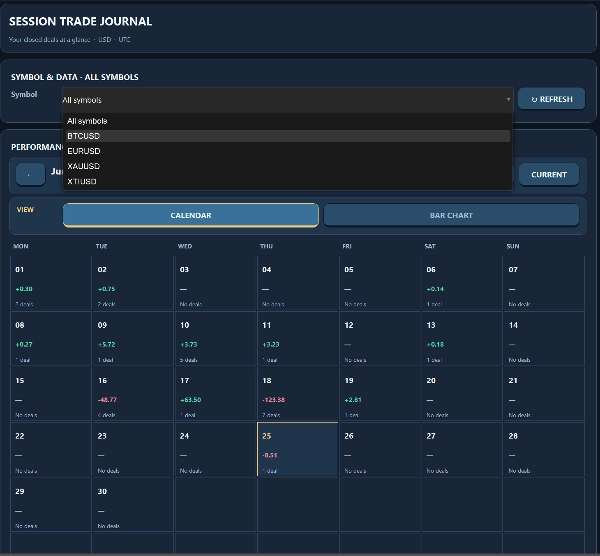
• Filter to one symbol or review all symbols. Move between months, return to the current month, and press Refresh to reload closed-deal history.


Understand the month:

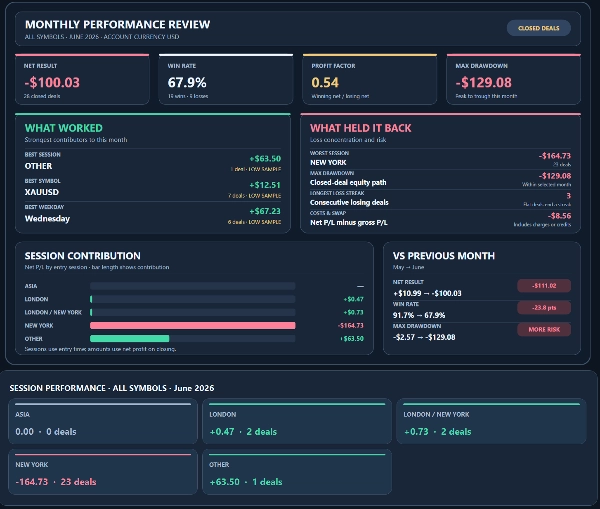
• The Monthly Performance Review shows net result, win rate, profit factor and maximum closed-deal drawdown.

• Find the strongest session, symbol and weekday; see the weakest session, longest losing-deal streak, and the combined effect of costs and swap.

• Compare session contributions and key metrics with the previous month. Segments with fewer than 10 deals are marked LOW SAMPLE.

• Review up to eight matching closed deals, sorted by closing time.


How the figures are calculated:

Calendar dates and monthly totals use UTC closing dates. Session analysis uses trade entry times. London and New York follow local session hours with daylight-saving time, and their overlap has a separate category. Net P/L includes commission and swap. The costs and swap figure is net P/L minus gross P/L. Monthly drawdown measures the largest peak-to-trough decline in cumulative closed-deal net P/L for the selected month and symbol; it does not include open positions or intratrade drawdown. Partial closes appear as separate deals.


Designed for traders who want to review historical performance by date, instrument and trading session. It uses the closed-deal history available in the connected cTrader account. No specific chart symbol or timeframe is required. Refresh is manual. This journal provides analysis, not trade signals or automated execution.


Trading involves risk. Past performance does not guarantee future results.

Summary

AI summary
Session Trade Journal Pro is a read-only plugin for cTrader that transforms closed-deal history into a detailed monthly performance review within a desktop custom frame. It provides a monthly calendar displaying each day’s net profit/loss (P/L) and number of closed deals, with the ability to select specific dates to view session breakdowns and recent deals. Users can switch to a daily bar chart to compare net P/L across days, filter by trading symbol, navigate between months, and manually refresh closed-deal data.

The Monthly Performance Review summarizes key metrics including net result, win rate, profit factor, and maximum closed-deal drawdown. It identifies strongest and weakest trading sessions, symbols, and weekdays, tracks longest losing streaks, and accounts for costs and swap effects. Comparisons with the previous month’s performance are available, with segments of fewer than 10 deals marked as low sample.

Calculations use UTC closing dates for calendar views and trade entry times for session analysis, covering London and New York sessions plus their overlap. Net P/L includes commissions and swaps; drawdown measures peak-to-trough declines in closed-deal net P/L within the month. Partial closes are treated as separate deals. This tool is designed for traders seeking historical performance insights by date, instrument, and session without automated trading or signal generation.
Plugin profile
Plugin category
Journal
Data access
History

Discussion

Customer reviews

0.0
Reviews: 0
Customer reviews
No reviews for this product yet. Already tried it? Be the first to tell others!

FAQ

Session Filter
Trade Journal
Trade Statistics
Products available through cTrader Store, including trading bots, indicators and plugins, are provided by third-party developers and made available for informational and technical access purposes only. cTrader Store is not a broker and does not provide investment advice, personal recommendations or any guarantee of future performance.

More from this author
Indicator
Volume
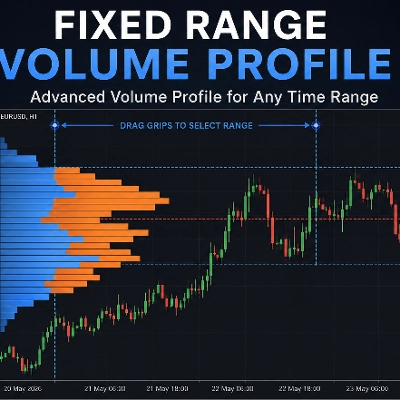
Fixed Range Volume Profile
Indicator
Volume
Key Levels
Interactive tick-volume profile with a draggable range box, sculpted histogram, and POC, VAH and VAL levels.
Indicator
Key Levels
Liquidity Grab
+1
Visualize Asia, London and New York sessions with range boxes, opening levels, prior-day highs/lows and sweep markers.

You may also like

Desktop plugin
Forex
Crypto
+4
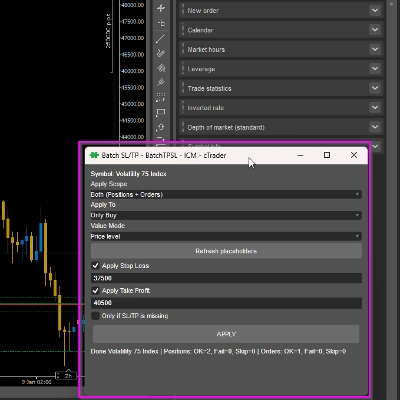
Apply Stop Loss and Take Profit to all positions and pending orders in one click.
Desktop plugin
Risk Alerts
Prop Firm Fit
+5
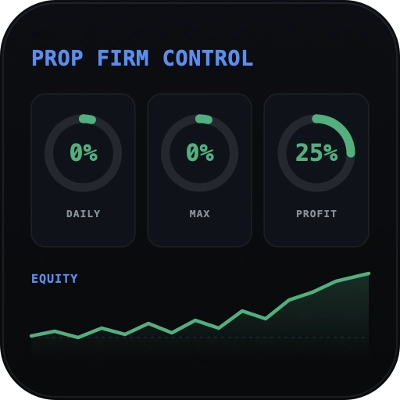
Read-only risk cockpit for prop-firm traders: live drawdown gauges, FTMO-style permitted loss, alerts and reports.
Desktop plugin
Market Scanner
Scan markets, compare timeframe bias, and track key SMC zones in a customizable desktop dashboard.
"TradeGuard" logo
Popular
4.6
(3)
$25
Desktop plugin
ATR
Prop
+5
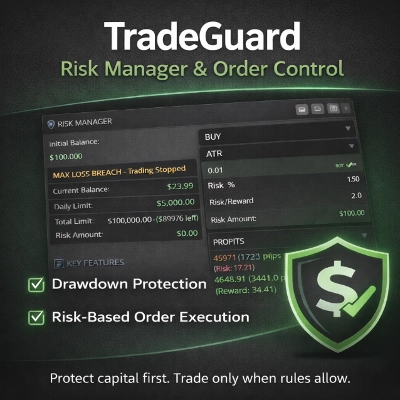
cTrader risk management plugin with daily & total drawdown limits, CBot control, and risk-based order execution.
Desktop plugin
Signal
Breakout
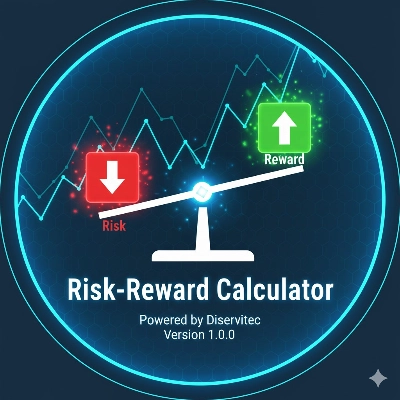
The Risk-Reward plugin is a tool to visualize a trading idea based on other analysis tools,
Desktop plugin
Risk/Reward
Chart UI Tools
+3
Visual cTrader backtesting tool with trade drawing, risk sizing, stats, and automatic trade simulation.
Desktop plugin
External Data
Trade Journal
+2
Real Quant Audit, Live equity, open-position risk and 24 quant tests on your full account. IS THE EDGE REAL?
Desktop plugin
Prop
Forex
+5
Place professional OCO & OSO orders in cTrader — visually, instantly, and without execution mistakes.
Desktop plugin
ATR
RSI
+24
One-click toggle for Positions / Pending Orders on cTrader charts with fixed on-chart warnings and an ASP control panel
Desktop plugin
File Access
Trade Journal
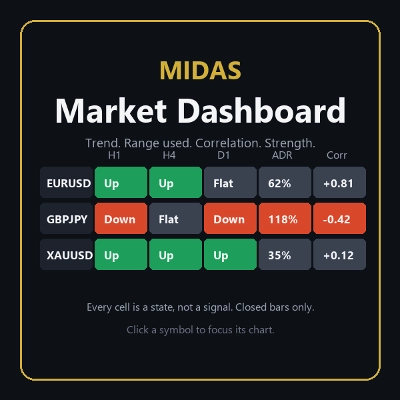
Your watchlist in one grid: trend on five timeframes, ADR used, correlation to the chart's symbol, currency strength.
Desktop plugin
Forex
Crypto
+3
Seconds | Ticks | Range | RangeY | Delta | Heikin-Ashi Bar types. Any size or Symbol.
Desktop plugin
SL Manager
Risk/Reward
+5
Drag SL & TP on the chart, see risk, reward, R:R and lot size live, then place Buy or Sell orders in one click
Desktop plugin
Forex
Commodities
Close all non crypto trades at 19:55 utc Friday
Desktop plugin
ECN-friendly
Chart UI Tools
Any timeframe cTrader lacks: seconds, minutes, hours, tick & range bars, Heikin-Ashi in the timeframe menu.
Desktop plugin
Prop
Forex
+4
Visual monthly trading journal that displays your performance day-by-day in a calendar view.
Desktop plugin
Risk Alerts
Trade Alerts
+3
Daily loss limits, profit giveback protection and scheduled trading breaks to help you stay disciplined.
Desktop plugin
Trade Journal
AI Integration
+1
Turn your closed-trade history into an at-a-glance monthly calendar and a deep performance dashboard.
Desktop plugin
Risk/Reward
Trade Journal
+5
cTrader Journal - Automatic Trade Capture. Offline Reviews. No Subscription.

Price

Since 14/05/2026
161.59K
Traded volume
142.43K
Pips won
1.03K
Free installs