present
ลงทะเบียนและรับส่วนลด $50 สำหรับการซื้อครั้งแรกของคุณ
Trading product for RiskGuard by Cold Execution ปลั๊กอินเดสก์ท็อป Daily Loss Limiter No Overtrading, image 1
RiskGuard by Cold Execution
ปลั๊กอินเดสก์ท็อป
เวอร์ชัน 1.0, Sep 2026
Windows, Mac
Trading product for RiskGuard by Cold Execution ปลั๊กอินเดสก์ท็อป Daily Loss Limiter No Overtrading, image 2
Trading product for RiskGuard by Cold Execution ปลั๊กอินเดสก์ท็อป Daily Loss Limiter No Overtrading, image 3
Trading product for RiskGuard by Cold Execution ปลั๊กอินเดสก์ท็อป Daily Loss Limiter No Overtrading, image 4
Trading product for RiskGuard by Cold Execution ปลั๊กอินเดสก์ท็อป Daily Loss Limiter No Overtrading, image 5
Trading product for RiskGuard by Cold Execution ปลั๊กอินเดสก์ท็อป Daily Loss Limiter No Overtrading, image 6
ตั้งแต่ 16/01/2026

คำอธิบาย

Set your limits before emotions take over.

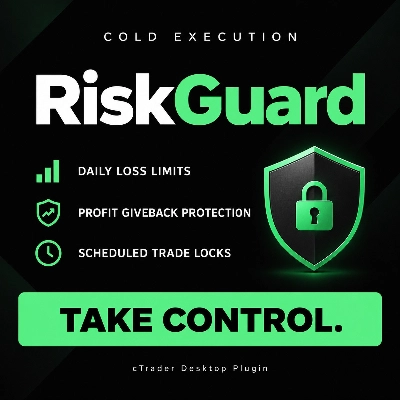
RiskGuard by Cold Execution helps you follow your trading rules when losses build up or you start giving back the day’s profits. Designed for cTrader Desktop, it adds practical controls to help curb revenge trading and enforce planned breaks.

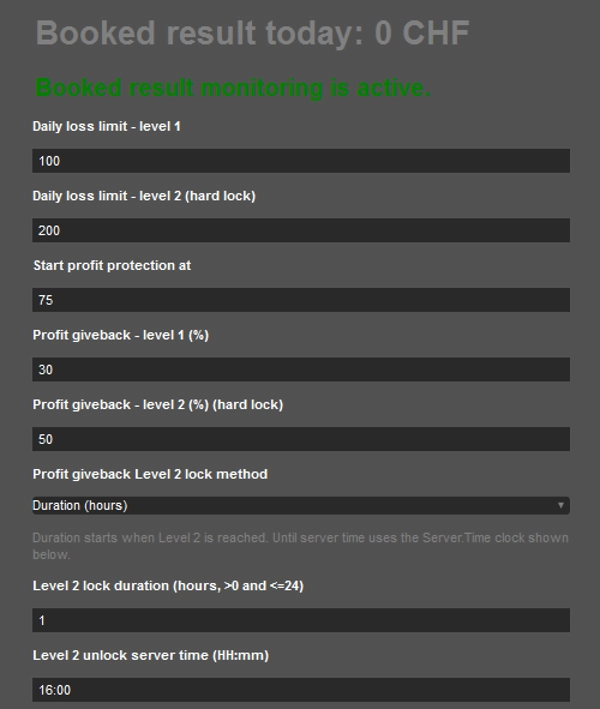
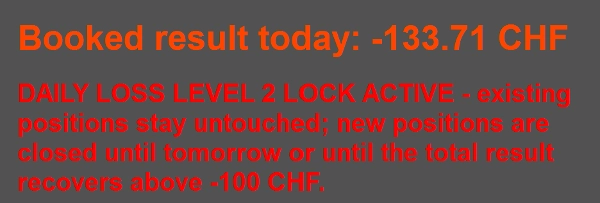
  • Two-level daily loss limits: configure a first-level break and a second-level daily lock.
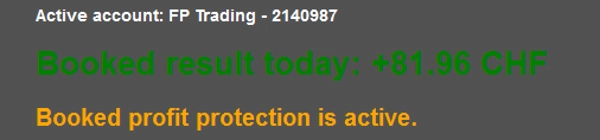
  • Profit giveback protection: trigger alerts and lockouts after giving back a chosen percentage of your peak realised daily profit.
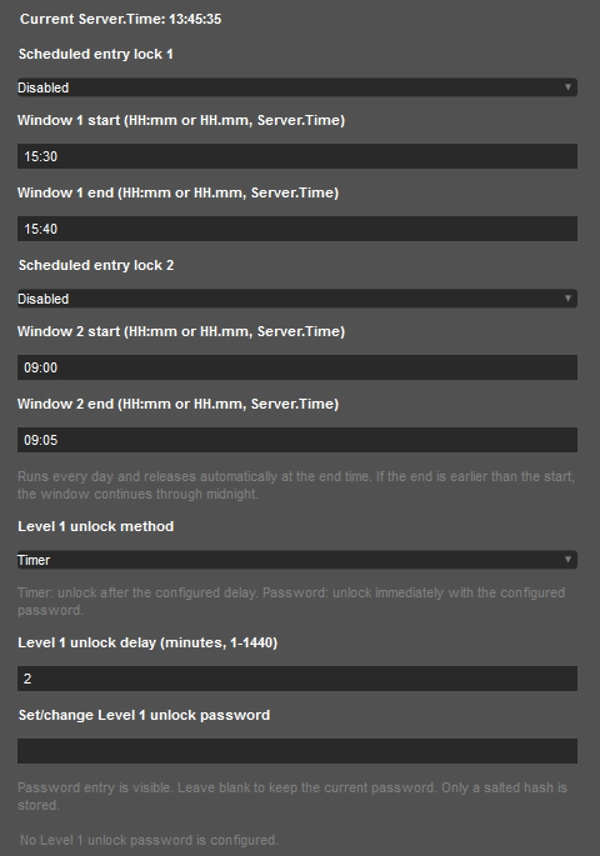
  • Scheduled trading breaks: configure up to two daily entry-lock windows.
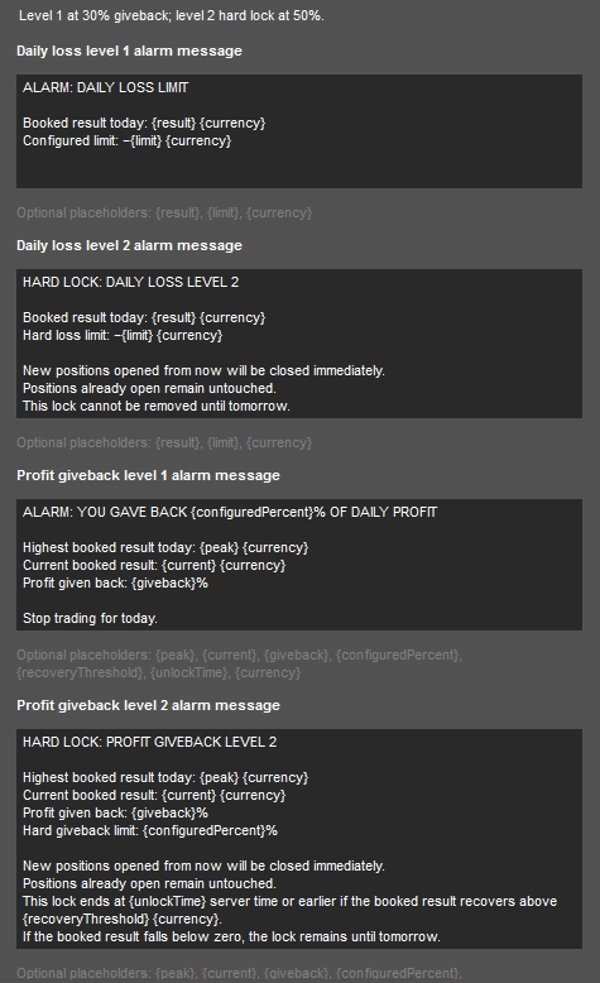
  • Flexible controls: customise alert messages and unlock Level 1 using a timer or password.

Locks apply to newly opened positions on the active account, including manual trades, mobile trades, cBot entries and triggered pending orders. Positions opened during a lock are automatically closed after entry. Positions already open before the lock remain unchanged.

Monitoring uses the current day’s realised P/L from closed trades. Floating profits and losses are excluded.

Requires cTrader Desktop to remain running and connected, with RiskGuard active and trading permission enabled.

Quick Start

  1. Install and activate: Install RiskGuard from cTrader Store. Open cTrader Desktop using the same cTrader ID, select the account you want to monitor, and open the RiskGuard panel. Enable the plugin and grant trading permission.
  2. Set daily loss limits: Enter your Level 1 and Level 2 loss limits as positive amounts in your account currency.
  3. Configure profit protection: Set the realised profit amount at which protection starts, then choose the percentage of peak daily profit you allow yourself to give back at each level.
  4. Configure unlocking and breaks: Choose a timer or password for Level 1 unlocking. Select the Level 2 profit giveback lock method and its duration or unlock time. Optionally enable up to two scheduled entry-lock windows, using the Server.Time clock displayed in the panel.
  5. Check before use: Confirm that monitoring is active and the correct account is displayed. Test your settings on a demo account before using them live.

Keep cTrader Desktop running and connected, with RiskGuard active and trading permission enabled.

สรุป

สรุปโดย AI
RiskGuard by Cold Execution is a risk management plugin designed for cTrader Desktop to help traders maintain discipline by enforcing daily loss limits, profit protection, and scheduled trading breaks. It features two configurable daily loss thresholds: a first-level break and a second-level daily lock, which restrict new position entries once limits are reached. The plugin also monitors realized daily profits and triggers alerts or locks if a specified percentage of peak profit is given back, helping to prevent profit erosion. Users can set up to two daily entry-lock windows for scheduled breaks. Flexible controls allow customization of alert messages and unlocking methods, including timers or passwords. Locks apply to all new trades on the active account, including manual, mobile, cBot, and pending orders, while existing open positions remain unaffected. Monitoring is based on realized profit and loss from closed trades only. RiskGuard requires cTrader Desktop to be running and connected with trading permissions enabled. The setup involves installing the plugin, configuring loss limits, profit protection parameters, unlocking options, and scheduled breaks. This tool supports risk control by limiting overtrading and managing emotional trading behaviors through automated enforcement of predefined trading rules.
โปรไฟล์ปลั๊กอิน
หมวดหมู่ปลั๊กอิน
การจัดการความเสี่ยง
การเข้าถึงข้อมูล
โพสิชัน
บัญชี
ประวัติ
การควบคุมความเสี่ยงที่รองรับ
ตัวกรองเซสชัน
ขีดจำกัดรายวัน

รีวิวจากลูกค้า

0.0
รีวิว: 0
รีวิวจากลูกค้า
ยังไม่มีรีวิวสำหรับผลิตภัณฑ์นี้ หากเคยลองแล้ว ขอเชิญมาเป็นคนแรกที่บอกคนอื่น!

การสนทนา

คำถามที่พบบ่อย

Daily Loss Limiter
No Overtrading
Risk Alerts
Daily Loss Limit
Trade Alerts
ผลิตภัณฑ์ที่มีให้บริการผ่าน cTrader Store รวมถึงบอทการเทรด อินดิเคเตอร์ และปลั๊กอิน มีให้บริการโดยนักพัฒนาบุคคลที่สามและมีไว้เพื่อวัตถุประสงค์ในการเข้าถึงข้อมูลและทางเทคนิคเท่านั้น cTrader Store ไม่ใช่โบรกเกอร์และไม่ได้ให้คำแนะนำการลงทุน คำแนะนำส่วนบุคคล หรือการรับประกันผลการดำเนินงานในอนาคต

นอกจากนี้คุณยังอาจชอบ

"Performance Calendar" โลโก้
ยอดนิยม
4.0
(1)
ปลั๊กอินเดสก์ท็อป
Prop
Forex
+4
Visual monthly trading journal that displays your performance day-by-day in a calendar view.
ปลั๊กอินเดสก์ท็อป
ATR
RSI
+24
One-click toggle for Positions / Pending Orders on cTrader charts with fixed on-chart warnings and an ASP control panel
ปลั๊กอินเดสก์ท็อป
Forex
Commodities
Close all non crypto trades at 19:55 utc Friday
ปลั๊กอินเดสก์ท็อป
Risk/Reward
Chart UI Tools
+3
Visual cTrader backtesting tool with trade drawing, risk sizing, stats, and automatic trade simulation.
ปลั๊กอินเดสก์ท็อป
Break Even
Fixed Risk %
+5
Chart-based risk sizing, Entry/SL/TP planning and user-confirmed market or pending orders for cTrader Desktop.
"TradeGuard" โลโก้
ยอดนิยม
4.6
(3)
ปลั๊กอินเดสก์ท็อป
ATR
Prop
+5
cTrader risk management plugin with daily & total drawdown limits, CBot control, and risk-based order execution.
"BatchTPSL" โลโก้
ยอดนิยม
4.5
(2)
ปลั๊กอินเดสก์ท็อป
Forex
Crypto
+4
Apply Stop Loss and Take Profit to all positions and pending orders in one click.
ปลั๊กอินเดสก์ท็อป
Trade Journal
AI Integration
+1
#1 Trade Journal, PnL analytics, bot monitoring and strategy statistics.
"AI Trading Agent" โลโก้
ยอดนิยม
4.3
(3)
ปลั๊กอินเดสก์ท็อป
AI
Forex
+5
ChatGPT AI Trading Agent, predict market moves, detect trends, and execute profitable trades. free trial is available.
"wt.UNiRENKO" โลโก้
ยอดนิยม
5.0
(2)
ปลั๊กอินเดสก์ท็อป
Forex
Signal
+2
Adaptive Renko chart builder for precise, flexible trading - ideal for both scalping and trend analysis.
ปลั๊กอินเดสก์ท็อป
Trade Journal
AI Integration
+1
Turn your closed-trade history into an at-a-glance monthly calendar and a deep performance dashboard.
ปลั๊กอินเดสก์ท็อป
Prop
Forex
+5
Place professional OCO & OSO orders in cTrader — visually, instantly, and without execution mistakes.
ปลั๊กอินเดสก์ท็อป
Market Scanner
An 8-currency strength ranking, multi-TF heatmap & impulse tracker — read the real driver at a glance. Read-only.
ปลั๊กอินเดสก์ท็อป
Signal
Breakout
The Risk-Reward plugin is a tool to visualize a trading idea based on other analysis tools,

ราคา

ตั้งแต่ 16/01/2026