คำอธิบาย
Take Full Control of Your Risk & Trade Execution
Position Planner is a powerful and versatile cTrader cBot designed for Forex and CFD traders who want precise risk management, fast execution, and clear visual trade planning directly on the chart.
Whether you trade breakouts, trend continuations, or reversals, Position Planner helps eliminate manual calculations and makes trade management faster and easier.
Key Features
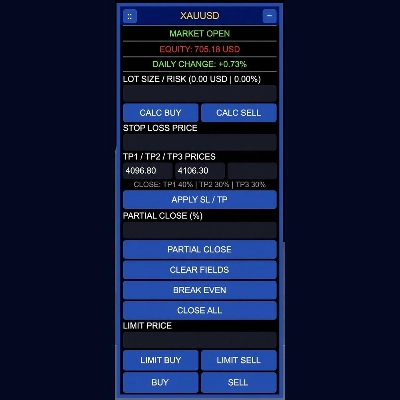
- Instant Lot Size & Risk Calculation: Automatically calculates position size based on your account balance, risk percentage, and Stop Loss distance.
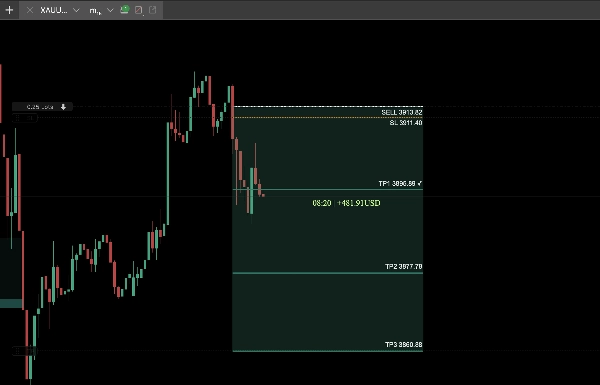
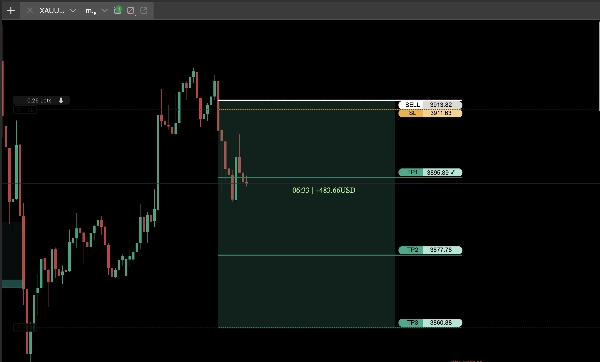
- Multi-Target Take Profit (TP1, TP2, TP3): Split your trades across multiple profit targets with customizable volume percentages to secure profits gradually.
- Automated Break Even: Automatically moves your Stop Loss to your entry price, with an optional pip buffer, once TP1 is reached.
- Customizable Pip Settings: Adjust pip settings to match your broker's specifications. Stop Loss and Take Profit distances are calculated according to your configured pip settings, providing flexibility across different brokers and instruments.
- One-Click Trade Management:
- Break Even: Move Stop Loss to your entry price instantly.
- Partial Close: Close any custom percentage of an open position.
- Close All: Close all open positions on the selected symbol.
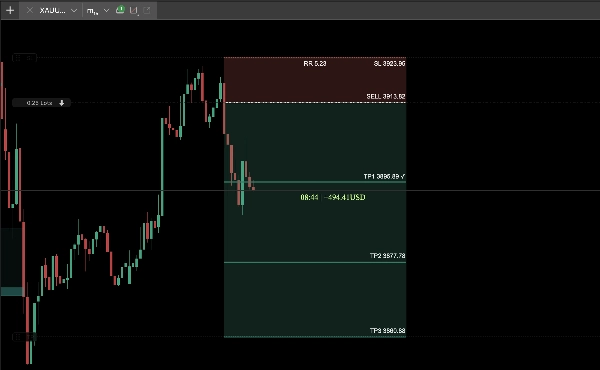
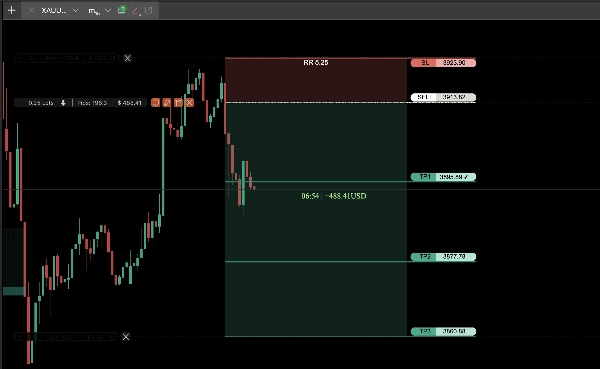
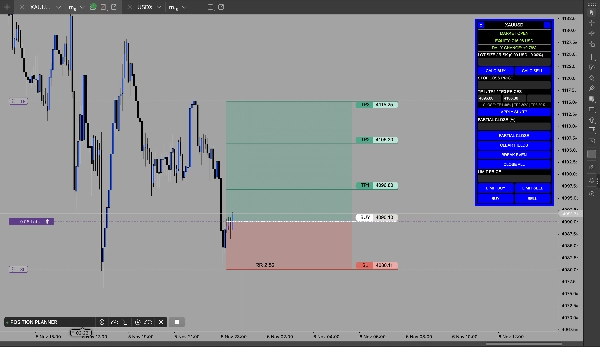
- Interactive Chart Visuals: Displays entry price, Stop Loss, Take Profit levels, and risk-to-reward ratio directly on the chart. Easily adjust levels using draggable lines.
- Flexible Order Execution: Switch between Market Execution and Limit Orders while maintaining your calculated risk parameters.
- Customizable Interface: Move, minimize, and customize the panel with different color themes and sizes (Tiny, Small, Medium, Big).
Why Choose Position Planner?
Save time, reduce manual errors, avoid emotional trading decisions, and maintain consistent risk management.
Position Planner brings essential trade planning and management tools together in one clean, easy-to-use interface directly on your cTrader chart.
Pip Settings – Important Information
Different brokers and instruments may use different pip sizes, tick sizes, and decimal precisions. Position Planner allows you to customize pip settings to match your trading environment.
Incorrect settings may result in unintended Stop Loss and Take Profit distances. Always verify your settings and check order levels before trading. Broker restrictions, such as minimum stop distances and volume limits, still apply.
We recommend testing your configuration on a demo account before using real funds.
Important Disclaimer – Risk Warning
Position Planner does NOT guarantee profits or positive trading results.
Forex and CFD trading involve significant financial risks and may result in the loss of capital. Position Planner is designed to assist with trade execution and risk management but cannot eliminate market risks or prevent losses.
Users are solely responsible for their trading decisions, settings, and order execution. Calculated risk levels and projected profit targets do not guarantee actual results.
Position Planner is a trade management and risk management tool – not financial advice or a guarantee of profits or financial success.
สรุป
Users can customize pip settings to align with their broker’s specifications, ensuring accurate stop loss and take profit distances across different instruments. The interface offers one-click trade management actions including break even adjustment, partial position closing, and closing all positions on a symbol. Interactive chart visuals display entry price, stop loss, take profit levels, and risk-to-reward ratios, with draggable lines for easy adjustment. Position Planner supports flexible order execution modes, switching between market and limit orders while maintaining risk parameters. The customizable panel allows resizing, repositioning, and color theme changes to suit user preferences. This tool integrates essential trade planning and management features to streamline risk control and execution on the cTrader platform.