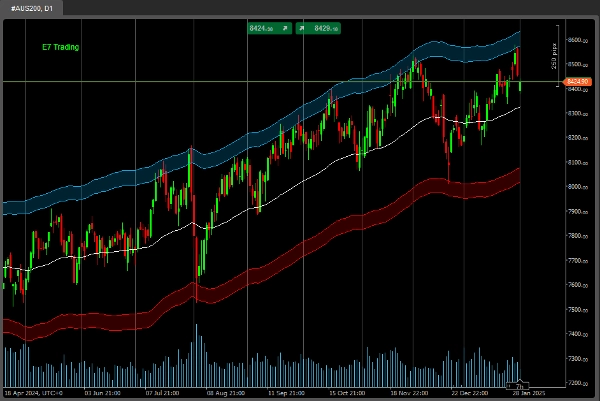
Descrizione
Come richiesto da molti di voi, ora stiamo lavorando duramente per fornire esempi di alcuni dei nostri codici e pacchetti di machine learning.
TensorFlow, PyTorch, Keras, Numpy, Pandas e molti altri pacchetti .NET per iniziare all'interno di cTrader.
La nostra missione è rendere il Machine Learning all'interno di cTrader più facile per tutti.
Buona caccia!
*** Questo codice non esegue alcuna operazione di trading (stampa solo dati ecc.). È semplicemente un codice di esempio su come puoi iniziare a creare i tuoi modelli AI utilizzando i nostri pacchetti di Machine Learning.
.......................................................
using System;
using System.Collections.Generic;
using System.Linq;
using System.Text;
using cAlgo.API;
using cAlgo.API.Collections;
using cAlgo.API.Indicators;
using cAlgo.API.Internals;
using NumSharp;
using np = NumSharp.np;
using Shape = NumSharp.Shape;
using PandasNet;
using static PandasNet.PandasApi;
namespace cAlgo.Robots
{
[Robot(TimeZone = TimeZones.UTC, AccessRights = AccessRights.None)]
public class E7BBKGNumSharpSample : Robot
{
[Parameter("Version 1.01", DefaultValue = "Version 1.01")]
public string Version { get; set; }
[Parameter("Source")]
public DataSeries Source { get; set; }
[Parameter("Bars Required", DefaultValue = 50, MinValue = 1, MaxValue = 10000, Step = 1)]
public int BarsRequired { get; set; }
[Parameter("Method Name", DefaultValue = MethodName.DataSplitPrints)]
public MethodName Mode { get; set; }
public enum MethodName
{
DataSplitPrints,
PandasPrints,
NDArrayPrints
}
protected override void OnStart()
{
// Inizializza eventuali indicatori
}
protected override void OnBar()
{
try
{
if (Mode == MethodName.DataSplitPrints)
{
DataSplitPrints();
}
else if (Mode == MethodName.PandasPrints)
{
PandasPrints();
}
else if (Mode == MethodName.NDArrayPrints)
{
NDArrayPrints();
}
}
catch (Exception ex)
{
Print($"Errore: {ex.Message}");
if (ex.InnerException != null)
{
Print($"Eccezione Interna: {ex.InnerException.Message}");
throw;
}
}
}
private float[,] GetDataSet()
{
int startBar = Bars.ClosePrices.Count - BarsRequired;
float[,] inputSignals = new float[BarsRequired, 5];
for (int i = 0; i < BarsRequired; i++)
{
int barIndex = startBar + i;
inputSignals[i, 0] = (float)Bars.OpenPrices[barIndex];
inputSignals[i, 1] = (float)Bars.HighPrices[barIndex];
inputSignals[i, 2] = (float)Bars.LowPrices[barIndex];
inputSignals[i, 3] = (float)Bars.ClosePrices[barIndex];
inputSignals[i, 4] = (float)Bars.TickVolumes[barIndex];
}
return inputSignals;
}
private float[,] GetTargetDataSet()
{
int startBar = Bars.ClosePrices.Count - BarsRequired;
float[,] inputSignals = new float[BarsRequired, 5];
for (int i = 0; i < BarsRequired; i++)
{
int barIndex = startBar + i;
inputSignals[i, 0] = (float)Bars.OpenPrices[barIndex];
inputSignals[i, 1] = (float)Bars.HighPrices[barIndex];
inputSignals[i, 2] = (float)Bars.LowPrices[barIndex];
inputSignals[i, 3] = (float)Bars.ClosePrices[barIndex];
inputSignals[i, 4] = (float)Bars.TickVolumes[barIndex];
}
return inputSignals;
}
/// Stampa NumSharp Data Split
public void DataSplitPrints()
{
// Rimodella i dati di input per corrispondere alla forma di input prevista dal modello
//var inputShape = new Shape(-1, BarsRequired, 5);
NDArray inputData = np.array<float>(GetDataSet());
Print("NDarray di input: " + string.Join(", ", inputData));
// Rimodella i dati target per corrispondere alla forma target prevista dal modello
//var targetShape = new Shape(-1, 5);
NDArray targetData = np.array<float>(GetTargetDataSet());
Print("NDarray target: " + string.Join(", ", targetData));
// Dividi i dati in set di addestramento e di test
int testSize = (int)(0.2 * inputData.shape[0]); // 20% per il test
var (x_train, x_test) = (inputData[$":{inputData.shape[0] - testSize}"], inputData[$"{inputData.shape[0] - testSize}:"]);
var (y_train, y_test) = (targetData[$":{targetData.shape[0] - testSize}"], targetData[$"{targetData.shape[0] - testSize}:"]);
Print("Dati X_train: " + string.Join(", ", x_train));
Print("Dati X_test: " + string.Join(", ", x_test));
Print("Dati Y_train: " + string.Join(", ", y_train));
Print("Dati Y_test: " + string.Join(", ", y_test));
}
/// Stampa PandasNet
public void PandasPrints()
{
// Converti float[,] in List<Series>
var inputData = GetDataSet();
var targetData = GetTargetDataSet();
var inputSeriesList = new List<Series>();
var targetSeriesList = new List<Series>();
for (int col = 0; col < inputData.GetLength(1); col++)
{
List<float> columnData = new List<float>();
for (int row = 0; row < inputData.GetLength(0); row++)
{
columnData.Add(inputData[row, col]);
}
inputSeriesList.Add(new Series(columnData.ToArray()));
}
for (int col = 0; col < targetData.GetLength(1); col++)
{
List<float> columnData = new List<float>();
for (int row = 0; row < targetData.GetLength(0); row++)
{
columnData.Add(targetData[row, col]);
}
targetSeriesList.Add(new Series(columnData.ToArray()));
}
// Crea DataFrame
DataFrame inputDataFrame = new DataFrame(inputSeriesList);
DataFrame targetDataFrame = new DataFrame(targetSeriesList);
Print("DataFrame di input: " + inputDataFrame);
Print("DataFrame target: " + targetDataFrame);
//Print("Input DataFrame: " + string.Join(", ", inputDataFrame));
//Print("Target DataFrame: " + string.Join(", ", targetDataFrame));
}
/// Semplici stampe NumSharp NDArrays
public void NDArrayPrints()
{
if (Bars.ClosePrices.Count < BarsRequired)
return;
try
{
// Chiamata ai tuoi dati di input float[,]
float[,] inputData = GetDataSet();
// Converti in NDArray e rimodella in (BarsRequired, 5)
NDArray inputNDArray = np.array(inputData); // NumSharp
Print("Dati NDarray NumSharp di input : " + string.Join(", ", inputNDArray));
Print("Forma NDarray NumSharp di input: " + string.Join(", ", inputNDArray.shape));
int expectedLength = BarsRequired * 5;
Print($"Lunghezza NDarray NumSharp prevista: {expectedLength}");
Print($"Dimensione NDarray NumSharp di input: {inputNDArray.size}");
if (inputNDArray.size != expectedLength)
{
Print($"Disallineamento lunghezza: Lunghezza prevista {expectedLength}, ma dimensione ottenuta {inputNDArray.size}");
return;
}
}
catch (Exception ex)
{
Print("Eccezione: " + ex.Message);
Print("StackTrace: " + ex.StackTrace);
Exception innerException = ex.InnerException;
while (innerException != null)
{
Print("Eccezione Interna: " + innerException.Message);
Print("StackTrace Eccezione Interna: " + innerException.StackTrace);
innerException = innerException.InnerException;
}
}
}
}
}
Riepilogo
Key functionalities include:
- Data extraction from market bars (open, high, low, close prices, and tick volumes) over a configurable number of bars.
- Conversion of this data into formats compatible with machine learning workflows, including NumSharp NDArrays and Pandas DataFrames.
- Methods to split data into training and testing sets, and to print these datasets for inspection.
- Three operational modes selectable via parameters: DataSplitPrints, PandasPrints, and NDArrayPrints, each demonstrating different data handling approaches.
This sample code aims to facilitate machine learning development inside cTrader by providing foundational examples of data preparation and manipulation using popular ML libraries in a .NET context.