คำอธิบาย
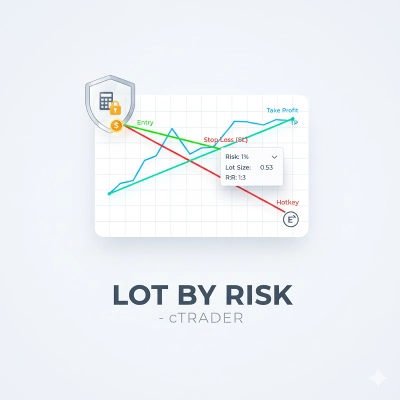
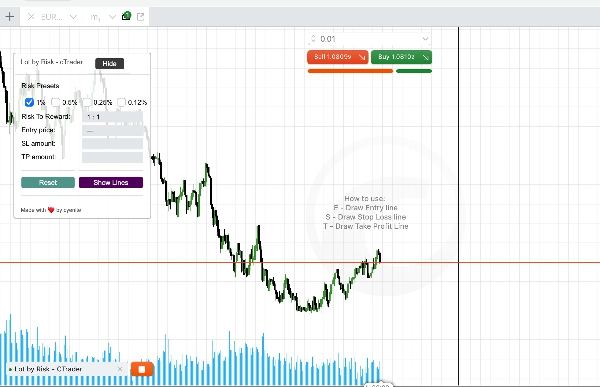
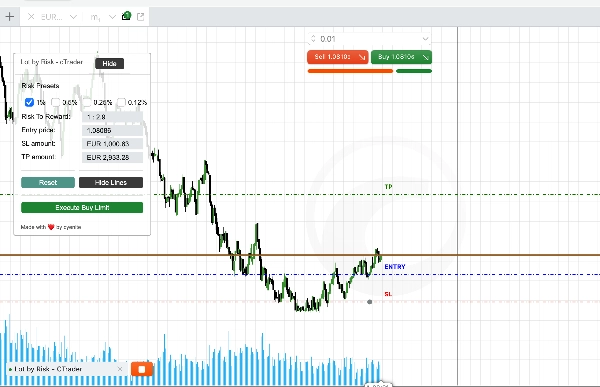
The Lot by Risk - cTrader cBot ถูกออกแบบมาเพื่อช่วยผู้ซื้อขายในการจัดการความเสี่ยงอย่างมีประสิทธิภาพในขณะทำการซื้อขาย cBot นี้มีฟีเจอร์ต่าง ๆ เพื่อกำหนดพารามิเตอร์ความเสี่ยง วาดเส้นการซื้อขายบนกราฟ และโต้ตอบกับเส้นเหล่านี้เพื่อวางคำสั่งซื้อขาย ใช้งานง่ายและช่วยเพิ่มประสบการณ์การซื้อขายโดยให้ส่วนติดต่อที่เป็นภาพและโต้ตอบได้สำหรับการจัดการความเสี่ยง
คุณสมบัติ
1. การจัดการความเสี่ยง:
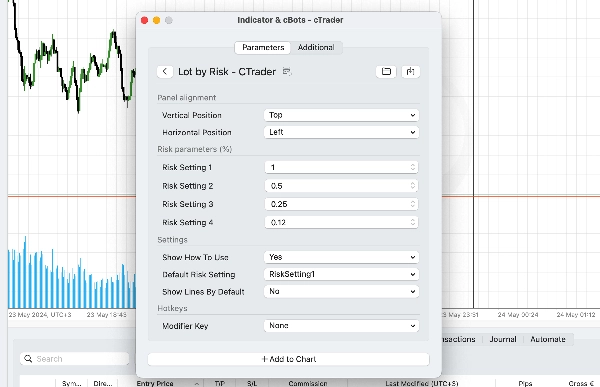
• กำหนดเปอร์เซ็นต์ความเสี่ยงที่แตกต่างกัน (เช่น 1%, 0.5%, 0.25%, 0.12%) และเลือกการตั้งค่าความเสี่ยงเริ่มต้น
• แสดงอัตราส่วนความเสี่ยงต่อผลตอบแทนตามเส้นเข้า, หยุดขาดทุน และทำกำไร
• คำนวณขนาดล็อตโดยอัตโนมัติตามเปอร์เซ็นต์ความเสี่ยงที่เลือก
2. เส้นการซื้อขายแบบโต้ตอบ:
• วาดเส้นเข้า, หยุดขาดทุน (SL) และทำกำไร (TP) บนกราฟโดยตรง
• เลื่อนเส้นแบบโต้ตอบเพื่ออัปเดตพารามิเตอร์การซื้อขาย
• ปุ่มลัดสำหรับการวาดเส้นอย่างรวดเร็ว
3. แผงควบคุมการซื้อขาย:
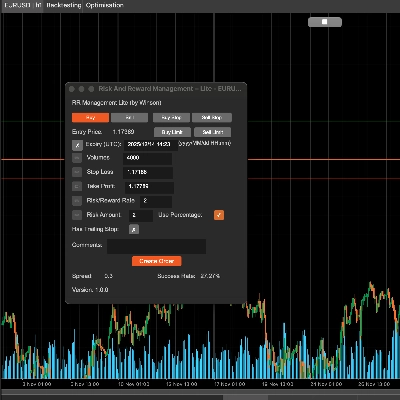
• แผงควบคุมการซื้อขายที่แสดงการตั้งค่าการซื้อขายปัจจุบันและจำนวนความเสี่ยง/กำไร
• ตัวเลือกในการแสดง/ซ่อนและรีเซ็ตเส้นเพื่อการจัดการกราฟที่ดีขึ้น
• ย่อและขยายแผงควบคุมเพื่อการซื้อขายที่มีสมาธิ
วิธีการใช้งาน
1. การตั้งค่าพารามิเตอร์
• ขั้นตอนที่ 1: เปิดการตั้งค่า Lot by Risk - cTrader cBot
• ขั้นตอนที่ 2: ปรับเปอร์เซ็นต์ความเสี่ยงตามกลยุทธ์การซื้อขายของคุณ
• ขั้นตอนที่ 3: เลือกการตั้งค่าความเสี่ยงเริ่มต้น
• ขั้นตอนที่ 4: เลือกปุ่มลัดที่ต้องการสำหรับการวาดเส้นเข้า, SL และ TP บนกราฟของคุณ
• ขั้นตอนที่ 3: เพิ่ม cBot ลงในกราฟของคุณ
2. การวาดเส้นการซื้อขาย
ปุ่มลัด:
• กดปุ่มลัดที่ตั้งค่าไว้เพื่อวาดเส้นเข้า, SL และ TP
• ปุ่มเริ่มต้น: E สำหรับเข้า, S สำหรับ SL, T สำหรับ TP
• สามารถตั้งค่าปุ่มตัวแก้ไขสำหรับการกดปุ่มผสมได้
เส้นแบบโต้ตอบ:
• ปรับเส้นบนกราฟเพื่อกำหนดระดับเข้า, หยุดขาดทุน และทำกำไรที่ต้องการ
• cBot จะคำนวณขนาดล็อตโดยอัตโนมัติตามเปอร์เซ็นต์ความเสี่ยงและอัปเดตแผงควบคุม
สรุป
Key features include interactive trading lines for Entry, Stop Loss (SL), and Take Profit (TP) that can be drawn and adjusted on the chart using configurable hotkeys (default: E for Entry, S for SL, T for TP). The cBot automatically calculates appropriate lot sizes according to the selected risk percentage and updates a trading panel that shows current trade settings along with risk and profit amounts.
The trading panel offers options to show, hide, reset lines, and can be minimized or maximized for better chart management. This tool supports multiple markets including Forex, Indices, Commodities, Crypto, and Stocks, providing a visual and interactive interface to enhance risk management during trading.
รีวิวจากลูกค้า
5 | 67 % | |
4 | 0 % | |
3 | 33 % | |
2 | 0 % | |
1 | 0 % |