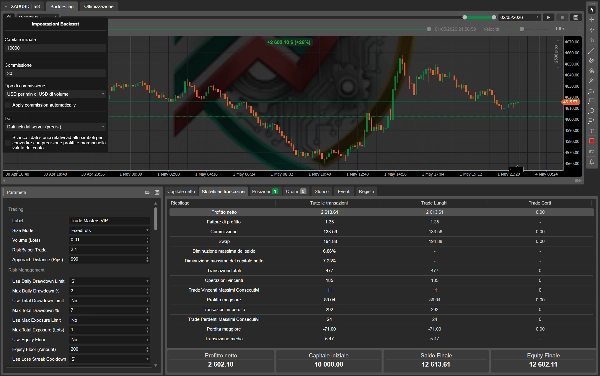
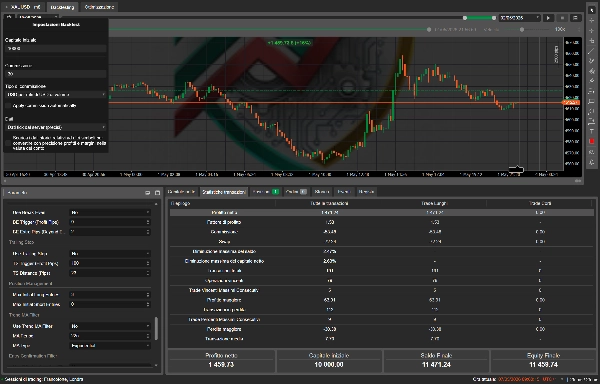
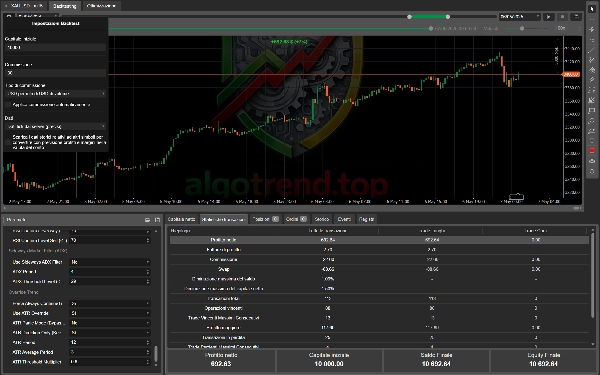
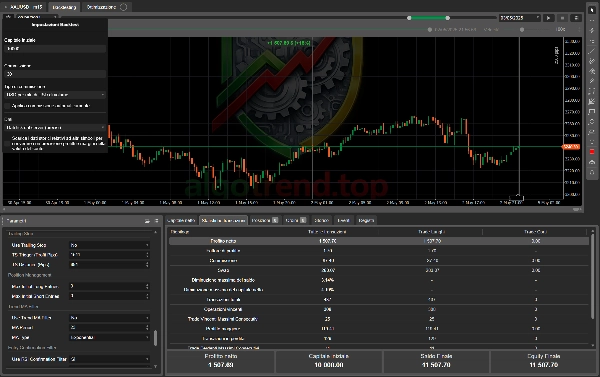
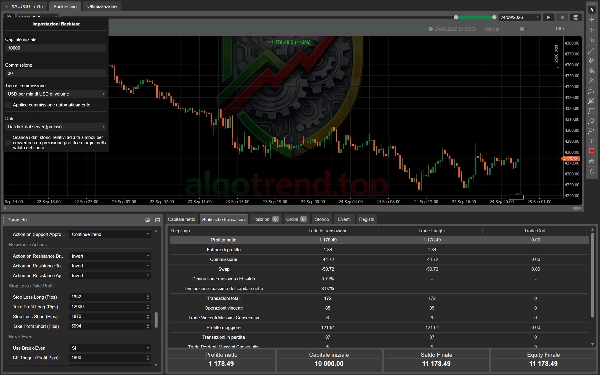
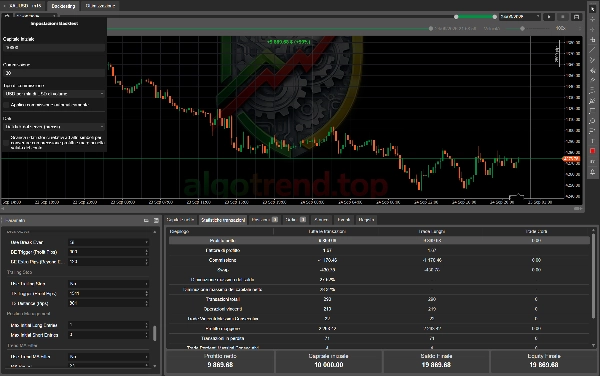

説明
🏷️ タグライン
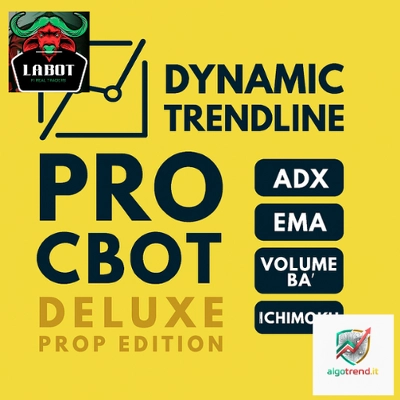
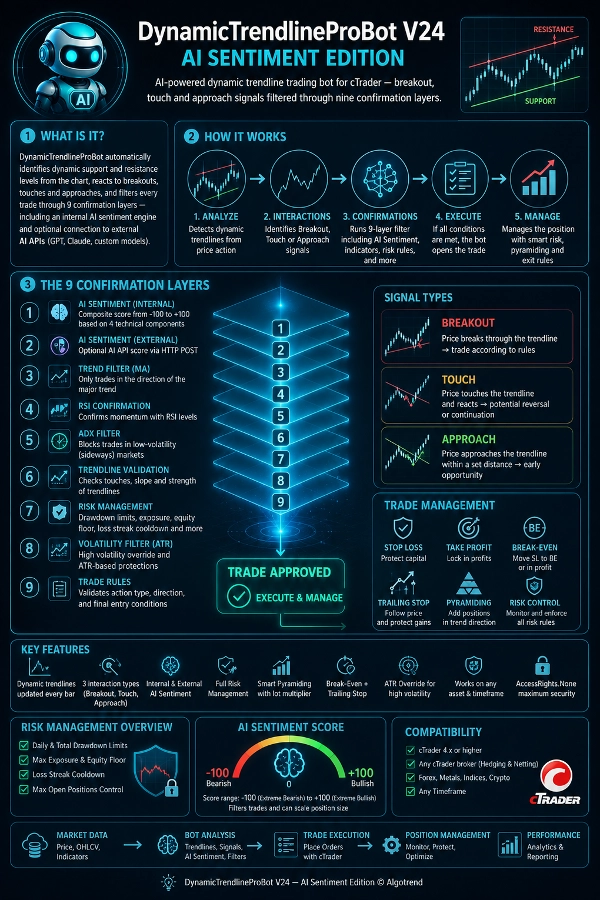
cTrader向けのAI搭載ダイナミックトレンドライン取引ボット — ブレイクアウト、タッチ、アプローチのシグナルを9つの確認レイヤーでフィルタリング。
━━━━━━━━━━━━━━━━━━━━━━━━━━━━
📈 DynamicTrendlineProBot V24 — AIセンチメントエディション
高度なダイナミックトレンドライン分析とAI駆動の市場センチメントスコアリングを組み合わせたプロフェッショナルなcTrader cBot。
━━━━━━━━━━━━━━━━━━━━━━━━━━━━
🧠 これは何ですか?
DynamicTrendlineProBotはチャートからダイナミックなサポートとレジスタンスレベルを自動的に特定し、ブレイクアウト、タッチ、アプローチに反応し、内部AIセンチメントエンジンや外部AI API(GPT、Claude、カスタムモデル)へのオプション接続を含む9つの確認レイヤーで各取引をフィルタリングします。
━━━━━━━━━━━━━━━━━━━━━━━━━━━━
⚡ 主な特徴
🔹 自動計算されたダイナミックトレンドラインは各バーで更新 🔹 3種類のインタラクション:ブレイクアウト、タッチ、アプローチ — それぞれ完全に設定可能 🔹 内部AIセンチメントは-100から+100の複合スコア 🔹 HTTP POST API経由の外部AIセンチメント 🔹 日次/総ドローダウン、エクイティフロア、損失連続クールダウンを含む完全なリスク管理 🔹 ロット乗数を用いたスマートピラミッディング 🔹 自動ブレークイーブン+トレーリングストップ 🔹 高ボラティリティ条件用のATRオーバーライド 🔹 MA、RSI、ADXフィルターおよび傾きとタッチの検証 🔹 どの資産や時間枠でも動作 🔹 AccessRights.None — ユーザーの最大限のセキュリティ
━━━━━━━━━━━━━━━━━━━━━━━━━━━━
🏷️ 取引 — 一般
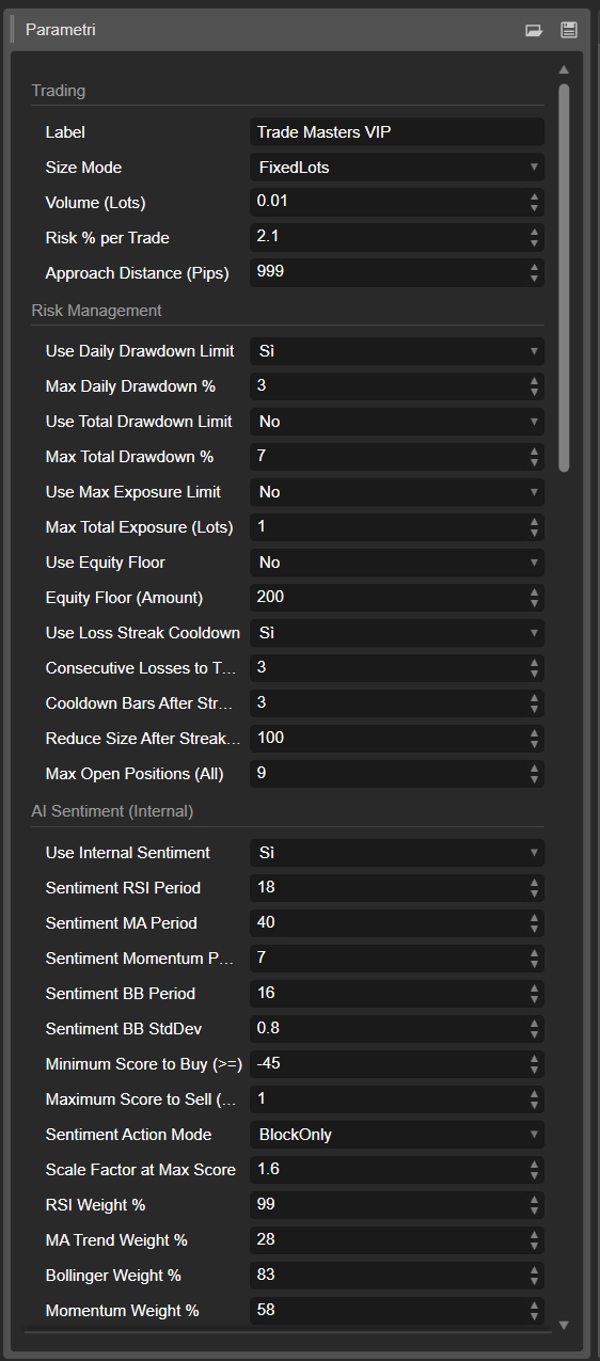
📌 ラベル — ボットの取引を識別するタグ。同一アカウントで複数インスタンスを実行する場合はユニークである必要があります。
📌 サイズモード — 固定ボリューム(FixedLots)または残高のリスク割合に基づく自動計算(RiskPercent)を選択します。
📌 ボリューム(ロット数) — 取引ごとの固定ボリューム。FixedLotsモードでのみ使用。デフォルト: 0.01
📌 取引ごとのリスク% — 取引ごとにリスクを取る残高の割合。ボットはストップロスに基づいて自動的にボリュームを計算します。デフォルト:1.9%
📌 アプローチ距離(ピップス) — アプローチシグナルをトリガーするトレンドラインからのピップス距離。デフォルト:241
━━━━━━━━━━━━━━━━━━━━━━━━━━━━
🛡️ リスク管理
📌 日次ドローダウン制限を使用 — 日次損失が閾値を超えた場合に取引を停止。デフォルト:オン
📌 最大日次ドローダウン% — 日の始まりの残高に対する最大日次損失。達成すると翌日までボットは停止。デフォルト:5%
📌 総ドローダウン制限を使用 — ピークエクイティからの総ドローダウンが閾値を超えた場合に取引を停止。デフォルト:オン
📌 最大総ドローダウン% — ピークエクイティからの最大ドローダウン。エクイティが回復すると自動的に取引再開。デフォルト:15%
📌 最大エクスポージャー制限を使用 — 合計オープンロットエクスポージャーを制限。デフォルト:オン
📌 最大総エクスポージャー(ロット数) — すべてのオープンポジションの合計ロット数の最大値。デフォルト:1.0
📌 エクイティフロアを使用 — エクイティが固定額を下回ると取引をブロック。デフォルト:オフ
📌 エクイティフロア(金額) — アカウント通貨での最低エクイティ閾値。デフォルト:500
📌 損失連続クールダウンを使用 — 連続損失後に取引を一時停止。デフォルト:オン
📌 クールダウンをトリガーする連続損失数 — クールダウンを有効にする連続損失の数。デフォルト:3
📌 連続後のクールダウンバー数 — 損失連続後にボットがアイドル状態になるバー数。デフォルト:5
📌 連続後のサイズ削減% — 損失連続後のボリューム削減。50%はロットサイズを半分にすることを意味します。デフォルト:50%
📌 最大オープンポジション数(全て) — 同時に開ける最大ポジション数(ロング、ショート、ピラミッドエントリー含む)。デフォルト:6
━━━━━━━━━━━━━━━━━━━━━━━━━━━━
🧠 AIセンチメント — 内部
内部センチメントエンジンは4つの技術的要素を組み合わせ、各要素に設定可能な重みを付けて、-100(極端な弱気)から+100(極端な強気)までのスコアを計算します。
📌 内部センチメントを使用 — 内部センチメントフィルターを有効にします。デフォルト:オン
📌 センチメントRSI期間 — モメンタム要素のRSI期間。デフォルト:14
📌 センチメントMA期間 — トレンド要素の指数移動平均期間。デフォルト:50
📌 センチメントモメンタム期間 — 変化率のルックバック期間。デフォルト:10
📌 センチメントBB期間 — ボリンジャーバンドの期間。デフォルト:20
📌 センチメントBB標準偏差 — ボリンジャーバンドの標準偏差。デフォルト:2.0
📌 買い許可の最小スコア — ロングエントリーを許可する最小スコア。デフォルト:15
📌 売り許可の最大スコア — ショートエントリーを許可する最大スコア(負の値)。デフォルト:-15
📌 センチメントアクションモード — BlockOnlyは非適合取引をブロックのみ。ConfirmAndScaleはシグナル強度に比例してボリュームをスケール。デフォルト:ConfirmAndScale
📌 最大スコア時のスケールファクター — スコアが最大のときの最大ボリューム乗数。デフォルト: 1.5x
📌 RSIの重み% — RSI要素の重み。デフォルト:30%
📌 MAトレンドの重み% — MAトレンド要素(距離+傾き)の重み。デフォルト:25%
📌 ボリンジャーの重み% — ボリンジャーバンド位置要素の重み。デフォルト:20%
📌 モメンタムの重み% — 変化率要素の重み。デフォルト:25%
💡 例:RSIが70で+40の要素、MAより価格が上で正の傾き+60、上部BB付近の価格+80、正のモメンタム+50 → 加重最終スコア約+52 → 買い許可(15の閾値以上)。スコアが+8なら買いはブロックされます。
━━━━━━━━━━━━━━━━━━━━━━━━━━━━
🌐 AIセンチメント — 外部API
任意のAI APIへのオプション接続。ボットは完全な市場コンテキスト(OHLCVキャンドル、インジケーター、アカウントデータ)を送信し、センチメントスコアを受信します。
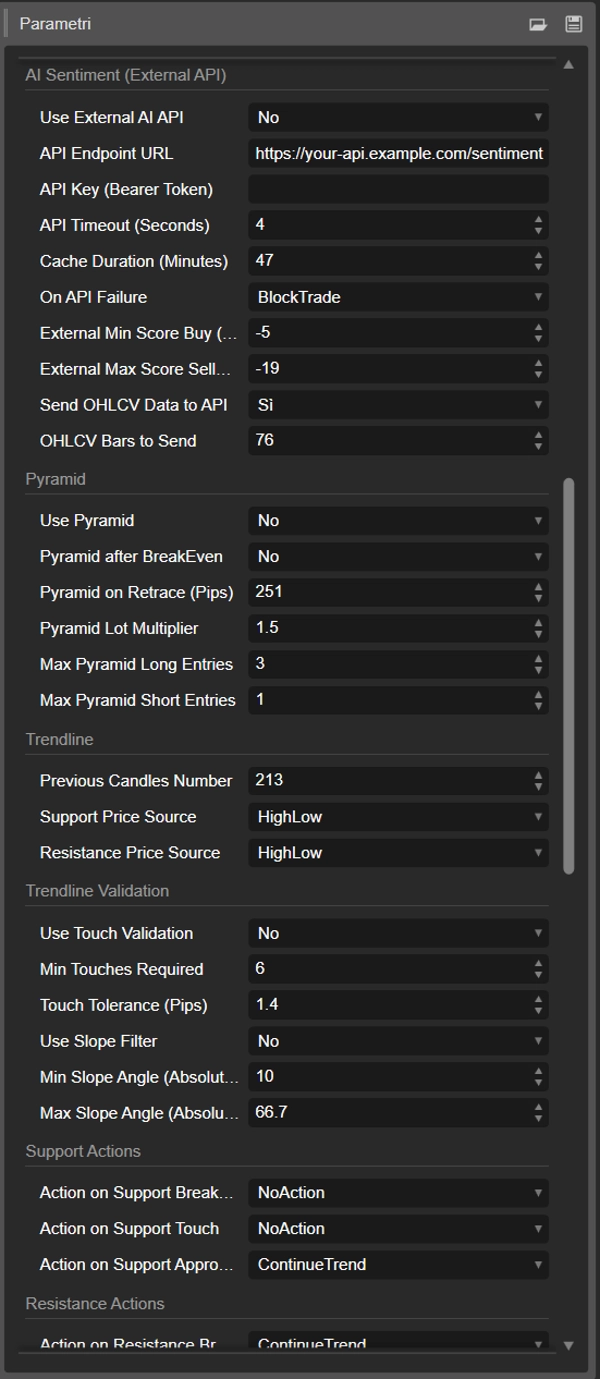
📌 外部AI APIを使用 — 接続を有効にします。デフォルト:オフ
📌 APIエンドポイントURL — POSTエンドポイントURL。JSONを返す任意のサービスをサポート。
📌 APIキー(ベアラートークン) — Authorizationヘッダーで送信される認証トークン。
📌 APIタイムアウト(秒) — 最大応答タイムアウト。デフォルト:10秒
📌 キャッシュ期間(分) — ボットはN分ごとに1回だけAPIを呼び出します。デフォルト:5分
📌 API失敗時の対応 — APIが応答しない場合の対応:AllowTradeは取引を続行、BlockTradeは取引をブロック。デフォルト:AllowTrade
📌 外部最小スコア買い — ロングを許可する最小外部スコア。デフォルト:20
📌 外部最大スコア売り — ショートを許可する最大外部スコア。デフォルト:-20
📌 APIにOHLCVデータを送信 — ペイロードにキャンドルデータを含めます。デフォルト:オン
📌 送信するOHLCVバー数 — ペイロードに含まれるバーの数。デフォルト:20
📡 期待される応答形式: { "score": -100..100, "signal": "buy|sell|neutral", "confidence": 0.0-1.0 } パーサーは柔軟で複数のバリエーションを受け入れます。
━━━━━━━━━━━━━━━━━━━━━━━━━━━━
📐 トレンドライン — 計算
📌 過去キャンドル数 — サポートとレジスタンスを計算するバーのウィンドウ。バー数が多いほど遅く、より堅牢なトレンドライン。デフォルト:185
📌 サポート価格ソース — HighLowはキャンドルの安値を使用、Closeは終値を使用。デフォルト:HighLow
📌 レジスタンス価格ソース — HighLowはキャンドルの高値を使用、Closeは終値を使用。デフォルト:HighLow
━━━━━━━━━━━━━━━━━━━━━━━━━━━━
✅ トレンドライン — 検証
📌 タッチ検証を使用 — トレンドラインが有効と見なされるには少なくともN回タッチされている必要があります。デフォルト:オフ
📌 必要な最小タッチ数 — 必要な最小タッチ数(定義点2つを含む)。デフォルト:7
📌 タッチ許容範囲(ピップス) — タッチを有効とカウントする許容範囲。デフォルト:1.3ピップス
📌 傾きフィルターを使用 — 傾きが平坦すぎるか急すぎるトレンドラインを拒否。デフォルト:オフ
📌 最小傾斜角度 — 許容される最小角度(度)。デフォルト:8.2°
📌 最大傾斜角度 — 許容される最大角度。デフォルト:18.2°
━━━━━━━━━━━━━━━━━━━━━━━━━━━━
🎯 サポートアクション
価格がサポートトレンドラインと相互作用したときにボットが行う動作。
📌 サポートブレイクアウト時のアクション — 価格がサポートを下抜け。デフォルト:反転(買い) 📌 サポートタッチ時のアクション — 価格がサポートに触れて反発。デフォルト:無操作 📌 サポートアプローチ時のアクション — 設定距離内で価格がサポートに接近。デフォルト:トレンド継続(買い)
🎯 レジスタンスアクション
価格がレジスタンストレンドラインと相互作用したときにボットが行う動作。
📌 レジスタンスブレイクアウト時のアクション — 価格がレジスタンスを上抜け。デフォルト:無操作 📌 レジスタンスタッチ時のアクション — 価格がレジスタンスに触れて反転。デフォルト:トレンド継続(売り) 📌 レジスタンスアプローチ時のアクション — 価格がレジスタンスに接近。デフォルト:無操作
💡 トレンド継続=自然な方向で取引。反転=逆方向で取引。無操作=シグナルを無視。
━━━━━━━━━━━━━━━━━━━━━━━━━━━━
🔴🟢 ストップロス / テイクプロフィット
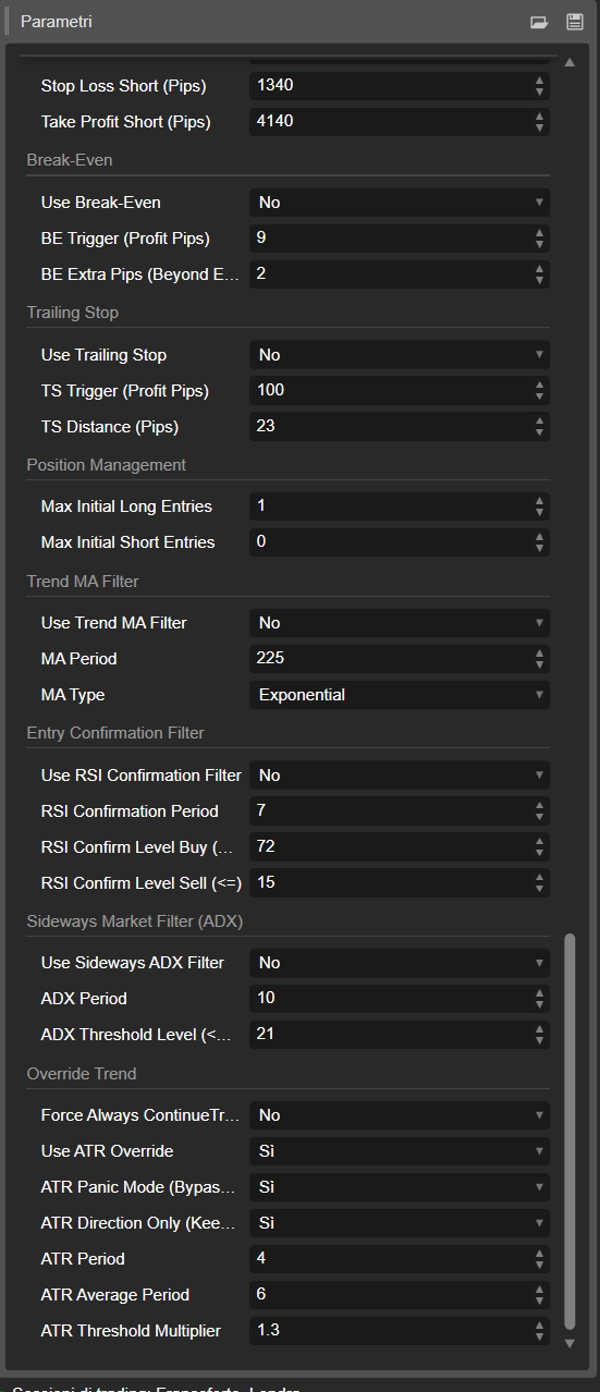
📌 ロングのストップロス — デフォルト:2500ピップス 📌 ロングのテイクプロフィット — デフォルト:3000ピップス 📌 ショートのストップロス — デフォルト:2500ピップス 📌 ショートのテイクプロフィット — デフォルト:3600ピップス
無効にするには0に設定してください。
━━━━━━━━━━━━━━━━━━━━━━━━━━━━
⚖️ ブレークイーブン
📌 ブレークイーブンを使用 — トリガー後にSLをブレークイーブン(または利益内)に移動。デフォルト:オフ 📌 BEトリガー(利益ピップス) — 移動をトリガーする利益ピップス。デフォルト:1401 📌 BE追加ピップス — エントリー価格を超える追加ピップス(SLは利益内に設定され、正確なブレークイーブンではありません)。デフォルト:530
━━━━━━━━━━━━━━━━━━━━━━━━━━━━
📏 トレーリングストップ
📌 トレーリングストップを使用 — 価格に追従して利益を保護。デフォルト:オン 📌 TSトリガー(利益ピップス) — トレーリングが有効になる最小利益。デフォルト:801 📌 TS距離(ピップス) — 現在価格からのトレーリング距離。デフォルト:1401
━━━━━━━━━━━━━━━━━━━━━━━━━━━━
🔺 ピラミッディング
📌 ピラミッドを使用 — 同じ方向にポジションを追加。デフォルト:オフ 📌 ブレークイーブン後のピラミッド — ブレークイーブンがトリガーされたときにポジションを追加。デフォルト:オフ 📌 リトレース時のピラミッド(ピップス) — 価格が最高値からNピップス戻ったときにポジションを追加。デフォルト:381 📌 ピラミッドロット乗数 — 各ピラミッドレベルのボリューム乗数。デフォルト: 1.5x 📌 最大ピラミッドロングエントリー数 — 追加のロングポジションの最大数。デフォルト:3 📌 最大ピラミッドショートエントリー数 — 追加のショートポジションの最大数。デフォルト:3
━━━━━━━━━━━━━━━━━━━━━━━━━━━━
📊 ポジション管理
📌 最大初期ロングエントリー数 — 最大初期ロングポジション数(ピラミッド除く)。デフォルト:1 📌 最大初期ショートエントリー数 — 最大初期ショートポジション数。デフォルト:1
━━━━━━━━━━━━━━━━━━━━━━━━━━━━
📈 トレンドフィルター(MA)
📌 トレンドMAフィルターを使用 — MAより上でのみ買いを許可、MAより下でのみ売りを許可。デフォルト:オフ 📌 MA期間 — 移動平均期間。デフォルト:20 📌 MAタイプ — 移動平均の種類。デフォルト:単純移動平均
━━━━━━━━━━━━━━━━━━━━━━━━━━━━
🔍 RSI確認フィルター
📌 RSI確認フィルターを使用 — 追加のRSIベースのエントリー確認。デフォルト:オフ 📌 RSI確認期間 — RSI期間。デフォルト:8 📌 RSI確認レベル買い(≥) — 買いを許可する最小RSI。デフォルト:43 📌 RSI確認レベル売り(≤) — 売りを許可する最大RSI。デフォルト:68
━━━━━━━━━━━━━━━━━━━━━━━━━━━━
📉 ADXフィルター(横ばい市場)
📌 横ばいADXフィルターを使用 — ADXが閾値以下の場合に取引をブロック。デフォルト:オフ 📌 ADX期間 — ADX期間。デフォルト:14 📌 ADX閾値レベル — この値以下で取引がブロックされます。デフォルト:2
━━━━━━━━━━━━━━━━━━━━━━━━━━━━
⚡ トレンドオーバーライド(ATR / 手動)
📌 常にトレンド継続を強制(手動) — すべての取引でブレイクアウト方向を手動で強制し、フィルターと設定されたアクションをバイパス。デフォルト:オフ
📌 ATRオーバーライドを使用 — ボラティリティ(ATR)が平均を超えると、ボットは高ボラティリティモードに入ります。デフォルト:オン
📌 ATRパニックモード — 高ボラティリティ時にすべてのフィルターをバイパスし、ブレイクアウト方向で取引。⚠️ 注意して使用してください。デフォルト:オフ
📌 ATR方向のみ — 高ボラティリティ時にブレイクアウト方向を強制し、すべてのフィルターは有効のまま。デフォルト:オフ
📌 ATR期間 — ボラティリティ検出のためのATR期間。デフォルト:8
📌 ATR平均期間 — ATR移動平均の基準期間。デフォルト:4
📌 ATR閾値乗数 — 現在のATRが平均ATR×この値を超えるとオーバーライドが有効に。デフォルト:0.7
━━━━━━━━━━━━━━━━━━━━━━━━━━━━
🔧 技術的注意事項
🔸 AccessRights.None — 高度な権限不要、HTTP呼び出しはcTraderのネイティブインターフェースを使用 🔸 単一の.csファイル、外部依存なし 🔸 すべてのcTraderブローカー(ヘッジングおよびネットティング)に対応 🔸 外国為替、金属、指数、暗号通貨など、あらゆる資産と時間枠で動作
━━━━━━━━━━━━━━━━━━━━━━━━━━━━
📌 要件
🔸 cTrader 4.x以上 🔸 任意のcTraderブローカーのデモまたはライブアカウント 🔸 (オプション)外部センチメント用AI APIエンドポイント
━━━━━━━━━━━━━━━━━━━━━━━━━━━━
📩 カスタム設定、パラメーター最適化、AI API統合についてはサポートにお問い合わせください。
DynamicTrendlineProBot V24 — AIセンチメントエディション © Algotrend
概要
Key features include:
- Auto-calculated dynamic trendlines updated every bar.
- Three configurable interaction types: Breakout, Touch, and Approach.
- Internal AI sentiment scoring from -100 (bearish) to +100 (bullish), combining RSI, moving averages, Bollinger Bands, and momentum indicators.
- Optional external AI sentiment via HTTP POST API.
- Comprehensive risk management with daily and total drawdown limits, equity floor, loss streak cooldown, and maximum exposure controls.
- Smart pyramiding with configurable lot multipliers.
- Automatic break-even and trailing stop functionalities.
- Multiple technical filters including MA, RSI, ADX, slope, and touch validation.
- Supports all asset types and timeframes on cTrader brokers.
- No elevated permissions required; single-file implementation.
The bot is suitable for day trading with medium trade frequency and supports prop firm compatibility. It requires cTrader 4.x or higher and optionally an AI API endpoint for enhanced sentiment analysis.
ディスカッション
カスタマーレビュー
5 | 67 % | |
4 | 33 % | |
3 | 0 % | |
2 | 0 % | |
1 | 0 % |