الوصف
Inspect one cBot. One symbol. Or the entire account.
BotInspector by TraceVerity is a non-trading behavioral risk analysis utility for cTrader.
It can inspect the observed trading behavior of the entire account, one symbol, or a specific cBot / strategy identified by its exact cTrader Label.
BotInspector does not read another cBot's source code and does not need to run on the same chart as the inspected strategy. It analyzes the trading evidence available in the cTrader account: open positions, pending orders, closed-trade history, volume changes, Stop Loss protection and drawdown.
This makes it possible to observe how a third-party cBot actually behaves on a demo or live account instead of relying only on its description.
Inspect one strategy or the whole account
BotInspector provides three analysis scopes:
Entire Account
Reviews account activity as a whole. Balance, Equity and Drawdown remain account-level metrics. Martingale and Grid structures are kept separated by cTrader Label so unrelated labeled strategies are not merged into one behavioral pattern.
Current Symbol
Focuses trading analysis on the symbol where BotInspector is running.
Exact Label
Isolates activity belonging to one exact cTrader Label. Positions, pending orders and closed trades belonging to other Labels are excluded from that strategy-specific analysis.
BotInspector does not require the inspected cBot to be attached to the same chart. If its activity exists in the same cTrader account and can be identified from the available trading data, BotInspector can analyze it.
Manual or unlabeled activity is grouped as <NO LABEL>. Independent strategies that share no usable Label cannot always be separated from each other.
Evidence-based analysis
BotInspector distinguishes between an observed result and insufficient evidence.
When the required data is not available, the HUD reports explicit states such as:
Waiting — no closed-trade evidence
Waiting — no live exposure
Waiting — no open positions
Waiting — no closed trades
A lack of evidence is not presented as a positive result.
Martingale and recovery behavior
BotInspector analyzes realized losses and subsequent trades inside the same identifiable strategy group.
Recovery detection requires the same:
Symbol + Label + Trade Direction
The next qualifying trade must open after the previous loss has been realized.
A volume increase of at least 1.50x after a realized loss can be reported as Possible.
A linked multi-step recovery sequence can be reported as Confirmed.
Trades that were already open before the preceding loss closed are rejected as recovery candidates.
Different cTrader Labels are never merged into the same Martingale or recovery chain.
Grid structure
BotInspector analyzes current positions and pending orders for concentrated exposure and repeated price levels.
A sufficiently dense structure can be reported as Possible.
A regular same-source price ladder can be reported as Confirmed.
Grid analysis is isolated by Symbol + Label, preventing unrelated labeled strategies from being combined into one grid structure.
Capital protection
Open positions are checked for Stop Loss protection.
BotInspector reports:
Positions with and without Stop Loss
Stop Loss coverage
Unprotected exposure
Estimated Risk at SL
Risk at SL as a percentage of current Equity
Risk at SL is estimated using cTrader's symbol risk calculation functions and the actual Stop Loss distance.
A Stop Loss already at breakeven or on the profitable side represents zero planned loss-side risk.
If Risk at SL cannot be calculated reliably for a protected position, that risk remains unknown rather than being treated as zero.
For positions without Stop Loss, margin share is used only as an exposure proxy. It is not presented as a maximum-loss estimate.
Drawdown monitoring
BotInspector monitors:
Current drawdown from the observed session equity peak
Session Max Drawdown
Session Max Drawdown preserves the largest drawdown observed since the current BotInspector session started, even if Equity later recovers.
It is not presented as lifetime historical account drawdown.
Balance, Equity and Drawdown remain account-level metrics regardless of the selected analysis scope.
Historical evidence
When closed-trade evidence is available, BotInspector reports:
Win Rate
Payoff Ratio
Historical Expectancy
Evidence Confidence
Evidence confidence increases with the available closed-trade sample:
VERY LOW
LOW
MEDIUM
HIGH
Historical metrics describe the observed sample only. They are not a forecast of future performance.
BotInspector Health Score
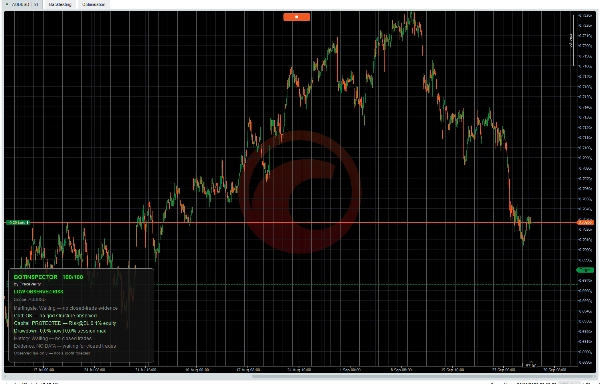
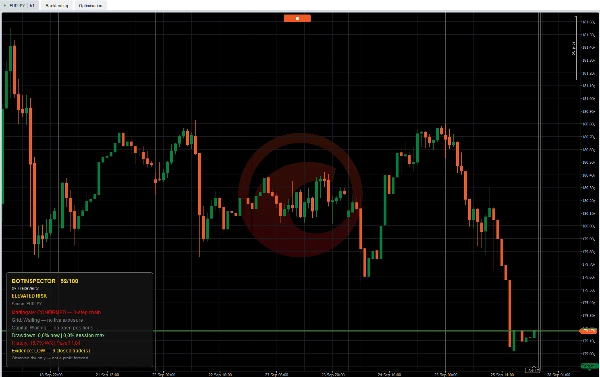
BotInspector combines the observed risk categories into a 0–100 Health Score.
Score states:
80–100 — LOW OBSERVED RISK
65–79 — CAUTION
50–64 — ELEVATED RISK
35–49 — HIGH RISK
0–34 — CRITICAL
Martingale behavior, Grid structure, Capital Protection, Session Max Drawdown and historical outcome evidence can affect the score.
When meaningful evidence is not yet available, BotInspector can display WAITING FOR EVIDENCE instead of presenting the absence of data as a positive assessment.
On-chart HUD
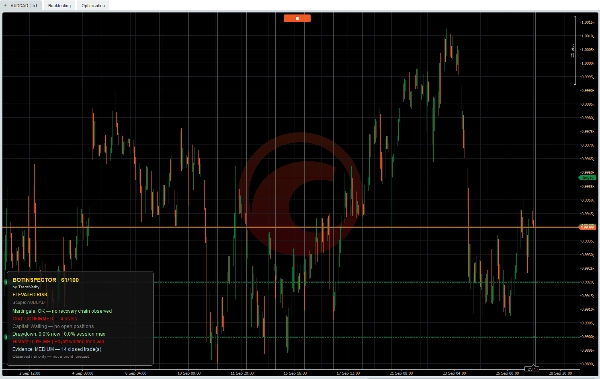
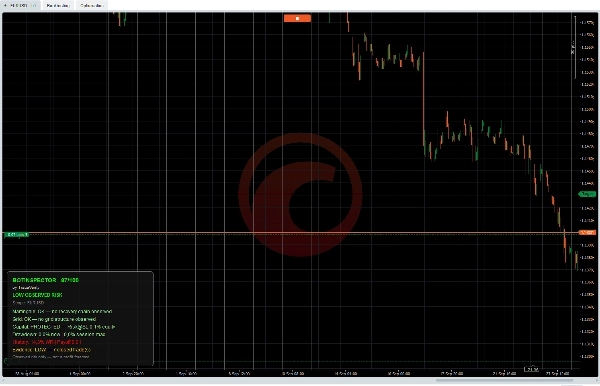
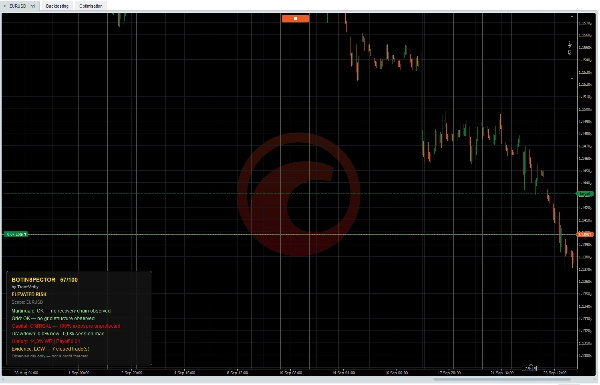
The compact HUD displays:
Health Score
Observed Risk state
Analysis Scope
Martingale status
Grid status
Capital Protection / Risk at SL
Current and Session Max Drawdown
Historical metrics
Evidence level
The HUD can be positioned in any chart corner. Bottom Left is the default position.
Main parameters
Refresh Interval
Grid Threshold Items
Lookback Trades
Analysis Scope
Analysis Label
Show Panel
Enable Diagnostics
Panel Position
Diagnostics are disabled by default and can be enabled when additional technical evidence or troubleshooting information is required.
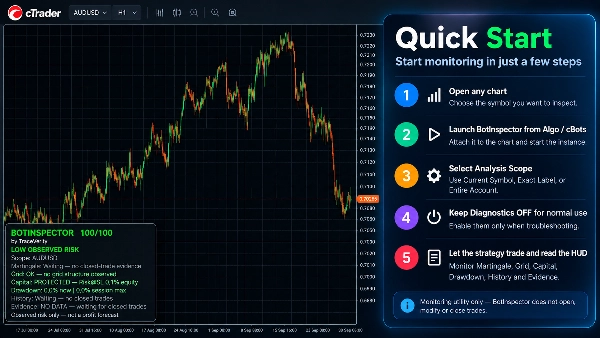
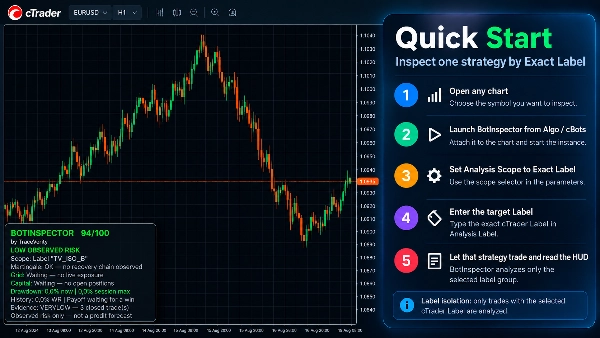
Quick Start
1. Open the symbol you want to inspect.
2. Launch BotInspector from Algo / cBots.
3. Select Current Symbol, Exact Label or Entire Account.
4. Keep Diagnostics OFF for normal use.
5. Let the strategy trade and read the HUD.
For strategy-specific analysis, choose Exact Label and enter the exact cTrader Label used by the target cBot.
Requirements
cTrader
No external API key required.
No external service required.
No AI service required.
BotInspector does not open, modify or close trades.
It is an observational monitoring and risk-analysis utility.
Important
BotInspector evaluates the trading evidence available in cTrader. It does not inspect the source code or internal decision logic of another cBot.
A high Health Score or LOW OBSERVED RISK state does not mean that a strategy is safe, profitable, reliable or suitable for future trading.
Observed risk only — not a profit forecast.