Açıklama
RiskBudget Guard, hesap genelinde risk izleme yapan bir cBot'tur. Gerçekleşen zararları, açık pozisyon stop-loss riskini ve bekleyen emir riskini, hesabınızdaki semboller arasında tek bir bütçe görünümünde bir araya getirir. Yeni pozisyon açmaz.
Kalan risk bütçenizi okuyun
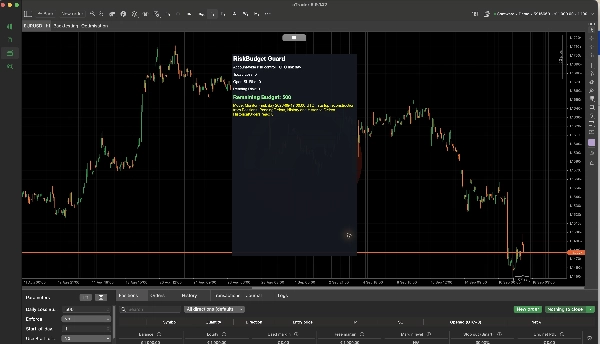
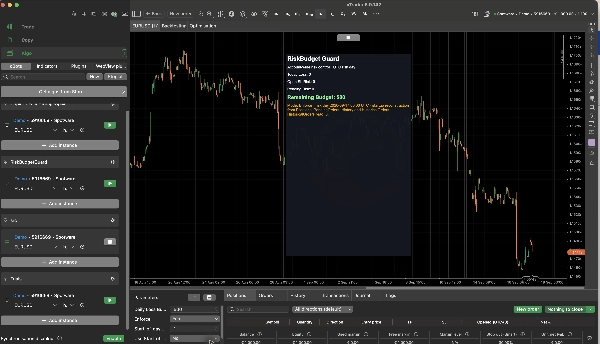
Grafik HUD, Bugünkü Zarar, Açık SL Riski, Bekleyen Risk ve Kalan Bütçeyi gösterir. Bütçe, mevcut UTC risk günü boyunca gerçekleşen zararları, açık pozisyonlar ve bekleyen emirlerin hesaplanan stop-loss riski ile birleştirir. Karlı işlemler, o gün için zarar iznini yenilemez.
Hesap para biriminde sabit bir bütçe veya yeniden oluşturulmuş gün başı bakiyesinin bir yüzdesini seçin. Ayrıca yeni bir risk gününün başlayacağı UTC saatini ayarlayabilirsiniz. Gün içindeki para yatırma veya çekme işlemleri sırasında gün başı bakiye yeniden oluşturması yaklaşık olabilir.
İzleme veya uygulama
Uygula = Hayır olduğunda, cBot hesap riskini izler ve gösterir, emirleri iptal etmez veya pozisyonları kapatmaz. Bu varsayılan moddur.
Uygula = Evet olduğunda, cBot, hesap riski bütçeyi aştığında yeni oluşturulan bir bekleyen emri iptal etmeye veya yeni açılan ya da doldurulan bir pozisyonu kapatmaya çalışabilir. Bu işlemler emir oluşturulduktan veya yürütüldükten sonra gerçekleşir. RiskBudget Guard, manuel bir emri broker'a ulaşmadan önce engelleyemez ve gerçekleşen zararlar için kesin bir sınır vaat etmez.
Kullanılabilir bir Stop Loss'u olmayan pozisyonlar veya bekleyen emirler sınırsız risk olarak değerlendirilebilir. Uygulamayı etkinleştirmeden önce HUD'yi ve hesabınızın koruma ayarlarını gözden geçirin. Broker yürütmesi, kayma ve başarısız işlem talepleri sonucu etkileyebilir.
Başlayın
1. RiskBudget Guard'ı yükleyin ve izlemek istediğiniz hesaba bir cBot örneği ekleyin.
2. Görüntülenen bütçe ve hesap durumunu kontrol ederken Uygula'yı Hayır olarak bırakın.
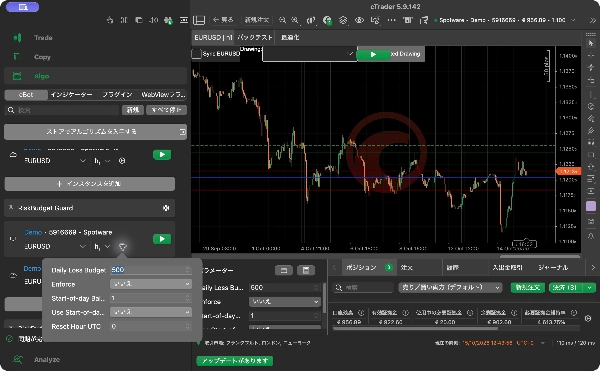
3. Sabit bir bütçe için Günlük Zarar Bütçesi girin ve Gün Başı % Bütçesini Kullan seçeneğini devre dışı bırakın. Yüzdelik bir bütçe için bu seçeneği etkinleştirin ve Gün Başı Bakiye % değerini ayarlayın.
4. Sıfırlama Saatini UTC olarak 0 ile 23 arasında ayarlayın. Varsayılan 0'dır.
5. cBot'u başlatın ve dört HUD değerini ve mevcut modu gözden geçirin. Yukarıda açıklanan işlem sonrası eylemleri cBot'un gerçekleştirmesini istediğinizde Uygula'yı etkinleştirin.
Varsayılan sabit bütçe hesap para biriminde 500; varsayılan yüzde ise %1'dir. RiskBudget Guard, olayları izlemek ve bunlara müdahale etmek için çalışmaya devam etmelidir. Giriş sinyalleri üretmez veya ticaret getirisi vaat etmez.
Özet
Key features include a chart HUD displaying Today Loss, Open Stop-Loss Risk, Pending Risk, and Remaining Budget. Users can set a fixed daily loss budget in account currency or define it as a percentage of a reconstructed start-of-day balance, with the option to specify the UTC hour when the risk day resets.
RiskBudget Guard operates in two modes: monitoring only (default), which displays risk metrics without intervention, and enforcement mode, which can cancel new pending orders or close positions if the resulting risk exceeds the set budget. Enforcement actions occur post-execution and depend on stop-loss settings and broker execution factors.
The cBot requires continuous operation to monitor and act on risk events. It is intended to assist in managing daily loss limits and drawdown guard strategies by providing real-time risk budget visibility and optional automated risk control actions.
Tartışma
Müşteri değerlendirmeleri
5 | 100 % | |
4 | 0 % | |
3 | 0 % | |
2 | 0 % | |
1 | 0 % |