present
Sign up and get $50 off your first purchase
Trading product for cTrader CodePilot Desktop plugin AI, image 1
cTrader CodePilot
Desktop plugin
130 downloads
Version 1.1, Jul 2026
Windows, Mac
Reviews: 1
Trading product for cTrader CodePilot Desktop plugin AI, image 2
645
Free installs

Description

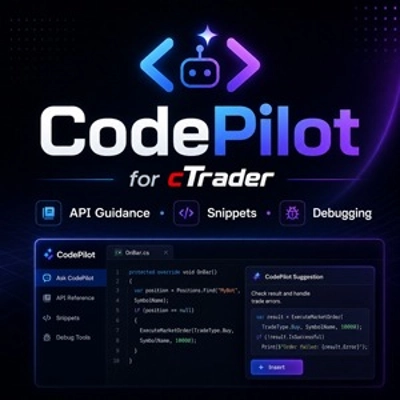
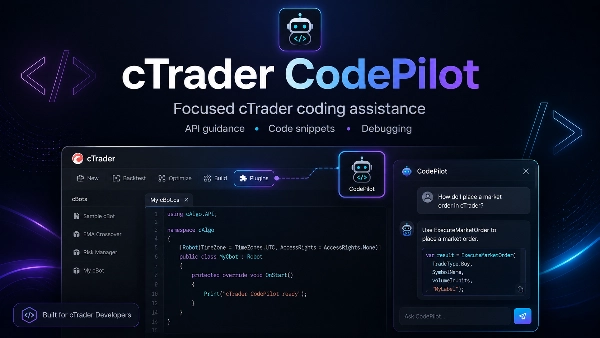
cTrader CodePilot is a focused development assistant for cTrader users who need API guidance, short C# examples, debugging help, and clear technical explanations when working with cBots, indicators, and plugins.

The plugin opens CodePilot directly from the cTrader toolbar, giving developers quick access to specialist cTrader support without leaving the platform.


Built for cTrader Development

Unlike a general AI assistant, CodePilot is designed around the cTrader ecosystem. It helps explain cTrader Algo APIs, method signatures, lifecycle events, chart controls, trading operations and common platform behaviour.

Use it to understand compiler errors, review a focused section of code, correct an isolated method or generate a short example for a specific feature.


Focused Coding Support

CodePilot can help with position and order handling, indicator calculations, chart drawing, risk calculations, multi-symbol logic, multi-timeframe data and other common cTrader development tasks.

It is designed for focused assistance rather than complete project generation.


Launch from cTrader

Install the cTrader CodePilot plugin and open it directly from the cTrader Desktop toolbar whenever you need development guidance while coding or testing.

Summary

AI summary
cTrader CodePilot is a specialized development assistant plugin for the cTrader platform, designed to support algorithmic trading strategy creation and refinement. It enables users to describe trading ideas in plain language and instantly generates clean, well-structured C# code for cBots, indicators, and plugins. Integrated directly into the cTrader Desktop toolbar, CodePilot provides quick access to expert guidance without leaving the platform.

Unlike general AI tools, CodePilot is custom-trained on extensive cTrader-specific datasets, including official documentation and real-world code examples. This specialization allows it to interpret user instructions with high precision, generate deployable code, and offer platform-specific solutions related to cTrader’s APIs, syntax, and trading logic.

Key functionalities include assistance with position and order handling, indicator calculations, chart drawing, risk management, multi-symbol and multi-timeframe logic, and debugging support. It helps users understand compiler errors, review code sections, correct methods, and generate focused code snippets for specific features. CodePilot is intended for targeted coding support rather than full project generation, facilitating efficient development within the cTrader ecosystem.
Plugin profile

Customer reviews

4.0
Reviews: 1
5
0 %
4
100 %
3
0 %
2
0 %
1
0 %
Customer reviews
July 9, 2025
Pros: Generates clean C# code for cTrader bots and indicators from natural language. Speeds up development and lowers entry barrier for strategy creation. Cons: Lacks symbol/timeframe context awareness, no code export or reconnect button, and no hotkeys. Slight delay on complex logic generation.

Discussion

FAQ

AI
Products available through cTrader Store, including trading bots, indicators and plugins, are provided by third-party developers and made available for informational and technical access purposes only. cTrader Store is not a broker and does not provide investment advice, personal recommendations or any guarantee of future performance.

You may also like

Desktop plugin
SL Manager
Break Even
+5
Execute and manage manual trades faster with safe, customisable hotkeys and risk-based sizing.
Desktop plugin
Chart UI Tools
Draw dynamic, angled Fibonacci retracements on cTrader charts. Fully customize up to 20 levels, colors, and styles.
Desktop plugin
RSI
Prop
+5
RSI Scanner - Fully Adjustable
Desktop plugin
Forex
Signal
+2
Adaptive Renko chart builder for precise, flexible trading - ideal for both scalping and trend analysis.
Desktop plugin
ECN-friendly
Chart UI Tools
Any timeframe cTrader lacks: seconds, minutes, hours, tick & range bars, Heikin-Ashi in the timeframe menu.
Desktop plugin
Forex
Commodities
Close all non crypto trades at 19:55 utc Friday
Desktop plugin
Prop
Forex
+1
Multiple timeframes, multiple instruments, one cBot, one go! OmniSimulation
Desktop plugin
AI
ATR
+27
Turn your cTrader trade history into a visual performance dashboard to see trading patterns and strategy strength
Desktop plugin
Risk/Reward
Chart UI Tools
+3
Visual cTrader backtesting tool with trade drawing, risk sizing, stats, and automatic trade simulation.
Desktop plugin
SL Manager
TP Manager
+4
Drag Entry, SL and TP, size the trade by risk, and place the correct order in three clear steps.
Desktop plugin
SMC
Grid
+5
The all-in-one trade management plugin that automates your risk, execution, and position management.
Desktop plugin
Trade Journal
AI Integration
+1
Turn your closed-trade history into an at-a-glance monthly calendar and a deep performance dashboard.
Desktop plugin
Chart UI Tools
Keep lines, zones and channels synced across selected same-symbol charts from one desktop plugin.
Desktop plugin
Signal
Breakout
The Risk-Reward plugin is a tool to visualize a trading idea based on other analysis tools,
Desktop plugin
AI
I help cTrader users with setup, trading, automation, brokers, charting, mobile/web use, and advanced features.
"TradeGuard" logo
Popular
4.6
(3)
$25
Desktop plugin
ATR
Prop
+5
cTrader risk management plugin with daily & total drawdown limits, CBot control, and risk-based order execution.
Desktop plugin
AI
Forex
+5
AI Trading Agent, predict market moves, detect trends, and execute profitable trades.
Desktop plugin
Trade Journal
Trade Statistics
See not only what you made or lost, but which trading behaviours caused the damage.

Price

645
Free installs