
Descrizione
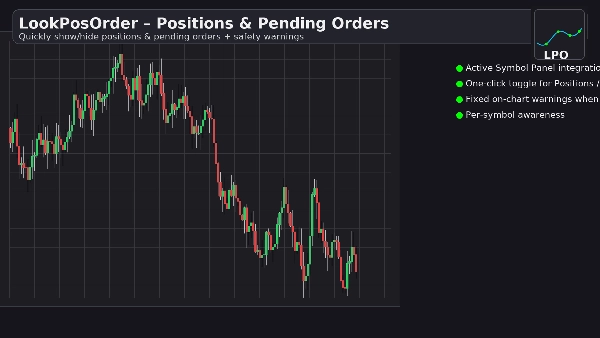
LookPosOrder ti aiuta a evitare sorprese costose rendendo semplice mostrare o nascondere Posizioni e Ordini Pendenti—e avvisandoti chiaramente quando qualcosa è nascosto per il simbolo corrente.
Cosa fa
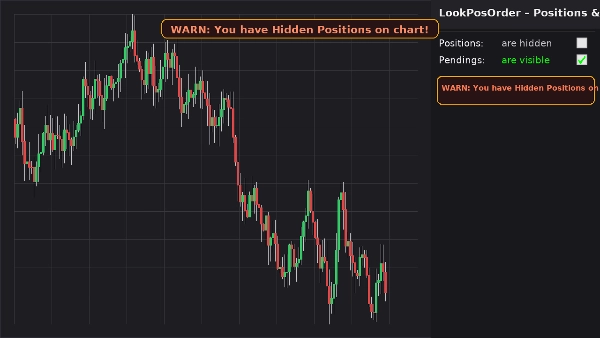
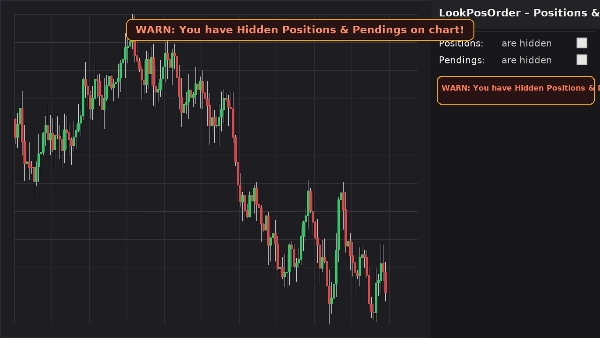
- Aggiunge un blocco di controllo pulito nel Pannello Simbolo Attivo (ASP) con due caselle di controllo:
-
- Posizioni: sono visibili / sono nascoste
- Pendenti: sono visibili / sono nascosti
- Mostra un banner di avviso fisso sul grafico (non si muove quando fai pan/zoom) se esistono elementi nascosti per il simbolo corrente.
- Riflette lo stesso avviso inlinea nel blocco ASP.
- Ricorda le tue preferenze per simbolo.
Perché i trader lo amano
- Prevenire errori: non dimenticare mai che qualcosa è nascosto sul tuo grafico.
- Commutazione veloce: zero ricerca nei menu del grafico.
- Consapevolezza per simbolo: avvisa solo quando il simbolo corrente ha effettivamente elementi nascosti.
- Leggero e pulito: interfaccia minima, istantaneamente reattiva.
Caratteristiche principali
- Integrazione con il Pannello Simbolo Attivo
- Commutazioni con un clic per Posizioni e Ordini Pendenti
- Banner di avviso fisso sul grafico quando esistono elementi nascosti
- Avviso inline all'interno del blocco ASP
- Consapevolezza per simbolo (filtra posizioni/ordini per il simbolo corrente)
- Persistenza delle impostazioni (per simbolo)
- Funziona insieme alle Impostazioni di Visualizzazione native (si sincronizza automaticamente se modificate dal menu del grafico)
Requisiti
- cTrader 5.4.9 o versione successiva consigliata
- Piattaforma desktop
Installazione
- Scarica il file del plugin.
- Apri cTrader → Automatizza → Plugin → Importa.
- Abilita Plugin LookPosOrder.
- Apri un grafico, seleziona il simbolo e usa il blocco LookPosOrder nel ASP a destra.
Come usare
- Attiva/disattiva Posizioni e Pendenti tramite le caselle di controllo.
- Se qualcosa è nascosto e esiste per il simbolo corrente, vedrai un avviso:
-
- “AVVISO: Hai Posizioni Nascoste sul grafico!”
- “AVVISO: Hai Pendenti Nascosti sul grafico!”
- “AVVISO: Hai Posizioni & Pendenti Nascosti sul grafico!”
FAQ
D: Il plugin modifica i miei ordini o posizioni?
R: No. Attiva solo la visibilità del grafico usando le Impostazioni di Visualizzazione native.
D: Mi avviserà per altri simboli?
R: No. Gli avvisi vengono mostrati solo quando il simbolo corrente ha elementi nascosti.
D: Cosa succede se cambio la visibilità dal menu del grafico?
R: Il plugin sincronizza automaticamente le caselle di controllo e gli avvisi.
D: Impatto sulle prestazioni?
R: Trascurabile. È un overlay UI leggero e un blocco ASP.
Rimborso
- Rimborsi: garanzia di rimborso entro 14 giorni se il plugin non funziona come descritto nella tua configurazione.
Privacy
Il plugin non raccoglie né trasmette dati personali. Interagisce solo con il grafico locale e l'interfaccia utente di cTrader.
Riepilogo
Discussioni
Recensioni dei clienti
5 | 100 % | |
4 | 0 % | |
3 | 0 % | |
2 | 0 % | |
1 | 0 % |