
Descrizione
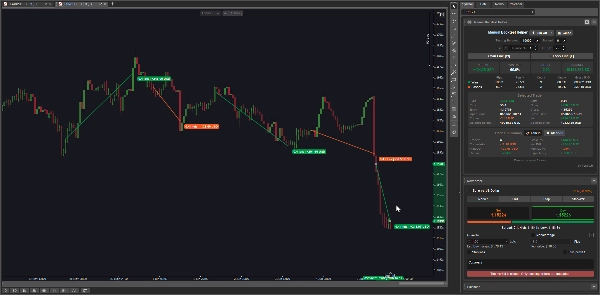
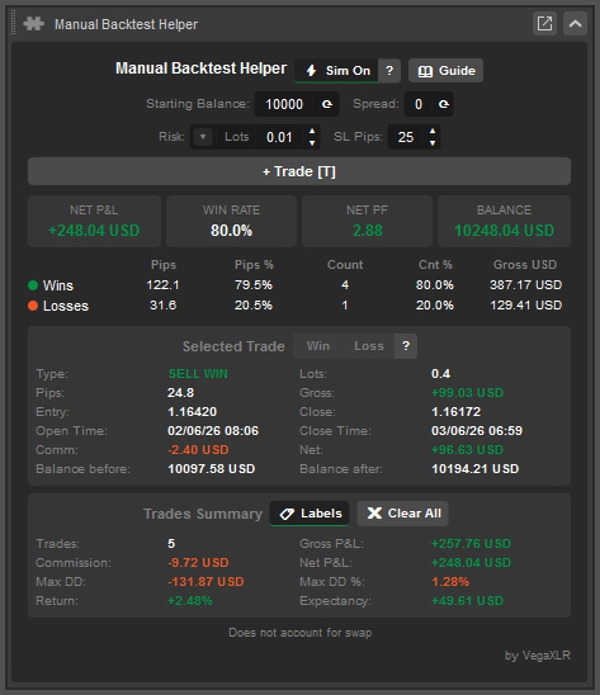
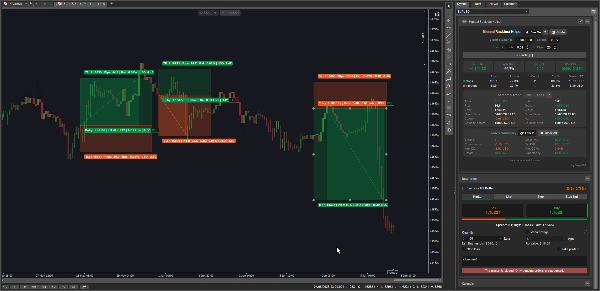
Manual Backtest Helper è un plugin cTrader che ti permette di registrare, valutare e analizzare le tue strategie direttamente sul grafico — niente fogli di calcolo, nessun strumento esterno, nessun esportazione di dati.
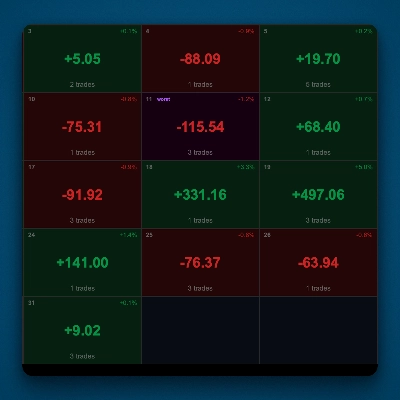
Disegni visivamente le tue operazioni, e il plugin calcola istantaneamente il tuo tasso di vincita, fattore di profitto, P&L netto, massimo drawdown, aspettativa, e altro. Tutto si aggiorna in tempo reale mentre aggiungi o modifichi le operazioni.
È progettato per:
- Trader discrezionali che vogliono testare manualmente una strategia su dati storici di prezzo
- Trader in sviluppo che costruiscono un track record delle loro configurazioni prima di andare live
- Revisori di strategie che vogliono rivedere operazioni passate e misurare oggettivamente il vantaggio
- Chiunque voglia rispondere alla domanda: “La mia strategia ha davvero un vantaggio?”
--------------- ATTENZIONE: Questo plugin al momento non funziona bene su macOS ---------------
Caratteristiche principali
📊 Due modalità di registrazione
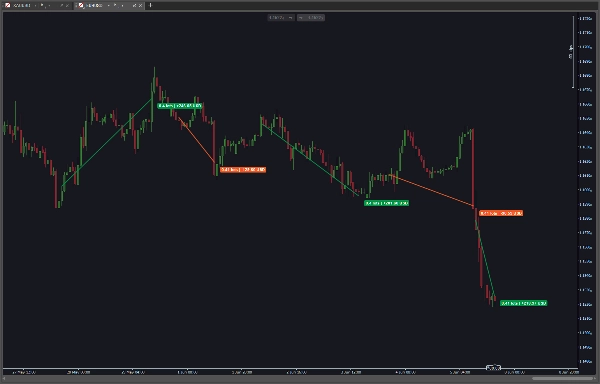
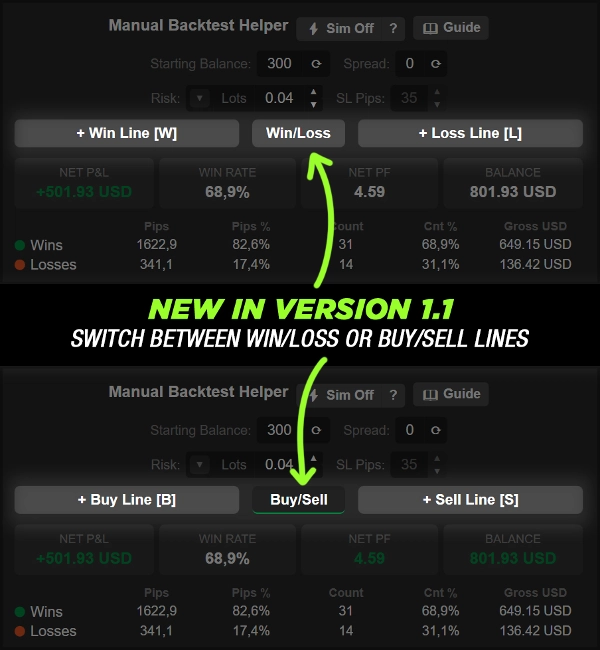
- Modalità Manuale — Disegna una vincita o una perdita come una semplice linea di tendenza tra due punti di prezzo. La direzione (BUY/SELL) è dedotta automaticamente dall’angolo della linea
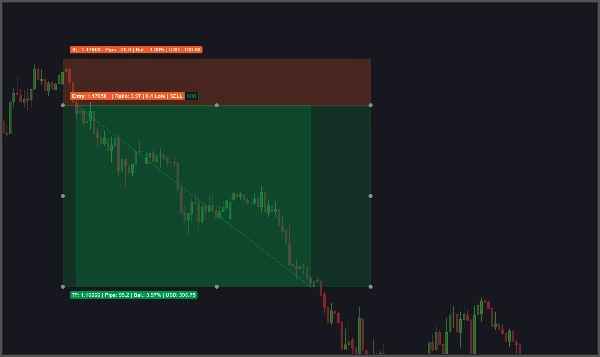
- Modalità Sim (⚡) — Clicca per posizionare un setup completo di trade con ingresso, obiettivo take profit e stop loss. Il plugin scansiona in avanti le candele e risolve automaticamente l’esito come vincita o perdita
🎯 Risoluzione automatica delle operazioni (Modalità Sim)
- Scansiona candela per candela per determinare se è stato raggiunto prima l’obiettivo o lo stop loss
- Segnala le operazioni come Ambigue quando entrambi i livelli sono toccati nella stessa candela
- Le operazioni ambigue possono essere sovrascritte manualmente a Vincita o Perdita direttamente dall’ispezione
💰 Tre modalità di rischio
- Lotti fissi — inserisci direttamente una dimensione lotto specifica
- % del saldo — inserisci una percentuale del saldo iniziale da rischiare; la dimensione del lotto è calcolata automaticamente dai pips di SL
- Importo monetario — inserisci un importo fisso in valuta da rischiare; la dimensione del lotto è calcolata automaticamente dai pips di SL
📐 Motore di calcolo della dimensione del lotto
- Calcola automaticamente a ritroso la dimensione corretta del lotto dall’importo di rischio e dai pips di SL
- Si aggancia al passo minimo di volume del simbolo
- Si limita al volume minimo e massimo consentito dal simbolo
🔢 Input configurabili
- Saldo iniziale — digitato manualmente o sincronizzato dal conto live con un clic
- Spread — digitato manualmente o copiato dal simbolo del grafico live con un clic
- Pips SL — la distanza dello stop loss usata per il calcolo della dimensione del lotto e il disegno del trade Sim
- Facili ▲ / ▼ pulsanti spinner per regolazioni incrementali rapide
📈 Riquadri KPI in tempo reale
Tre metriche principali sempre visibili che si aggiornano in tempo reale mentre le operazioni vengono aggiunte o modificate:
- P&L NETTO — profitto/perdita totale su tutte le operazioni dopo la commissione
- TASSO DI VINCITA — percentuale di operazioni vincenti
- PF NETTO — Fattore di Profitto Netto
- Saldo — saldo dopo il backtesting
📋 Tabella statistiche vincite/perdite
Suddivisione affiancata di vincite e perdite su cinque colonne:
- Totale Pips
- % Pips del totale dei pips mossi
- Conteggio Operazioni
- % Conteggio del totale delle operazioni
- Valore monetario lordo
🔍 Ispezione per singola operazione
Clicca su qualsiasi operazione nel grafico per vedere tutti i dettagli:
- Tipo (es. BUY WIN, SELL LOSS, BUY AMBIG)
- Dimensione lotto
- Pips guadagnati o persi
- P&L lordo
- Prezzo di ingresso e chiusura
- Timestamp di apertura e chiusura
- Commissione
- P&L netto (dopo commissione)
- Saldo prima dell’operazione selezionata
- Saldo dopo l’operazione selezionata
📑 Sezione riepilogo operazioni
Statistiche a livello di grafico su tutte le operazioni registrate:
- Conteggio totale operazioni
- P&L lordo
- Commissione totale
- P&L netto
- Massimo drawdown (valuta)
- Percentuale massimo drawdown
- Rendimento % sul saldo iniziale
- Aspettativa (rendimento monetario netto medio per operazione)
🏷️ Etichette sul grafico
- Attiva o disattiva le etichette delle operazioni direttamente dall’intestazione del riepilogo operazioni
🗑️ Cancella tutto con conferma
- ✖ Cancella tutto il pulsante rimuove tutte le operazioni registrate
- Richiede un ✓ Conferma prima di eseguire, prevenendo cancellazioni accidentali
- ✗ Annulla interrompe l’azione
⌨️ Scorciatoie da tastiera
- Tasti di scelta rapida configurabili per le azioni Linea Vincente, Linea Perdente e disegno operazioni
- Le etichette delle scorciatoie sono visualizzate direttamente sui pulsanti di azione
💾 Stato persistente
- Tutte le operazioni, impostazioni e valori UI sono salvati automaticamente
- Completamente ripristinati la prossima volta che il grafico o la piattaforma vengono aperti
🎨 Interfaccia utente a tema
- Colori del pannello, stati dei pulsanti e testo di stato si adattano al tema attivo
- I pulsanti attivati si evidenziano per mostrare la modalità di disegno attiva
Riepilogo
The plugin supports two recording modes: Manual Mode, where trades are drawn as trendlines with automatic direction detection, and Sim Mode, which allows placing full trade setups (entry, take profit, stop loss) that automatically resolve outcomes by scanning candle data. Ambiguous trades, where both target and stop loss are hit in the same candle, can be manually classified.
Risk sizing is flexible with three modes: fixed lot size, percentage of starting balance, or fixed monetary amount, with an automatic lot size calculator that respects symbol volume constraints. Configurable inputs include starting balance, spread, and stop loss pips, adjustable via spinner controls.
Users benefit from live KPI tiles showing net P&L, win rate, profit factor, and balance, a detailed win/loss stats table, and a per-trade inspector providing comprehensive trade details. Additional features include on-chart trade labels, keyboard shortcuts, persistent state saving, and a theme-aware user interface. This tool is suited for discretionary traders, strategy developers, and reviewers seeking objective edge analysis.





![Logo di "Custom Timeframes [Iridio Capital]"](https://cdn.ctrader.com/image/webp/4d75a920-23c7-4fea-a7b5-594a9d067f2e_63286)