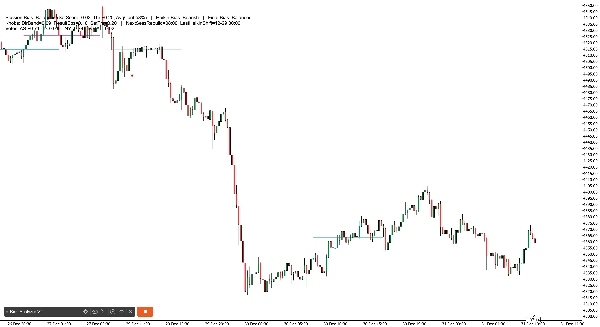
Description
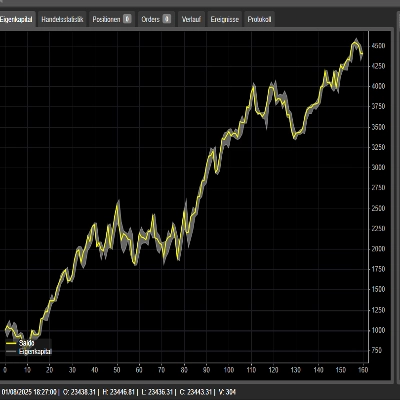
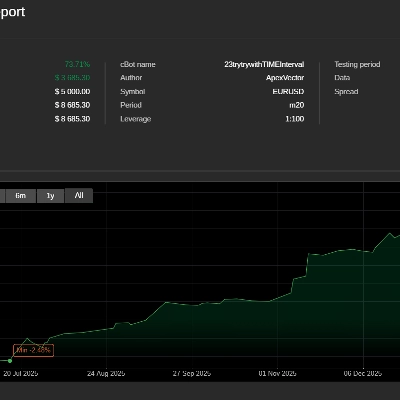
Fiche de référence. 3 ans de données résumées ci-dessous direction à haute probabilité.
Trading journalier
- Asie : B120 (Session Bias + Heikin 2H en accord) | alt : Session Bias uniquement
- Londres : Heikin 1H
- New York : Heikin 2H
- Ouest (Londres et NY) : Heikin 2H
- Timing : Ouest + retournement Heikin 2H → meilleur suivi 30m
Swing (2–3 jours)
- Direction (3 jours / 72h) : Global Session Bias (Asie+Londres+New York combinés)
- Filtre d'entrée : Global Session Bias + accord Heikin 4H (si pas d'accord → passer)
- Éviter le défaut : 2 jours / 48h
HeikinSessionBiasOnlyBot est un tableau de bord de biais et “boussole” de structure de marché pour les traders discrétionnaires. Il ne place pas de trades. Au lieu de cela, il vous offre une vue claire et toujours mise à jour du tendance/biais en utilisant deux moteurs indépendants :
- Heikin Bias (biais directionnel sur une période plus longue)
- Session Bias (biais de la plage Asia/London/New York + profil de volume)
Ce qu'il fait (en anglais simple)
1) Heikin Bias (moteur de biais de tendance)
Ce moteur fonctionne sur votre TF de biais choisi (minutes) (par défaut 360 min / 6H) :
- Il construit des chandeliers Heikin Ashi sur cette période.
- Il détecte des zones pivot lorsque la “couleur” HA change (vert ↔ rouge).
- Le biais bascule lorsque la clôture casse la dernière zone pivot :
-
- La clôture casse au-dessus de la zone de résistance → Haussier
- La clôture casse en dessous de la zone de support → Baissier
- Si aucun retournement par rupture de pivot ne se produit, il peut encore basculer en utilisant un Inside Engine v2 :
-
- Il surveille des coils inside-bar (une compression) ancrés par la plage de mèches.
- Après MinInsideBarsForReversal inside bars, il devient “armé”.
- Une clôture au-dessus de la plage d'ancrage des mèches bascule en haussier ; en dessous bascule en baissier.
Résultat : vous obtenez un biais directionnel clair sur une période plus longue qui se met à jour automatiquement.
2) Session Bias (moteur de biais Asia / Londres / New York)
Ce moteur fonctionne sur une période d'analyse codée en dur de 5 minutes et se reconstruit à chaque fin de session.
Pour chaque session (Asie, Londres, NY), il :
- Construit la plage haute/basse de cette session
- Construit un simple profil de volume (bins) et trouve le POC (Point de Contrôle)
- Utilise une répartition du volume en deux moitiés :
-
- Prend le point médian de la plage de la session : mid = (Bas + Haut) / 2
- Compare le volume échangé dans la moitié inférieure vs moitié supérieure
- Produit un score de direction par session à partir de trois piliers :
-
- HYB (placement de clôture vs plage + vs POC)
- V (biais de volume effectif de la répartition en deux moitiés)
- BB (momentum de rupture du corps : logique de rupture uniquement vs corps de la bougie précédente)
Ensuite, il calcule :
- DirScore = moyenne(HYB, V, BB)
- Un Biais de session à partir de DirScore utilisant DirBand
- Une Confiance de session basée sur :
-
- AGR (accord entre HYB/V/BB)
- CLR (force/clarté des entrées)
- PRG (progressivité du mouvement durant la session)
Enfin, il combine les trois sessions en un SetScore et étiquette le Session Bias global.
3) “Biais combiné” final (votre réponse principale)
Vous choisissez comment combiner les deux moteurs :
- BothAgree (par défaut) : affiche Bullish/Bearish uniquement si les deux moteurs sont d'accord ; sinon Équilibré (ou En attente si incomplet).
- HeikinOnly : uniquement le biais Heikin sur la période plus longue.
- SessionOnly : uniquement le résultat du moteur de session.
C'est un filtre pratique : si vous voulez moins de trades mais un alignement plus propre, utilisez BothAgree.
1) En-tête du tableau de bord (ligne du haut)
Vous verrez quelque chose comme :
Session Bias : Haussier (SetScore +0.85, Thr ±0.20, AvgConf 72%) | Heikin Bias : Haussier | Biais final : Haussier
Ce que chaque terme signifie
- Session Bias : la direction combinée d'Asie/Londres/NY
- SetScore : le “total des votes” combiné des trois sessions
-
- Chaque session contribue un Vote = signe de direction × confiance
- Le haussier ajoute, le baissier soustrait
- Thr (SetThr) : le SetScore minimum nécessaire pour qualifier le Session Bias de haussier/baissier
-
- Si SetScore est dans ±Thr → Session Bias devient Équilibré
- AvgConf : confiance moyenne des trois sessions (0–100%)
- Heikin Bias : le biais sur la période plus longue (Haussier/Baissier/En attente)
- Biais final : le résultat final après votre mode de combinaison (BothAgree / HeikinOnly / SessionOnly)
2) Ligne “Boutons” du tableau de bord (instantané des réglages)
Exemple :
Boutons : DirBand=0.09 ResultEps=0.10 SetThr=0.20 | NextSessRebuild=17:00 LastHeikinShift=12-30 06:00
Signification
- DirBand : à quel point DirScore doit être fort pour qualifier une session de haussière ou baissière
-
- Petit DirBand = plus de signaux, plus “sensible”
- Grand DirBand = moins de signaux, plus conservateur
- ResultEps : la “zone morte” utilisée pour décider si les résultats sont clairs
-
- Aide à éviter de traiter de petites différences comme significatives
- SetThr : le seuil utilisé au niveau combiné de la session (SetScore)
- NextSessRebuild : quand la prochaine reconstruction de session aura lieu (UTC)
- LastHeikinShift : dernière fois que le biais Heikin a changé
3) Ligne “Votes” (total rapide)
Exemple :
Votes : AS +0.40 LO +0.20 NY -0.10 TOTAL +0.50
Signification
- Vote AS / LO / NY = signe(direction) × confiance
- TOTAL est simplement la somme
- C'est essentiellement votre “tableau de bord de session”.
4) Tableau en mode détaillé (détail par session)
En mode Détaillé, vous obtenez un tableau compact comme :
SE | Biais | Conf | Vote | Dir | HYB | V | BB | RS | OC | AGR | CLR | PRG | Sk
Explication colonne par colonne (simple)
- SE : étiquette de session (AS, LO, NY)
- Biais : Haussier / Baissier / Équilibré (pour cette session)
- Conf : pourcentage de confiance pour cette session
- Vote : vote de direction (signe du biais × confiance)
- Dir : DirScore = moyenne(HYB, V, BB)
- HYB : score hybride de placement de clôture
-
- Combine “clôture dans la plage” + “clôture vs POC”
- V : biais de volume effectif
-
- Basé sur le volume de session de la moitié supérieure vs moitié inférieure
- Peut basculer s'il est en conflit avec le “résultat” (voir Sk ci-dessous)
- BB : score de rupture du corps
-
- Mesure le momentum de rupture uniquement par rapport à la limite du corps de la bougie précédente
- RS : ResultScore (mélange de mouvement net + HYB)
-
- Utilisé pour les vérifications de “clarté du résultat”
- OC : résultat clair ? (O/N)
-
- Si RS est assez grand (au-delà de ResultEps), il est considéré comme “clair”
- AGR : pilier d'accord (0..1)
-
- HYB/V/BB pointent-ils dans la même direction ?
- CLR : pilier de clarté (0..1)
-
- HYB/V/BB sont-ils forts ou faibles ?
- PRG : pilier de progression (0..1)
-
- La session a-t-elle progressé régulièrement (moins de fluctuations / meilleur suivi) ?
- Sk : marqueur de conflit de biais
-
*signifie que le biais de volume était en conflit avec la direction du résultat et a été inversé en interne pour éviter un biais trompeur
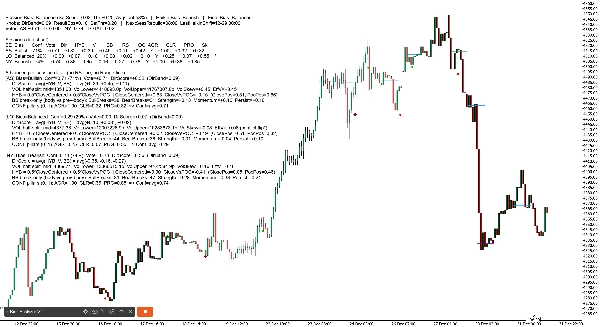
2) Lignes d'historique POC de session (sur le graphique)
Le robot trace des lignes horizontales montrant le POC (Point de Contrôle) pour les sessions récentes :
- Lignes séparées pour AS, LO, NY
- Il trace plusieurs “ensembles d'historique” (par défaut 6), estompant les plus anciens
3) Marqueurs de retournement Heikin (sur le graphique)
Lorsque le biais Heikin bascule, le bot imprime des marqueurs :
- Retournement par rupture de pivot utilise votre Symbole de retournement de pivot (par défaut ●)
- Retournement Inside Engine utilise votre Symbole de retournement Inside (par défaut ◆)
- Les couleurs diffèrent selon la direction et le type de retournement (pour que vous puissiez savoir “pourquoi” il a changé)
Paramètres les plus importants (à mettre en avant dans votre présentation)
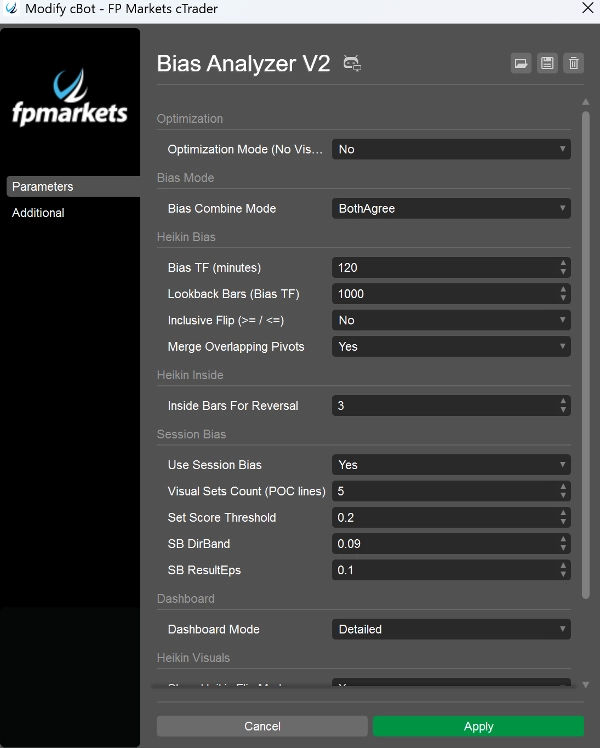
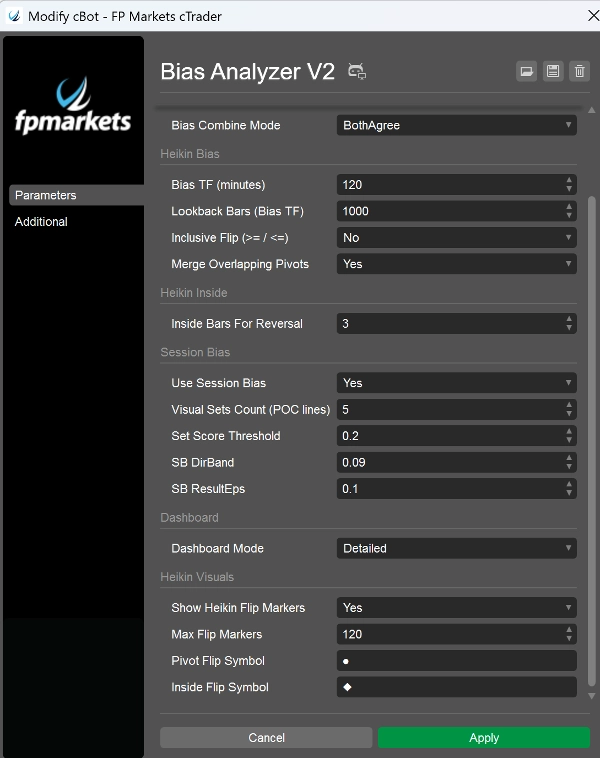
- Bias TF (minutes) : définit la “période d'ancrage” pour le biais Heikin (ex. 240, 360, 720)
- MinInsideBarsForReversal : contrôle la compression nécessaire avant que le moteur inside puisse basculer
- Utiliser Session Bias : activer/désactiver le moteur de session
- Nombre de jeux visuels : combien de lignes d'historique POC conserver
- DirBand / ResultEps / SetScoreThreshold : contrôle la rigueur du moteur de session
- Mode de combinaison du biais : définit la conservativité du biais final
- Mode du tableau de bord : BaseOnly vs Détaillé
- Mode d'optimisation : désactive les visuels/bruits de log pour les tests de performance