Description
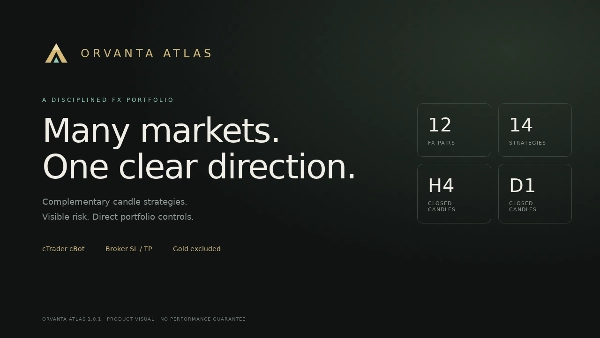
Orvanta Atlas est un cBot de portefeuille FX basé sur des règles qui combine 14 stratégies de motifs de chandeliers sur 12 paires de devises. Il évalue les chandeliers H4 et D1 terminés, gère les entrées depuis une seule instance et offre des contrôles de risque configurables avec un suivi des performances historiques.
Stratégie et approche de trading
Le portefeuille combine des signaux de cassure de chandelier avec des filtres SMA20 et EMA50 sélectionnés. Il est conçu pour un trading systématique intrajournalier et swing plutôt que pour un scalping rapide. Les positions peuvent rester ouvertes pendant la nuit ou le week-end.
Paires prises en charge : AUDJPY, AUDUSD, CHFJPY, EURJPY, EURUSD, GBPJPY, GBPUSD, NZDJPY, NZDUSD, USDCAD, USDCHF et USDJPY.
Logique d'entrée et exécution
Le signal principal nécessite un chandelier précédent baissier, suivi d'un chandelier haussier qui clôture au-dessus du plus haut du chandelier précédent. Selon la règle sélectionnée, le prix de clôture doit également être au-dessus ou en dessous de sa moyenne mobile. Le portefeuille prédéfini inclut à la fois des réponses d'achat et de vente à ce motif haussier ; les règles de vente ne sont pas une stratégie miroir basée sur un motif baissier.
Les signaux sont évalués à l'ouverture de la barre H4 ou D1 suivante. Les transactions éligibles utilisent des ordres au marché avec stop loss et take profit côté courtier. AUDJPY et GBPUSD ont des filtres d'achat/vente mutuellement exclusifs sur la même bougie de signal. Les positions issues de différentes bougies de signal peuvent coexister, y compris dans des directions opposées sur un compte couvert.
Exécutez une instance sur EURUSD M1 ; le cBot obtient automatiquement les données H4/D1 pour son portefeuille. M1 est le graphique hôte et la résolution des données de backtest, pas la période de signal de la stratégie. Les ordres peuvent être rejetés lorsque le spread, le volume, la marge ou les limites de risque ne sont pas satisfaits.
Gestion de l'argent et profil de risque
Choisissez une taille de risque fixe en USD ou un pourcentage des fonds propres du compte. Le volume est arrondi à la baisse selon le pas autorisé par le courtier. La taille fixe en USD est convertie dans la devise pertinente ; le compte n'a pas besoin d'être libellé en USD.
La stratégie n'utilise pas de taille martingale, de récupération en grille ou d'escalade de lots basée sur les pertes. Elle comporte néanmoins un risque FX à effet de levier : les paires corrélées et les positions ouvertes multiples peuvent entraîner des pertes combinées substantielles. Les montants de risque stop sont des objectifs avant frais, glissements et gaps, et ne garantissent pas des pertes maximales.
Les protections contre la perte d'équité quotidienne et le drawdown d'équité bloquent les nouvelles entrées. Elles ne liquident pas automatiquement les positions existantes. Ces protections utilisent l'équité totale du compte, donc d'autres activités de trading et flux de trésorerie du compte peuvent les affecter.
Paramètres par défaut clés
- Risque par entrée : 100 USD en mode FixedUsd ; paramètre alternatif EquityPercent : 0,5 %.
- Budget de risque stop ouvert : 1 500 USD.
- Protection contre la perte d'équité quotidienne : 5 % ; protection contre le drawdown d'équité du compte : 20 %.
- Positions maximales : 20 dans le portefeuille et 8 par paire.
- Spread maximal d'entrée : 3 pips natifs.
- Marge estimée pour un nouvel ordre : jusqu'à 80 % de la marge libre disponible.
- Stops : distances fixes spécifiques à la règle ou distance basée sur l'ATR ; ratios take-profit allant de 1:1 à 1:3.
Tableau de bord et alertes de performance
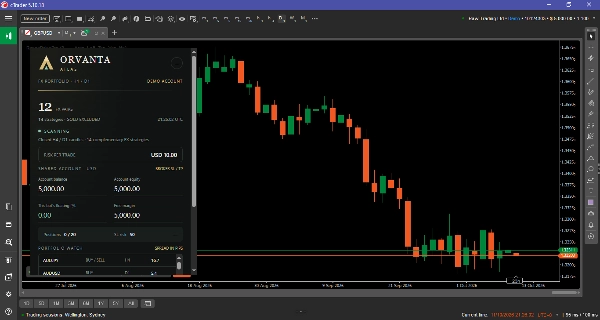
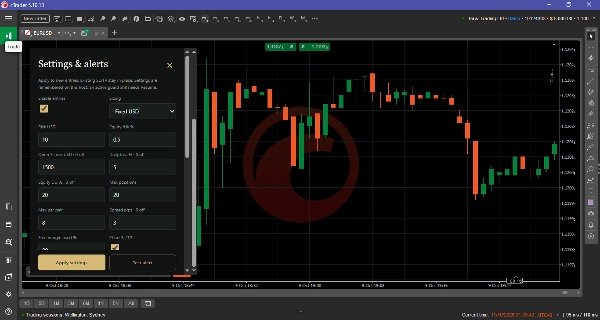
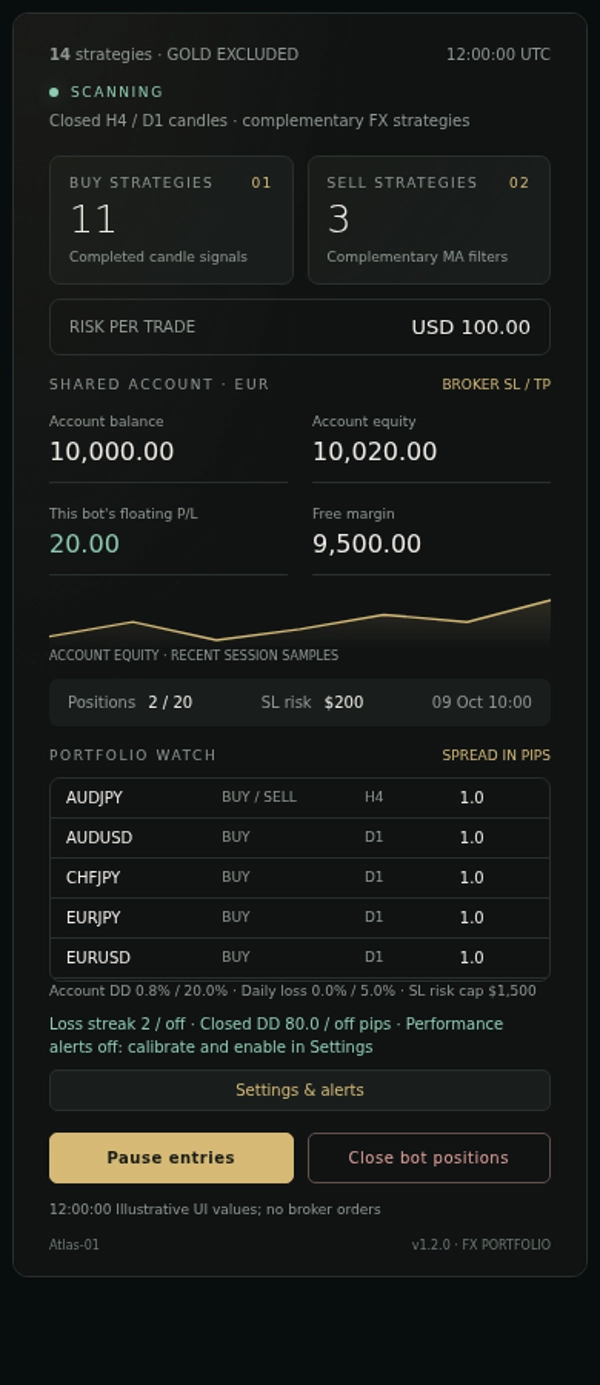
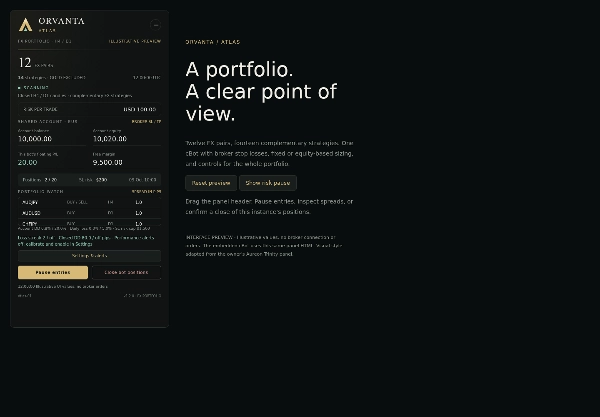
Le tableau de bord déplaçable se réduit à un logo circulaire. Son panneau de paramètres permet de modifier la taille, les limites d'exécution et les notifications. Mettez en pause les entrées ou confirmez la fermeture des positions de cette instance. Modifier les paramètres ne remplace pas les SL/TP des positions existantes.
Calibrez les alertes de performance pour votre compte
Les alertes de performance, les alertes popup cTrader et les alertes Telegram sont désactivées par défaut. Les deux champs de référence commencent à 0 (non configurés). Le cBot continue d'enregistrer les métriques des transactions clôturées pendant que les alertes sont désactivées ; les protections d'entrée basées sur la perte d'équité et le drawdown restent des contrôles séparés.
- Effectuez un backtest sur votre propre compte courtier avec des barres M1, en utilisant les mêmes paires sélectionnées, la devise du compte, le capital de départ, l'effet de levier, le risque par entrée, le spread, la commission et les paramètres d'exécution que vous comptez utiliser. Choisissez une période représentative incluant différentes conditions de marché. Ne copiez pas les résultats d'un autre compte comme valeur par défaut.
- À la fin du test, ouvrez le journal du cBot et trouvez le dernier
OA_TRACEdont lekindestrisk_final. CopiezMaxLossStreakdans Référence pertes consécutives max etMaxDrawdownPipsdans Référence drawdown fermé max (pips). Utilisez les champs maximum, pas leLossStreakouDrawdownPipsfinal/courant. Les pourcentages de DD balance/équité du rapport natif sont des métriques différentes et ne doivent pas être entrés dans le champ pip. - Saisissez ces valeurs dans les paramètres Alerts du cBot avant de démarrer, ou via Settings & alerts sur le tableau de bord. Les deux doivent être positifs pour activer la comparaison. Si un test indique zéro pour l'un ou l'autre maximum, laissez la surveillance désactivée et recueillez un historique plus représentatif avant de choisir une référence.
- Activez les Alertes de performance (appelées Alertes de surveillance des risques dans le panneau), sélectionnez popup cTrader et/ou Telegram, puis appliquez. Pour Telegram, saisissez votre propre token/ID de chat et utilisez Test alert en session démo/live. Les backtests n'envoient jamais de notifications externes.
- Répétez la calibration après changement de courtier/compte, sous-ensemble du portefeuille, taille, paramètres d'exécution ou période de test. Enregistrez le compte, la période et les paramètres avec votre référence choisie. Les sous-ensembles sont pris en charge s'ils sont calibrés avec ce sous-ensemble exact.
Une alerte se déclenche uniquement lorsque la série de pertes nette actuelle ou le drawdown en pips des transactions clôturées est strictement supérieur à sa référence configurée. L'égalité ne déclenche pas d'alerte. Une notification par métrique par excursion est envoyée ; la récupération la réarme. Modifier une référence ou réactiver la surveillance vérifie l'état actuel et peut déclencher une nouvelle alerte, sans rejouer les excursions passées récupérées. Ce sont des alertes de revue, pas des arrêts automatiques de trading ou des limites de perte garanties.
Les métriques utilisent uniquement les transactions de clôture détenues par cette instance, ordonnées par heure de clôture et ID de transaction. Les pertes consécutives utilisent le profit net inférieur à zéro ; le seuil de rentabilité réinitialise la série. Le drawdown en pips est la perte du pic au creux sur les pips bruts cumulés pondérés également, à partir de zéro, arrondi à 0,1 pip par transaction. Il exclut le P/L flottant, les commissions et swaps. Les clôtures partielles comptent comme des transactions de clôture séparées. Utilisez la même convention de pip du courtier pour la calibration et la surveillance.
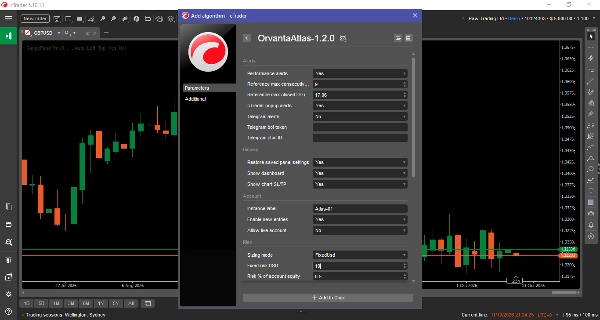
Les paramètres non secrets du panneau sont restaurés par compte et étiquette d'instance sur le même hôte. Pour utiliser les paramètres cTrader nouvellement édités au redémarrage, réglez Restore saved panel settings = false. Lors de la mise à niveau depuis des versions avec une référence intégrée, les alertes restent désactivées jusqu'à ce que vous fournissiez votre propre référence et les activiez. L'historique de surveillance est récupéré depuis le journal d'instance disponible et l'historique du courtier ; utilisez une nouvelle étiquette d'instance pour un historique de surveillance délibérément neuf.
Les notifications Telegram optionnelles nécessitent un token de bot et un ID de chat. Les alertes popup cTrader sont également disponibles. Les notifications push personnalisées vers cTrader Mobile ne sont pas prises en charge par l'API Algo actuelle.
Pour qui est-ce
Convient mieux aux utilisateurs cTrader intermédiaires et expérimentés qui comprennent l'effet de levier, l'exposition du portefeuille, la marge et le drawdown, et qui souhaitent une stratégie multi-paires définie avec des contrôles visibles. Moins adapté aux traders recherchant des rendements garantis, des limites de perte strictement fixes ou une opération non surveillée sans revue de performance.
Un compte couvert et l'accès à tous les symboles de courtier sélectionnés sont requis. Le test de référence utilisait 10 000 EUR et un effet de levier de 1:100 ; ce sont des conditions testées, pas un solde minimum vérifié ni une recommandation pour chaque compte. Les comptes plus petits nécessitent une réévaluation du risque de transaction, du volume minimum et de la marge. La compatibilité courtier et prop-firm doit être vérifiée individuellement.
Limitations importantes
La période de référence chevauche les données de sélection de stratégie et n'est pas un test indépendant hors échantillon. La simulation M1, les sessions du courtier, les spreads, commissions, swaps et conditions d'exécution peuvent produire des résultats différents en trading réel.
Le drawdown en pips est calculé à partir des pips bruts cumulés pondérés également des transactions clôturées, excluant le P/L flottant, les commissions et swaps. Les pertes consécutives utilisent le profit net après coûts. Aucune de ces mesures n'est interchangeable avec le drawdown de l'équité du compte. Des paramètres différents, des clôtures partielles ou des conventions de pip du courtier affectent la comparabilité.
Les backtests CLI natifs et les tests de panneau basés sur navigateur ont été réalisés. Le panneau Desktop natif, l'exécution cloud et la livraison Telegram en direct n'ont pas encore été validés. Commencez avec un compte démo et vérifiez le fonctionnement avec votre courtier. L'hôte doit rester actif pour que les contrôles d'entrée, la surveillance et les notifications fonctionnent.
Le trading comporte des risques. Les performances passées ne garantissent pas les résultats futurs.
Résumé
The cBot operates from a single EURUSD M1 chart, automatically obtaining higher timeframe data. Trades are executed via market orders with broker-side stop loss and take profit, supporting configurable risk management including fixed USD or equity percentage sizing. It limits maximum open positions (20 total, 8 per pair) and enforces daily equity-loss and drawdown guards to block new entries.
A draggable dashboard provides control over settings, execution limits, and notifications, including optional performance alerts via cTrader popups or Telegram. Alerts are calibrated through backtesting on the user’s broker account to monitor risk metrics such as maximum consecutive losses and pip drawdowns.
OrvantaAtlas-1.2.0 requires a hedged account and access to all selected symbols. It is intended for intermediate to experienced cTrader users familiar with leverage, margin, and portfolio risk management.