

Deskripsi
VERSI LENGKAP! https://ctrader.com/products/2705
BATASAN DEMO:
- Beberapa instrumen pilihan
- 4 kerangka waktu (M1, M10, M30, H2)
- Batas 2 tahun pada data backtesting
- x4 backtest bersamaan
Untuk mendapatkan akses ke versi lengkap, silakan kunjungi tautan di atas!
----------------
Mengapa OmniSim?
Backtesting tradisional di cTrader mengonsumsi sumber daya sistem yang signifikan untuk menampilkan kurva ekuitas dan grafik saldo secara real-time, yang memperlambat komputer Anda dan membatasi efisiensi pengujian. OmniSim menyederhanakan seluruh proses dengan langsung mengambil data tick server dan menjalankan backtest yang ramping dan fokus pada instrumen dan kerangka waktu yang Anda pilih tanpa beban visual, namun tidak menghilangkannya.
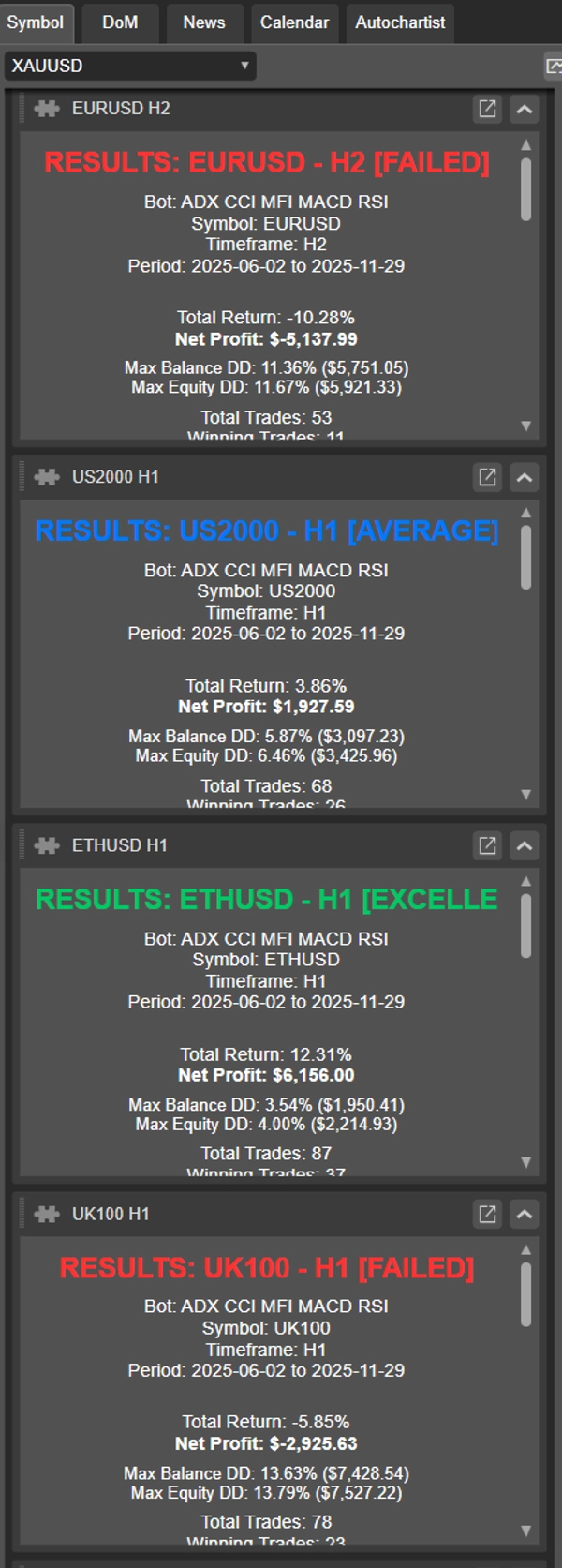
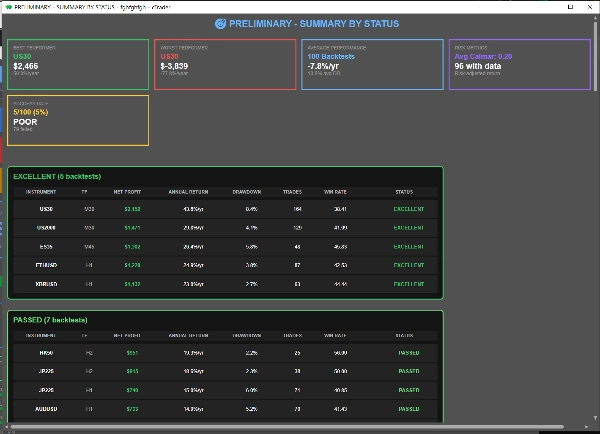
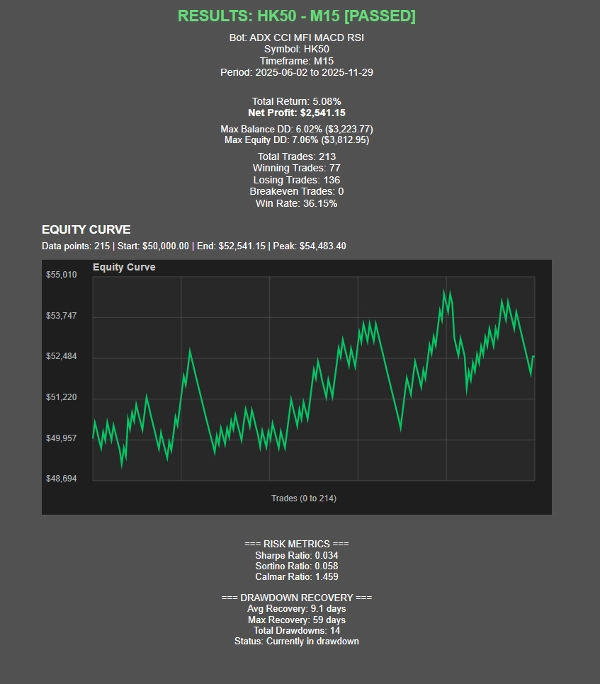
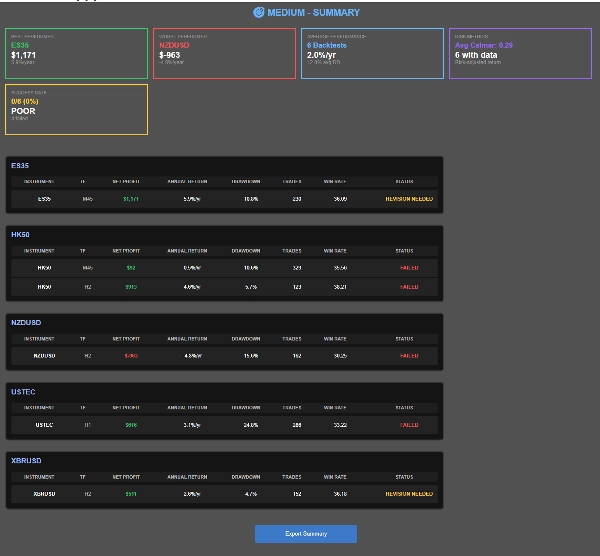
Saat pengujian selesai, OmniSim secara otomatis menghasilkan laporan individual untuk setiap backtest serta laporan ringkasan komprehensif, memberikan Anda gambaran lengkap tentang kinerja secara sekilas.
Bagaimana cara kerjanya?
Antarmuka OmniSim dirancang dengan intuisi dan kesederhanaan dalam pikiran.
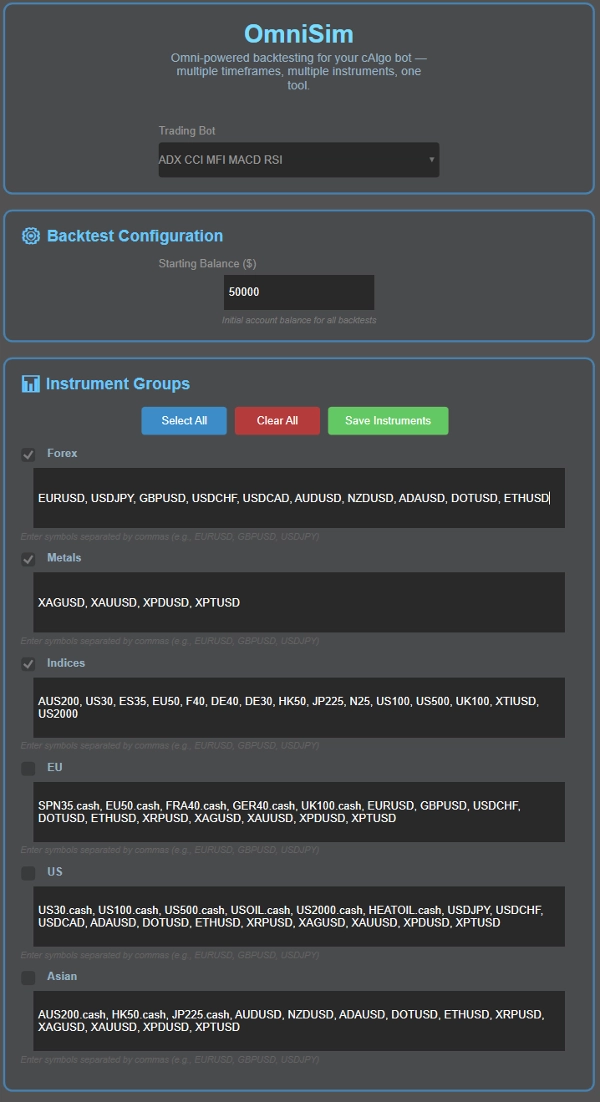
- Pilih bot Anda: Omni secara otomatis memuat semua bot yang terpasang dan menampilkannya dalam daftar dropdown di bagian atas UI
- Pilih modal Anda
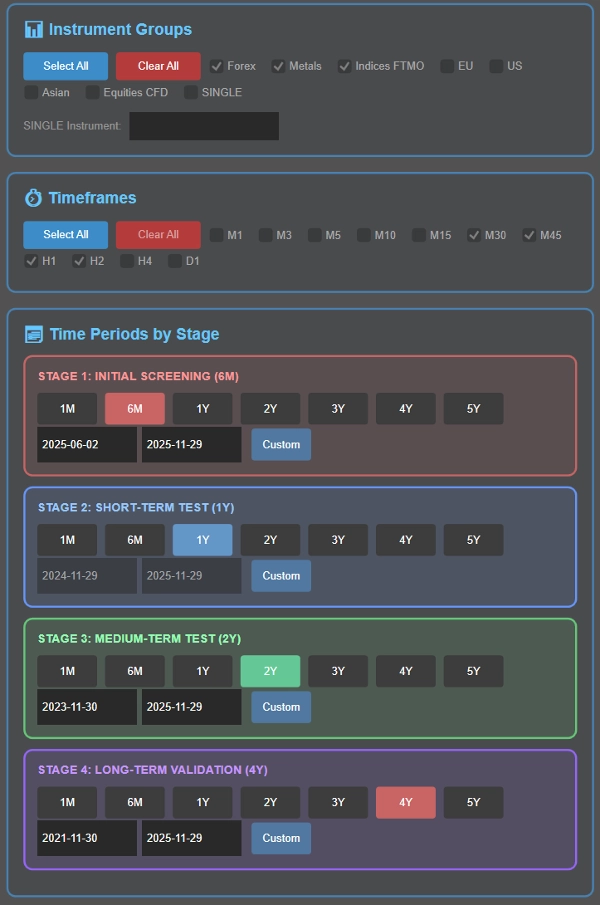
- Pilih instrumen Anda: di sini, Anda akan disambut dengan 5 grup (Forex, Logam, Indeks, EU, US, Asia) instrumen mereka dapat disesuaikan untuk kenyamanan Anda. Sebelum backtest, Anda dapat memilih grup instrumen yang ingin Anda uji
- Pilih kerangka waktu Anda: Pilih kerangka waktu yang akan diuji: M1, M3, M5, M10, M15, M30, M45, H1, H2, H4, D1
- Tetapkan periode waktu backtesting Anda sebagai bagian dari proses cascading cerdas (dijelaskan di bawah), atau pilih satu periode spesifik jika diinginkan.
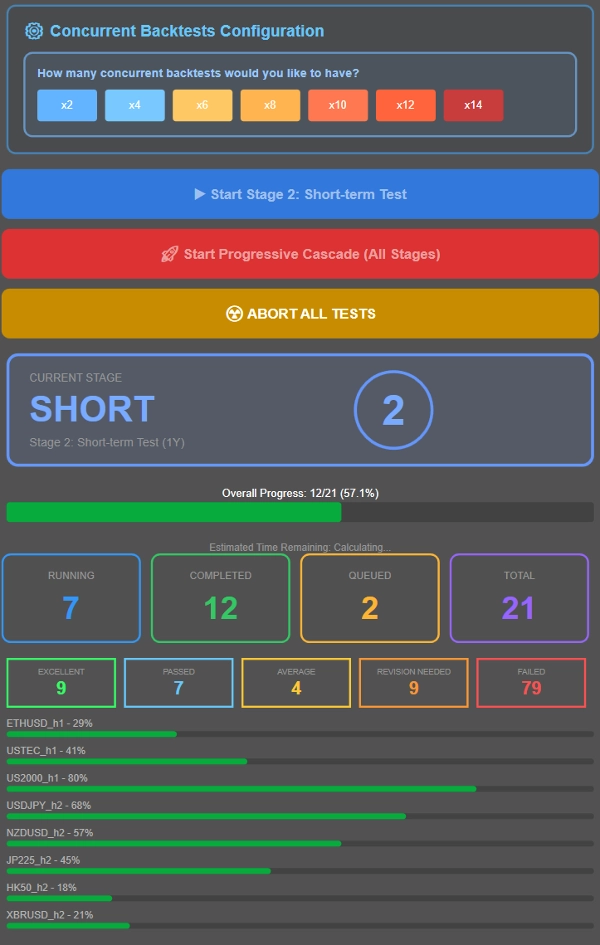
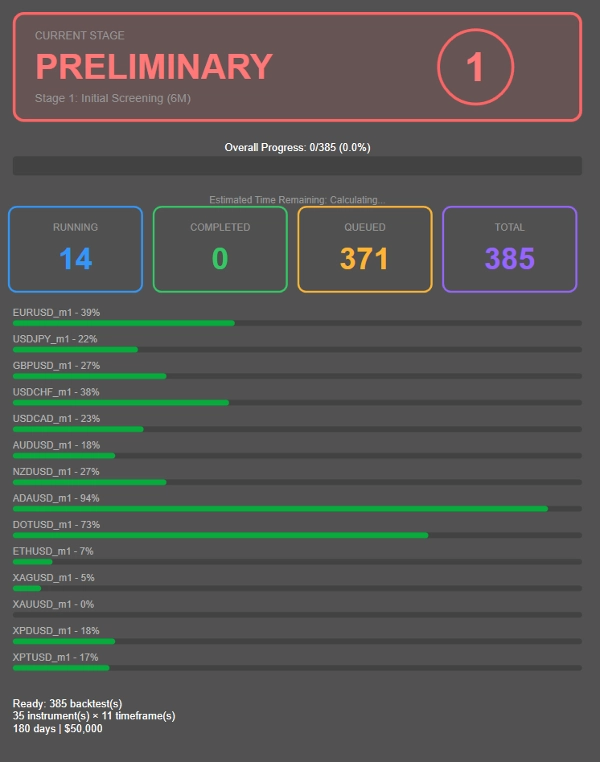
- Kontrol berapa banyak pengujian yang berjalan secara bersamaan berdasarkan spesifikasi sistem Anda. Sebagai referensi, sistem RAM 16GB dengan Ryzen 7 5800X3D dengan mudah menangani 8 backtest bersamaan, dengan kinerja tetap lancar hingga 12-14 pengujian bersamaan. Sesuaikan dengan perangkat keras Anda.
- Jalankan backtest cascading (penyaringan progresif melalui beberapa periode waktu) atau uji semua kombinasi terhadap satu periode spesifik dengan nilai parameter default cbot.
Apa itu proses backtesting cascading?
Daripada menjalankan backtest panjang selama 4 tahun pada setiap kombinasi instrumen-kerangka waktu (termasuk yang tidak menguntungkan), OmniSim menggunakan metodologi cascading progresif yang secara cerdas menyaring yang berkinerja buruk sejak awal:
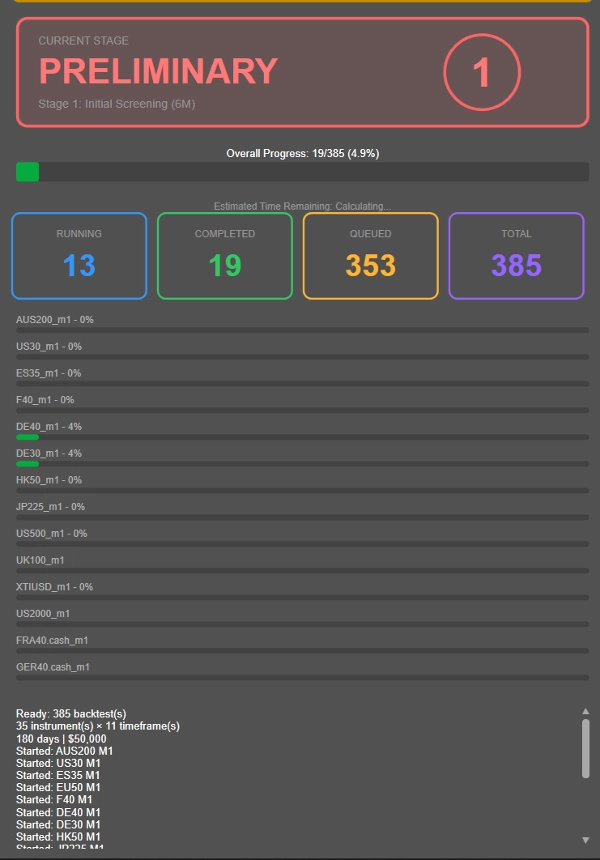
- Tahap 1: Penyaringan awal 6 bulan
- Tahap 2: Yang lolos maju ke pengujian 1 tahun
- Tahap 3: Yang konsisten maju ke validasi 2 tahun
- Tahap 4: Hanya kombinasi paling kuat yang menghadapi pengujian penuh 4 tahun
---------------
- Durasi setiap tahap di atas dipilih oleh saya berdasarkan apa yang saya anggap durasi backtesting yang cukup nyaman. Anda dapat menyesuaikan durasi waktu sesuka hati, bukan 6B → 1T → 2T → 4T, Anda bisa memilih 1B → 2T → 4T → 8T! Sepenuhnya dapat disesuaikan.
---------------
Pendekatan ini secara dramatis mengurangi pemborosan komputasi pada kombinasi yang tidak menguntungkan, memungkinkan Anda memfokuskan sumber daya pada strategi yang benar-benar menunjukkan potensi.
Ingin menguji semuanya terhadap satu periode saja? Cukup konfigurasikan kerangka waktu yang diinginkan di Tahap 2 dan jalankan semua kombinasi terhadap periode spesifik itu dengan mengklik tombol biru.
Klasifikasi Kinerja, dapat disesuaikan atas permintaan setelah pembelian!
- LUAR BIASA: ≤10% DD rata-rata, ≥20% keuntungan tahunan
- LOLOS: ≤10% DD rata-rata, 10-20% keuntungan tahunan
- RATA-RATA: ≤10% DD rata-rata, 5-10% keuntungan tahunan
- PERLU REVISI: 10-20% DD dengan >5% keuntungan ATAU ≤5% DD dengan 0-5% keuntungan
- GAGAL: Semua lainnya
Plugin ini dirancang dengan kriteria lolos dan gagal dari perusahaan prop populer (drawdown diskualifikasi 10%). Tergantung pada berapa banyak risiko per perdagangan, mungkin sulit mengetahui kinerja sebenarnya, oleh karena itu kategori lain seperti perlu revisi dan rata-rata, semua dalam metrik kinerja yang wajar. Gagal diperuntukkan bagi hasil yang biasa-biasa saja, drawdown tidak ada atau drawdown besar.
Metrik Kinerja:
- Rasio Sharpe, Rasio Sortino, Rasio Calmar (sedang dikembangkan)
- Statistik pemulihan drawdown
- Visualisasi kurva ekuitas
- Pelacakan kemajuan waktu nyata dengan ETA
Presentasi Hasil
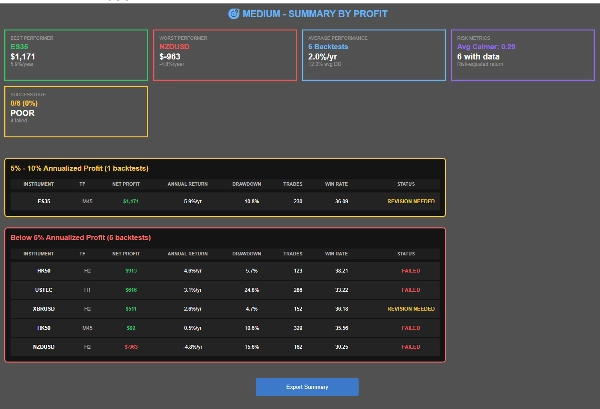
- Tiga tampilan ringkasan: Berdasarkan Instrumen, Berdasarkan Status, Berdasarkan Keuntungan
- Navigasi hasil yang dapat diklik
- Fungsi ekspor CSV
- Kartu status visual dan indikator kemajuan
Ringkasan
Ulasan pelanggan
Diskusi
Pertanyaan umum
Produk lain dari penulis ini










Harga