Deskripsi
TraderJourneyPro : Track. Analyze. Improve.
TraderJourneyPro turns cTrader into a complete trading journal and statistics dashboard for your real trades. It reads your account's trades automatically while cTrader runs. The dashboard shows what works and what doesn't: your equity, about 45 statistics, a P&L calendar, and how you execute, from which setups have an edge to whether your trade management beats set and forget. The journal guides you through a short end-of-day review, so your trading gets better week by week. It covers every account you trade, all time: your whole journey as a trader.
It only reads your account. TraderJourneyPro never places, changes or closes an order, and it runs without any special access rights.
Install and launch
- Install TraderJourneyPro from the cTrader Store. It appears under Algo → Plugins.
- Make sure TraderJourneyPro is switched on in Settings → Plugins (or started in Algo → Plugins). No permission prompt appears, and it starts again each time cTrader opens.
- A TraderJourneyPro button (a rising path icon) appears in the chart toolbar. Each click opens a window sized to your screen. Prefer tabs? Change "Open new windows as" in Settings.
Your first minute
- Click the TraderJourneyPro button. The account cTrader is connected to is read at once: its trading history, its open positions and its balance.
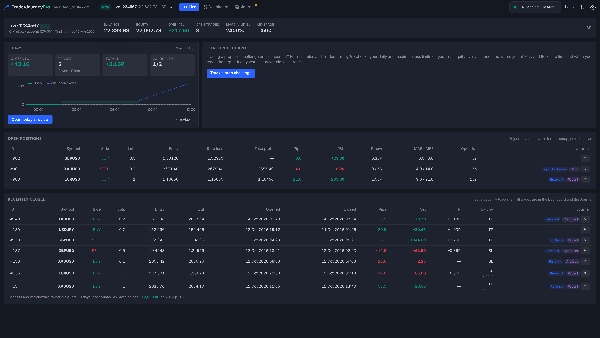
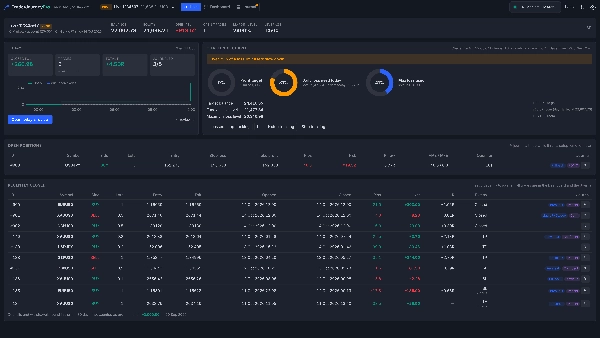
- The Live view shows the account now: balance, equity, open P&L, today's results and your open positions.
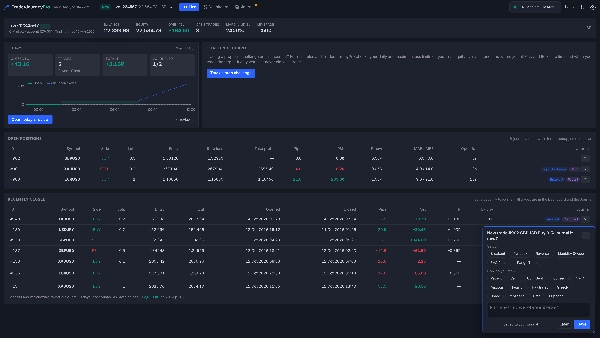
- Open a trade in cTrader as usual. A small card asks for your setup, how you feel and your plan: two clicks, and it's in your journal.
- Open the Dashboard for your statistics, and the Journal for your progress and your end-of-day review.
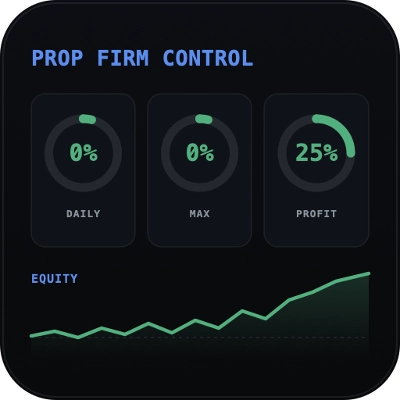
- Trading a prop challenge? Click Track a prop challenge and enter its rules: the challenge guard watches your loss limits on every tick.
Why traders choose TraderJourneyPro
- Automatic. Every closed trade is recorded from your account's own history, with commission, swap and net result. No typing, no importing, no spreadsheets. Positions closed in parts are shown as one trade.
- More than the broker keeps. While a position is open, TraderJourneyPro records its first stop loss (for R), how far price went against and for it (MAE and MFE) and why it closed (stop loss, take profit, stop out).
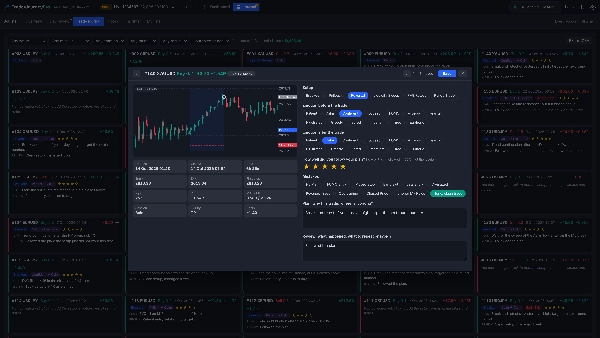
- A chart of every trade. The journal draws each trade on your broker's bars, with its entry, exit, partial closes, stop loss and take profit. It works for old trades too.
- A challenge guard for prop traders. Enter your challenge's starting balance, profit target, daily and maximum loss limits and when its day starts. TraderJourneyPro checks your real equity every second and warns you at 75% and 90% of a limit, when a limit is reached and when you reach the target. It only warns; it never closes a trade.
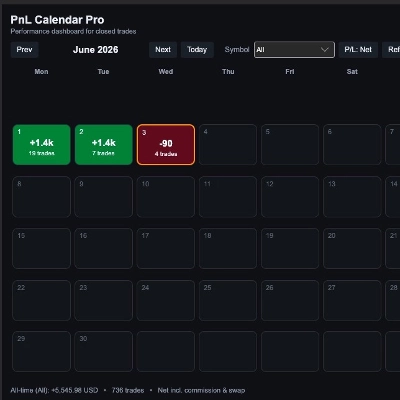
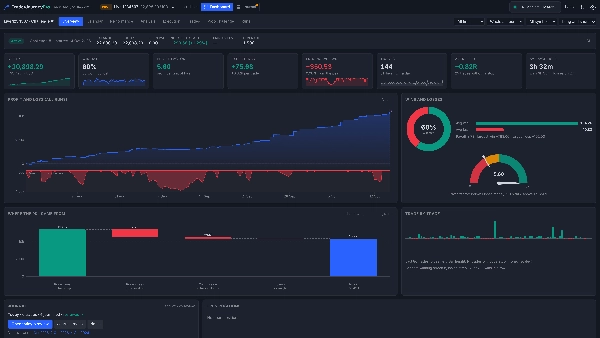
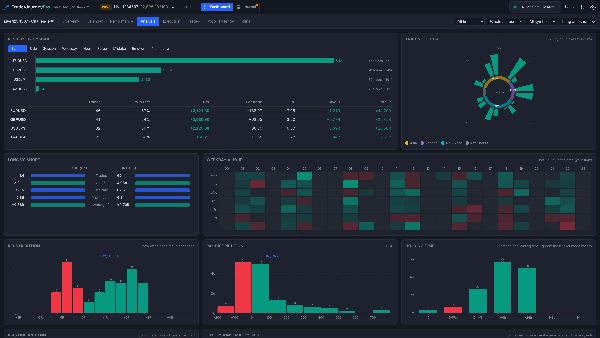
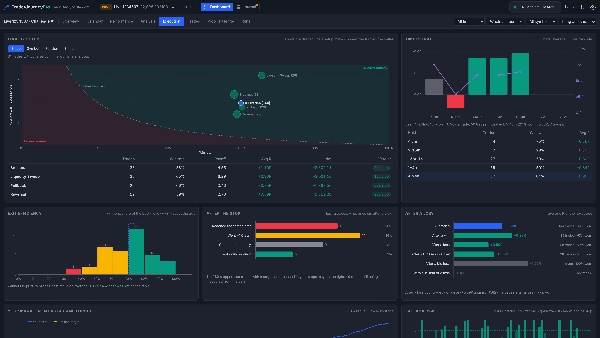
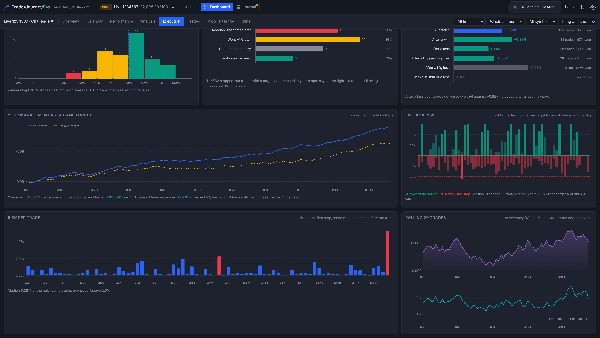
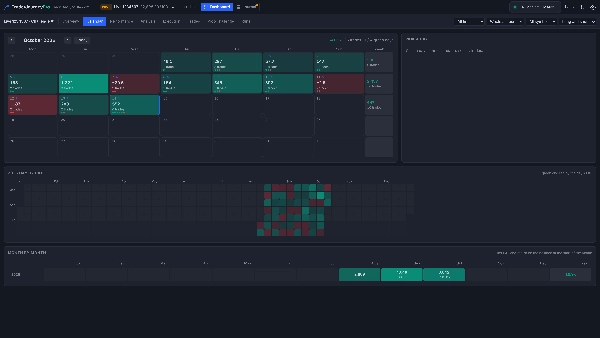
- A full statistics dashboard. Equity and drawdown, about 45 statistics (profit factor, expectancy, R, SQN, Sharpe, Sortino, streaks, MAE and MFE), a P&L calendar, results by symbol, session, weekday and hour, distributions, every trade in a searchable table, and your challenges compared.
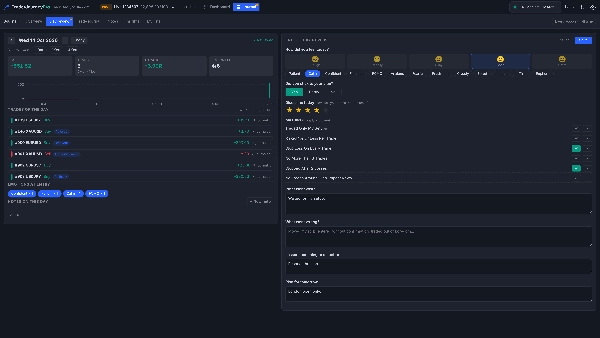
- A journal that does the work with you. Tag each trade with its setup, your emotion before and after, mistakes and a plan rating. Each evening, the end-of-day review asks how you felt, whether you stuck to your plan, which rules you kept or broke, what went well, what went wrong, the lesson and your plan for tomorrow.
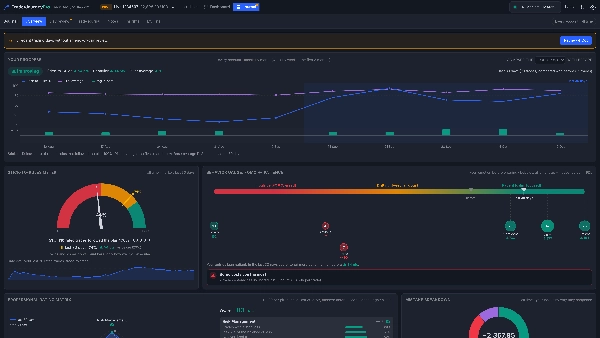
- See your progress. The journal's Overview compares the last 7, 30 or 90 days with everything before and tells you plainly whether you are improving, steady or slipping, with a Stick-to-Rules meter, a FOMO-to-patience behavior gauge, a five-pillar rating of your trading and what your mistakes cost you.
- Every account, one journey. cTrader connects to one account at a time; TraderJourneyPro keeps every account it has seen, so the journal covers your live, demo and prop accounts together.
Live view
- The connected account now: balance, equity, open P&L, margin level and leverage.
- Today: closed P&L, trades, R, how many are journaled, the day's P&L curve and a Review today button.
- Open positions: stop loss (with the first one), take profit, pips, P&L, R so far, worst and best pips, time open, and ✎ to journal it.
- Trades closed in the last three days, and the deposits and withdrawals found.
- The challenge guard, when you track a prop challenge.
Dashboard
- Overview, Calendar, Performance, Analysis, Trades, Prop challenge and Runs tabs, for any account TraderJourneyPro has seen.
- Filters for period, the current period or the whole account, symbol and side; every number shows how many trades it rests on.
Journal
- Overview: your progress against before, the Stick-to-Rules meter, the behavior gauge, the professional rating matrix and the mistake breakdown.
- Day review, Trade journal (every trade as a card, with its chart), Notes (with templates and pinned notes), Insights in plain language, and your own lists of setups, mistakes, emotions and rules.
- Export everything to CSV.
Made for
- Traders who want to know, with numbers, what works for them and what doesn't.
- Prop challenge traders who want a second pair of eyes on their loss limits.
- Building discipline: rules, reviews and a progress view that show whether you are actually improving.
Good to know
- TraderJourneyPro records trades while cTrader runs with the plugin started (with or without a window open). Trades closed while cTrader was off are read from the account's history the next time.
- How far back your history goes depends on cTrader; the plugin's log says where it starts.
- The first stop loss is recorded for positions TraderJourneyPro sees open; for older trades you can type it in, so R can be calculated.
- MAE and MFE of trades it did not watch are estimated from your broker's bars.
- Deposits and withdrawals are found from the balance (from 0.5% of it) and are not counted as profit or loss.
- The challenge guard follows the usual prop-firm rules; check your firm's exact rules. It warns only.
- Your data stays on your computer and is not synced between computers.
- Tested on cTrader for Windows.
Disclaimer: TraderJourneyPro is an analysis and journaling tool. It does not give trading advice and does not trade. Trading involves risk. Past performance does not guarantee future results.
Ringkasan
Key features include automatic recording of closed trades with commissions and swaps, visualization of each trade on broker charts, and tracking of first stop loss, MAE (maximum adverse excursion), and MFE (maximum favorable excursion). It supports journaling with tags for setups, emotions, mistakes, and plans, plus an end-of-day review to guide ongoing improvement. A dedicated challenge guard monitors prop trading loss limits and profit targets, issuing warnings without closing trades.
The dashboard offers multiple views—Live, Overview, Calendar, Performance, Analysis, and Trades—with filters by period, symbol, and trade side. It consolidates data across all accounts used in cTrader, including live, demo, and prop accounts. Data remains local to the user’s computer. TraderJourneyPro is designed for traders seeking data-driven insights, discipline building, and prop challenge monitoring.