Description
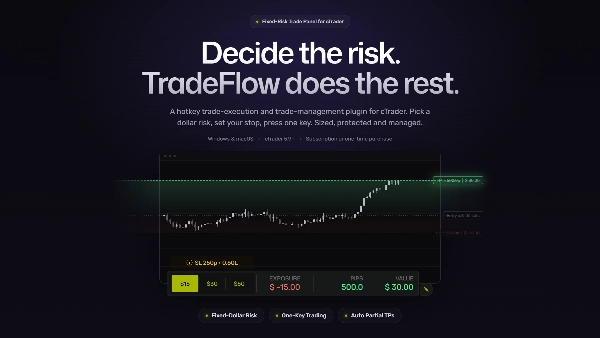
⚡TRADEFLOW™ is a hotkey trade-execution and trade-management plugin for cTrader, designed for traders seeking faster execution, greater precision and more control. It turns your key trading actions into keyboard shortcuts, reducing unnecessary clicks and improving efficiency in every session.
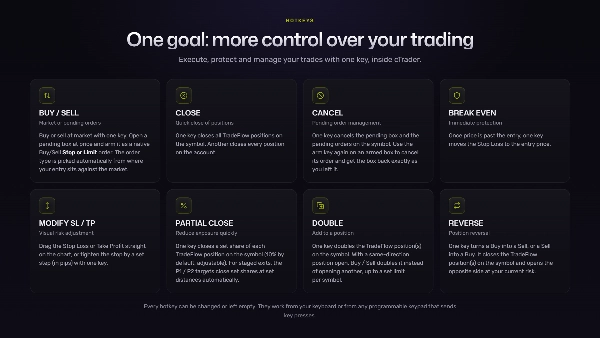
Designed to fit naturally into your workflow, TradeFlow™ lets you execute entries, manage exits, modify orders, protect trades and adjust key parameters from a compact, clean on-chart panel with one clear goal — More Control Over Your Trading.
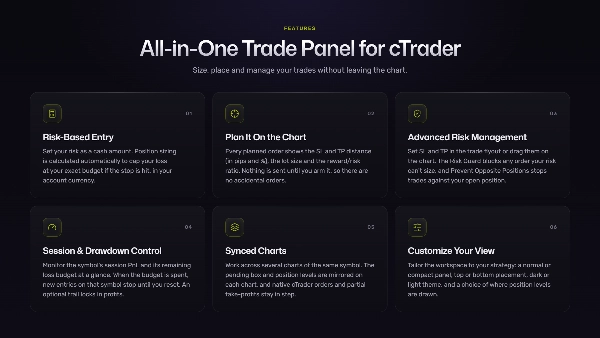
ALL-IN-ONE TRADE PANEL
⚡Chart Interactive & Instant Trade Execution
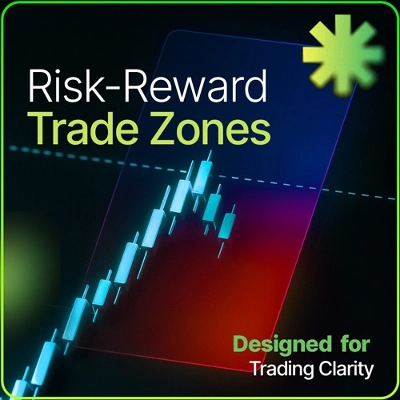
Plan orders on the chart and drag the levels to set your entry, Stop Loss and Take Profit, with the Risk/Reward ratio updated live. Use it for Instant Trade Execution or drop a pending order box and wait for price to reach your level.
⚡Risk-Based Entry
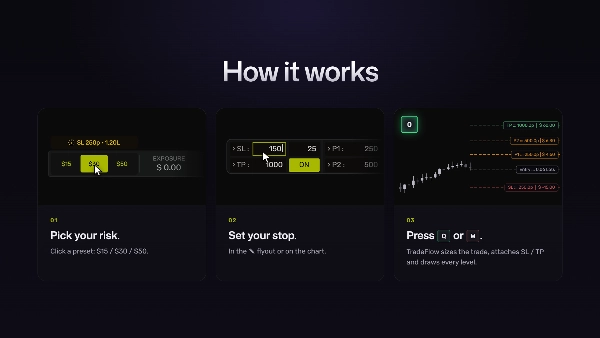
Set your risk as a cash amount. Position sizing is calculated automatically to cap your loss at your exact budget if the stop is hit. The amount is shown in your cTrader account currency, whatever that currency is.
⚡Advanced Risk Management
Set Take Profit and Stop Loss in the trade flyout or drag them on the chart. Tighten the stop or move it to breakeven. The Risk Guard blocks any order your risk can't size, and Prevent Opposite Positions stops you from opening a trade against your open position.
⚡Pending Confirmation Model
Every planned order shows the Stop Loss and Take Profit distance (in pips and %), the lot size and the reward/risk ratio. It works in Preview and Active modes: nothing is sent until you arm it, so there are no accidental orders.
⚡Session & Drawdown Control
Monitor the symbol's session PnL and its remaining loss budget at a glance. When the budget is spent, new entries on that symbol stop until you reset.
⚡Synced Charts
Work across several charts of the same symbol. The pending box and the position levels are mirrored on each chart, the session panel sits on every chart, and native cTrader orders and partial take-profits stay in step with TradeFlow™.
⚡Customize Your View
Tailor the workspace to your strategy and visual preferences: a normal or compact panel, top or bottom placement, dark or light theme, and a choice of where position levels are visible.
DESIGNED TO IMPROVE YOUR EXECUTION
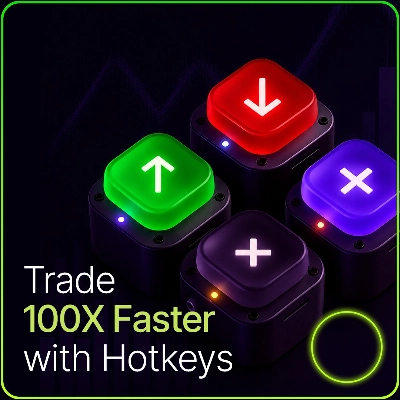
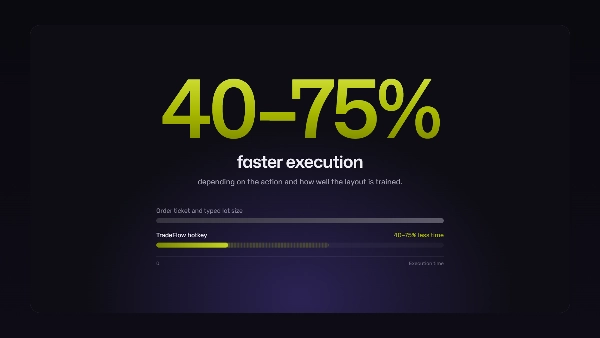
With TradeFlow™, every important action is one key away. This lets you act quicker in volatile moments, helps reduce manual errors, and keeps your focus where it matters: the chart, the strategy and the risk. Tested hotkey workflows reduce execution times by 40–75%, depending on the action and how well you've trained the layout.
From a quick market entry to adjusting a Stop Loss or Take Profit, TradeFlow™ simplifies how you interact with cTrader and helps you trade with greater fluidity.
CUSTOMIZABLE SETTINGS
Adapt TradeFlow™ to Your trading style:
- Three fixed-dollar customizable risk presets
- Stop Loss and Take Profit in pips, saved per symbol
- SL step adjustment for stop tightening / trailing
- 2 Presets for automated partial targets
- Manual Partial Close volume
- Risk Guard for modified pending orders
- Drawdown Protection budget, with an optional trail that locks in profits
- Panel UI color themes and levels colours customization
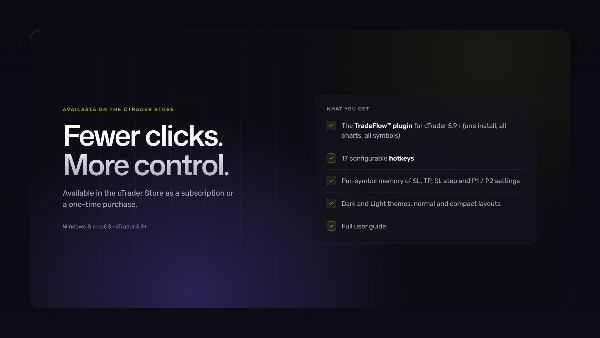
Fewer clicks. More control.
HOTKEY TRADING WITH TRADEFLOW™
The fastest setup for active cTrader traders is a set of hotkeys that do the same thing every time, with your risk worked out before you press them. TradeFlow™ gives you that inside cTrader, and it needs no technical background to set up.
Your next step: get the plugin from the cTrader Store, enable it on a symbol, and run at least one full session on a demo account before going live.
Two reasons this matters more than most traders expect:
- Hotkeys cut the time between decision and execution. There's no order ticket to open and no lot size to type in a fast market.
- Repeatable commands are the most important feature. Each key does exactly the same thing every time, without hunting across panels or menus.
WHAT CAN TRIGGER WITH TRADEFLOW™ HOTKEYS
Any device that sends standard key presses to cTrader:
- Your keyboard: every hotkey works out of the box.
- Macropads and programmable keypads: map a pad key to the TradeFlow key (e.g.
Q) and it behaves exactly like pressing it. - Stream Deck-style controllers: map buttons to keyboard shortcuts. They're best used as a labelled layer beside your keyboard.
BEFORE YOU GO LIVE
TradeFlow™ hotkeys act on the chart you clicked last, on enabled symbols only. Check these on a demo account first:
- Hotkeys fire with the right chart active. Click into the chart before you press.
- On multi-monitor setups, click the target chart and confirm the hotkey acts on that symbol.
- TradeFlow keys don't clash with other shortcuts you use. If one does, change it or add a modifier (e.g.
Ctrl+Q) in the plugin settings. - Every key you plan to use does what you expect.
KEY TAKEAWAYS
Execution is the part most traders underestimate
- Most trading education focuses on strategy, psychology and risk management, and rightly so. But no strategy fixes some errors: the wrong lot size, the slow exit, the stop you forgot to move. These are execution problems, and they have execution solutions.
- With fixed hotkeys and fixed risk, your brain stops spending effort on finding buttons and typing numbers. That freed attention goes back into reading the market, and your execution becomes part of the trading plan rather than a separate thing to manage.
Ready to use out of the box
- TradeFlow™ works with the cTrader desktop app on Windows and macOS. Install it, enable a symbol from the main toolbar. Available in the cTrader Store as a subscription or a one-time purchase.
- Always run a quick demo check after a platform update. It confirms everything still behaves as expected before real money is involved.
FAQ
What is hotkey trading?
Running trading commands from the keyboard, or from a keypad or macropad, instead of clicking through order tickets and menus.
Does TradeFlow™ work with cTrader Mobile App or Web Platform?
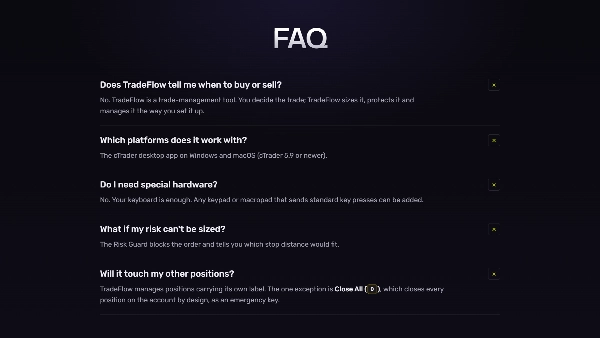
No. TradeFlow™ is a cTrader plugin and works only with the cTrader desktop app on Windows and macOS.
Do I need special hardware?
No. Your keyboard is enough. Any keypad or macropad that sends standard key presses can be added.
Should I practice on a demo account before going live?
Yes, always. Test every key you use to confirm it acts on the right chart and doesn't clash with other shortcuts.
DISCLAIMER
TradeFlow™ is a trade-management plugin for the cTrader desktop app. It runs commands from your keyboard or any programmable keypad that sends key presses. TradeFlow™ is not an automated strategy or trading signals generator. Any reference to trading platforms or functions describes only the technical compatibility and functions of the plugin. Trading leveraged products such as CFDs and FX carries a high risk of loss.
Summary
Key features include:
- Risk-based position sizing calculated from entry and stop-loss distances.
- Visual on-chart tools to set entries, stop-losses, and take-profit levels with real-time risk display.
- One-key trade management for stop-loss adjustments, partial profit-taking, scaling in, reversing, or closing positions.
- Automated scale-out profit targets with configurable follow-up actions.
- Account-level drawdown protection that blocks new trades when loss limits are reached.
- Multi-chart synchronization sharing risk settings and hotkeys across charts.
- Designed exclusively for Netting mode, managing one consolidated net position per symbol with integrated scaling.
TradeFlow™ emphasizes minimal friction by keeping execution and management close to the chart, supporting scalping, day trading, and discretionary swing trading. It does not generate trading signals or support multiple independent positions, grid trading, or fragmented multi-position management. The plugin offers customizable UI themes and maintains detailed logs for diagnostics. Support and onboarding via screen-sharing sessions are available.
Discussion
Customer reviews
5 | 100 % | |
4 | 0 % | |
3 | 0 % | |
2 | 0 % | |
1 | 0 % |