

설명
TraderJourneyPro : 추적. 분석. 개선.
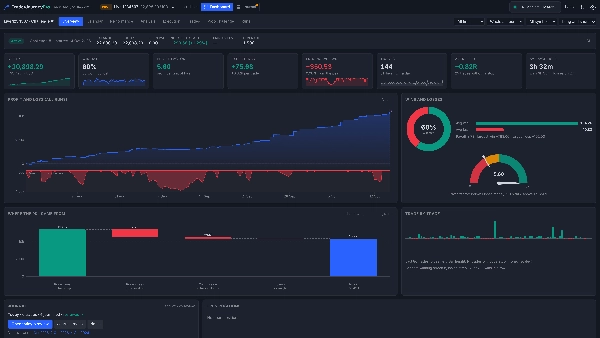
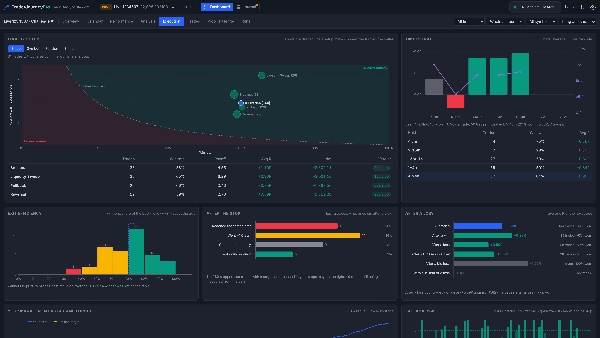
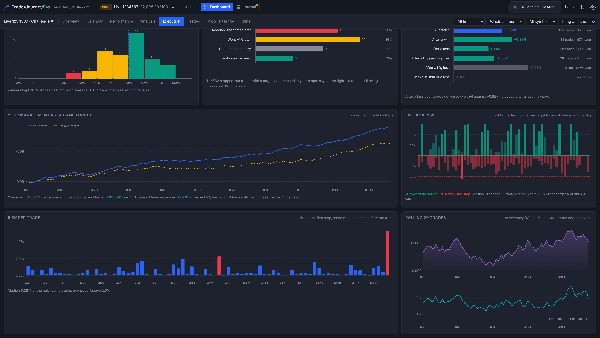
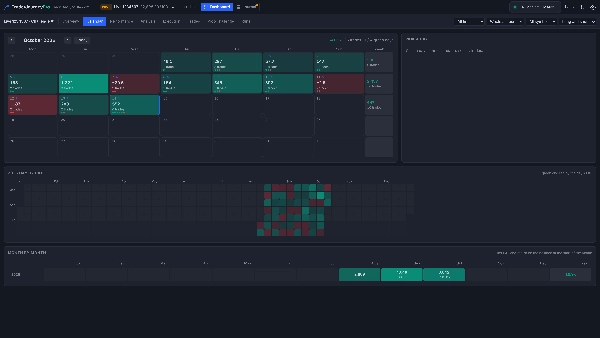
TraderJourneyPro 는 cTrader를 완전한 트레이딩 저널 및 통계 대시보드로 바꿔줍니다. cTrader가 실행되는 동안 계정의 거래를 자동으로 읽습니다. 대시보드는 작동하는 것과 작동하지 않는 것을 보여줍니다: 자본, 약 45개의 통계, 손익 달력, 그리고 어떻게 실행하는지, 어떤 설정이 우위를 가지는지부터 거래 관리가 설정 후 방치보다 나은지까지. 저널은 짧은 일일 검토를 안내하여 거래가 주마다 개선되도록 합니다. 거래하는 모든 계정과 모든 시간을 포괄합니다: 트레이더로서의 전체 여정입니다.
계정만 읽습니다. TraderJourneyPro는 주문을 배치, 변경 또는 종료하지 않으며, 특별한 접근 권한 없이 실행됩니다.
설치 및 실행
- cTrader 스토어에서 TraderJourneyPro를 설치하세요. Algo → Plugins 아래에 나타납니다.
- 설정 → Plugins에서 TraderJourneyPro가 켜져 있는지 확인하세요 (또는 Algo → Plugins에서 시작). 권한 요청이 나타나지 않으며, cTrader가 열릴 때마다 다시 시작됩니다.
- 차트 툴바에 TraderJourneyPro 버튼(상승 경로 아이콘)이 나타납니다. 클릭할 때마다 화면 크기에 맞는 창이 열립니다. 탭을 선호하나요? 설정에서 "새 창 열기 방식"을 변경하세요.
첫 1분
- TraderJourneyPro 버튼을 클릭하세요. cTrader가 연결된 계정이 즉시 읽힙니다: 거래 내역, 열린 포지션, 잔고.
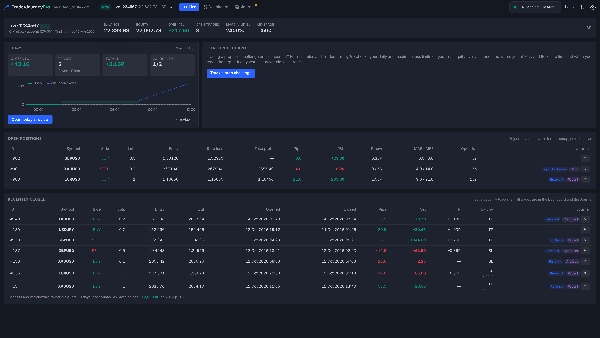
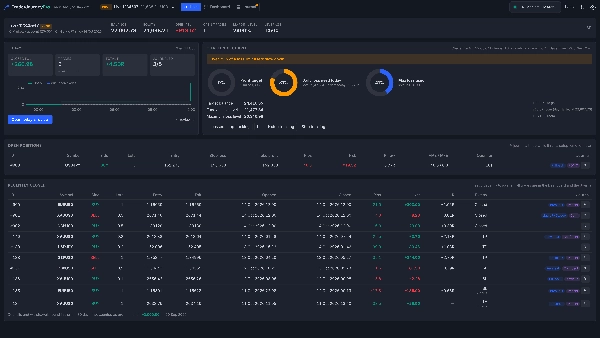
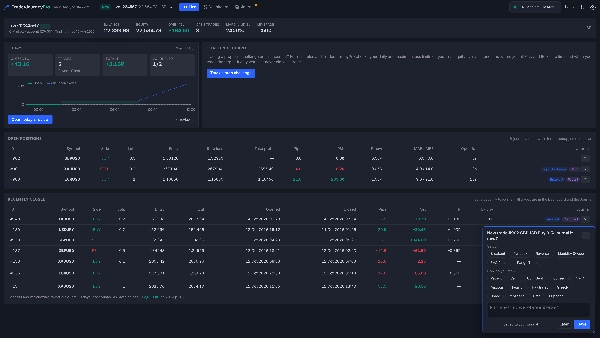
- 라이브 뷰는 현재 계정을 보여줍니다: 잔고, 자본, 미실현 손익, 오늘의 결과 및 열린 포지션.
- 평소처럼 cTrader에서 거래를 여세요. 작은 카드가 설정, 기분, 계획을 묻습니다: 두 번 클릭하면 저널에 기록됩니다.
- 통계용 대시보드와 진행 상황 및 일일 검토용 저널을 여세요.
- 프로프 챌린지를 거래 중인가요? 프로프 챌린지 추적을 클릭하고 규칙을 입력하세요: 챌린지 가드는 매 틱마다 손실 한도를 감시합니다.
트레이더들이 TraderJourneyPro를 선택하는 이유
- 자동화. 모든 종료된 거래는 수수료, 스왑 및 순 결과와 함께 계정의 자체 기록에서 기록됩니다. 입력, 가져오기, 스프레드시트 불필요. 부분적으로 종료된 포지션은 하나의 거래로 표시됩니다.
- 브로커가 보관하는 것 이상. 포지션이 열려 있는 동안 TraderJourneyPro는 첫 번째 손절매(R), 가격이 불리하거나 유리하게 움직인 거리(MAE 및 MFE), 종료 이유(손절, 이익 실현, 강제 종료)를 기록합니다.
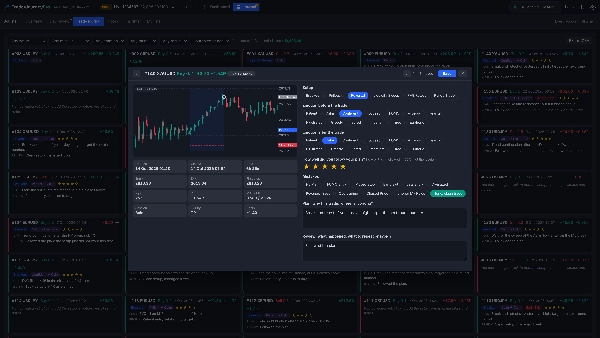
- 모든 거래의 차트. 저널은 각 거래를 브로커의 바 차트에 그리며, 진입, 청산, 부분 청산, 손절매 및 이익 실현을 표시합니다. 과거 거래에도 적용됩니다.
- 프로프 트레이더용 챌린지 가드. 챌린지 시작 잔고, 이익 목표, 일일 및 최대 손실 한도, 시작 시간을 입력하세요. TraderJourneyPro는 매초 실제 자본을 확인하고 한도의 75%, 90% 도달 시, 한도 도달 시, 목표 도달 시 경고합니다. 경고만 하며 거래를 종료하지 않습니다.
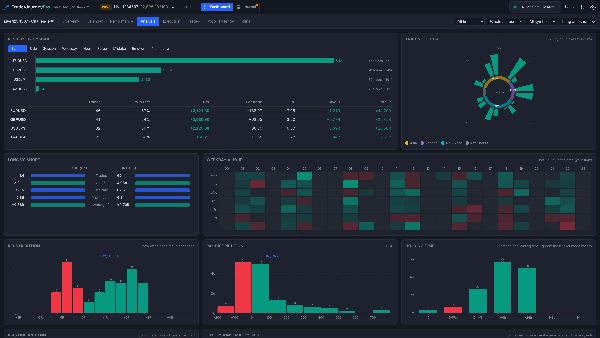
- 완전한 통계 대시보드. 자본 및 최대 낙폭, 약 45개의 통계(이익 계수, 기대값, R, SQN, 샤프, 소르티노, 연속성, MAE 및 MFE), 손익 달력, 심볼, 세션, 요일 및 시간별 결과, 분포, 검색 가능한 표의 모든 거래, 그리고 챌린지 비교.
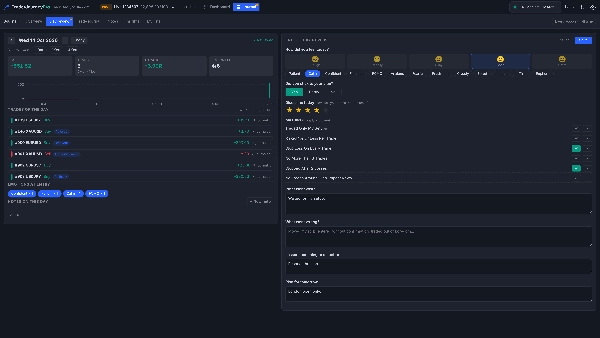
- 함께 작업하는 저널. 각 거래에 설정, 전후 감정, 실수, 계획 평가를 태그하세요. 매일 저녁 일일 검토는 기분, 계획 준수 여부, 지킨/어긴 규칙, 잘된 점, 잘못된 점, 교훈, 내일 계획을 묻습니다.
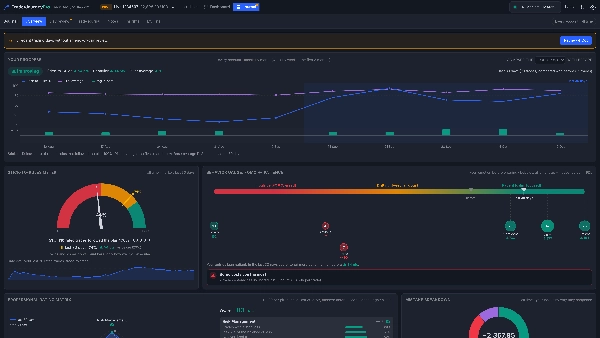
- 진행 상황 확인. 저널의 개요는 최근 7, 30, 90일을 이전과 비교하며 개선, 유지, 하락 여부를 명확히 알려줍니다. 규칙 준수 미터, FOMO-인내 행동 게이지, 거래의 다섯 기둥 평가, 실수 비용 포함.
- 모든 계정, 하나의 여정. cTrader는 한 번에 하나의 계정에 연결되지만, TraderJourneyPro는 본 모든 계정을 저장하여 라이브, 데모, 프로프 계정을 함께 다룹니다.
라이브 뷰
- 현재 연결된 계정: 잔고, 자본, 미실현 손익, 마진 레벨 및 레버리지.
- 오늘: 종료된 손익, 거래 수, R, 저널에 기록된 거래 수, 오늘의 손익 곡선 및 오늘 검토 버튼.
- 열린 포지션: 첫 번째 손절매 포함, 이익 실현, 핍, 손익, 현재 R, 최악 및 최고 핍, 오픈 시간, 그리고 ✎로 저널 기록.
- 최근 3일 내 종료된 거래 및 입출금 내역.
- 프로프 챌린지 추적 시 챌린지 가드.
대시보드
- 개요, 달력, 성과, 분석, 거래, 프로프 챌린지 및 실행 탭, TraderJourneyPro가 본 모든 계정에 대해.
- 기간, 현재 기간 또는 전체 계정, 심볼 및 방향 필터; 모든 숫자는 해당 거래 수를 표시.
저널
- 개요: 이전 대비 진행 상황, 규칙 준수 미터, 행동 게이지, 전문 평가 매트릭스 및 실수 분석.
- 일일 검토, 거래 저널(각 거래를 카드와 차트로), 노트(템플릿 및 고정 노트 포함), 쉬운 언어의 인사이트, 설정, 실수, 감정 및 규칙의 개인 목록.
- 모든 데이터를 CSV로 내보내기.
대상
- 무엇이 자신에게 효과적인지 숫자로 알고 싶은 트레이더.
- 손실 한도를 두 번째로 감시받고 싶은 프로프 챌린지 트레이더.
- 규칙, 검토 및 실제 개선 여부를 보여주는 진행 상황 뷰로 규율을 쌓고자 하는 사람.
알아두면 좋은 점
- TraderJourneyPro는 플러그인이 시작된 상태에서 cTrader가 실행되는 동안 거래를 기록합니다(창이 열려 있든 아니든). cTrader가 꺼져 있을 때 종료된 거래는 다음 실행 시 계정 기록에서 읽습니다.
- 기록이 얼마나 오래 거슬러 올라가는지는 cTrader에 따라 다르며, 플러그인 로그에 시작 위치가 표시됩니다.
- TraderJourneyPro가 열린 것으로 본 포지션에 대해 첫 번째 손절매가 기록됩니다; 이전 거래는 직접 입력할 수 있어 R 계산이 가능합니다.
- 감시하지 않은 거래의 MAE 및 MFE는 브로커의 바 차트에서 추정됩니다.
- 입출금은 잔고에서 찾아내며(잔고의 0.5% 이상), 이익이나 손실로 계산되지 않습니다.
- 챌린지 가드는 일반적인 프로프 회사 규칙을 따릅니다; 회사의 정확한 규칙을 확인하세요. 경고만 하며 조치는 취하지 않습니다.
- 데이터는 컴퓨터에만 저장되며 컴퓨터 간 동기화되지 않습니다.
- Windows용 cTrader에서 테스트됨.
면책 조항: TraderJourneyPro는 분석 및 저널링 도구입니다. 거래 조언을 제공하지 않으며 거래하지 않습니다. 거래에는 위험이 따릅니다. 과거 성과가 미래 결과를 보장하지 않습니다.
요약
AI summary
TraderJourneyPro is a plugin for cTrader that functions as a comprehensive trading journal and statistics dashboard for real trading accounts. It automatically reads your account’s trade history, open positions, and balance while cTrader runs, without requiring special permissions or placing any trades. The tool tracks detailed metrics including equity, about 45 statistical measures (such as profit factor, expectancy, SQN, Sharpe ratio), a P&L calendar, and trade execution analysis covering setups, trade management, and outcomes.
Key features include automatic recording of closed trades with commissions and swaps, visualization of each trade on broker charts, and tracking of first stop loss, MAE (maximum adverse excursion), and MFE (maximum favorable excursion). It supports journaling with tags for setups, emotions, mistakes, and plans, plus an end-of-day review to guide ongoing improvement. A dedicated challenge guard monitors prop trading loss limits and profit targets, issuing warnings without closing trades.
The dashboard offers multiple views—Live, Overview, Calendar, Performance, Analysis, and Trades—with filters by period, symbol, and trade side. It consolidates data across all accounts used in cTrader, including live, demo, and prop accounts. Data remains local to the user’s computer. TraderJourneyPro is designed for traders seeking data-driven insights, discipline building, and prop challenge monitoring.
Key features include automatic recording of closed trades with commissions and swaps, visualization of each trade on broker charts, and tracking of first stop loss, MAE (maximum adverse excursion), and MFE (maximum favorable excursion). It supports journaling with tags for setups, emotions, mistakes, and plans, plus an end-of-day review to guide ongoing improvement. A dedicated challenge guard monitors prop trading loss limits and profit targets, issuing warnings without closing trades.
The dashboard offers multiple views—Live, Overview, Calendar, Performance, Analysis, and Trades—with filters by period, symbol, and trade side. It consolidates data across all accounts used in cTrader, including live, demo, and prop accounts. Data remains local to the user’s computer. TraderJourneyPro is designed for traders seeking data-driven insights, discipline building, and prop challenge monitoring.
플러그인 프로필
플러그인 카테고리
일지
데이터 액세스
기록
고객 리뷰
0.0
리뷰: 0
고객 리뷰
이 상품에 대한 리뷰가 아직 없습니다. 이미 사용해 보셨나요? 다른 사람들에게 가장 먼저 소개해 주세요!
상담
자주 묻는 질문(FAQ)
Trade Journal
Trade Statistics
트레이딩 봇, 지표, 플러그인 등 cTrader Store에서 제공되는 상품은 제3자 개발자에 의해 제공되며, 이는 단순히 정보 및 기술적 접근을 목적으로 제공된 것입니다. cTrader Store는 중개인이 아니며, 투자 조언, 개인별 추천 또는 향후 성과에 대한 어떠한 보장도 제공하지 않습니다.
이 작성자의 상품 더 보기

















가격
가입일 09/03/2026
49
무료 설치