Beschreibung
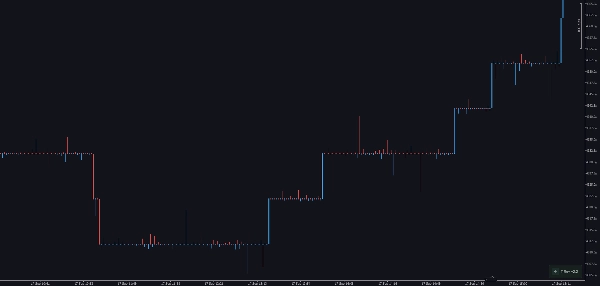
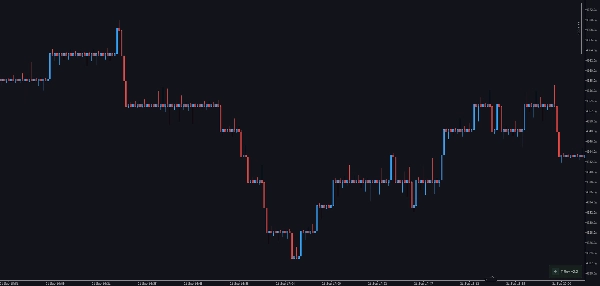
Trendwende (TRev)-Charts zeichnen Kerzen entsprechend der Distanz, die der Preis zurücklegt, nicht dem Zeitverlauf.
In diesem Sinne sind sie mit Point-&Figure-(P&F)-Charts verwandt – aber während eine einzelne P&F-Spalte einen gesamten Trend bis zur Umkehr des Preises darstellt, zeigt ein TRev-Chart einen fortlaufenden Trend als eine Reihe von Kerzen.
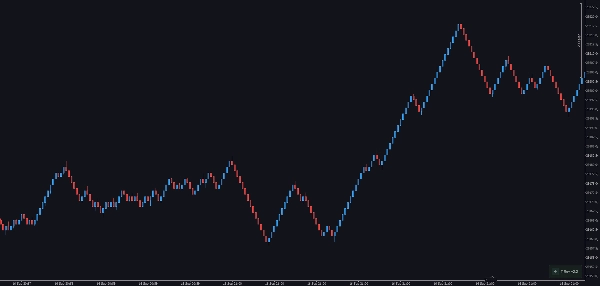
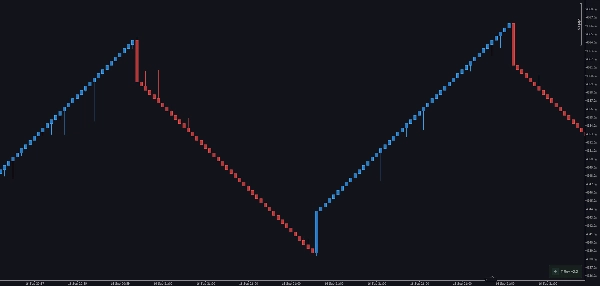
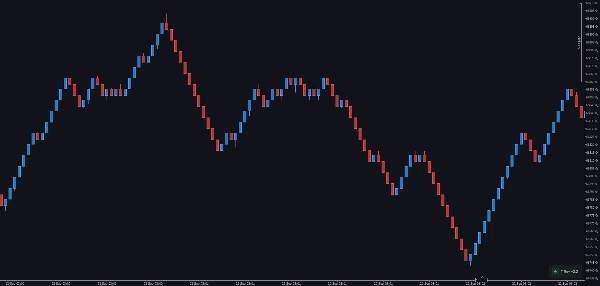
Das liegt daran, dass in einem TRev-Chart eine neue Kerze gebildet wird, jedes Mal wenn der Preis sich um eine festgelegte Anzahl von Ticks in irgendeine Richtung bewegt – so druckt eine ausgedehnte Bewegung mehrere trendfolgende Kerzen nacheinander und gibt Ihnen eine viel feinere Ansicht, wie sich ein Trend entwickelt.
Für die Gebrauchsanleitung des Plugins und des On-Chart-Panels verweisen wir auf die Video-Präsentation „Custom Timeframes Plugin“, da sie dieselbe Nutzung / Methoden verfolgt.
Trend- und Umkehrkerzen
Wie P&F-Charts enthalten TRev-Charts zwei Arten von Kerzen.
- Umkehrkerzen bilden sich genauso wie in einem P&F-Chart: eine neue Kerze wird gezeichnet, wenn der Preis sich um eine festgelegte Anzahl von Ticks gegen die aktuelle Richtung bewegt (die Umkehrgröße).
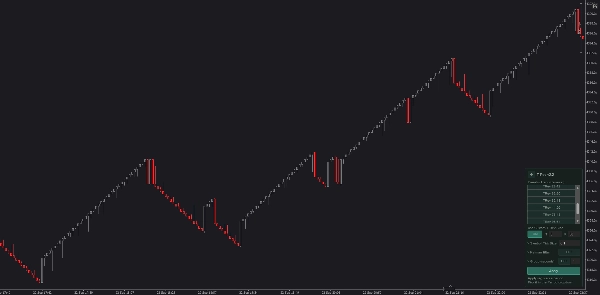
- Trendkerzen sind der Unterschied von TRev zu P&F: eine neue Trendkerze bildet sich jedes Mal, wenn der Preis in die gleiche Richtung für eine festgelegte Anzahl von Ticks weiterläuft (die Trendgröße).
Sie konfigurieren zwei Werte – die Trendgröße und die Umkehrgröße. Üblicherweise ist die Trendgröße ungefähr 1,68 × die Umkehrgröße, aber Sie können jedes Verhältnis verwenden.
Beispiel:
Angenommen, Sie setzen eine Umkehrgröße von 500 Ticks, was eine Trendgröße von 840 ergibt (500 × 1,68 ≈ 840):
Der Preis steigt, dann dreht er um 500 Ticks → eine neue Umkehrkerze wird gezeichnet.
Der Preis steigt stattdessen um 840 Ticks weiter → eine neue Trendkerze wird gezeichnet.
Warum TRev-Kerzen nur auf einer Seite einen Docht haben
Schauen Sie sich ein TRev-Chart an, und Sie werden bemerken, dass jede Kerze nur auf ihrer Öffnungsseite einen Docht hat. Das ergibt sich direkt daraus, wie die Kerzen aufgebaut sind. Nehmen wir eine grüne (steigende) Kerze. In einer normalen zeitbasierten Kerze bedeutet ein Docht an der Öffnungsseite, dass der Preis unter die Eröffnung gefallen ist, und ein Docht an der Schlussseite bedeutet, dass der Preis über den Schlusskurs gestiegen ist. Bei einer TRev-grünen Kerze:
Ein Docht an der Öffnungsseite kann entstehen – das bedeutet, der Preis ist gefallen, aber nicht um die volle Umkehrgröße (z. B. 500 Ticks), die nötig wäre, um eine neue Umkehrkerze zu starten. Ein Docht an der Schlussseite kann nicht entstehen – die Kerze schließt erst, wenn der Preis die Trendgröße (z. B. 840 Ticks) vom Eröffnungskurs erreicht hat. Der Preis kann nicht überschießen und innerhalb derselben Kerze zurückkommen, denn in dem Moment, in dem er 840 Ticks erreicht, beginnt eine neue Trendkerze. Rote (fallende) Kerzen folgen der gleichen Regel gespiegelt: Der Docht sitzt auf der Öffnungs-(oberen) Seite, und das Tief ist der Schlusskurs.
Auswahl eines TRev-Charts im Plugin
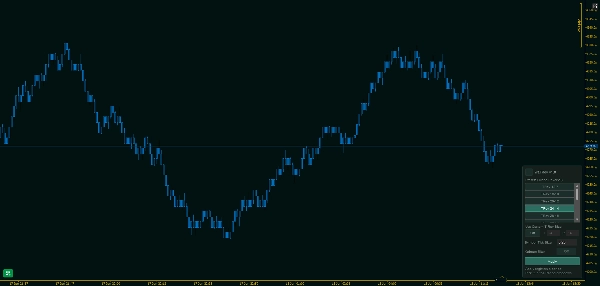
Dieses Plugin fügt TRev-Perioden zum normalen Perioden-Dropdown von cTrader hinzu und bietet Ihnen ein Steuerungsfeld im Chart, um sie zu erstellen. Sowohl im Periodennamen als auch im Panel ist die erste Zahl die Trendgröße und die zweite Zahl die Umkehrgröße – z. B. 16-10 bedeutet Trend 16, Umkehr 10.
Jeder Periodenname kodiert alles, was die Bars definiert, in der Form:
[Symbol:]{Trend}-{Umkehr} - {Tickgröße} - {K|O}
wobei K = Kalman-Filter aktiv und O = Original (roh, Kalman aus) ist. Zum Beispiel ist XAU:16-10 - 0.25 - K ein Kalman-TRev auf XAU, Trend 16, Umkehr 10, Tickgröße 0.25.
Sie können die Rotationsperiode einer TRev-Kerze auf zwei Arten einstellen:
- Wählen Sie eine Voreinstellung. Das Panel listet die Standard-Trend-Umkehr-Paare in einer scrollbaren Liste auf. Mit dem Schalter „Use Custom T-Rev Size“ auf Aus wird die hervorgehobene Voreinstellung verwendet.
- Geben Sie benutzerdefinierte Werte ein. Stellen Sie den Schalter „Use Custom T-Rev Size“ auf Ein und geben Sie Ihre eigenen Trend-(T)- und Umkehr-(R)-Werte in derselben Zeile ein.
In beiden Fällen drücken Sie auf Anwenden, um die Periode zu registrieren. Sie erscheint dann im Perioden-Dropdown von cTrader und ist bereit zur Auswahl.
Verfügbare Voreinstellungen
Die eingebauten Voreinstellungen (Trend-Umkehr) sind: 12 - 7 // 16 - 10 // 20 - 12 // 24 - 14 // 28 - 16 // 28 - 14 // 28 - 12 // 32 - 20 // 32 - 18 // 44 - 26 // 78 - 48 // 96 - 64 // 120 - 82 // 210 - 125
Zusätzliche Optionen
Symbol-Tickgröße — die Tickgröße, die für alle Schwellenwert-Berechnungen verwendet wird, direkt im Panel eingestellt. Dieser Wert wird immer angewendet, sodass die Trend- und Umkehr-Distanzen in konsistenten Preisinkrementen gemessen werden, unabhängig vom nativen Tick des Instruments. Er ist Teil des Periodennamens.
Kalman-Filter (Aus/Ein) — ein optionaler Preisrauschfilter. Wenn eingeschaltet, wird der Rohpreis geglättet, bevor die Trend-/Umkehr-Schwelle getestet wird, sodass einzelne Tick-Spitzen nicht vorzeitig eine Kerze schließen. Die OHLC-Werte der Kerze verfolgen immer den Rohpreis; nur der Zeitpunkt, wann eine Kerze schließt, wird beeinflusst. Im Periodennamen wird Kalman-ein mit K und Kalman-aus mit O (Original) markiert, sodass die beiden unterschiedliche Perioden sind, die Sie parallel laufen lassen können.
Pause am Handelsschluss — optionaler Neustart der Kerzenbildung zu Beginn jedes neuen Handelstages.
Vorteile von TRev-Charts
Wie P&F-Charts machen TRev-Charts es einfach zu sehen, wo sich der Preis für eine bedeutende Zeitspanne bewegt. Indem sie das Rauschen kleiner, zeitbasierter Schwankungen herausfiltern, machen sie Trends und Umkehrungen viel offensichtlicher.
Wenn Sie eine Ansammlung von Umkehrkerzen hintereinander sehen, markiert das einen unruhigen Bereich im Markt – ein Zeichen für Absorption oder Distribution. Diese Zonen heben sich auf einem TRev-Chart klar hervor, was die Identifikation von Unterstützung und Widerstand erleichtert.
Absorption bezieht sich auf Preisniveaus, bei denen ein großes Volumen sowohl auf der Kauf- als auch auf der Verkaufsseite gehandelt wird, ohne dass sich der Preis wesentlich bewegt – im Wesentlichen dort, wo Marktteilnehmer sich treffen und den Großteil ihres Handels abwickeln, ohne den Markt zu bewegen, sodass sowohl Käufer als auch Verkäufer erfüllt werden.
Zusammenfassung
TRev charts feature two candle types: reversal candles, which form when price reverses by a set tick amount, and trending candles, which form when price continues in the same direction by a set tick amount. Users configure both trend size and reversal size, with a typical trend size approximately 1.68 times the reversal size. Each candle has a wick only on its opening side, reflecting the unique formation rules.
The plugin integrates TRev periods into cTrader’s period dropdown and includes an on-chart control panel for selecting presets or entering custom trend and reversal sizes. Additional options include setting symbol tick size, applying a Kalman filter for price smoothing, and restarting candle formation at the start of each trading day.
TRev charts help identify price ranges, trends, reversals, and zones of absorption or distribution by filtering out minor time-based fluctuations, aiding in clearer support and resistance analysis.