Deskripsi
Risk Management Pro adalah plugin cTrader canggih yang mengotomatiskan perhitungan ukuran posisi berdasarkan persentase risiko, menghilangkan kesalahan manual dan melindungi modal Anda.
- VERSI 1.4.2 - LENGKAP: Siap produksi dengan panel kontrol grafik interaktif untuk garis Entry, Stop Loss, dan Take Profit.
✨ Apa yang Baru di v1.4.2
Panel Kontrol Interaktif di Grafik
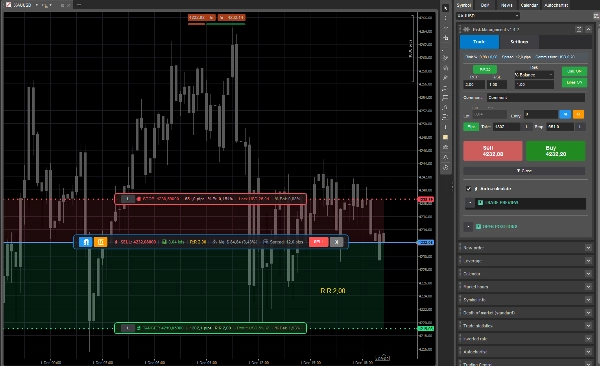
- 🎯Panel Entry: Panel mengambang mengikuti garis Entry dengan tombol Magnet, Reverse, Execute, dan Close
- 🛑Panel Stop: Panel mengambang yang menampilkan harga Stop, pips, jumlah kerugian, dan % saldo dengan tombol Lock
- 🎯Panel Take: Panel mengambang yang menampilkan harga Target, pips, R:R, jumlah keuntungan, dan % saldo dengan tombol Lock
- 🔒Tombol Lock: Mengunci garis individu untuk mencegah penyesuaian otomatis saat memindahkan garis lain
- 📊Info Waktu Nyata: Semua panel diperbarui secara waktu nyata saat Anda menyeret garis atau pasar bergerak
Fitur Utama
Perhitungan Risiko Otomatis
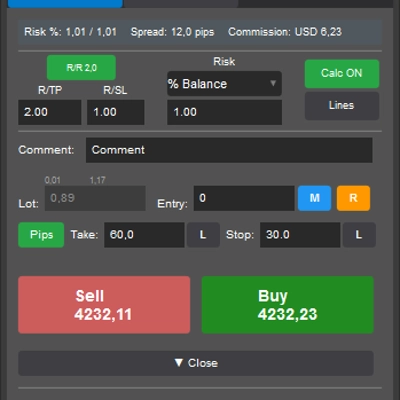
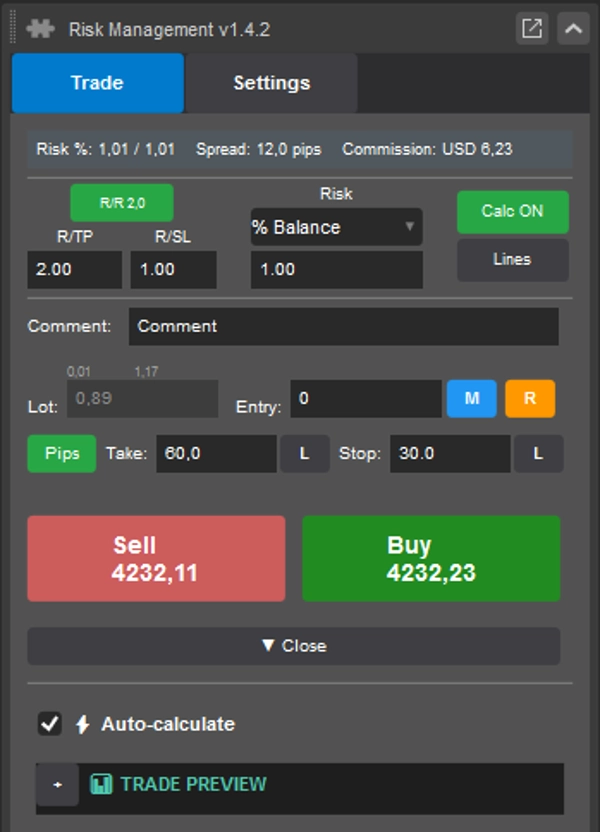
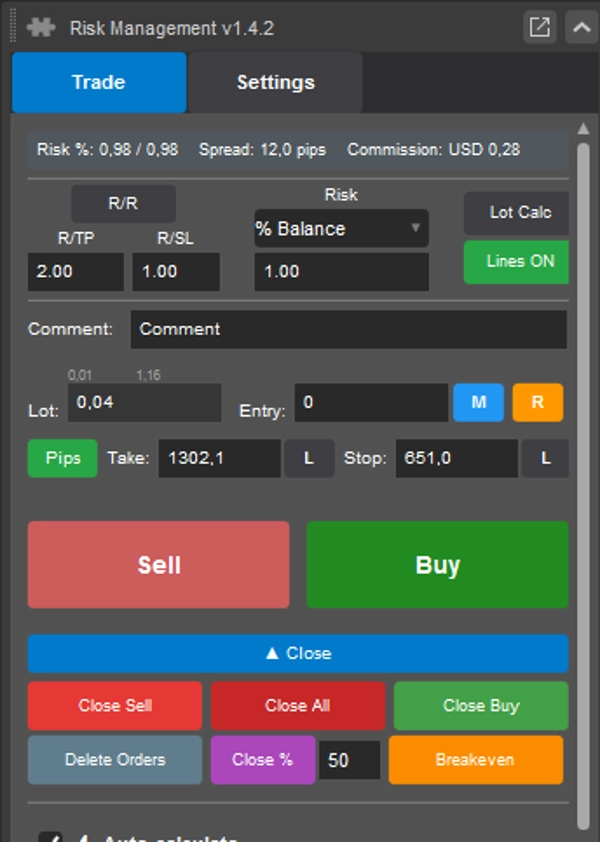
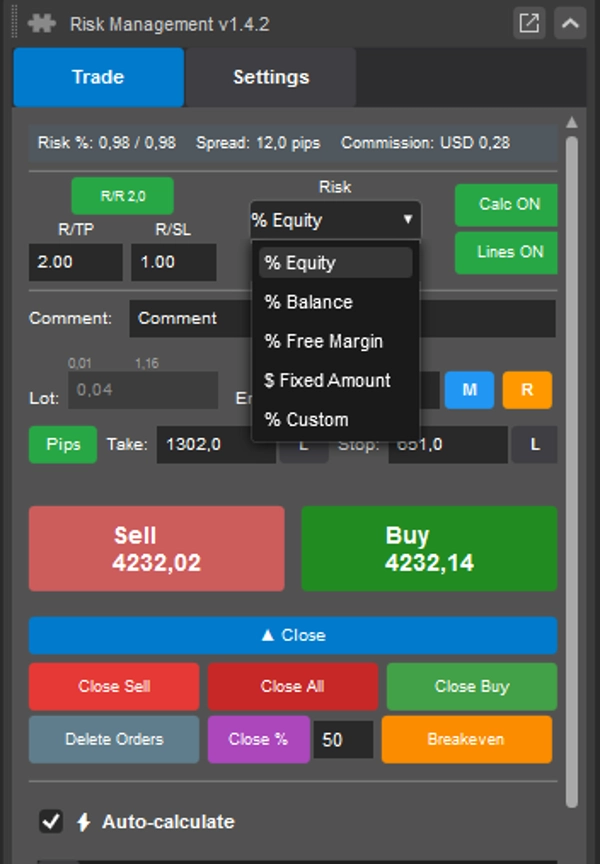
- 5 metode perhitungan: % Ekuitas, % Saldo, % Margin Bebas, Jumlah Tetap, % Kustom
- Pembaruan waktu nyata saat parameter berubah
- Normalisasi volume otomatis ke batas simbol
- Validasi ketat mencegah order tidak valid
- Perhitungan laba/rugi Kotor/Netto (termasuk spread dan komisi)
Antarmuka Intuitif
- Terintegrasi ke Panel Simbol Aktif (tanpa ruang layar tambahan)
- Tata letak modern yang ringkas dengan sistem tab
- Umpan balik visual dengan tombol dan kontrol berwarna
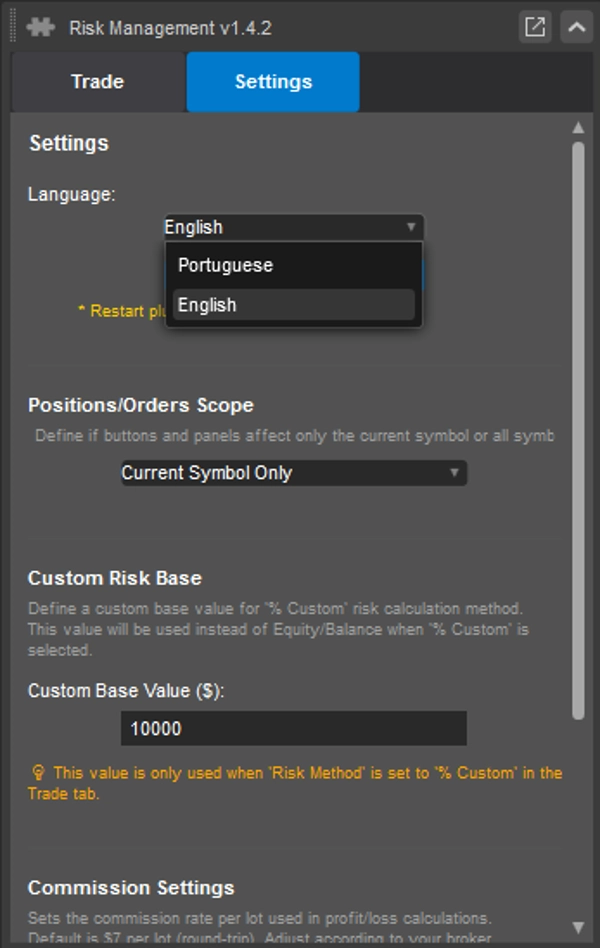
- Dukungan multibahasa (Inggris, Portugis)
Otomatisasi Rasio R/R
- R/TP: Menghitung Take Profit berdasarkan Stop Loss × Rasio
- R/SL: Menghitung Stop Loss berdasarkan Take Profit ÷ Rasio
- Proporsi risiko/imbalan yang dapat dikonfigurasi
- Tampilan R:R waktu nyata pada panel grafik
Garis Grafik Dinamis dengan Panel Kontrol
- Garis visual: Entry (biru), SL (merah), TP (hijau)
- Panel kontrol mengambang yang terpasang pada setiap garis
- Tombol magnet untuk menempelkan Entry ke harga pasar
- Tombol reverse untuk mengganti arah Beli/Jual
- Tombol execute untuk menempatkan order langsung dari grafik
- Tombol lock untuk membekukan garis individu
- Interaktif: Seret garis untuk menyesuaikan level secara instan
- Mode dinamis mengikuti harga pasar secara waktu nyata
Manajemen Posisi Cepat
- Tutup Beli: Menutup semua posisi beli
- Tutup Jual: Menutup semua posisi jual
- Tutup Semua: Menutup semua posisi
- Breakeven: Memindahkan SL ke breakeven untuk posisi yang menguntungkan
- Tutup %: Menutup persentase posisi
- Hapus Order: Menghapus semua order tertunda
Eksekusi Aman
- Konfirmasi wajib sebelum eksekusi
- Validasi lengkap saldo, batas, parameter
- Pesan kesalahan yang jelas
- Penghapusan garis otomatis setelah eksekusi berhasil
Logika Eksekusi Order
Di versi 1.4.2, tipe order tergantung pada harga Entry.
Jika harga Entry sama atau sangat dekat dengan harga pasar saat ini, plugin mengeksekusi order pasar.
Jika harga Entry berbeda dari harga pasar saat ini, plugin menempatkan order tertunda:
- Beli dengan Entry di bawah harga pasar saat ini: Buy Limit
- Beli dengan Entry di atas harga pasar saat ini: Buy Stop
- Jual dengan Entry di atas harga pasar saat ini: Sell Limit
- Jual dengan Entry di bawah harga pasar saat ini: Sell Stop
Tombol Beli dan Jual menentukan arah perdagangan dan mengeksekusi order sesuai logika harga Entry.
Tombol Execute pada panel grafik menggunakan arah yang dipilih saat ini dan garis/harga Entry saat ini untuk mengeksekusi order pasar atau order tertunda yang sesuai.
Stop Loss dan Take Profit dihitung dari nilai yang dikonfigurasi dan dilampirkan ke order saat dibuat.
Tombol kontrol grafik:
- M / Magnet: memindahkan garis Entry ke harga pasar saat ini.
- R / Reverse: mengganti arah perdagangan antara Beli dan Jual.
- Execute: membuat order berdasarkan arah yang dipilih dan harga Entry.
- L / Lock: mengunci garis Stop Loss atau Take Profit untuk mencegah penyesuaian otomatis.
Ringkasan
Order execution adapts to the entry price, placing market orders when entry is near the current price or appropriate pending orders (Buy Limit, Buy Stop, Sell Limit, Sell Stop) otherwise. The plugin automates risk/reward ratio calculations, allowing configurable proportions and displaying real-time R:R on chart panels. Additional features include quick position management tools for closing buy/sell/all positions, breakeven adjustments, partial closes, and order deletion. Safe execution is ensured through mandatory confirmations, parameter validation, and clear error messages. The interface integrates compactly into the active symbol panel with multilingual support (English, Portuguese). Supported markets include Forex, indices, commodities, crypto, and stocks.
Diskusi
Ulasan pelanggan
5 | 50 % | |
4 | 50 % | |
3 | 0 % | |
2 | 0 % | |
1 | 0 % |












![Logo "Custom Timeframes [Iridio Capital]"](https://cdn.ctrader.com/image/webp/4d75a920-23c7-4fea-a7b5-594a9d067f2e_63286)