
Descrição
Professional Multi-Chart Level Synchronization Tool for cTrader
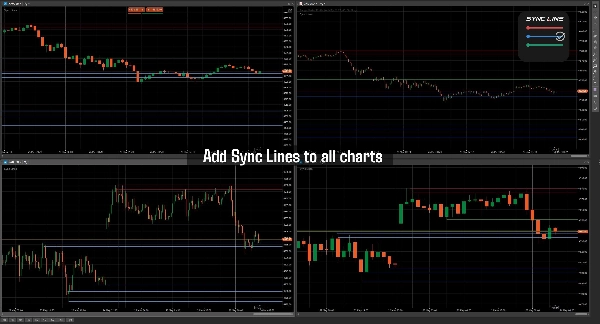
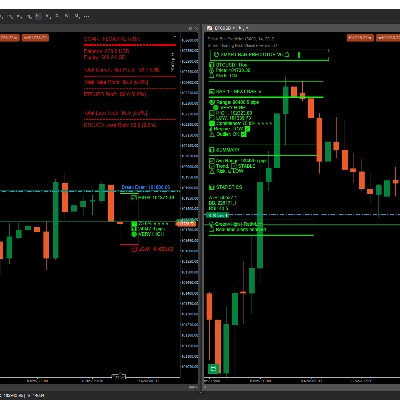
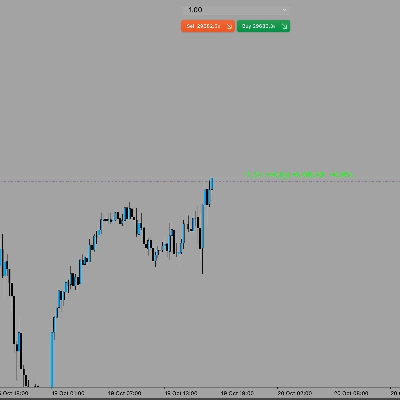
Sync Horizontal Lines is a professional charting utility built for traders who rely heavily on support/resistance zones, liquidity areas, market structure, and multi-timeframe analysis inside cTrader. The indicator allows traders to draw horizontal price levels once and automatically synchronize them across all charts of the same symbol instantly.
Unlike traditional manual chart marking, Sync Horizontal Lines removes repetitive work by keeping levels aligned between different timeframes and chart layouts. Whether you are analyzing M1, M15, H1, or Daily charts, your important levels remain fully synchronized and visually consistent.
The indicator includes a fast hotkey-based workflow for creating, deleting, and color-cycling lines directly from the chart without opening settings panels or menus. Traders can organize support, resistance, liquidity zones, entries, stop losses, take profits, session highs/lows, or custom execution levels using multiple line colors.
A built-in persistent storage system automatically saves all lines locally, ensuring that your levels remain available even after restarting cTrader. Each symbol maintains its own independent synchronized levels, preventing chart clutter between instruments.
Designed for speed and efficiency, Sync Horizontal Lines is lightweight, responsive, and suitable for scalpers, day traders, swing traders, ICT traders, SMC traders, prop firm traders, and multi-monitor trading setups.
Main Features
- Real-time synchronized horizontal levels across charts
- Same-symbol multi-timeframe synchronization
- Automatic local save/load persistence
- Fast keyboard + mouse workflow
- Multiple line color management
- Lightweight and low resource usage
- Instant level updating across charts
- No manual re-drawing required
- Professional workflow optimization
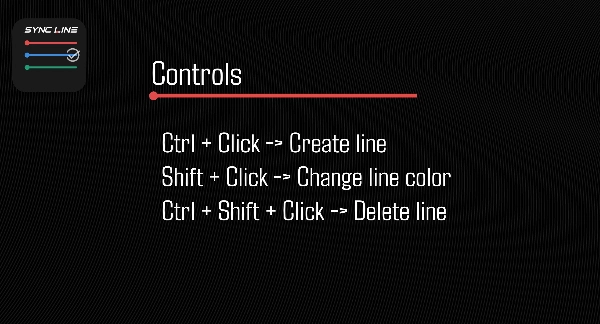
Controls
- Ctrl + Click → Create line
- Shift + Click → Change line color
- Ctrl + Shift + Click → Delete line
Ideal For
- Support & Resistance traders
- ICT and SMC strategies
- Scalping workflows
- Intraday trading
- Liquidity mapping
- Session range marking
- Multi-monitor setups
- Professional chart management
Installation
Simply add the indicator to your Multicharts of different timeframe and start drawing using the keyboard shortcuts. No setup required.
The Indicator must be added to different charts to work properly.
Resumo
Conversa
Avaliações de clientes
Perguntas frequentes






Preço
