
AI Trading Tools for cTrader
Browse AI trading tools for cTrader that help with execution, monitoring, and decision support. Discover chart tools, analytics, and automation helpers that improve workflow without overcomplicating the chart. Useful for traders who mix discretionary analysis with systematic rules and want an AI-assisted trading strategy process with better structure and performance tracking.
Tools
Tool comparison
FAQ
Automated trading robots that run 24/7 on any platform via the cTrader cloud.


















Chart tools that highlight patterns and help you trade manually on desktop.



Classic add-ons for cTrader Windows and Mac. Extend your workspace with advanced tools built for professional traders.



Next-generation plugins that run on any cTrader platform: Windows, Mac, Web and Mobile. Launch them instantly and trade directly from the interface.

Tool comparison
Product | Reviews | Downloads | Sales | Price | Compatible platforms |
|---|---|---|---|---|---|
AI Assistant | 5.0 (3) | 4.42K | — | Free | Windows, Mac, Mobile, Web |
Inca Gold Grid AI Pro | 3.5 (8) | — | 89 | $159 | Windows, Mac, Mobile, Web |
ChatGPT Plugin v1.0 | 5.0 (1) | 3.68K | — | Free | Windows, Mac |
AI Trading & Advisory, ChatGPT, Gemini, DeepSeek, Claude | 4.3 (3) | — | 39 | $39 | Windows, Mac, Mobile, Web |
DeepSeek Plugin v1.0 | 5.0 (1) | 2.59K | — | Free | Windows, Mac |
needThai cBot Your AI Companion | 3.0 (2) | — | 35 | $93 | Windows, Mac, Mobile, Web |
True Scalper Ai v4.0 | 4.4 (5) | — | 32 | $119 | Windows, Mac, Mobile, Web |
Ai_Scalper Pro_Max | 5.0 (3) | — | 17 | $39 | Windows, Mac, Mobile, Web |
AI GOLD cBOT | 4.4 (5) | — | 15 | $199 | Windows, Mac, Mobile, Web |
AI Level Trader | 4.3 (4) | — | 14 | $129 | Windows, Mac, Mobile, Web |
AI Trading Agent | 3.5 (4) | — | 13 | from $9 | Windows, Mac |
TrendRecovery - Aug 10 | 5.0 (2) | — | 12 | from $69 | Windows, Mac, Mobile, Web |
Gold Emperor | 4.8 (4) | — | 11 | $20 | Windows, Mac |
Ultimate AI Trading Robot V2.0 | 4.5 (2) | — | 8 | $39 | Windows, Mac, Mobile, Web |
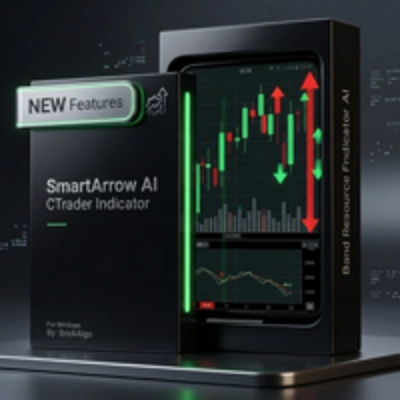
SmartArrows AI V2 | 5.0 (3) | — | 8 | $199 | Windows, Mac |
Breakout Premium AI | 4.5 (2) | — | 5 | $59 | Windows, Mac, Mobile, Web |
AI FOREX cBOT | 5.0 (1) | — | 5 | $199 | Windows, Mac, Mobile, Web |
ALPHA RAZER US30 v3.0 | 4.8 (4) | — | 5 | from $50 | Windows, Mac, Mobile, Web |
GoldPulse FX | 5.0 (2) | — | 4 | $50 | Windows, Mac, Mobile, Web |
Pulse TIck Reactor DreamProfitFX | 4.5 (2) | — | 4 | $39 | Windows, Mac, Mobile, Web |
TwoPole Oscillator Pro – Advanced AI-Driven Trading Robot | 3.5 (2) | — | 4 | $100 | Windows, Mac, Mobile, Web |
AURIX | 5.0 (2) | — | 4 | $39 | Windows, Mac, Mobile, Web |
VELOX | 5.0 (1) | — | 3 | from $50 | Windows, Mac, Mobile, Web |
Andrews Pitchfork AI Cbot | 4.3 (4) | — | 3 | $59 | Windows, Mac, Mobile, Web |
Neuralis | 4.0 (1) | — | 3 | $50 | Windows, Mac, Mobile, Web |
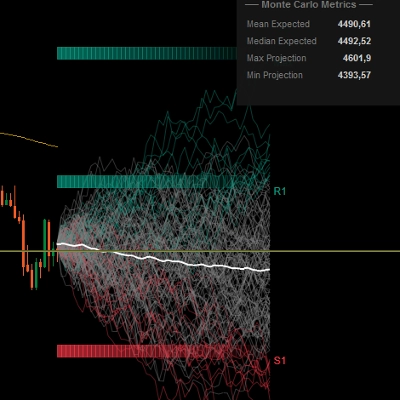
PredictiveMonteCarloEngine | 4.5 (4) | — | 3 | $45 | Windows, Mac |
DeepScalp Pro Ai | 5.0 (1) | — | 3 | $79 | Windows, Mac |
AI Dynamic Trendline pro cBot v2.4.1 | 4.7 (3) | — | 2 | from $45 | Windows, Mac, Mobile, Web |
FTMO_AI_Adaptive_Bot_Fixed | 5.0 (2) | — | 2 | $39 | Windows, Mac, Mobile, Web |
InstitutionalSignalOscillator | 5.0 (2) | — | 2 | $29 | Windows, Mac |
QuantumScalp AI | 5.0 (2) | — | 2 | $49 | Windows, Mac, Mobile, Web |
AI Level Trader Istitutional | 4.0 (1) | — | 2 | $399 | Windows, Mac, Mobile, Web |
MarketRegimeAI | 5.0 (3) | — | 1 | $25 | Windows, Mac |
AI Regression Zones | 4.3 (4) | — | 1 | $79 | Windows, Mac, Mobile, Web |
XauUsdUltimateBot_AI | 5.0 (1) | — | — | from $180 | Windows, Mac, Mobile, Web |
AI SHORT EXPLORER v1.0 | 4.0 (2) | — | — | $69 | Windows, Mac, Mobile, Web |
FAQ
An AI trading tool is a cBot, indicator or plugin whose seller describes AI-based methods in its logic, used for execution help, monitoring or decision support. The label comes from the seller's description, so read what the model actually does and which parts stay rule-based.
AI indicators and chart tools only draw or raise alerts, while an AI cBot, and some plugins, can open, modify and close positions. You pick the settings and start each instance yourself, so every order it sends remains your responsibility.
Look for what the model uses as input, whether it adapts over time or ships fixed, and which symbols, timeframes and account types it supports. Then weigh trial limits, version notes and reviews, remembering that even a strong backtest describes only the past.
Not always, because a cBot that opens opposite positions on one symbol needs a hedging account, while a netting account keeps a single net position per symbol. Check the account type the description supports and whether your broker's symbol names match what the bot expects.
Once obtained, the tool syncs to the cTrader apps signed in with your cTrader ID, where you add it to a chart or start an instance. Begin on a demo account with small volume, read the log for errors, and note any time or feature limits the trial sets.