
Best Prop Trading Tools for cTrader
Explore tools built for prop trading workflows: risk limits, drawdown tracking, session control, and execution panels. These tools help keep you compliant with rules and consistent under pressure. Useful for traders who combine manual decisions with a bot or expert adviser, and want clear visibility into daily loss, max drawdown, and position risk while trading.
الأدوات
مقارنة الأدوات
الأسئلة الشائعة
روبوتات التداول الآلي التي تعمل على مدار الساعة طوال أيام الأسبوع على أي منصة عبر سحابة cTrader.


































مقارنة الأدوات
المنتج | التقييمات | التنزيلات | المبيعات | السعر | المنصات المتوافقة |
|---|---|---|---|---|---|
needThaiBot Version 47 | 4.0 (4) | 1.79K | — | مجاني | Windows, Mac, Mobile, Web |
needThai Algo AI Strategy | 3.5 (2) | — | 80 | $43 | Windows, Mac, Mobile, Web |
needThaiBot Version 46 | 5.0 (2) | 1.13K | — | مجاني | Windows, Mac, Mobile, Web |
needThai cBot Your AI Companion | 3.0 (2) | — | 35 | $93 | Windows, Mac, Mobile, Web |
🎯 Cwebhook Trade Manager | 4.3 (3) | 952 | — | مجاني | Windows, Mac, Web |
Prop Ready Bot_v.2.0 | 4.2 (5) | — | 34 | $39 | Windows, Mac, Mobile, Web |
needThaiBot Mad Unicorn | 4.0 (2) | 402 | — | مجاني | Windows, Mac, Mobile, Web |
True Scalper Ai v4.0 | 4.4 (5) | — | 32 | $119 | Windows, Mac, Mobile, Web |
SmartTrade - QuantumBot | 4.8 (5) | — | 29 | من 99$ | Windows, Mac, Mobile, Web |
Breakout Premium Pro v2.0 | 4.3 (3) | — | 19 | $49 | Windows, Mac, Mobile, Web |
TradeCopierBot | 4.3 (3) | — | 17 | $69 | Windows, Mac, Web |
Prop Scalper Gold | 5.0 (3) | — | 16 | $79 | Windows, Mac, Mobile, Web |
AI Level Trader | 4.3 (4) | — | 14 | $129 | Windows, Mac, Mobile, Web |
Scalper Pro PROP | 4.3 (3) | — | 9 | $49 | Windows, Mac, Mobile, Web |
needThaiBot Automated | — | — | 8 | $104 | Windows, Mac, Mobile, Web |
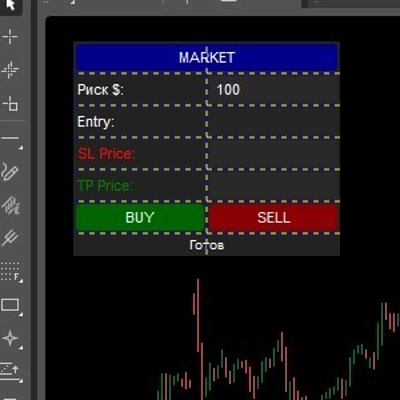
One Click SL TP Setter Smart Trade Management | 5.0 (3) | — | 7 | $39 | Windows, Mac, Web |
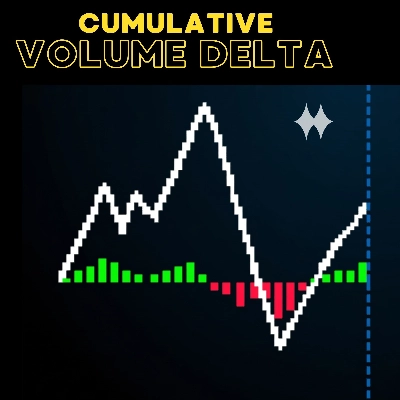
Cumulative Volume Delta | 4.7 (3) | — | 6 | $19 | Windows, Mac |
PropFirm Forex Sniper | 4.5 (2) | — | 6 | $39 | Windows, Mac, Mobile, Web |
Dynamic Trendiline Pro cBot v.2.2 | 5.0 (1) | — | 6 | $179 | Windows, Mac, Mobile, Web |
needThaiBot for Sniping Trade | 5.0 (3) | — | 5 | $104 | Windows, Mac, Mobile, Web |
COT Institutional Sentiment Bot | 5.0 (1) | — | 4 | $79 | Windows, Mac, Mobile, Web |
Midas | 5.0 (3) | — | 3 | $195 | Windows, Mac, Mobile, Web |
HFT Prop Firm Pass | 3.0 (1) | — | 3 | $245 | Windows, Mac, Mobile, Web |
PROP account Guardian v.2 | 4.0 (2) | — | 3 | $39 | Windows, Mac, Web |
needThai Premium Supreme Smart AI Bot | 5.0 (1) | — | 2 | $104 | Windows, Mac, Mobile, Web |
needThaiBot Strong Buy and Strong Sell Only | — | — | 2 | $104 | Windows, Mac, Mobile, Web |
ADT_bigCandles | 4.8 (4) | — | 2 | $20 | Windows, Mac |
Challenger Prop | 4.3 (4) | — | 2 | $99 | Windows, Mac, Mobile, Web |
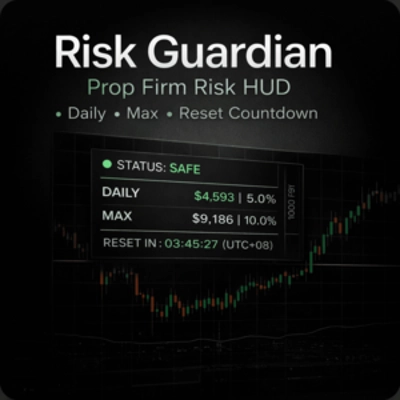
Risk Guardian – Prop Firm HUD | 4.7 (3) | — | 1 | $19 | Windows, Mac |
Temporal_Volatility_Alpha_forPropFirm | 4.0 (4) | — | 1 | $44 | Windows, Mac, Mobile, Web |
ProRiskPanel | 4.0 (2) | — | 1 | $39 | Windows, Mac, Mobile, Web |
needThai Three Musketeers Special Smart Bot | 4.7 (3) | — | 1 | $104 | Windows, Mac, Mobile, Web |
SMC ALGO FX | 1.0 (1) | — | 1 | $250 | Windows, Mac, Mobile, Web |
FERRARI_FX | 4.0 (1) | — | 1 | $150 | Windows, Mac, Mobile, Web |
Sentinel Apex SPX500 | — | — | 1 | $100 | Windows, Mac, Mobile, Web |
Rook - Trade Executor Professional | — | — | 1 | $69 | Windows, Mac, Web |
Steady Retest EURUSD | — | — | — | $75 | Windows, Mac, Mobile, Web |
GOLD RAIDER ADVANCED v 1.0 | 3.7 (3) | — | — | $99 | Windows, Mac, Mobile, Web |
needThaiBot Five Soldiers doin' Work | 4.0 (2) | — | — | $104 | Windows, Mac, Mobile, Web |
SMC_Risk_Manager_Premium | — | — | — | $129 | Windows, Mac, Mobile, Web |
needThai Supreme Super Smart Varieties AI Bot | 3.5 (2) | — | — | $104 | Windows, Mac, Mobile, Web |
Prime Momentum Algo | — | — | — | $149 | Windows, Mac, Mobile, Web |
الأسئلة الشائعة
Prop trading tools are cBots and indicators that support a funded trader's routine, from order panels to daily loss and drawdown displays. Some only show information, while others place, modify or close orders when you trigger them or when a set limit is reached.
An execution panel is a cBot with on-chart buttons that open trades with preset volume, stop loss and take profit, and some size positions from a risk amount. It speeds up manual entries, and every order it sends comes from your click, so checking the inputs before each session matters.
It should match the account type your firm provides, because hedging accounts can hold several positions on one symbol while netting accounts keep a single net position. A tool written for one model may miscount exposure or fail to close trades on the other, so check its description.
Not entirely, since a tool acts only while its instance runs and prices can gap past any threshold before an order fills. Limits and stops reduce losses but do not remove them, and rules differ between firms and get revised, so the settings must follow the current version.
Built-in protections such as stop loss and break-even stay on the server after you log out, while a local cBot stops when the desktop app closes. Attaching a server-side stop to every trade covers the moments when a tool is not running.